
Introduction
This manual provides essential instructions for the safe and effective use of your DCH 5200mAh Lithium-ion battery replacement, specifically designed for the Laresar L6 Pro robot vacuum cleaner. Please read this manual thoroughly before installation and use to ensure optimal performance and safety.

Image: DCH 5200mAh Lithium-ion battery replacement. This image shows the full battery pack, highlighting its compact design and the attached connector cable.
Important Safety Information
WARNING: To reduce the risk of fire or burns, read all instructions and warnings in this manual and on the product before use.
- Do not attempt to disassemble, open, or service the battery pack.
- Replace only with the battery pack designated for this product.
- Do not crush, puncture, short external contacts, or dispose of in fire or water.
- Do not store above 60°C (140°F).
- New battery pack must be fully charged before use.
- Keep the battery away from children.
- Dispose of used batteries according to local regulations.
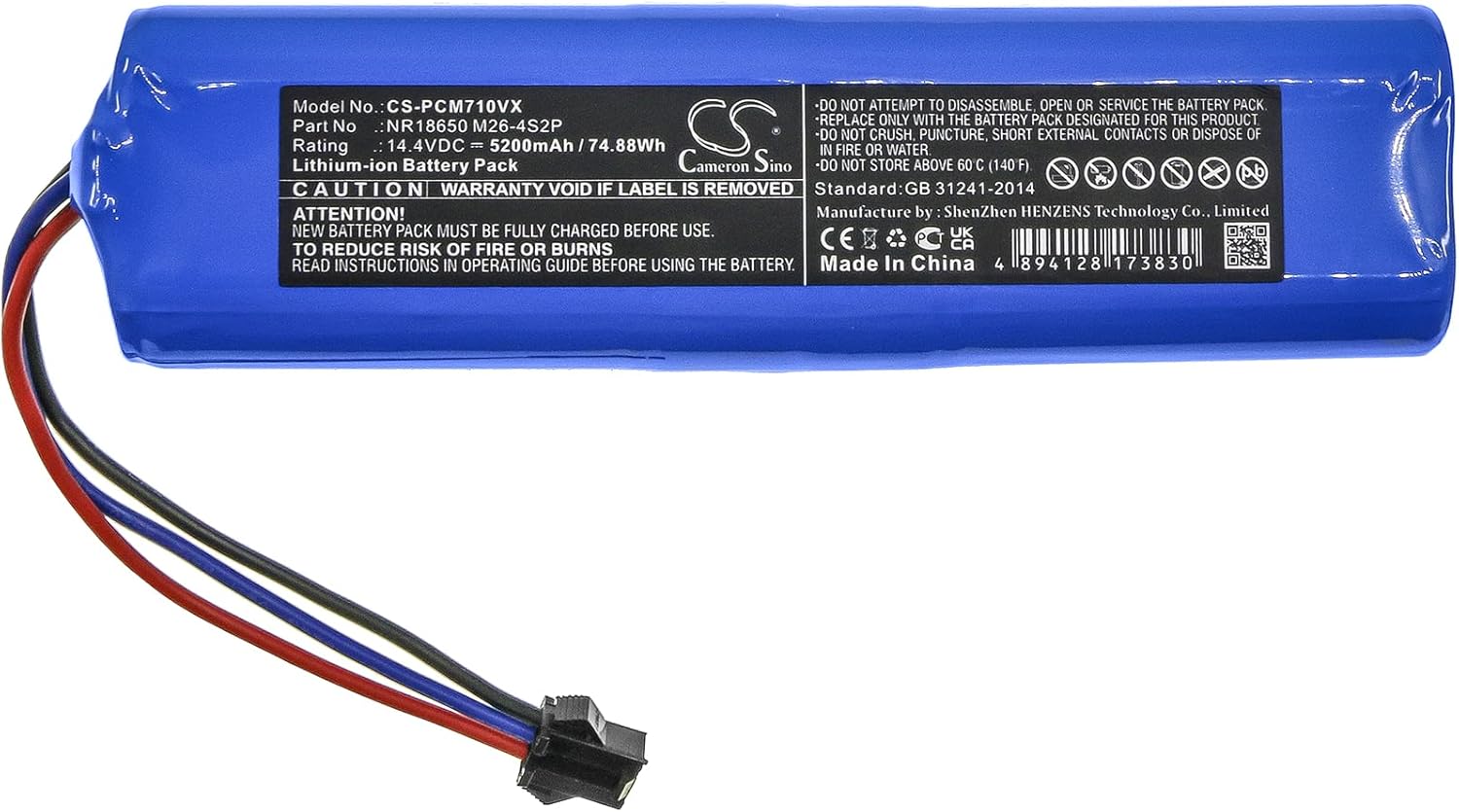
Image: Battery label details. This image provides a close-up view of the battery's label, displaying model number, rating, capacity, and critical safety warnings.
Compatibility
This DCH battery replacement (Model: CS-PCM710VX) is specifically designed for the following robot vacuum cleaner:
- Laresar L6 Pro
Please verify your device model number before proceeding with the battery replacement.
Installation Guide
Follow these steps carefully to replace the battery in your Laresar L6 Pro robot vacuum. Refer to your robot vacuum's original manual for specific instructions on accessing the battery compartment if needed.
- Power Off and Disconnect: Ensure your Laresar L6 Pro robot vacuum is completely powered off and disconnected from its charging base or any power source.
- Access Battery Compartment: Turn the robot vacuum upside down. Locate the battery compartment cover, usually secured by screws. Use a screwdriver to remove the screws and open the cover.
- Remove Old Battery: Carefully lift out the old battery. Disconnect its connector from the robot vacuum's port. Note the orientation of the connector before removal.
- Connect New Battery: Take the new DCH battery. Align the connector of the new battery with the port inside the robot vacuum's battery compartment. Gently push until it clicks securely into place. Ensure the wires are not pinched.
- Position New Battery: Place the new battery into the compartment. Ensure it fits snugly and the wires are neatly tucked away.
- Close Compartment: Replace the battery compartment cover and secure it with the screws you removed earlier.
- Initial Charge: Place the robot vacuum back on its charging base. Allow the new battery to fully charge before its first use. This may take several hours.

Image: Battery connector detail. This image shows a close-up of the battery's electrical connector, which needs to be properly aligned during installation.
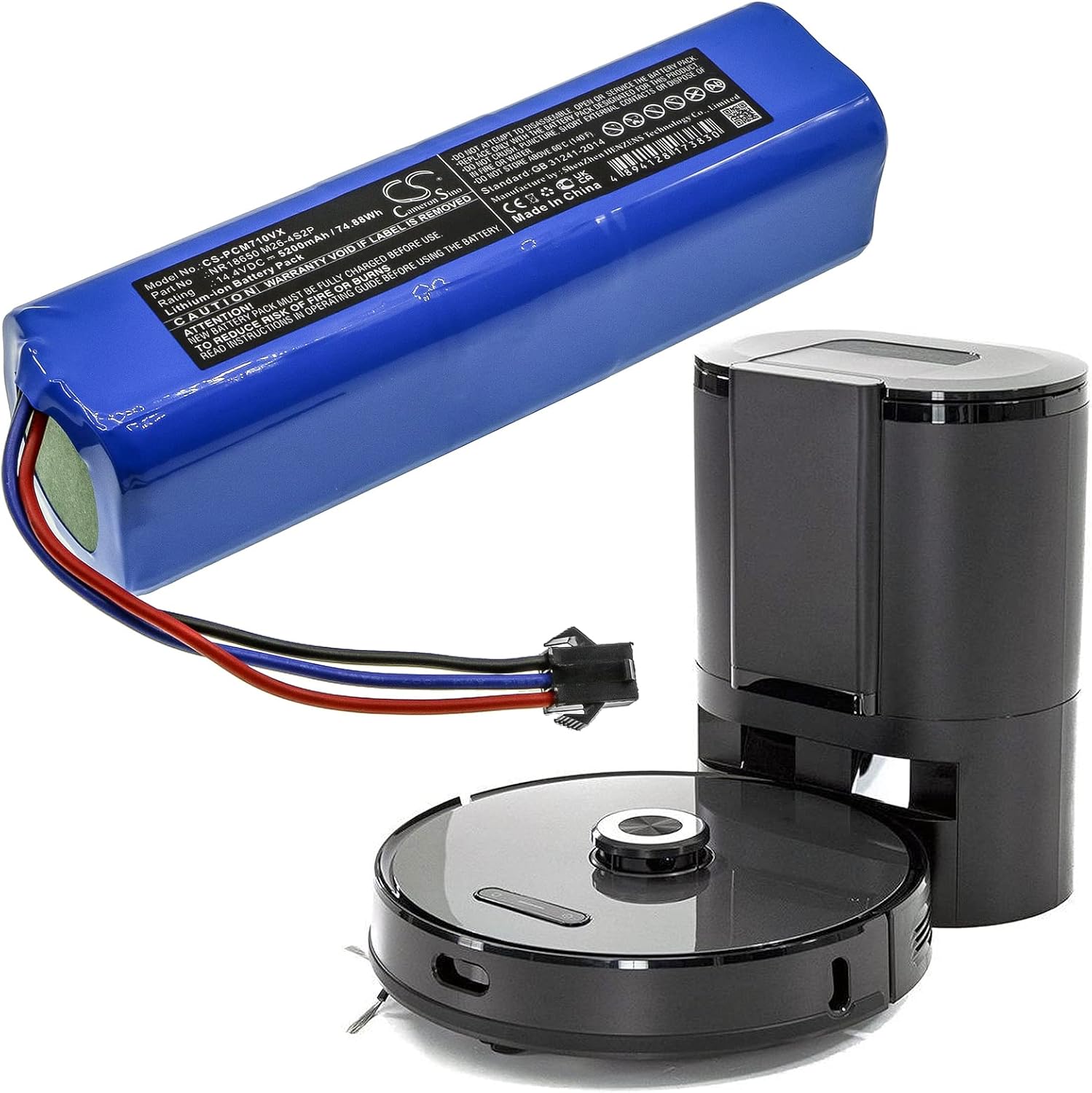
Image: Battery alongside a robot vacuum. This image illustrates the battery's size in relation to a typical robot vacuum, providing a visual reference for installation.
Operating Instructions
After successful installation and initial charging, your Laresar L6 Pro robot vacuum should operate as usual. The new DCH battery is designed to provide reliable power for extended cleaning cycles.
- First Use: For optimal battery life, it is recommended to fully charge the battery before its first use and then allow it to discharge completely for the first few cycles.
- Regular Charging: Always return the robot vacuum to its charging base when not in use to ensure it is ready for the next cleaning cycle.
- Battery Indicator: Monitor your robot vacuum's battery indicator for charge status.
Maintenance and Storage
Proper care and storage will extend the life of your DCH replacement battery.
- Regular Use: Use your robot vacuum regularly to keep the battery active.
- Avoid Extreme Temperatures: Do not expose the battery to extreme heat or cold. Store it in a cool, dry place between 0°C and 40°C (32°F and 104°F).
- Long-Term Storage: If storing the robot vacuum for an extended period, charge the battery to approximately 50-60% every 3-6 months to prevent deep discharge.
- Cleaning: Keep the battery and its contacts clean and dry.
Troubleshooting
If you encounter issues after replacing the battery, consider the following:
- Battery Not Charging:
- Ensure the battery connector is securely plugged into the robot vacuum.
- Verify the charging base is powered and the robot vacuum is correctly docked.
- Check for any debris on the charging contacts of both the robot vacuum and the charging base.
- Short Run Time:
- Ensure the battery has been fully charged.
- The battery may require a few charge/discharge cycles to reach its full capacity.
- Check for any obstructions or issues with the robot vacuum that might be causing excessive power consumption.
- Robot Vacuum Not Powering On:
- Confirm the battery is correctly installed and connected.
- Ensure the battery has sufficient charge.
If problems persist, please contact DCH customer support.
Specifications
| Model Number | CS-PCM710VX |
| Compatible Model | Laresar L6 Pro |
| Battery Type | Lithium-ion |
| Capacity | 5200mAh (74.88Wh) |
| Voltage | 14.4V |
| Dimensions | 136.6 x 37.6 x 37.3mm (5.38 x 1.48 x 1.47 inches) |
| Weight | 580g |
| Manufacturer | DCH |
Warranty and Support
DCH provides professional pre-sales and after-sales service for this product. If you have any questions or require assistance, please feel free to contact us.
For more information or support, you may also visit the manufacturer's website: www.cameronsino.com