
1. Product Overview
The SoundPEATS T3 Pro Wireless Earbuds are designed to deliver a high-quality audio experience with advanced features such as 12mm drivers for powerful bass, Bluetooth 5.4 for stable connectivity, and ENC noise cancellation for clear calls. These earbuds are built for comfort and durability, featuring an IPX4 waterproof rating and extended playtime.
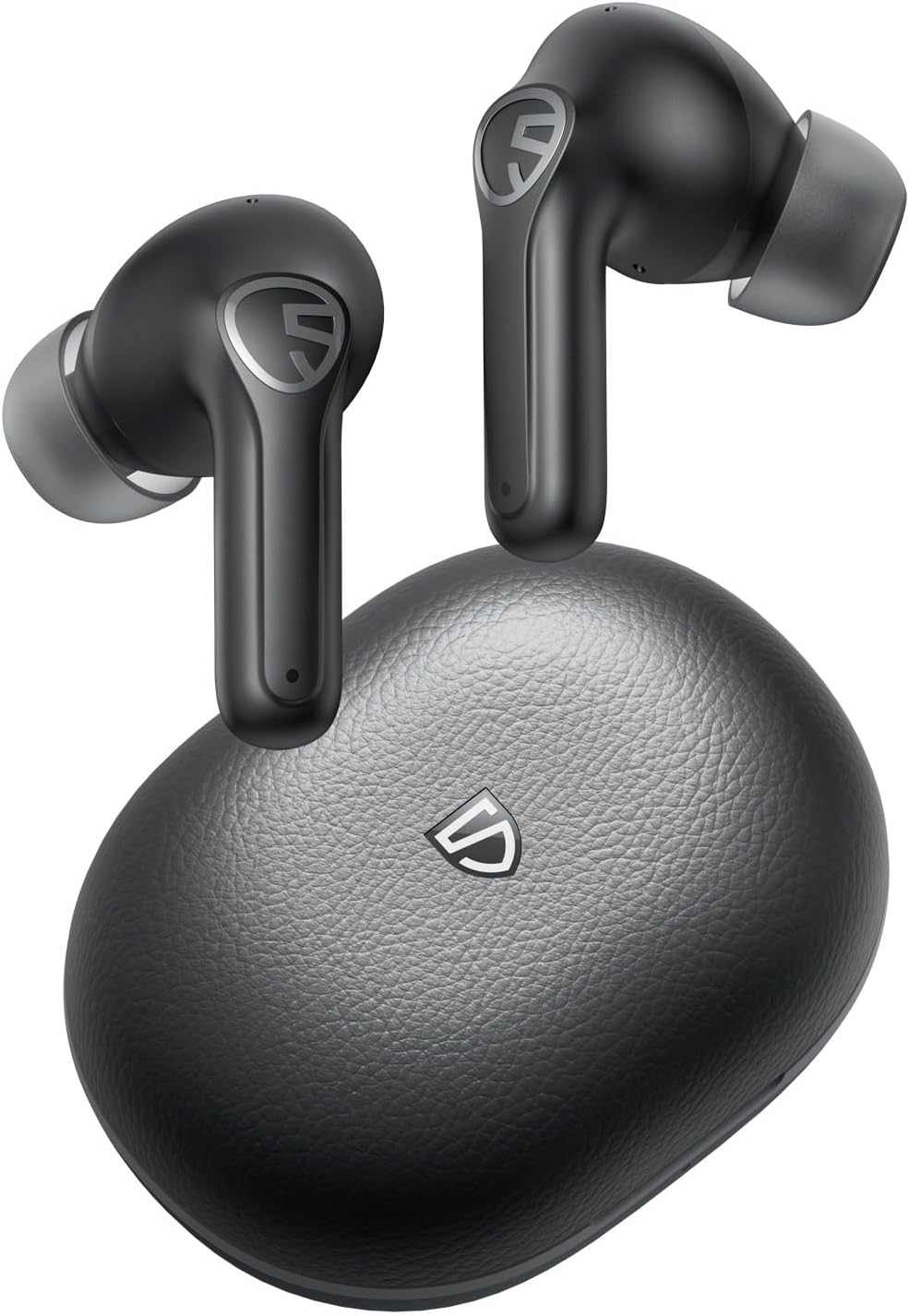
Image: SoundPEATS T3 Pro Wireless Earbuds and their charging case.
2. What's in the Box
Upon unboxing your SoundPEATS T3 Pro Wireless Earbuds, please ensure all the following components are present:
- SoundPEATS T3 Pro Earbuds (Left and Right)
- Wireless Charging Case
- User Manual
- USB-C Charging Cable
- Three (3) Different Sizes of Ear Cushions (S/M/L)

Image: All items included in the SoundPEATS T3 Pro retail package.
3. Product Components
The SoundPEATS T3 Pro earbuds feature 12mm large drivers designed to deliver robust and deep bass. The internal structure is engineered for optimal audio performance and comfort.

Image: An exploded view of the SoundPEATS T3 Pro earbud, highlighting the 12mm driver and other internal components responsible for sound quality.
4. Setup Guide
4.1 Charging the Earbuds and Case
Before first use, fully charge both the earbuds and the charging case. The charging case uses a USB-C port for convenient charging. Place the earbuds into the charging case, ensuring they are properly seated. The indicator light on the case will show the charging status.

Image: SoundPEATS T3 Pro earbuds resting in their open charging case, illustrating the charging process and battery indicators.
4.2 Pairing with Your Device
The SoundPEATS T3 Pro earbuds feature Bluetooth 5.4 technology for a fast and stable connection. Follow these steps to pair your earbuds:
- Open the charging case. The earbuds will automatically enter pairing mode.
- On your device (smartphone, tablet, laptop), enable Bluetooth.
- Search for 'SoundPEATS T3 Pro' in the list of available Bluetooth devices.
- Select 'SoundPEATS T3 Pro' to connect. A voice prompt will confirm successful pairing.
The earbuds support multi-device connection, allowing seamless switching between two paired devices without re-pairing.

Image: SoundPEATS T3 Pro earbuds positioned near a smartphone, illustrating the one-step pairing process via Bluetooth.
5. Operating Instructions
5.1 Touch Controls
The SoundPEATS T3 Pro earbuds feature sensitive touch controls for easy management of music playback, calls, and modes. Refer to the diagram below for specific functions:

Image: A visual guide detailing the various touch control functions on the SoundPEATS T3 Pro earbuds, including play/pause, volume adjustment, track skipping, and call management.
5.2 Noise Cancellation and Transparency Modes
The T3 Pro earbuds offer different listening modes to suit your environment:
- Active Noise Cancellation (ANC): Reduces ambient noise for an immersive listening experience. Ideal for noisy environments.
- Transparency Mode: Allows you to hear your surroundings while still enjoying your audio. Useful for awareness in urban areas or during conversations.
Switch between modes using the touch controls as indicated in the manual or via the PeatsAudio App.

Image: A visual representation of the SoundPEATS T3 Pro's AI Deep Physical Noise Cancellation feature, showing how it reduces ambient sound.

Image: Two individuals wearing SoundPEATS T3 Pro earbuds, highlighting the Ambient Awareness mode that allows users to hear their surroundings.
5.3 Call Functionality
The T3 Pro earbuds are equipped with four microphones and utilize ENC (Environmental Noise Cancellation) technology. This significantly reduces background noise during calls, ensuring high-quality voice transmission even in noisy environments.

Image: A detailed view of the SoundPEATS T3 Pro earbud, emphasizing the noise-cancelling microphone and AI Deep Noise Cancellation features for enhanced call clarity.
5.4 Game Mode (Low Latency)
Activate Game Mode for an ultra-low latency experience (80ms), ensuring audio and visuals are perfectly synced. This mode is ideal for gaming and watching videos, providing an enhanced entertainment experience.

Image: SoundPEATS T3 Pro earbuds shown with a smartphone displaying a fast-paced racing game, illustrating the low latency 'Game Mode' for synchronized audio and video.
6. Maintenance
6.1 Cleaning and Storage
To maintain optimal performance and hygiene, regularly clean your earbuds and charging case with a soft, dry cloth. Avoid using abrasive materials or harsh chemicals. Store the earbuds in their charging case when not in use to protect them from dust and damage.
6.2 Water Resistance (IPX4)
The SoundPEATS T3 Pro earbuds are rated IPX4 waterproof, meaning they are resistant to sweat and light splashes of water. This makes them suitable for workouts and outdoor activities. However, they are not designed for swimming or submersion in water.

Image: SoundPEATS T3 Pro earbuds covered in water droplets, visually representing their IPX4 waterproof rating, suitable for sweat and light rain.
7. Troubleshooting
If you encounter any issues with your SoundPEATS T3 Pro earbuds, please refer to the following common troubleshooting steps:
- Earbuds not pairing: Ensure both earbuds are in the charging case, then open the lid to activate pairing mode. Check your device's Bluetooth settings and try reconnecting.
- No sound from one earbud: Place both earbuds back into the charging case, close the lid, and then reopen it. This often re-syncs the earbuds.
- Charging issues: Verify the USB-C cable is securely connected to both the case and the power source. Ensure the charging contacts on the earbuds and inside the case are clean and free of debris.
- Poor call quality: Ensure the microphones are not obstructed. Try switching between ANC and Transparency modes to see if it improves clarity in your environment.
- Unstable connection: Move closer to your paired device to reduce interference. Ensure no other strong wireless signals are nearby.
For persistent issues, consider resetting the earbuds (refer to the full user guide PDF for specific reset instructions) or contacting customer support.
8. Specifications
Detailed technical specifications for the SoundPEATS T3 Pro Wireless Earbuds:
| Feature | Specification |
|---|---|
| Model Name | SoundPeats T3 Pro |
| Connectivity Technology | Wireless (Bluetooth 5.4) |
| Audio Driver Size | 12 Millimeters |
| Noise Control | Passive Noise Cancellation, ENC Call Noise Cancellation |
| Battery Life (Earbuds) | Up to 7 Hours (single charge) |
| Total Playtime (with Case) | Up to 28 Hours |
| Charging Case Battery Capacity | 450 Milliamp Hours |
| Charging Case Charging Time | 2 Hours |
| Water Resistance Level | IPX4 Water Resistant |
| Audio Latency | 80 Milliseconds (Game Mode) |
| Control Type | App Control/Touch Control |
| Headphones Jack | USB-C |
| Item Weight | 4.6 ounces |
| Product Dimensions | 1.31 x 0.87 x 0.98 inches |
9. Official Product Video
Watch this official video from SoundPEATS Audio to learn more about the T3 Pro's features, including its 12mm drivers, bass stereo sound, and Bluetooth 5.4 connectivity.
Video: An official product overview of the SoundPEATS T3 Pro, highlighting its key audio and connectivity features.
10. Warranty and Support
SoundPEATS offers a 12-month warranty for their products, ensuring necessary support after your purchase. For any questions or concerns, SoundPEATS provides 24-hour customer service to ensure a smooth experience.
For further assistance or to explore other SoundPEATS products, please visit the Official SoundPEATS Store.


