
1. Product Overview
The Walfront USB Camera Module is a compact, high-resolution imaging device designed for various applications. It features a 3-megapixel OV3660 sensor, providing clear images with a 2048 x 1536 resolution at 15 frames per second. Its 110° field of view allows for a broad perspective. The module offers stable USB 2.0 connectivity, is driver-free, and supports mobile OTG for convenient use across multiple operating systems.
Package Contents
- 2 x Camera Module
- 2 x USB Cable

Image 1.1: Walfront USB Camera Module connected to its USB cable.
2. Setup Instructions
Follow these steps to set up your Walfront USB Camera Module:
- Connect the USB Cable: Insert the small connector of the provided USB cable into the camera module's port.
- Connect to Device: Plug the standard USB-A end of the cable into an available USB 2.0 port on your computer or compatible mobile device (with OTG support).
- System Recognition: The module is driver-free and should be automatically recognized by supported operating systems, including WinXP, Windows 7/8/10, OSX, Linux, and Android. No additional driver installation is typically required.
- Access Camera Feed: Use appropriate camera software or applications on your device to access the video feed from the module.
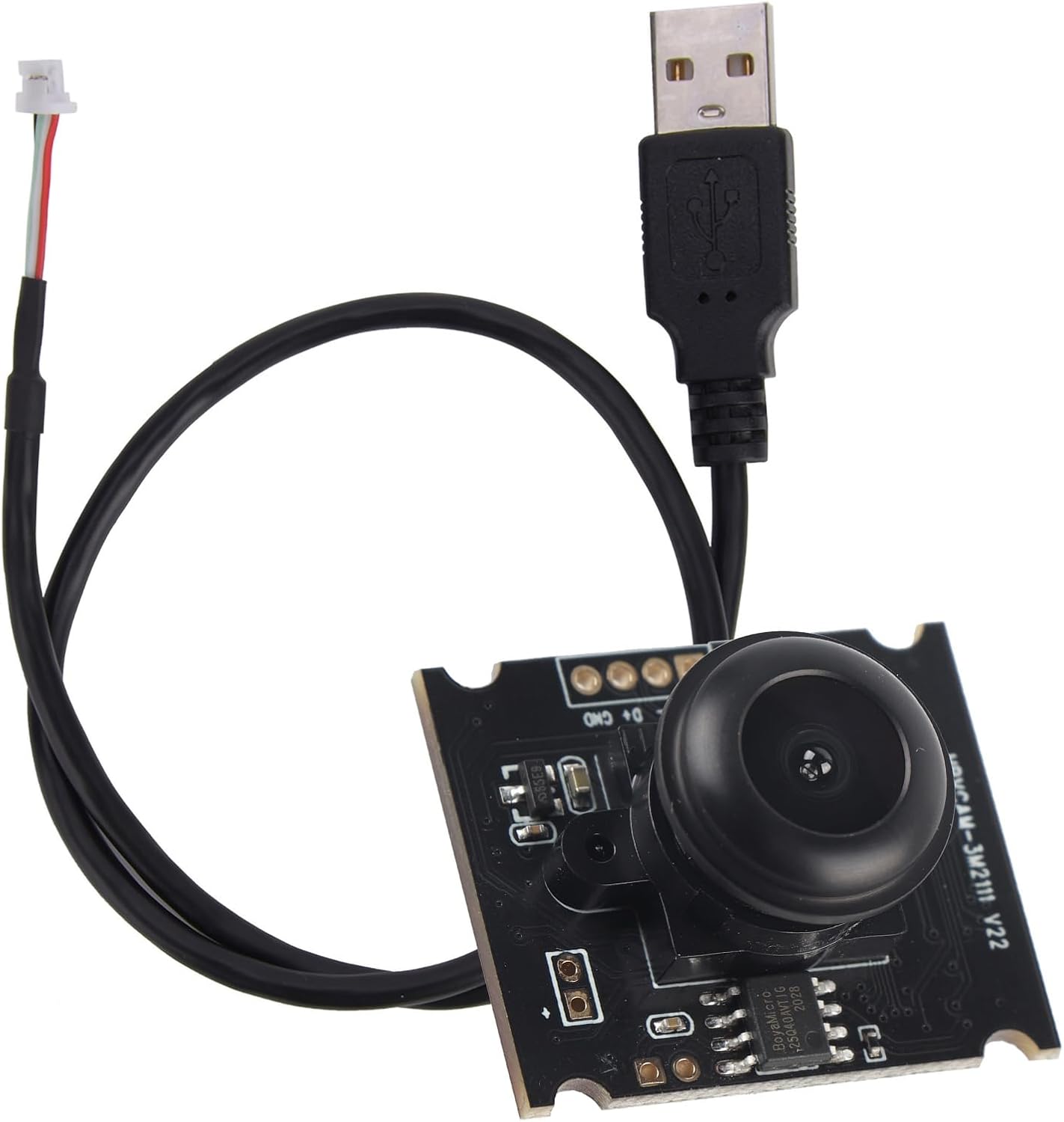
Image 2.1: The camera module with its attached USB cable, illustrating the connection method.
3. Operating the Camera Module
Once connected and recognized by your system, the Walfront USB Camera Module can be operated through standard camera applications. The module provides a 2048 x 1536 resolution at 15 frames per second, suitable for various imaging tasks. Its 110° field of view captures a wide area.
Typical Applications
- Robotics: Integration into robotic systems for vision and navigation.
- Security Cameras: Use in compact surveillance setups.
- Video Conferencing: As an embedded camera for communication.
- ATM Machines: For monitoring or user interaction.

Image 3.1: Visual examples of the camera module's diverse applications.
4. Maintenance
To ensure the longevity and optimal performance of your camera module, observe the following maintenance guidelines:
- Cleaning: Gently wipe the lens and module surface with a soft, dry, lint-free cloth. Avoid using harsh chemicals or abrasive materials.
- Storage: Store the module in a cool, dry place away from direct sunlight and extreme temperatures.
- Lens Replacement: The lens on this module is replaceable. If replacement is necessary, ensure proper handling to avoid damaging the sensor or other components.
- Handling: Avoid dropping the module or subjecting it to strong impacts, as this can damage internal components.

Image 4.1: Detailed view of the camera module's replaceable lens.
5. Troubleshooting
If you encounter issues with your Walfront USB Camera Module, consider the following troubleshooting steps:
- No Image/Device Not Recognized:
- Ensure the USB cable is securely connected to both the module and the host device.
- Try connecting the module to a different USB port or a different host device to rule out port or device issues.
- Verify that your operating system is supported (WinXP, Windows 7/8/10, OSX, Linux, Android).
- Check if other USB devices function correctly on the same port.
- Poor Image Quality:
- Ensure the lens is clean and free from dust or smudges.
- Check the lighting conditions in the environment.
- Confirm that your camera application is set to the highest available resolution (2048 x 1536).
- Intermittent Connection:
- Ensure the USB cable is not damaged or kinked. Try using a different USB cable if available.
- Avoid excessive movement of the module or cable during operation.
6. Specifications
Detailed technical specifications for the Walfront USB Camera Module:
| Feature | Specification |
|---|---|
| Item Type | Camera Module |
| Pixels | 3 Million |
| Product Size | Approx. 30 x 25 x 14mm / 1.2 x 1 x 0.6in |
| Product Chip | OV3660 (1/5) |
| Maximum Resolution | 2048 x 1536 at 15fps |
| Field of View (FOV) | 110° |
| Output Interface | USB2.0 |
| Supported Systems | WinXP / Windows 7/8/10 / OSX / Linux / Android |
| Connectivity Technology | USB |
| Special Feature | Adjustable, Driver-free, OTG Support, Replaceable Lens |
| Compatible Devices | Laptop, Mobile Devices (with OTG) |
| Recommended Uses | Indoor/Outdoor |
| Item Weight | 1.66 ounces (approx. 47g) |

Image 6.1: Dimensions of the Walfront USB Camera Module.
7. Warranty and Support
For warranty information or technical support regarding your Walfront USB Camera Module, please refer to the documentation provided at the time of purchase or contact Walfront customer service directly. Keep your purchase receipt as proof of purchase for any warranty claims.