
1. Introduction
This manual provides essential information for the installation, operation, and maintenance of your Silicon Power Zenith RGB DDR5 64GB (2x32GB) 6000MT/s CL30 Desktop Memory Module. This high-performance memory kit is designed for desktop systems requiring advanced DDR5 technology, offering a total capacity of 64GB across two 32GB modules. It features a speed of 6000MT/s with CL30 timings and operates at 1.35V.
The modules are equipped with an aluminum heatsink for efficient thermal management and integrate On-Die Error Correction Code (ECC) and a Power Management Integrated Circuit (PMIC) for enhanced stability. RGB lighting is also integrated for customizable aesthetics.
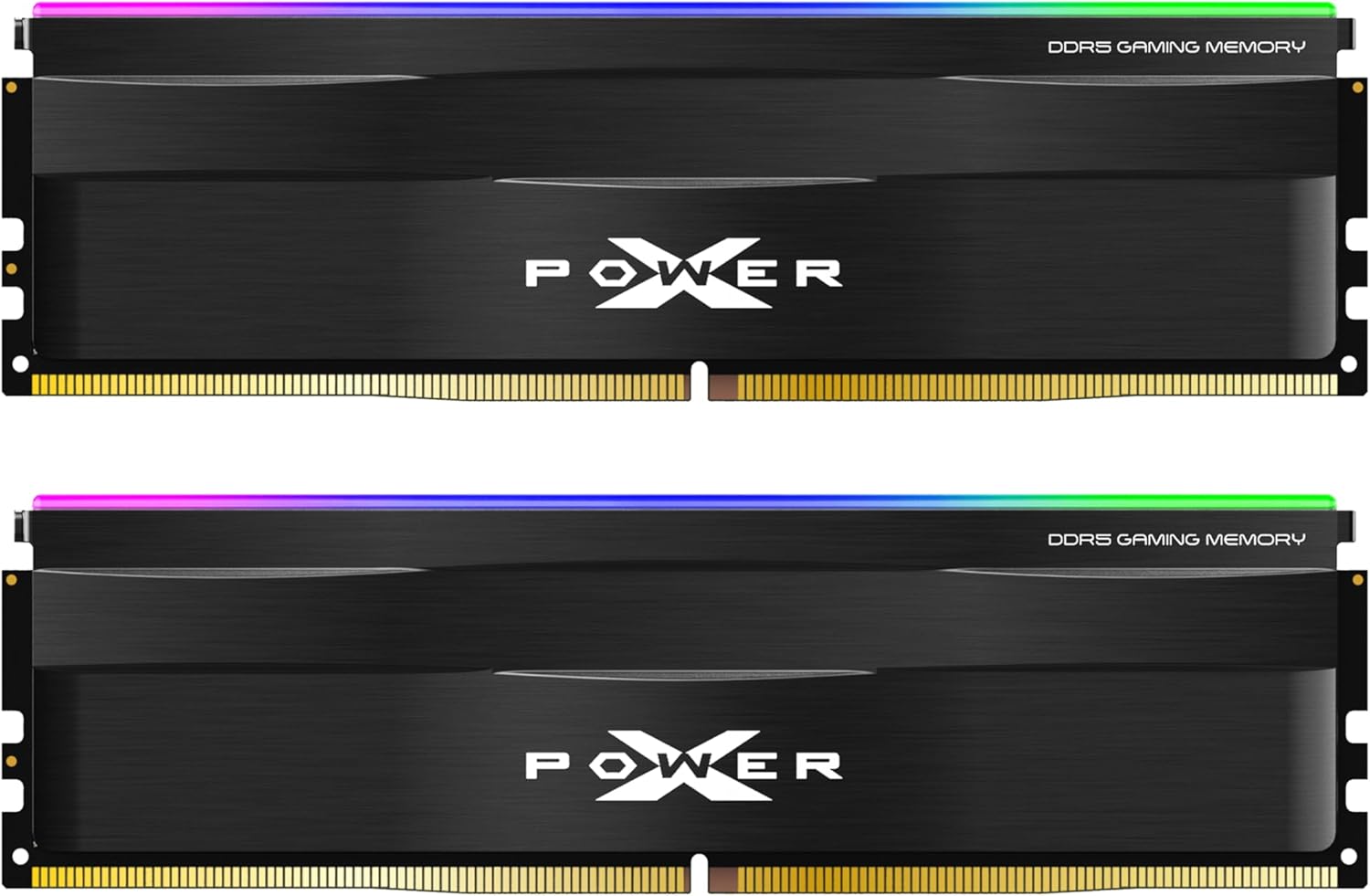
Image 1.1: Two Silicon Power Zenith RGB DDR5 memory modules, showcasing their black heatsinks and RGB light bars.
2. Setup and Installation
Before proceeding with installation, ensure your system is powered off and disconnected from the power source. It is recommended to wear an anti-static wrist strap to prevent electrostatic discharge (ESD) damage to components.
2.1 Compatibility Check
- Verify that your motherboard supports DDR5 UDIMM memory modules.
- Confirm that your CPU is compatible with DDR5 memory. This module is compatible with Intel Core 13th Gen and above desktop CPUs and DDR5-compatible motherboards.
- Important Note: This memory module is NOT compatible with Gigabyte motherboards. Please consult your motherboard's QVL (Qualified Vendor List) for confirmed compatibility.
2.2 Physical Installation
- Open your computer case to access the motherboard.
- Locate the DDR5 DIMM slots on your motherboard. Refer to your motherboard manual for the correct slot configuration for dual-channel operation, typically slots 2 and 4 (A2 and B2).
- Gently push open the retention clips at both ends of the DIMM slot.
- Align the memory module with the slot, ensuring the notch on the module matches the key in the DIMM slot. Do not force the module if it does not align.
- Insert the module firmly into the slot until the retention clips snap into place. Ensure both clips are fully closed and the module is seated evenly.
- Repeat the process for the second memory module.

Image 2.1: Silicon Power Zenith RGB DDR5 memory modules correctly installed in a desktop motherboard, illustrating the RGB lighting.
2.3 BIOS/UEFI Configuration
After physical installation, power on your computer and enter the BIOS/UEFI settings. Locate the memory settings and enable the Intel XMP 3.0 or AMD EXPO profile to achieve the advertised speed of 6000MT/s and CL30 timings. Your motherboard manual will provide specific instructions on how to access and configure these settings.
3. Operating Instructions
3.1 Standard Operation
Once installed and configured in the BIOS/UEFI, the memory modules will operate at their specified speed and timings. The On-Die ECC and PMIC features work automatically to maintain system stability and power efficiency during operation.
3.2 Performance Optimization (Overclocking)
The Silicon Power Zenith RGB DDR5 modules support Intel XMP 3.0 and AMD EXPO technology. These profiles allow for one-click overclocking to achieve optimal performance without manual timing adjustments. Ensure your motherboard's BIOS/UEFI is updated to the latest version for best compatibility and stability when enabling these profiles.
3.3 RGB Lighting Control
The integrated RGB lighting can be customized using compatible motherboard software. This module supports various RGB synchronization technologies, allowing you to personalize the lighting effects to match your system's aesthetic.

Image 3.1: Silicon Power Zenith RGB DDR5 modules highlighting compatibility with RGB control software from major motherboard manufacturers.
4. Maintenance
DDR5 memory modules generally require minimal maintenance. To ensure optimal performance and longevity:
- Keep your computer's interior clean and free of dust. Dust accumulation can hinder the heatsink's effectiveness and lead to higher operating temperatures.
- Ensure adequate airflow within your computer case to facilitate proper heat dissipation from all components, including the memory modules.
- Avoid touching the gold contacts on the memory modules. If handling is necessary, hold the modules by their edges.
5. Troubleshooting
If you encounter issues with your memory modules, consider the following troubleshooting steps:
- System Not Booting or No Display:
- Ensure the memory modules are fully seated in their slots and the retention clips are closed.
- Try re-seating the modules.
- If using multiple modules, try booting with only one module installed to identify a potentially faulty module.
- Clear your motherboard's CMOS (BIOS settings) to reset memory configurations to default.
- Incorrect Speed or Timings Detected:
- Enter BIOS/UEFI and ensure the Intel XMP 3.0 or AMD EXPO profile is enabled.
- Update your motherboard's BIOS/UEFI to the latest version, as this often improves memory compatibility and stability.
- System Instability or Crashes:
- Run a memory diagnostic tool (e.g., Windows Memory Diagnostic, MemTest86) to check for errors.
- Ensure your system's power supply unit (PSU) provides sufficient and stable power.
- Verify that your motherboard and CPU are fully compatible with the memory modules, especially noting the incompatibility with Gigabyte motherboards.
If issues persist after these steps, contact Silicon Power technical support or consult your motherboard manufacturer's support resources.
6. Specifications
The following table details the technical specifications of the Silicon Power Zenith RGB DDR5 64GB (2x32GB) 6000MT/s CL30 Desktop Memory Module (Model: SU064GXLWU60AFDFAB):
| Feature | Specification |
|---|---|
| Model Number | SU064GXLWU60AFDFAB |
| Memory Type | DDR5 UDIMM |
| Capacity | 64GB (2 x 32GB modules) |
| Speed | 6000 MT/s (PC5-48000) |
| Latency | CL30-38-38-96 |
| Voltage | 1.35V |
| Pin Count | 288-pin |
| Features | RGB Lighting, Aluminum Heatsink, On-Die ECC, PMIC, Intel XMP 3.0 Support, AMD EXPO Support |
| Compatible Devices | Desktop PCs |
| Color | Black (RGB) |
| Item Weight | 3.84 ounces (per kit) |
| Package Dimensions | 6.02 x 4.49 x 0.55 inches |
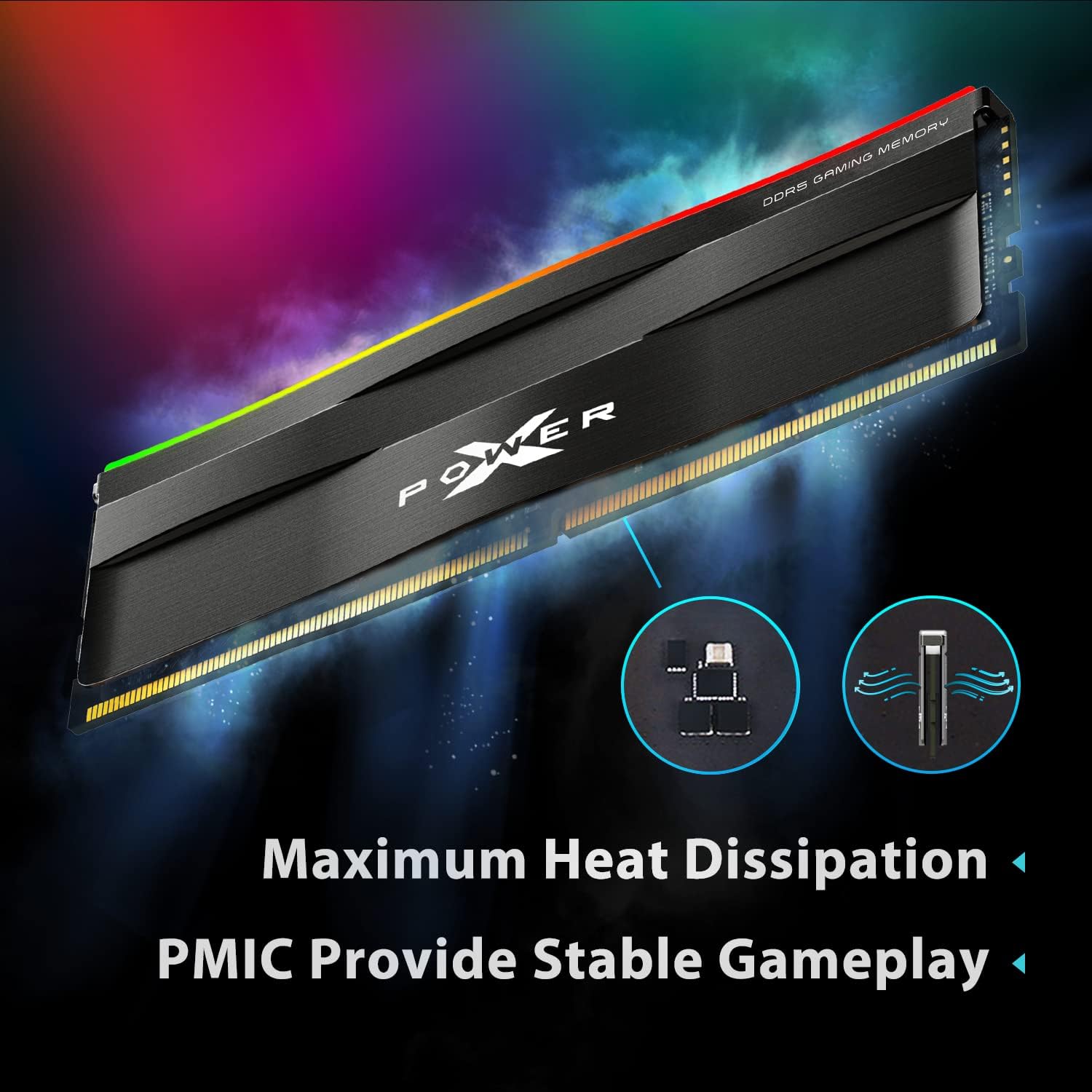
Image 6.1: Diagram illustrating the internal structure of the memory module, emphasizing the aluminum heatsink for maximum heat dissipation and the Power Management Integrated Circuit (PMIC) for stable operation.
7. Warranty and Support
7.1 Lifetime Warranty
Silicon Power provides a lifetime warranty for this DDR5 UDIMM memory module, ensuring comprehensive technical support and services for the product's lifespan. This warranty covers defects in materials and workmanship under normal use.
7.2 Technical Support
For technical assistance, warranty claims, or further inquiries, please visit the official SP Silicon Power website or contact their customer support directly. Refer to the product packaging or the Silicon Power website for the most current contact information.


