
1. Introduction
Thank you for choosing the Kuulaa 5000mAh MagSafe Battery Pack. This ultrathin and portable power bank is designed to provide convenient and efficient charging for your iPhone 16/15/14/13/12 series devices, offering both magnetic wireless charging and high-speed wired charging via USB-C Power Delivery. Please read this manual thoroughly before use to ensure proper operation and to maximize the lifespan of your device.
2. Safety Information
- Do not expose the battery pack to extreme temperatures (above 45°C or below 0°C), direct sunlight, or high humidity.
- Avoid dropping, disassembling, or attempting to repair the device yourself. This may void the warranty and cause damage.
- Keep the device away from water and other liquids.
- Use only certified charging cables and adapters.
- Do not place metallic objects between the battery pack and your phone during wireless charging.
- Dispose of the battery pack responsibly according to local regulations.
3. Package Contents
- Kuulaa 5000mAh MagSafe Power Bank
- Charging Cable (USB-C)
- User Manual
- 24-Month Warranty Card
4. Product Features & Components
Ultrathin, Pocket-Friendly Design

The Kuulaa MagSafe Battery Pack is designed to be exceptionally slim and lightweight, making it easy to carry in your pocket or bag without adding bulk. Its sleek profile ensures it integrates seamlessly with your device.
Slim Design with Precise Dimensions

With dimensions of approximately 4.05 x 2.67 x 0.28 inches and weighing only 0.22 lbs, this power bank is one of the thinnest and lightest 5000mAh MagSafe battery packs available.
MagSafe Magnetic Charging

Equipped with strong built-in magnets, the battery pack securely snaps onto the back of your MagSafe-compatible iPhone, providing seamless wireless charging without the need for cables.
Dual Charging Options: Wireless & Wired
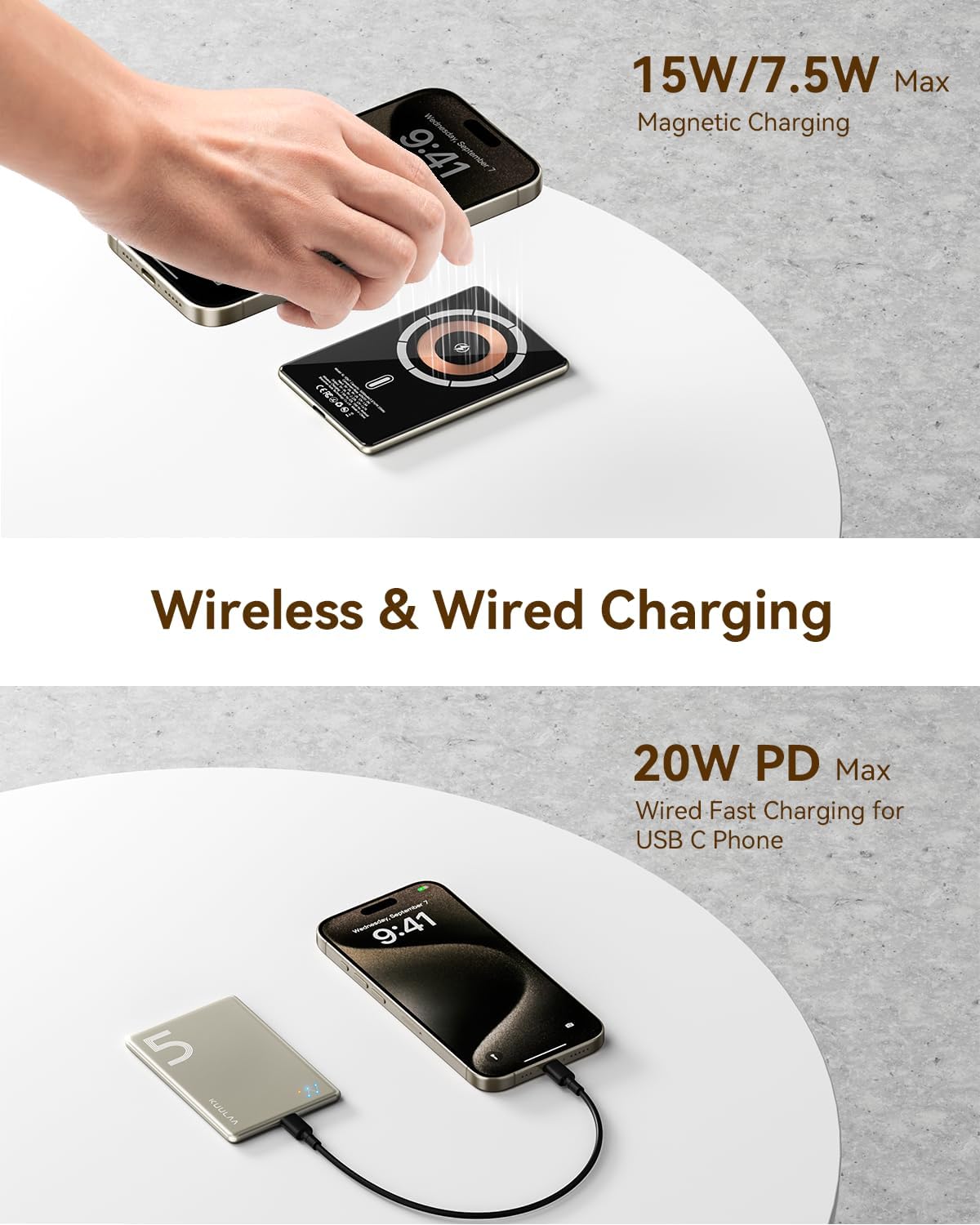
In addition to MagSafe wireless charging (up to 15W/7.5W Max), the integrated USB-C port supports 20W Power Delivery (PD) fast charging, allowing you to charge your iPhone up to 3.5 times faster than standard chargers or power two devices simultaneously.
Superior Safety Protections

The battery pack incorporates multiple safety mechanisms, including overcharge protection, overvoltage protection, short circuit protection, and overheat protection, ensuring safe and reliable charging.
Constellation Style Indicator Light

The unique constellation-style LED indicators provide a clear visual representation of the remaining battery capacity: 0-25%, 26-50%, 51-75%, and 76-100%.
5. Setup
5.1 Initial Charging of the Battery Pack
Before first use, it is recommended to fully charge your Kuulaa MagSafe Battery Pack. Connect the provided USB-C charging cable to the battery pack's USB-C port and plug the other end into a compatible USB power adapter (not included). The indicator lights will illuminate to show charging progress. Once all lights are solid, the battery pack is fully charged.
5.2 Attaching to Your iPhone
For magnetic wireless charging, simply align the Kuulaa MagSafe Battery Pack with the back of your MagSafe-compatible iPhone (iPhone 12 series and newer). The strong magnets will automatically snap the battery pack into place. Ensure your iPhone is either without a case or using a MagSafe-compatible case for optimal magnetic attachment and charging efficiency.

Compatibility with iPhone 12/13/14/15 Series and MagSafe Cases.
6. Operating Instructions
6.1 Wireless Charging (MagSafe)
- Ensure the battery pack is sufficiently charged.
- Align the battery pack with the MagSafe area on the back of your iPhone. It will magnetically attach.
- Wireless charging will begin automatically. Your iPhone screen will indicate charging.
6.2 Wired Charging (USB-C PD)
- Connect one end of the USB-C charging cable to the USB-C port on the battery pack.
- Connect the other end of the USB-C cable to your device (e.g., iPhone, Android phone, tablet).
- Charging will commence. The 20W Power Delivery ensures fast charging for compatible devices.
6.3 Checking Battery Level
Press the small button on the side of the battery pack to activate the constellation-style indicator lights. The number of illuminated lights indicates the remaining battery capacity:
- One light: 0-25%
- Two lights: 26-50%
- Three lights: 51-75%
- Four lights: 76-100%
7. Maintenance
- Cleaning: Use a soft, dry cloth to clean the surface of the battery pack. Do not use harsh chemicals or abrasive materials.
- Storage: Store the device in a cool, dry place away from direct sunlight and extreme temperatures. If storing for extended periods, charge the battery pack to approximately 50% every three months to preserve battery health.
- Handling: Handle the battery pack with care. Avoid dropping it or subjecting it to strong impacts.
8. Troubleshooting
- Device not charging:
- Ensure the battery pack itself is charged. Check the indicator lights.
- Verify that the charging cable is securely connected to both the battery pack and the power source/device.
- For wireless charging, ensure proper alignment and that your phone case is MagSafe compatible or removed.
- Try a different charging cable or power adapter.
- Slow charging:
- For wired charging, ensure your adapter supports 20W Power Delivery.
- For wireless charging, ensure there are no obstructions between the battery pack and your phone, and that the alignment is precise.
- Charging speed can be affected by the phone's battery level (slower when nearly full) and background app usage.
- Battery pack or phone getting hot during charging:
- It is normal for devices to generate some heat during charging.
- If the heat is excessive or causes discomfort, disconnect the battery pack immediately. Ensure proper ventilation and avoid charging in direct sunlight or confined spaces.
- If overheating persists, contact customer support.
- Magnetic attachment is weak:
- Ensure your iPhone is either without a case or using an official Apple MagSafe case or a third-party MagSafe compatible case. Standard non-magnetic cases will prevent proper attachment.
9. Specifications
| Feature | Specification |
|---|---|
| Product Dimensions | 3.94 x 2.76 x 0.79 inches |
| Item Weight | 3.53 ounces |
| Model Number | KL-YD67 |
| Battery Capacity | 5000 Milliamp Hours |
| Connector Type | USB Type C |
| Special Feature | Slim, Magnetic Wireless Charging, 20W PD Fast Charging |
| Color | Titanium |
| Manufacturer | Shenzhen Kula Technology Co., Ltd. |
| Date First Available | October 28, 2024 |
10. Warranty and Support
The Kuulaa 5000mAh MagSafe Battery Pack comes with a 24-month warranty from the date of purchase, covering manufacturing defects. This warranty does not cover damage caused by misuse, accidents, unauthorized modifications, or normal wear and tear.
For technical support, warranty claims, or any inquiries regarding your product, please contact Kuulaa customer service through the retailer's platform or visit the official Kuulaa website for contact information. Please have your purchase receipt and product model number (KL-YD67) ready when contacting support.
