
Introduction
This manual provides detailed instructions for the setup, operation, and maintenance of your RecorCam HC-881A Wildlife Camera. Designed for capturing high-quality images and videos of wildlife, this camera features 50MP photos, 4K video recording, a 0.2-second trigger speed, and IP65 waterproofing for reliable outdoor use.
Product Features
- High Resolution Imaging: Captures up to 50MP still images and Ultra HD 4K videos.
- Fast Trigger Speed: Activates in 0.2 seconds upon motion detection.
- Wide Detection Angle: 120° detection range with 82ft (25 meters) detection distance.
- Advanced Night Vision: Equipped with 2pcs 940nm IR LEDs for clear, silent night recording up to 20 meters.
- Durable Design: IP65 waterproof and dustproof rating for harsh outdoor conditions.
- Multiple Shooting Modes: Supports photo, video, and photo+video modes, with time-lapse and loop recording functions.
Package Contents
Verify that all items are present in your package:
- RecorCam HC-881A Wildlife Camera
- Micro 32GB SD Card
- Mounting Strap (for securing the camera)
- USB Type-C Cable (for data transfer)
- Instruction Manual (this document)
Camera Layout
Familiarize yourself with the camera's components and controls.

Image: Front view of the RecorCam HC-881A camera with its casing open, revealing the LCD screen, navigation buttons (MENU, SHOT, OK, Replay, Up, Down, Left, Right), and ports (Micro SD card slot, USB port). The power switch is visible at the bottom with OFF-TEST-ON positions.
- LCD Screen: Displays menu, settings, and playback.
- Control Buttons: MENU, SHOT, OK, Replay, and directional buttons for navigation.
- Micro SD Card Slot: For inserting the memory card.
- USB Port: For connecting to a computer.
- Power Switch: OFF, TEST, and ON modes.
Setup
1. Battery Installation
The camera requires batteries for operation. Ensure you use new, high-quality batteries for optimal performance and battery life.
- Open the camera casing.
- Locate the battery compartment.
- Insert the required number of batteries, observing the correct polarity (+/-).
- Close the battery compartment securely.
2. SD Card Installation
A Micro SD card is essential for storing photos and videos. A 32GB Micro SD card is included with your camera.
- With the camera powered OFF, open the casing.
- Locate the Micro SD card slot.
- Insert the Micro SD card with the gold contacts facing the correct direction until it clicks into place.
- To remove, gently push the card in until it springs out.
3. Mounting the Camera
The camera can be mounted using the provided strap or other mounting accessories.
- Choose a suitable location for observation, ensuring a clear view of the desired area.
- Secure the camera to a tree or pole using the mounting strap.
- Adjust the camera's angle to cover the target area effectively.

Image: The RecorCam HC-881A camera mounted on a tree trunk, demonstrating its outdoor placement and night vision capability with a deer detected in the foreground.
Operating the Camera
1. Powering On/Off
- To power on, slide the power switch to the TEST position for setup or ON for active recording.
- To power off, slide the power switch to the OFF position.
2. Mode Selection
The camera offers three primary operating modes:
- Photo Mode: Captures still images when triggered.
- Video Mode: Records video clips when triggered.
- Photo + Video Mode: Captures a still image followed by a video clip when triggered.
Use the MENU button and directional controls in TEST mode to select your desired mode.

Image: A visual comparison demonstrating the superior detail of a 50MP still image captured by the RecorCam HC-881A compared to a 20MP image from another camera, featuring a cat.

Image: A still frame from a 4K video captured by the RecorCam HC-881A, highlighting its ability to record high-definition video with audio, featuring two impalas.
3. Settings Configuration
In TEST mode, press the MENU button to access the camera settings. Use the directional buttons to navigate and OK to confirm selections. Key settings include:
- Resolution: Adjust photo (up to 50MP) and video (up to 4K) resolution.
- PIR Sensitivity: Set the sensitivity of the motion sensor (Low, Medium, High).
- Trigger Interval: Define the delay between consecutive triggers.
- Time-Lapse: Configure the camera to take photos at set intervals.
- Date/Time Stamp: Enable or disable date and time overlay on recordings.
- Loop Recording: Allows the camera to overwrite older files when the SD card is full.
4. Motion Detection and Triggering
The HC-881A features a rapid 0.2-second trigger speed and a 120° detection angle to capture fast-moving subjects.

Image: A side-by-side comparison illustrating the faster 0.2-second trigger speed of the RecorCam HC-881A, effectively capturing an eagle in flight, versus a slower 0.5-second trigger speed from another camera.

Image: A graphical representation of the camera's 120-degree detection angle, illustrating its wide field of view over a landscape with wildlife.
5. Night Vision
The camera automatically switches to night vision mode in low-light conditions, utilizing 940nm IR LEDs to capture clear black and white images and videos without disturbing wildlife.
Maintenance
1. Cleaning
- Gently wipe the lens and PIR sensors with a soft, dry cloth to remove dust or dirt.
- Do not use abrasive cleaners or solvents.
2. Waterproofing (IP65)
The camera is rated IP65 for protection against dust and water splashes. Ensure the casing is securely closed and all ports are sealed to maintain its waterproof integrity.
3. Battery Management
Regularly check battery levels, especially before extended deployments. Replace batteries when the low battery indicator appears to ensure continuous operation. Using high-quality alkaline or rechargeable batteries is recommended.
Troubleshooting
| Problem | Possible Cause | Solution |
|---|---|---|
| Camera does not power on. | Low or dead batteries; incorrect battery polarity. | Replace batteries with new ones; ensure correct polarity. |
| Camera not taking photos/videos. | SD card full or corrupted; incorrect mode selected; PIR sensitivity too low; camera in OFF mode. | Format or replace SD card; select Photo/Video mode; increase PIR sensitivity; ensure camera is in TEST or ON mode. |
| Poor night vision quality. | IR LEDs obstructed; low battery power affecting IR performance. | Clear any obstructions from IR LEDs; replace batteries. |
| Short battery life. | Frequent triggers; extreme temperatures; low-quality batteries. | Reduce PIR sensitivity or trigger interval; use high-quality alkaline or rechargeable batteries. |
| Settings cannot be altered or camera stops functioning after a few weeks. | Software glitch; critical battery failure; hardware issue. | Try a factory reset (if available in menu); replace batteries; contact customer support if issue persists. |
Specifications
| Feature | Detail |
|---|---|
| Model Name | HC-881A Wildlife Camera |
| Image Resolution | Up to 50MP |
| Video Resolution | 4K (10fps), 2.7K (20fps), 1080P (30fps) |
| Trigger Speed | 0.2 seconds |
| Detection Angle | 120 Degrees |
| Detection Distance | 82ft (25 meters) |
| Night Vision Range | 20 Metres |
| IR LEDs | 2pcs 940nm Super High Power LEDs |
| Waterproof Rating | IP65 |
| Storage | Micro SD Card (up to 32GB included) |
| Power Source | Battery Powered (Batteries Required) |
| Connectivity | USB Type-C |
| Material | Plastic |
| Dimensions (LxWxH) | 9 x 7.6 x 13.5 Centimeters |
| Weight | 490 g |
| Recommended Uses | Wildlife observation, Home Monitoring, Farm Monitoring, Hunting, Camping Security, Plant Growth Observation |
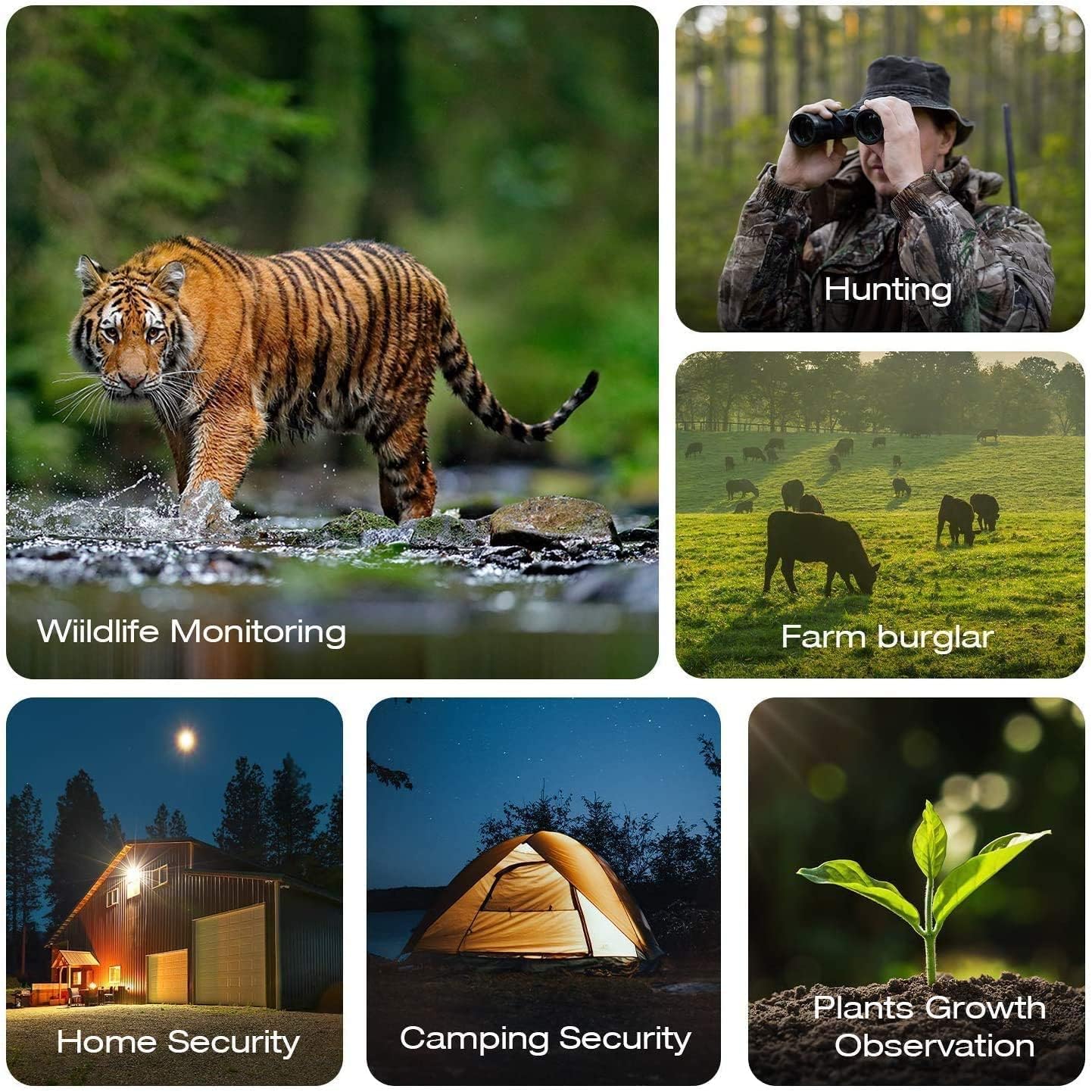
Image: A collage illustrating the diverse applications of the RecorCam HC-881A wildlife camera, including hunting, wildlife monitoring, farm security, home security, camping security, and observing plant growth.
Warranty and Support
For warranty information or technical support, please refer to the contact details provided with your purchase or visit the official RecorCam website. Keep your purchase receipt as proof of purchase for warranty claims.