1. Introduction
This manual provides comprehensive instructions for the installation, setup, operation, and maintenance of your Feit Electric SL50-30/RGBTW/AG 50FT Smart RGBIC Outdoor String Lights. These lights feature RGBIC technology for dynamic color effects, tunable white light, 2.4GHz Wi-Fi connectivity, and compatibility with Alexa and Google Assistant. Designed for permanent outdoor installation, they are weatherproof and expandable.
2. Safety Information
Please read and understand all safety instructions before installation and use. Failure to follow these instructions may result in electric shock, fire, or other hazards.
- Ensure the power supply is disconnected before installation or maintenance.
- This product is designed for outdoor use and is weatherproof (IP65 rated). However, avoid submerging the lights in water.
- Only use the provided power adapter and components.
- Do not attempt to repair or modify the product. Contact customer support for assistance.
- Keep children and pets away from electrical components during installation.
3. Package Contents
Verify that all components are present before beginning installation:
- 1 x 50FT Smart RGBIC Outdoor String Lights (with 30 individual bulbs)
- Mounting adhesive (pre-attached to each light)
- Mounting screws and anchors
- Power adapter

4. Installation
The Feit Electric Smart Outdoor Lights are designed for easy and permanent installation. They can be linked with up to 4 sets for a total of 200 feet of coverage.
4.1 Mounting Options
Each light fixture includes both heavy-duty adhesive and a mounting hole for screws, offering flexible installation methods.
- Adhesive Mounting: Clean the mounting surface thoroughly. Peel off the protective backing from the adhesive on each light and firmly press the light onto the desired location.
- Screw Mounting: For a more secure and permanent installation, use the provided screws and anchors. After positioning the light with adhesive, drive a screw through the designated mounting hole on each fixture.
4.2 Installation Steps
- Plan Placement: Determine the desired path for your lights, ensuring the power cord can reach an outdoor power outlet.
- Prepare Surface: Clean the mounting surface (e.g., eaves, walls) to ensure optimal adhesion for the adhesive pads.
- Mount Lights: Starting from the power source, mount each light fixture using either the adhesive or screws, or a combination of both, along your planned path. Ensure the lights are evenly spaced.
- Connect Segments: If using multiple sets, connect them end-to-end using the integrated connectors. Ensure connections are secure and weatherproof.
- Secure Power Cord: Route and secure the power cord to prevent tripping hazards and ensure it is protected from damage.
- Plug In: Once all lights are securely installed, plug the power adapter into a suitable outdoor electrical outlet.


5. Setup: App & Connectivity
Your Feit Electric Smart Outdoor Lights require connection to a 2.4GHz Wi-Fi network for smart control features.
5.1 Download the Feit Electric App
Download the Feit Electric app from your smartphone's app store (available for iOS and Android devices).
5.2 Pairing with Wi-Fi
- Ensure your smartphone is connected to a 2.4GHz Wi-Fi network.
- Open the Feit Electric app and create an account or log in.
- Follow the in-app instructions to add a new device. The app will guide you through the pairing process, which typically involves putting the lights into pairing mode (often by cycling power).
- Once connected, you can name your lights and assign them to specific groups or locations within the app.
5.3 Voice Assistant Integration
The lights are compatible with Amazon Alexa and Google Assistant. To enable voice control:
- Open the Alexa or Google Home app.
- Navigate to the 'Skills' or 'Works with Google' section.
- Search for and enable the 'Feit Electric' skill/service.
- Link your Feit Electric account when prompted.
- Discover devices to add your smart lights to your voice assistant ecosystem.

6. Operating Instructions
Control your Feit Electric Smart Outdoor Lights using the Feit Electric app or compatible voice assistants.
6.1 App Control Features
- On/Off: Toggle the lights on or off.
- Color Selection: Choose from millions of colors using the color wheel or preset color palettes.
- Tunable White: Adjust the white light temperature from warm to cool.
- Brightness Adjustment: Dim or brighten the lights to your preference.
- RGBIC Effects: Utilize RGBIC technology to create dynamic, multi-color chasing, flowing, or gradient effects where each LED can display a different color.
- Scheduling: Set schedules for the lights to turn on/off at specific times or days.
- Countdown Timer: Set a timer for the lights to turn off after a specified duration.
- Scene Creation: Create and save custom lighting scenes for different occasions or moods.
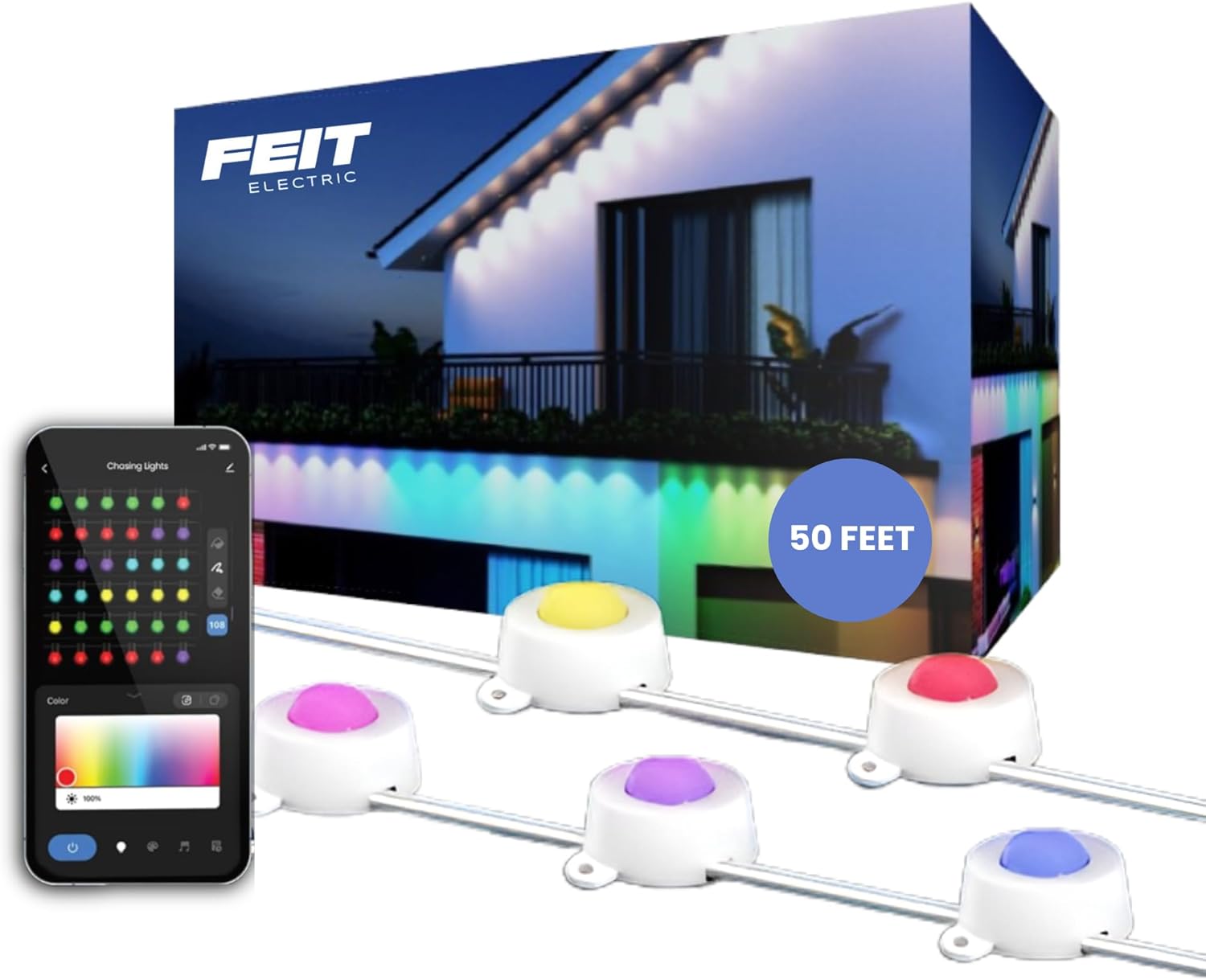


6.2 Voice Control Commands
Once integrated with Alexa or Google Assistant, use commands such as:
- "Alexa, turn on [Light Name]."
- "Hey Google, set [Light Name] to blue."
- "Alexa, dim [Light Name] to 50%."
- "Hey Google, turn off [Light Name]."
7. Maintenance
The Feit Electric Smart Outdoor Lights are designed for durability and minimal maintenance.
- Cleaning: Periodically wipe the light fixtures with a soft, damp cloth to remove dirt and debris. Do not use harsh chemicals or abrasive cleaners.
- Inspection: Regularly inspect the power cord and light fixtures for any signs of damage. If damage is found, discontinue use and contact customer support.
- Weather Resistance: The lights are weatherproof (IP65 rated) and built to withstand rain, snow, and varying temperatures. No special weather-related maintenance is typically required.

8. Troubleshooting
If you encounter issues with your Feit Electric Smart Outdoor Lights, refer to the following common solutions:
| Problem | Possible Cause | Solution |
|---|---|---|
| Lights do not turn on. | No power, loose connection, faulty outlet. | Check power outlet, ensure all connections are secure. Test outlet with another device. |
| Cannot connect to Wi-Fi. | Incorrect Wi-Fi band, weak signal, incorrect password. | Ensure you are connecting to a 2.4GHz Wi-Fi network. Move closer to the router. Double-check Wi-Fi password. Try resetting the lights to pairing mode. |
| Lights are unresponsive to app/voice commands. | Wi-Fi disconnected, app issue, voice assistant integration problem. | Check Wi-Fi connection. Restart the Feit Electric app. Re-link the Feit Electric skill/service in your voice assistant app. |
| Lights reset settings after power outage. | Standard behavior for some smart devices. | Reconfigure settings in the Feit Electric app after power is restored. |
9. Specifications
- Model Number: SL50-30/RGBTW/AG
- Length: 50 feet
- Number of Lights: 30
- Light Source: LED (RGBIC with Tunable White)
- Wattage: 96 watts
- Connectivity: 2.4GHz Wi-Fi
- Control Method: App (Feit Electric), Voice (Alexa, Google Assistant)
- Indoor/Outdoor Usage: Indoor, Outdoor
- Water Resistance Level: IP65 (Weather Resistant)
- Material: Plastic
- UPC: 017801729801
10. Warranty and Support
10.1 Warranty Information
This product comes with a 1-year limited warranty. Please retain your proof of purchase for warranty claims. The warranty covers defects in materials and workmanship under normal use.
10.2 Customer Support
For 24/7 customer support, visit the Feit Electric help center:


