
What's in the Box
- 1 x Q55 Bluetooth Speaker
- 1 x Remote Control (Requires 2*AAA batteries, Not included)
- 1 x AUX Cable
- 1 x USB TYPE-C Cable
- 1 x User Manual
Product Overview

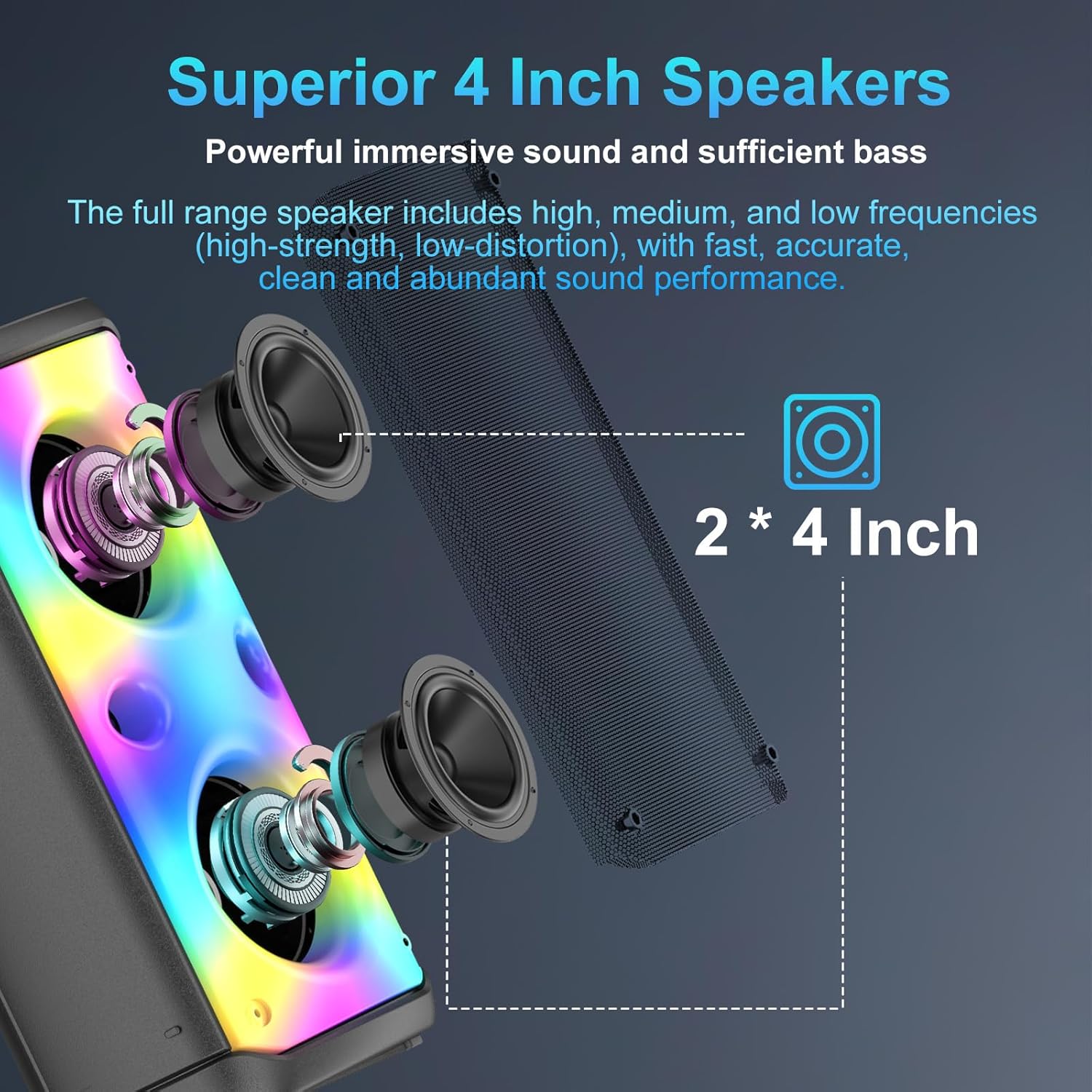
The TAMPROAD Q55 Bluetooth Speaker features a sleek design with integrated colorful LED lights on the front grille.

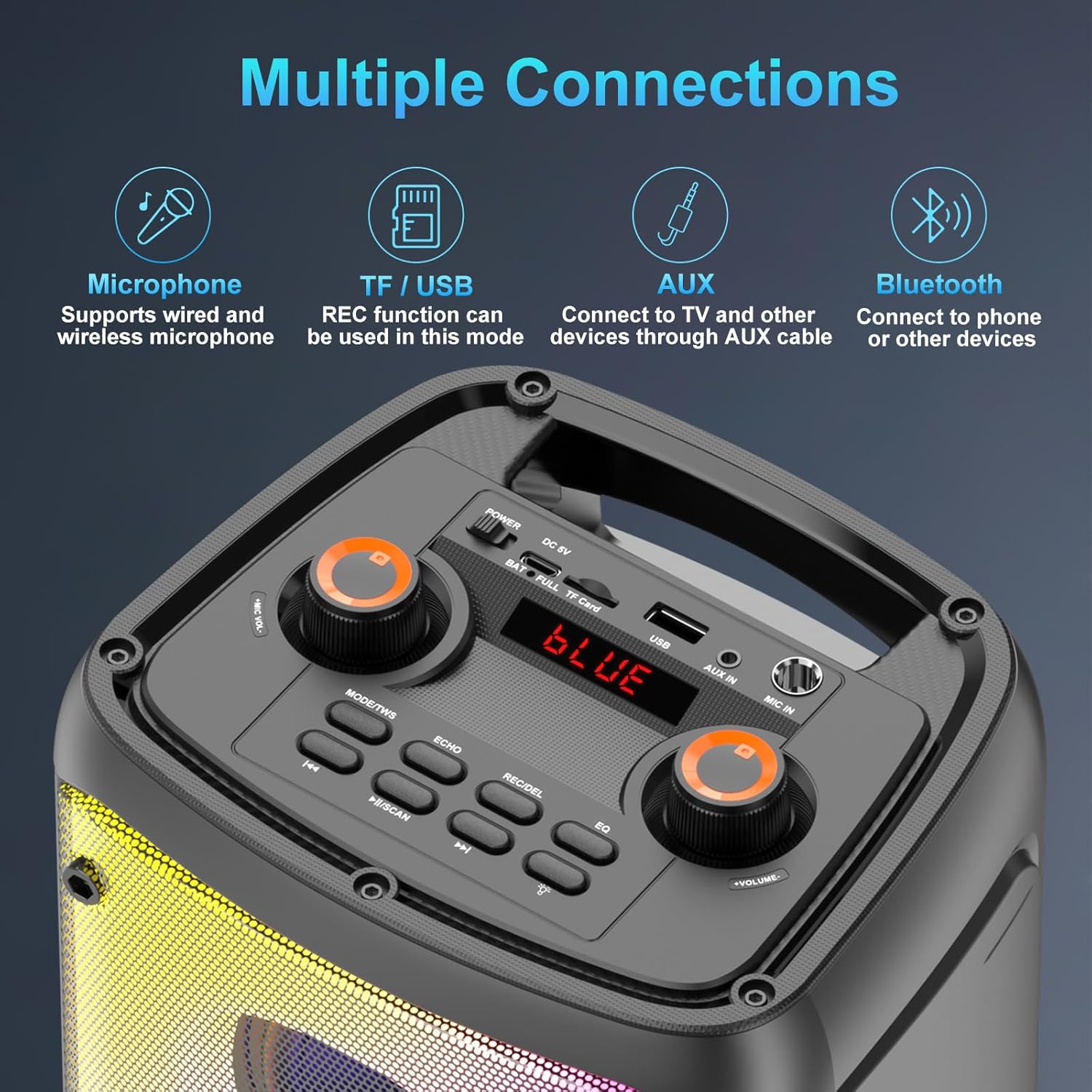
The top panel provides access to all controls including power, volume, microphone input, USB, TF card slot, AUX input, and mode selection buttons.
Setup
Charging the Speaker
The TAMPROAD Q55 speaker is equipped with a built-in 10000mAh rechargeable battery. Connect the provided USB Type-C cable to the charging port on the top panel and the other end to a compatible USB power adapter (not included). A full charge typically takes 3-6 hours, providing 8-20 hours of playback time depending on usage.
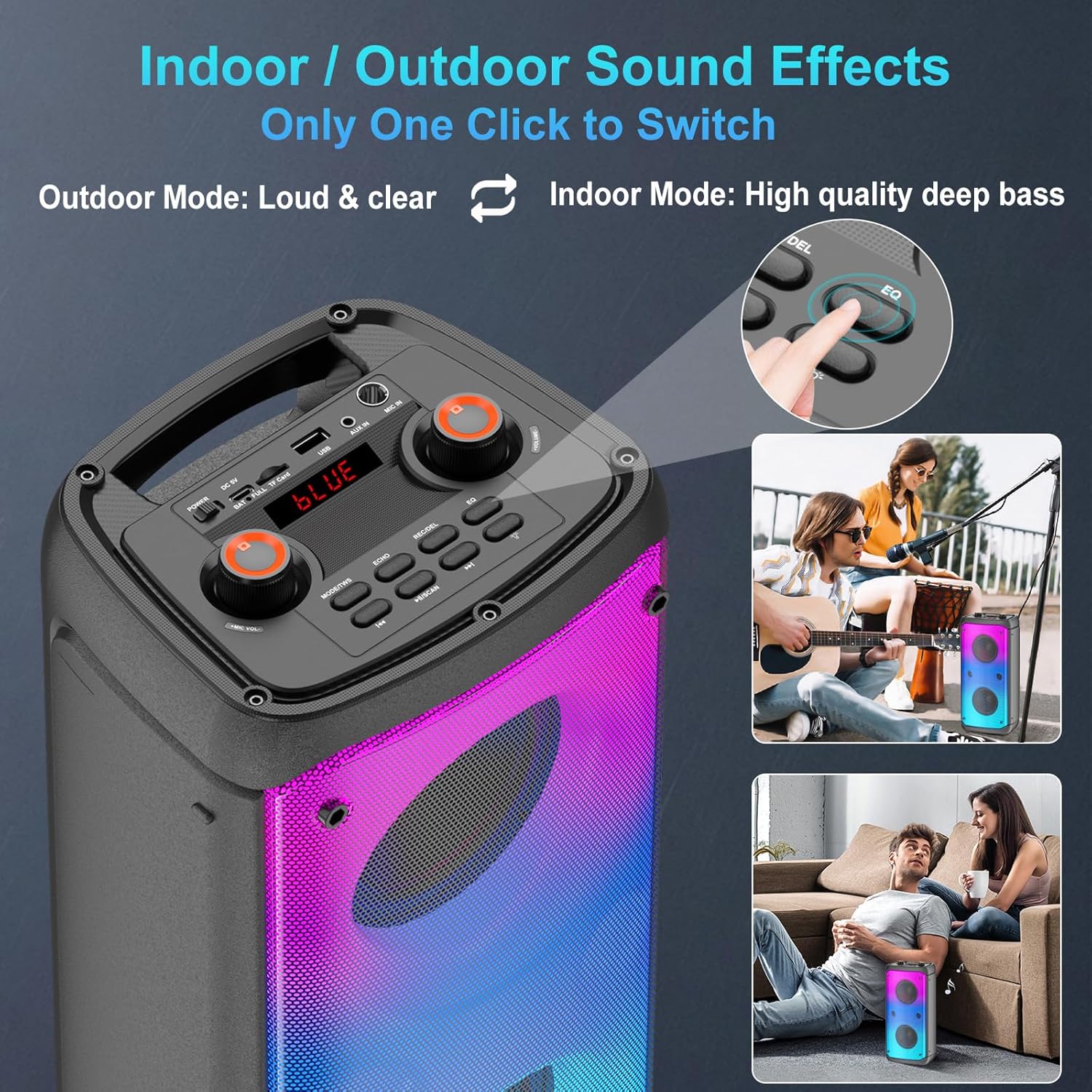
Illustration of the speaker's battery capacity, charging time, and playback duration.
Power On/Off
Locate the Power switch on the top panel. Slide the switch to the 'ON' position to power on the speaker. Slide it to 'OFF' to power off.
Bluetooth Pairing
The speaker features Bluetooth 5.0 for fast, stable, and low-latency signal transmission. To pair with a device:
- Power on the speaker. The LED display will show 'BLUE' and a voice prompt will indicate Bluetooth mode.
- Enable Bluetooth on your mobile device (smartphone, tablet, laptop).
- Search for 'Q55' in the list of available Bluetooth devices and select it to connect.
- A voice prompt will confirm successful pairing.
This video demonstrates the Bluetooth pairing process and shows the speaker's colorful lights in action.
Operating Instructions
Audio Input Modes
The Q55 speaker supports multiple audio input options:
- Bluetooth Mode: Connect wirelessly to your device as described in the Setup section.
- USB/TF Card Mode: Insert a USB drive or TF (microSD) card into the respective slot on the top panel. The speaker will automatically detect and play audio files. This mode also supports recording.
- AUX Mode: Use the provided 3.5mm AUX cable to connect external audio devices (e.g., TV, computer) to the AUX IN port.

Visual representation of the various connectivity options available on the speaker.
True Wireless Stereo (TWS) Pairing
To achieve an immersive 160W stereo surround sound experience, you can pair two TAMPROAD Q55 speakers together:
- Ensure both Q55 speakers are powered on and not connected to any Bluetooth device.
- On one of the speakers, short press the 'MODE/TWS' button. A prompt sound will indicate it's searching for another speaker.
- The two speakers will automatically pair. A voice prompt will confirm successful TWS connection.
- Now, connect your mobile device to one of the paired speakers via Bluetooth. Both speakers will play synchronously.
- To disconnect TWS mode, short press the 'MODE/TWS' button again on either speaker.

Two Q55 speakers set up to deliver a powerful 160W TWS stereo sound experience.
LED Colorful Lights
The speaker features a unique disco lighting design with 6 dynamic flashing modes. The lights are beat-driven and will synchronize with the rhythm of the music. You can switch between various lighting effects or turn them off using the dedicated light button on the control panel.
The speaker's LED lights can display multiple vibrant patterns, reacting to the music.
Indoor/Outdoor Sound Effects
The speaker offers an EQ (Equalizer) function to optimize sound for different environments. Press the 'EQ' button on the control panel to switch between 'Outdoor Mode' (loud and clear) and 'Indoor Mode' (high quality deep bass).
The EQ button allows users to switch between sound profiles optimized for indoor deep bass or outdoor loud and clear audio.
Microphone Function (Optional)
The speaker includes a MIC IN port for connecting a wired microphone (not included). You can adjust the microphone volume and add echo effects using the dedicated controls on the top panel.
Recording Function
When using USB or TF card mode, the speaker supports a recording function. Refer to the user manual for detailed instructions on how to initiate and manage recordings.
FM Radio (Complimentary Feature)
The speaker includes an FM radio function. In radio mode, you can automatically search and save available stations. Note that this is a complimentary feature and its performance may vary.
Maintenance
To ensure the longevity and optimal performance of your TAMPROAD Q55 speaker, follow these maintenance guidelines:
- Keep the speaker away from water, moisture, and extreme temperatures.
- Clean the exterior with a soft, dry cloth. Do not use abrasive cleaners or solvents.
- Avoid blocking the speaker grilles or ports to maintain proper airflow and sound quality.
- Store the speaker in a cool, dry place when not in use for extended periods.
Troubleshooting
| Problem | Possible Solution |
|---|---|
| Speaker does not power on | Ensure the battery is charged. Connect the speaker to a power source using the USB Type-C cable. |
| No sound output | Check the volume levels on both the speaker and your connected device. Ensure the correct audio input mode is selected. |
| Bluetooth pairing fails | Make sure the speaker is in Bluetooth mode and not already paired with another device. Disable and re-enable Bluetooth on your device and try again. Ensure devices are within range. |
| TWS pairing fails | Ensure both speakers are Q55 models and are not connected to any other Bluetooth device before initiating TWS pairing. |
| LED lights not working | Press the light mode button to cycle through effects or turn them on. If the issue persists, contact customer service. |
Specifications
| Feature | Detail |
|---|---|
| Brand | TAMPROAD |
| Model Number | Q55 |
| Mounting Type | Floor Standing |
| Power Source | Battery Powered |
| Connector Type | Aux, USB |
| Material | Acrylonitrile Butadiene Styrene (ABS) |
| Number of Channels | 2 |
| Audio Input | TF Card, 3.5mm Aux, Bluetooth |
| Product Dimensions | 7.7 x 6.3 x 16.1 inches |
| Item Weight | 6.96 pounds |
| Batteries | 1 Lithium Polymer battery required (included) |
| Connectivity Technology | AUX, Bluetooth, USB |
| Color | Q55-N |
| Compatible Devices | Laptop, Smartphone, Tablet, Television |
Warranty and Support
All TAMPROAD products come with a 12-month warranty. For any inquiries or assistance, please contact our 24-hour online customer service.