
EFDBPNYM 23IOB16
EFDBPNYM 23IOB16 RS485 16-Channel NPN IO Expansion Board User Manual
Model: 23IOB16
1. Introduction
This manual provides detailed instructions for the installation, operation, and maintenance of the EFDBPNYM 23IOB16 RS485 16-Channel NPN Input/Output PLC IO Expansion Board. This module is designed for industrial control applications, offering 16 NPN optically isolated inputs and 16 NPN Darlington transistor outputs, communicating via Modbus RTU over RS485.
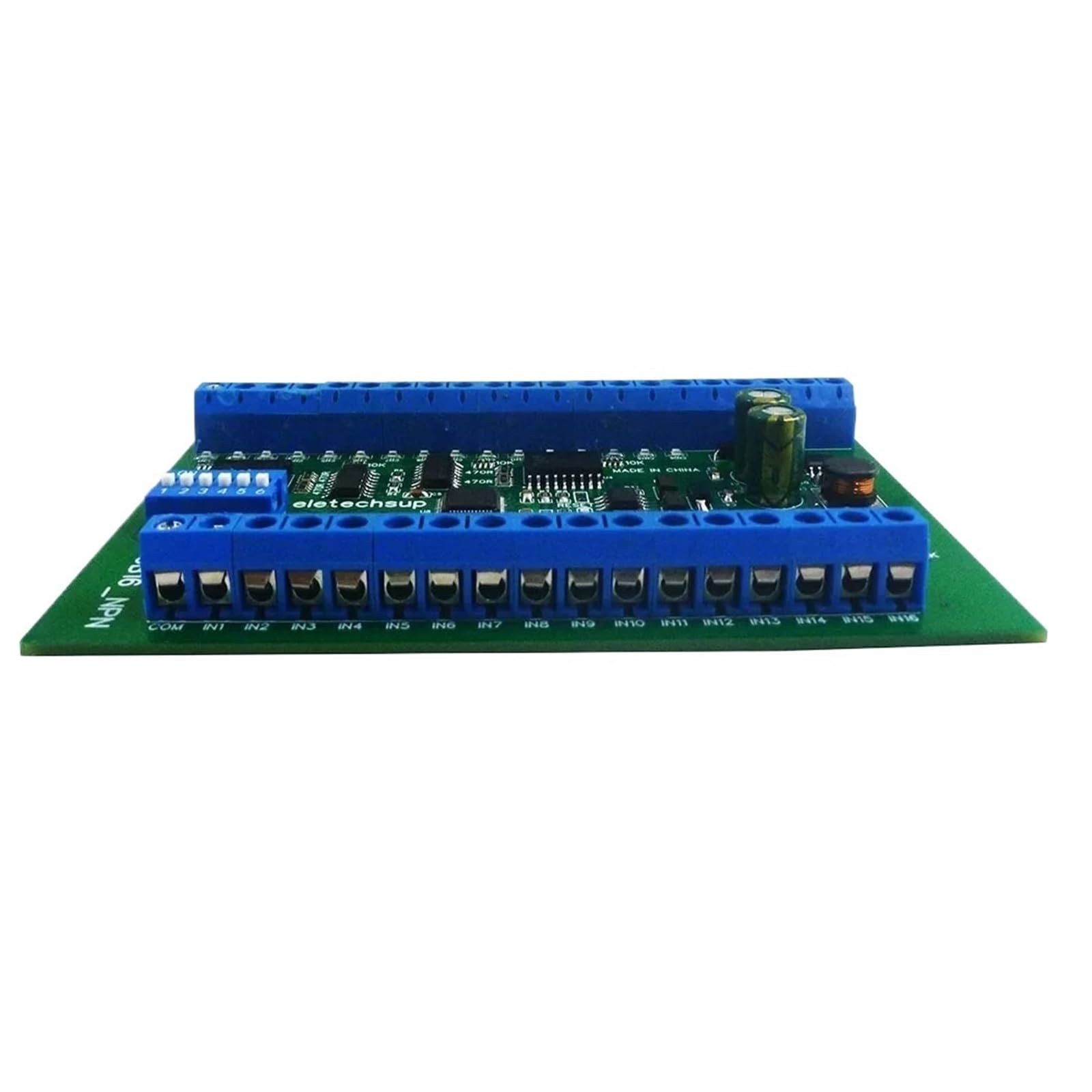
Figure 1: EFDBPNYM 23IOB16 RS485 16-Channel NPN IO Expansion Board. This image shows the compact design of the module with various connection terminals and components.
2. Setup
2.1 Power Supply Connection
Connect a DC power supply within the range of 6.5V to 30V to the designated power input terminals. Ensure correct polarity. The module operates optimally at 9V, 12V, or 24V DC.
2.2 RS485 Communication Connection
Connect the RS485 A and B lines from your master device (e.g., PLC, computer with RS485 converter) to the corresponding RS485 terminals on the 23IOB16 board. Ensure proper termination if necessary for long bus lengths or multiple devices.
2.3 Input Connections
The module features 16 optically isolated NPN input ports. Connect your NPN sensors or switches to these input terminals. The inputs are designed for NPN type signals.
2.4 Output Connections
The module provides 16 Darlington transistor outputs (ULN2803 NPN output). Connect your loads (e.g., relays, LEDs, small motors) to these output terminals. The maximum load current for each channel is 300mA.
2.5 Baud Rate Configuration
The default baud rate is 9600BPS. You can adjust the baud rate using onboard jumpers. Available baud rates include 1200, 2400, 4800, 9600, 19200, 38400, 57600, and 115200 BPS. Refer to the module's silkscreen or specific documentation for jumper settings.
2.6 Parallel Device Usage
In MODBUS command mode, up to 64 devices can be used in parallel on the same RS485 bus. Each device must have a unique Modbus address.
3. Operating Instructions
3.1 MODBUS Communication
The 23IOB16 module supports MODBUS RTU protocol. It supports two sets of MODBUS commands:
- MODBUS Command Set 1: Supports 03, 06, 16 function codes.
- MODBUS Command Set 2: Supports 01, 02, 03, 05, 06, 15, 16 function codes.
Refer to the Modbus RTU specification for detailed information on these function codes and their usage for reading inputs and controlling outputs.
3.2 Output Control Modes
The module supports various output control modes via Modbus commands:
- Open: Turns the output ON.
- Close: Turns the output OFF.
- Momentary: Turns the output ON for a brief period and then OFF.
- Self-locking: Toggles the output state with each command.
- Interlock: Ensures only one output in a group can be ON at a time.
- Delay: Turns the output ON or OFF after a specified delay. The maximum delay for a single MODBUS command is 255 seconds.
3.3 Remote Input/Output Control
The input ports of one 23IOB16 board can remotely control the output ports of another 23IOB16 board via the RS485 bus. This functionality requires specific register settings on both modules. Consult the detailed Modbus register map for configuration.
4. Specifications
| Feature | Value |
|---|---|
| Working Voltage | DC 6.5-30V (9V, 12V, 24V recommended) |
| Working Current | 8-50mA |
| Input Ports | 16 optically isolated, NPN input |
| Output Ports | 16 Darlington transistor outputs (ULN2803 NPN) |
| Maximum Load Current (per channel) | 300mA |
| MODBUS Function Codes (Set 1) | 03, 06, 16 |
| MODBUS Function Codes (Set 2) | 01, 02, 03, 05, 06, 15, 16 |
| Maximum MODBUS Delay | 255 seconds |
| Parallel Devices (MODBUS) | Up to 64 devices |
| Default Baud Rate | 9600BPS |
| Selectable Baud Rates | 1200, 2400, 4800, 9600, 19200, 38400, 57600, 115200 BPS |
| Dimensions (with box) | 130 x 80 x 30mm (5.12 x 3.15 x 1.18 inches) |
| Weight (with box) | 148g (5.22 oz) |
5. Troubleshooting
- No Power: Verify the DC power supply voltage is within the 6.5-30V range and polarity is correct.
- Communication Issues:
- Check RS485 A/B line connections.
- Ensure the baud rate and Modbus address of the module match the master device settings.
- Verify RS485 termination resistors are correctly applied if needed.
- Inputs Not Responding: Confirm NPN sensor wiring and functionality. Ensure the input signal voltage is compatible with the module.
- Outputs Not Activating:
- Check load connections and ensure the load current does not exceed 300mA per channel.
- Verify the Modbus commands sent to activate the outputs are correct.
- Intermittent Operation: Check for loose connections, power supply fluctuations, or electromagnetic interference.
6. Maintenance
The 23IOB16 module is designed for reliable operation with minimal maintenance. Follow these guidelines:
- Cleaning: Keep the module clean and free from dust and debris. Use a soft, dry cloth for cleaning. Do not use liquid cleaners.
- Environment: Operate the module within its specified environmental conditions (temperature, humidity) to ensure longevity. Avoid exposure to excessive moisture, corrosive gases, or extreme temperatures.
- Connections: Periodically check all wiring connections to ensure they are secure and free from corrosion.
- Firmware: There are no user-upgradable firmware options for this module.
7. Warranty Information
This product is covered by a standard manufacturer's warranty against defects in materials and workmanship. The warranty period typically begins from the date of purchase. Please retain your proof of purchase for warranty claims. The warranty does not cover damage caused by improper installation, misuse, unauthorized modifications, or operation outside the specified environmental and electrical parameters.
8. Technical Support
For technical assistance, detailed Modbus register maps, or further inquiries regarding the EFDBPNYM 23IOB16 module, please contact your supplier or the manufacturer's customer support. When contacting support, please provide the product model number (23IOB16) and a detailed description of the issue.
Ask a question about this manual
Ask about setup, troubleshooting, compatibility, parts, safety, or missing instructions. Manuals+ will review the question and use this page’s manual context to help answer it.