
1. Introduction
The Ashfly 200X Mini Pocket Digital Microscope is designed to stimulate curiosity and facilitate exploration of the microscopic world. This portable device offers up to 200X magnification, allowing users to observe intricate details of various objects. It features an integrated screen, LED illumination, and the ability to capture images and videos, making it an ideal tool for educational purposes and outdoor discovery.
2. Package Contents
Ensure all items are present in the package:
- Ashfly 200X Mini Pocket Digital Microscope
- Type-C Charging Cable
- User Manual (this document)
3. Product Overview
Familiarize yourself with the main components of your digital microscope.
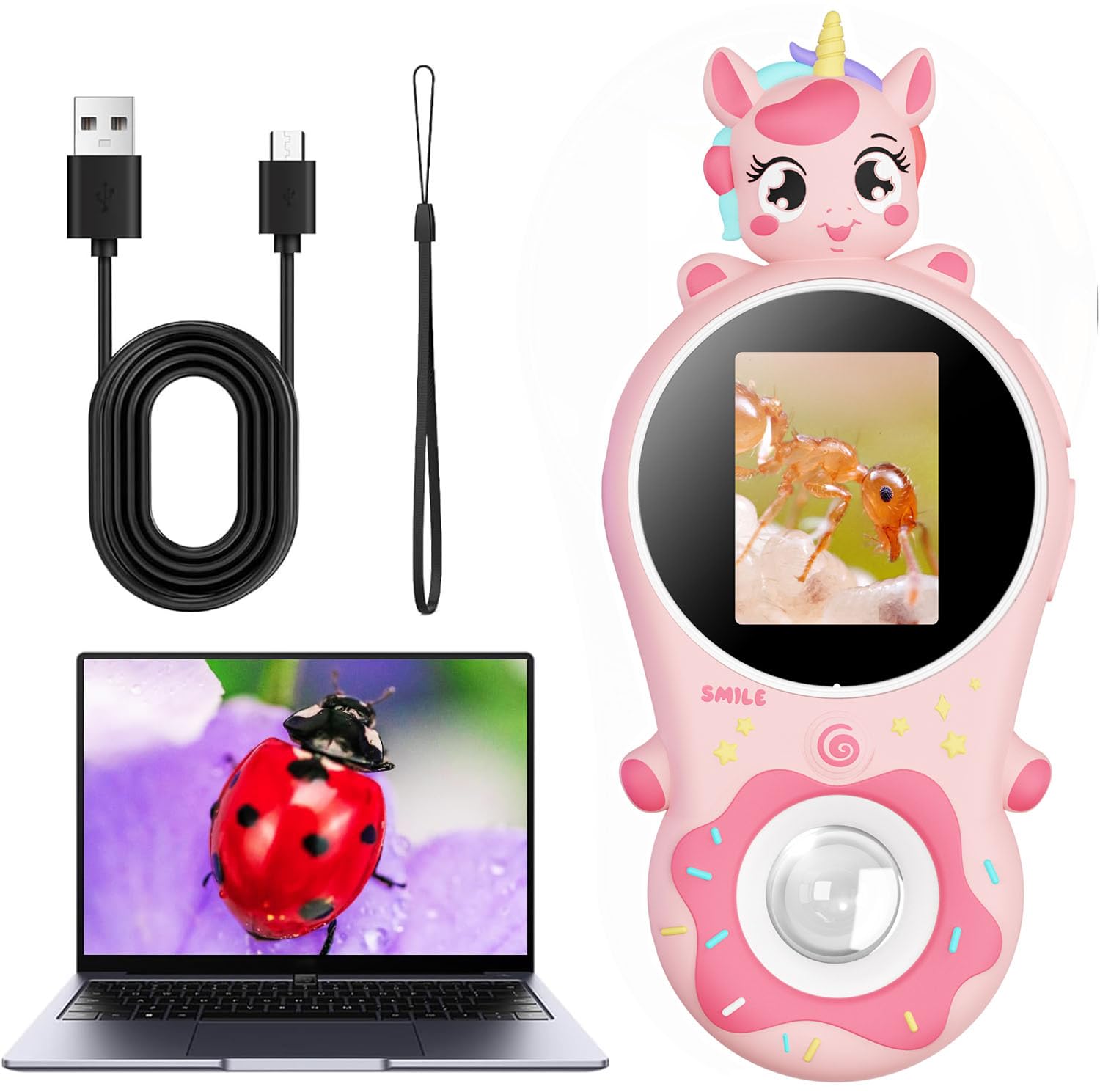
The Ashfly 200X Mini Pocket Digital Microscope in pink, featuring a donut-shaped design and a unicorn top.

Children observing specimens with the microscope, highlighting its built-in storage for up to 300 photos.

Illustration demonstrating the correct horizontal positioning for clear observation and the effect of holding it too far from the object.
4. Setup
4.1 Charging the Device
Before first use, fully charge the microscope using the provided Type-C charging cable. Connect the cable to the device's charging port and a compatible USB power source. The charging indicator will show the charging status.
4.2 Powering On/Off
To power on the microscope, press and hold the power button (usually located on the side or front) for a few seconds until the screen illuminates. To power off, press and hold the power button again until the screen turns off.
This video demonstrates how to power on the Ashfly Mini Pocket Digital Microscope and shows its initial display.
5. Operating Instructions
5.1 Observing Objects
- Power on the microscope.
- Place the microscope's lens directly onto or very close to the object you wish to observe. The device features a fixed focus, so proximity to the object is key for a clear image.
- Adjust the position slightly until the image on the 2-inch IPS screen appears clear.

Visual representation of the 200X magnification detail, showing an ant at 50X, 100X, and 200X.
This video shows a child using the Ashfly microscope outdoors to examine various natural elements.
5.2 Adjusting LED Illumination
The microscope is equipped with 8 LED lights to provide optimal illumination for your observations. Locate the light adjustment button (refer to the product diagram if needed) to cycle through different brightness levels or to turn the lights on/off.

The 8 LED lights provide clear illumination for detailed observation of various textures and objects.
5.3 Capturing Photos and Videos
The microscope features a 2 Million Lens Pixels camera for capturing images and videos of your discoveries. Press the designated capture button (usually a prominent button on the front) to take a photo or start/stop video recording. Captured media is stored internally or on an inserted SD card (not included).

Captured images can be viewed on the device or transferred to a computer for sharing and further examination.
6. Maintenance
6.1 Cleaning
To clean the microscope, gently wipe the exterior with a soft, dry cloth. For the lens, use a specialized lens cleaning cloth to avoid scratches. Do not use abrasive cleaners or immerse the device in water.
6.2 Storage
Store the microscope in a cool, dry place away from direct sunlight and extreme temperatures. Keep it protected from dust and impacts when not in use.
7. Troubleshooting
- Device does not power on:
Ensure the battery is charged. Connect the device to a power source using the Type-C cable and allow it to charge for at least 30 minutes before attempting to power it on again. Press and hold the power button firmly for several seconds.
- Image is blurry or unclear:
The microscope has a fixed focus. To achieve a clear image, place the lens as close as possible to the object you are observing. Slowly adjust the distance between the lens and the object until the image on the screen becomes sharp. Ensure sufficient lighting is available; adjust the LED illumination if necessary.
- Cannot capture photos/videos:
Check if there is sufficient storage space. If using an SD card, ensure it is properly inserted and not full. The device has built-in storage for approximately 300 photos; if this is full, you may need to delete existing files or insert an SD card.
8. Specifications
| Feature | Detail |
|---|---|
| Model Number | inskam370A |
| Magnification | Up to 200X |
| Screen Size | 2-inch IPS display |
| Lens Pixels | 2 Million |
| Illumination | 8 LED lights |
| Battery | 600 mAh Lithium Ion (included) |
| Charging Port | USB Type-C |
| Product Dimensions | 1.24 x 0.54 x 2.06 inches |
| Item Weight | 4.8 ounces |
| Material | Plastic |
9. Warranty and Support
Ashfly products are manufactured to high-quality standards. For any questions, technical support, or warranty claims, please refer to the contact information provided with your purchase or visit the official Ashfly website. Please retain your proof of purchase for warranty purposes.