
Introduction
This manual provides detailed instructions for the safe and effective assembly, operation, and maintenance of your PLENY Folding Exercise Bike. Designed for home use, this 5-in-1 stationary bike offers versatile workout modes, quiet magnetic resistance, and a space-saving foldable design. Please read this manual thoroughly before initial use to ensure proper setup and to maximize your fitness experience.

Figure 1: PLENY Folding Exercise Bike (Black Red)
Product Features
- 5-in-1 Design: Combines high-intensity fat burning, low-intensity stretching, and strength training. Includes resistance bands for rowing and stretching.
- Magnetic Resistance Adjustment: Features four high-quality magnets and a 6.6-pound aluminum flywheel for smooth and quiet resistance adjustment across 16 levels.
- Space-Saving Foldable Design: Innovative X-shaped structure for stability during use, folds to only 20" x 20" floor space for easy storage. Equipped with transport wheels.
- Comfort & Real-Time Tracking: Cushioned backrest, padded multi-grip handle, and LCD monitor tracking data (time, speed, calories, distance, Odometer, pulse). Built-in cell phone holder for entertainment during workouts.
- Quick Installation: Easy to assemble with detailed instructions and videos provided.

Figure 2: Versatile 5-in-1 Design for various workouts.

Figure 3: Max 60 LBS Resistance with 16 adjustable levels.
Parts List Overview
Before beginning assembly, ensure all components are present and undamaged. Refer to the detailed parts list provided in the packaging for specific quantities and identification. Key components include the main frame, front and rear stabilizers, seat and backrest assembly, handlebars, pedals, resistance bands, and the LCD monitor.

Figure 4: Overview of main components for assembly.
Setup Instructions
Follow these steps carefully for proper assembly. An official installation video is available for visual guidance.
General Assembly Video
Video 1: Comprehensive PLENY exercise bike installation video. (Duration: 5:40)
Step-by-Step Assembly Highlights
- Unfolding the Main Frame: Carefully unfold the main frame of the exercise bike until it locks into position. Ensure the locking pin is securely engaged.
- Installing Stabilizers: Attach the front and rear stabilizer bars to the main frame using the provided bolts and tools. The front stabilizer typically has transport wheels.
- Attaching Pedals: Identify the left (L) and right (R) pedals. Screw them into the corresponding crank arms. Ensure they are tightened securely to prevent loosening during use.
- Mounting Seat and Backrest: Secure the seat cushion and backrest to their respective posts. Adjust the seat height for comfortable pedaling.
- Installing Handlebars and Monitor: Attach the main handlebars to the upright post. Connect the pulse sensor wires and the monitor sensor wire to the LCD monitor. Secure the monitor to its bracket.
- Attaching Resistance Bands: Connect the resistance bands to their designated attachment points on the bike frame.
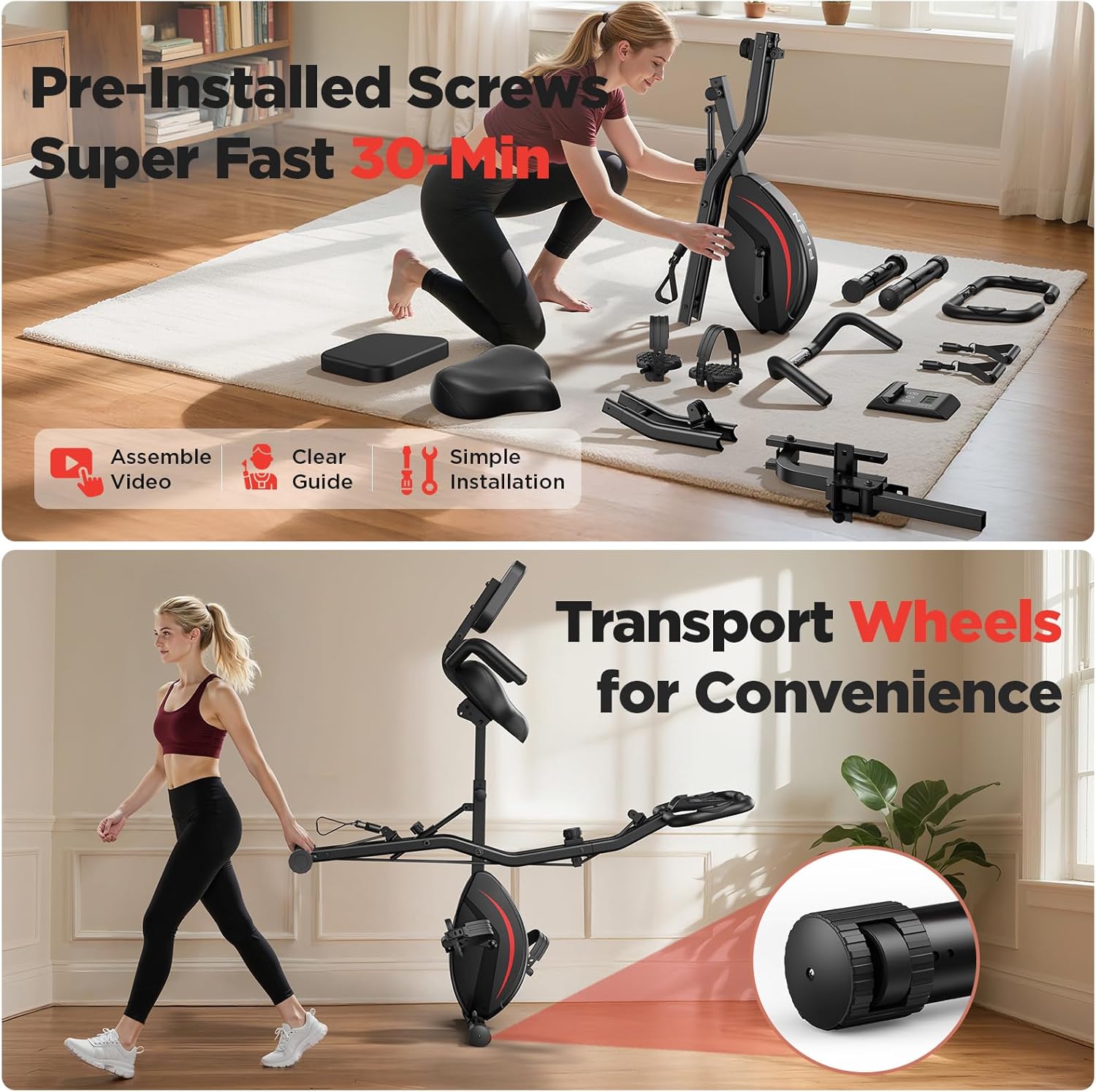
Figure 5: Pre-installed screws and transport wheels for convenience.
Video 2: Detailed instructions for installing the left and right pedals. (Duration: 0:31)

Figure 6: Wider seat design with backrest for enhanced comfort.
Video 3: Guide to installing the electronic display monitor. (Duration: 0:16)
Operating Instructions
Your PLENY Folding Exercise Bike offers multiple modes of operation to suit your fitness needs.
Adjusting Resistance
The bike features 16 levels of magnetic resistance. Turn the tension control knob located on the main frame clockwise to increase resistance for a more challenging workout, or counter-clockwise to decrease resistance for an easier ride.

Figure 7: Resistance adjustment knob for varied workout intensity.
Using the LCD Monitor
The LCD monitor tracks your workout data. Use the 'MODE' button to cycle through different display functions: Time, Speed, Distance, Calories, Odometer (total distance), and Pulse (heart rate, detected when hands are on the pulse sensors on the handlebars). The 'RESET' button clears current workout data.

Figure 8: LCD monitor for tracking workout metrics and pulse.
Utilizing Resistance Bands
The integrated resistance bands allow for upper body and stretching exercises while seated or standing. Grip the handles and perform various arm and shoulder movements to complement your cycling workout.
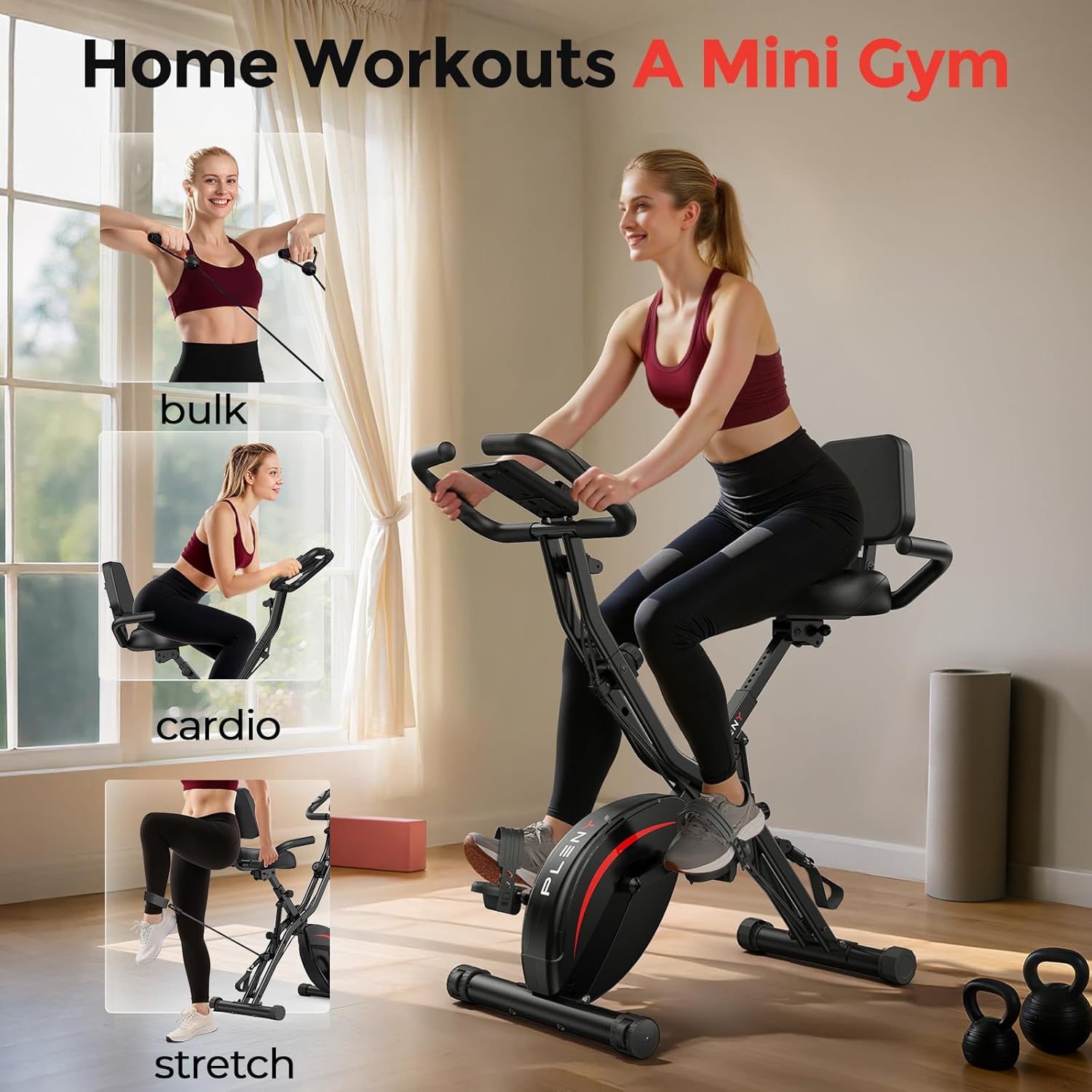
Figure 9: Resistance bands for full-body workouts.
Maintenance
Regular maintenance ensures the longevity and safe operation of your exercise bike.
- Cleaning: Wipe down the bike with a damp cloth after each use to remove sweat and dust. Avoid abrasive cleaners.
- Inspecting Bolts and Connections: Periodically check all bolts, nuts, and connections to ensure they are tight and secure. Tighten any loose fasteners.
- Lubrication: The magnetic resistance system is generally maintenance-free. Do not attempt to lubricate internal components unless specifically instructed by the manufacturer.
- Storage: When not in use, fold the bike and store it in a dry, cool place away from direct sunlight and extreme temperatures.
Troubleshooting
If you encounter issues with your exercise bike, refer to the following common solutions:
| Problem | Possible Cause | Solution |
|---|---|---|
| Monitor not displaying data | Loose sensor connection, dead batteries | Check all sensor wire connections. Replace batteries in the monitor. |
| Unusual noise during operation | Loose bolts, friction from moving parts | Inspect and tighten all assembly bolts. Ensure no cables are rubbing against moving parts. |
| Pedals feel loose | Pedals not tightened sufficiently | Re-tighten the pedals to the crank arms using the appropriate wrench. |
Specifications
- Brand: PLENY
- Model Name: XbikeDP-FUTI
- Color: black red
- Special Feature: 5-IN-1 EXERCISE BIKE
- Power Source: Battery Powered (for monitor)
- Recommended Uses: Indoor
- Item Weight: 20.3 Kilograms (approx. 44.75 lbs)
- Material: Alloy Steel
- Resistance Mechanism: Magnetic
- Number of Resistance Levels: 16
- Product Dimensions (D x W x H): 49" x 16" x 24" (approx. 124.5cm x 40.6cm x 61cm)
- Maximum Weight Recommendation: 330LB (from product title, specification says 39 Pounds which is likely an error)
- Drive System: Chain
Warranty and Support
PLENY provides 12 months free parts replacement service for this product. For any questions, technical assistance, or warranty claims, please contact PLENY customer support through the retailer's platform or the official PLENY website. Please have your model number (XbikeDP-FUTI) and purchase information ready when contacting support.