1. Product Overview
The Kinkeni Tuya WiFi Smart 4 Channel Relay Switch Module (Model: TYWB 4ch-RF) is designed to enable smart control of home appliances and electrical devices. This module supports both USB 5V and DC 7-32V input voltages and can be controlled remotely via the Smart Life/Tuya App. It offers versatile working modes including self-locking, momentary (inching), and interlock, allowing independent control of up to four devices. The module is compatible with voice assistants like Amazon Alexa and Google Home, and supports scheduling and timing functions for automated operation.
Key Features:
- Input Voltage: USB 5V or DC 7-32V.
- Control: WiFi via Smart Life/Tuya App, Bluetooth remote (after initial WiFi setup).
- Output: Clean contact relay, 10A maximum current, 250V maximum voltage.
- Working Modes: Self-locking, Momentary (Inching), Interlock.
- Channels: 4 independent control channels.
- Automation: Supports single, repeat, circle, and countdown timers.
- Voice Control: Compatible with Amazon Alexa, Google Home, and Siri.
- Sync Status: Real-time device status provided to the app.
- Installation: Simple DIN Rail mount with ABS shell.
2. Setup and Installation
2.1 Initial Setup:
- Ensure the module is powered up with either USB 5V or DC 7-32V.
- Enable Bluetooth on your mobile phone.
- Open the Smart Life or Tuya App. The device should be automatically discovered.
- Enter the correct 2.4G WiFi password to configure the module.
- The module is a clean contact relay, meaning it does not provide voltage on the output. You must supply power to the load separately or lead from the input.
2.2 Wiring Diagram:
The following diagram illustrates the typical wiring for the 4-channel relay module. Ensure all connections are secure and correctly aligned with the input power and load requirements.
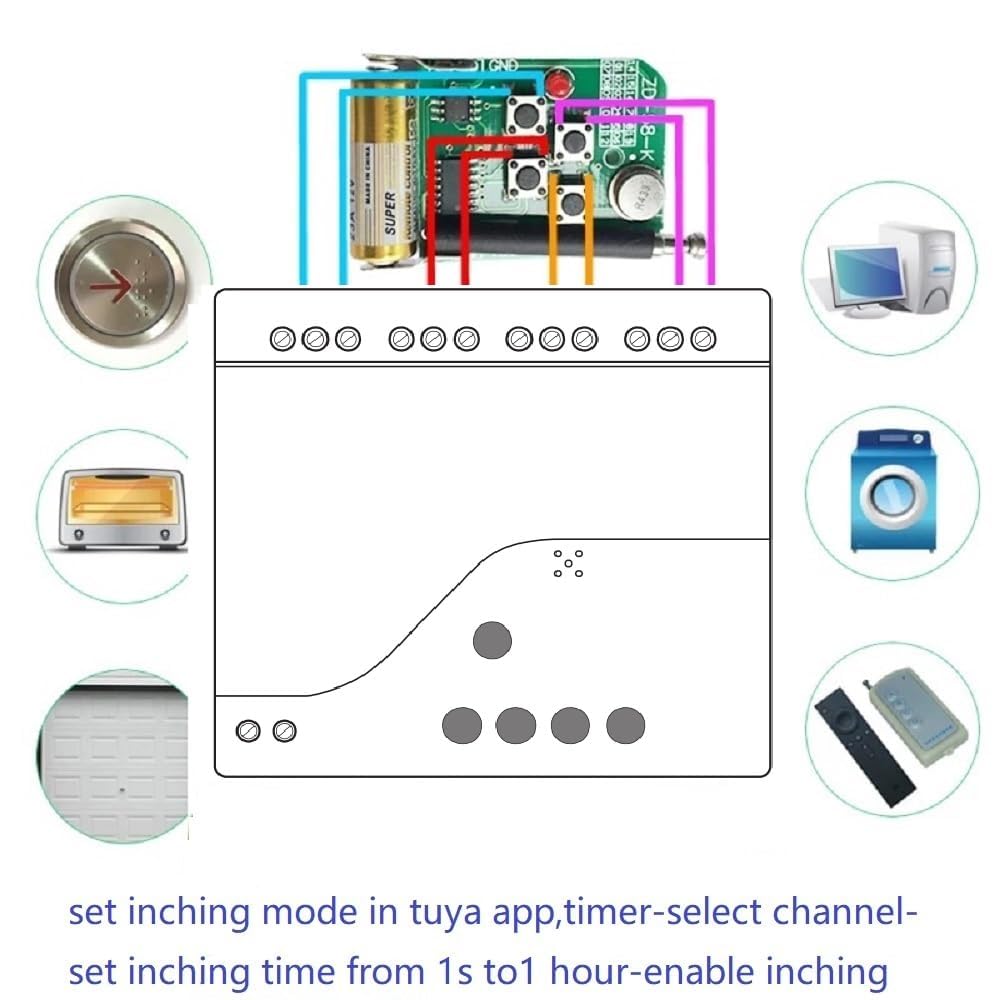
Figure 2.2.1: Wiring Diagram for the Kinkeni 4-Channel Relay Module. Shows DC 7-32V input and connections to four independent loads (e.g., light bulbs) via the relay outputs.
2.3 Component Overview:
Understanding the physical components of the module is essential for proper installation and troubleshooting. The image below highlights key elements on the circuit board.
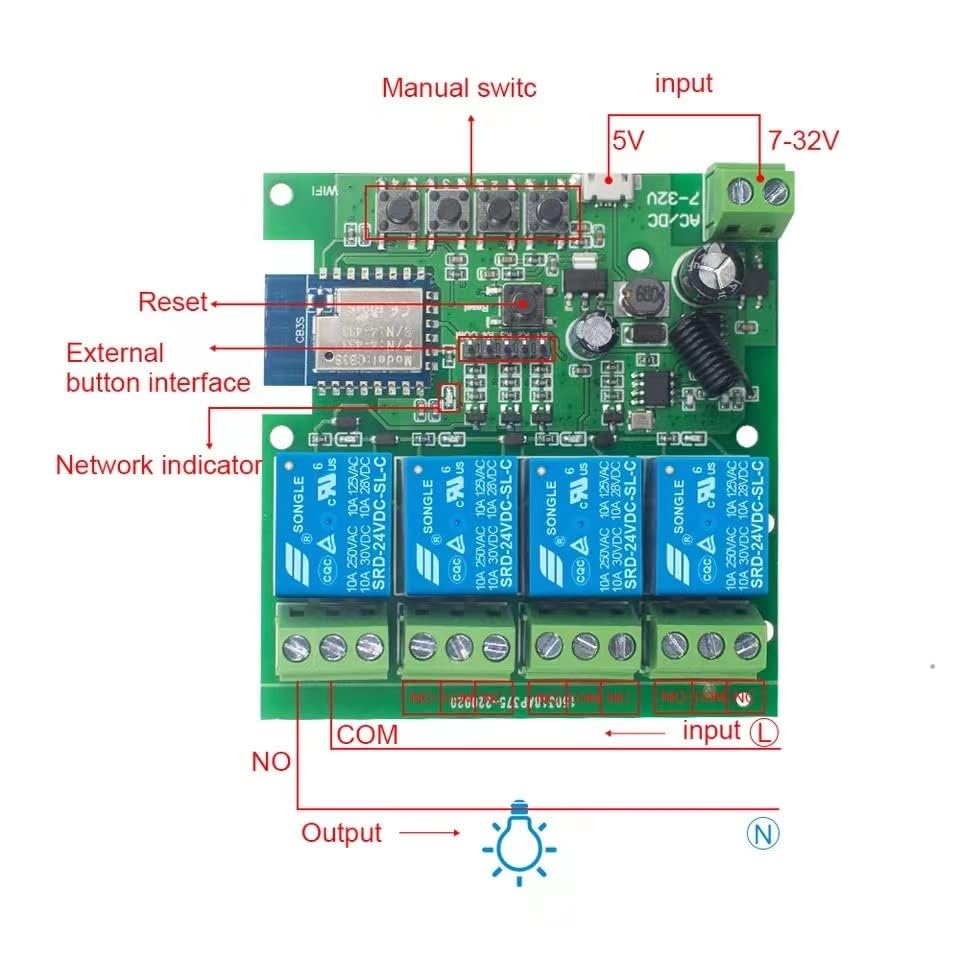
Figure 2.3.1: Internal view of the Kinkeni 4-Channel Relay Module, showing manual switches (K1-K4), Reset button, external button interface, network indicator, and relay output terminals (COM, NO).
3. Operation Modes
The Kinkeni 4-channel relay module supports three distinct working modes, configurable via the Smart Life/Tuya App, allowing flexible control over connected devices.
3.1 Self-locking (Latching) Mode:
In this default mode, each of the four channels operates independently. Toggling a channel in the app will turn the connected device ON or OFF, and it will remain in that state until manually changed again. This is suitable for devices like lights or fans that need to stay in a specific state.
3.2 Momentary (Inching) Mode:
When set to momentary mode, pressing the ON button for a relay in the mobile app will activate the relay for a preset duration (default is one second), after which it automatically turns OFF. The inching time can be adjusted from 2 seconds to 1 minute within the Smart Life app. This mode is ideal for applications requiring a brief pulse, such as garage door openers or automated chicken coop doors.

Figure 3.2.1: Screenshot showing how to set the inching mode and duration within the Tuya application.
3.3 Interlock Mode:
In interlock mode, only one device can be turned ON at any given time. When you turn ON one channel, all other channels automatically turn OFF. This mode is useful for applications where only one of several options should be active, preventing simultaneous operation.
4. Smart Features and Automation
4.1 Voice Control:
The Kinkeni relay module integrates seamlessly with popular voice assistants, allowing you to control connected devices using simple voice commands. Link your Smart Life/Tuya account with Amazon Alexa, Google Home, or Siri. Examples of commands include: “Alexa, turn on the light.” or “Hey Google, turn off the bedroom light.”
4.2 Timing Function:
Automate your devices by setting schedules and timers. The Smart Life/Tuya App allows you to create single, repeat, circle, or countdown timers to automatically turn devices ON or OFF at specified times. These timers can run even if the network connection is temporarily unavailable.

Figure 4.2.1: Example of setting ON/OFF schedules using the timing function in the Smart Life application.
4.3 Relay Status Setting:
The module allows you to configure the relay's state after a power outage. You can set it to remember the last status, or default to ON or OFF. This ensures your devices behave predictably when power is restored.

Figure 4.3.1: Options for setting the relay's default status (OFF, ON, or Remember Last Status) after a power cycle.
4.4 Family Sharing:
Share control of your smart devices with family members through the Smart Life/Tuya App. This feature allows multiple users to manage the relay module, creating a convenient and efficient smart home experience for everyone.

Figure 4.4.1: Illustration of the family sharing function, enabling multiple users to control the device via the Smart Life App.
5. Multiple Use Cases
The Kinkeni 4-channel relay module is highly versatile and can be integrated into various smart home and automation projects. Common applications include:
- Garage Door Switch: Automate opening and closing of garage doors.
- Light Switch: Remotely control lighting fixtures.
- Smart Socket: Convert standard outlets into smart outlets for appliance control.
- Water Pump Control: Manage irrigation systems or other water pumps.
- Automated Blinds/Curtains: Control motorized window coverings.
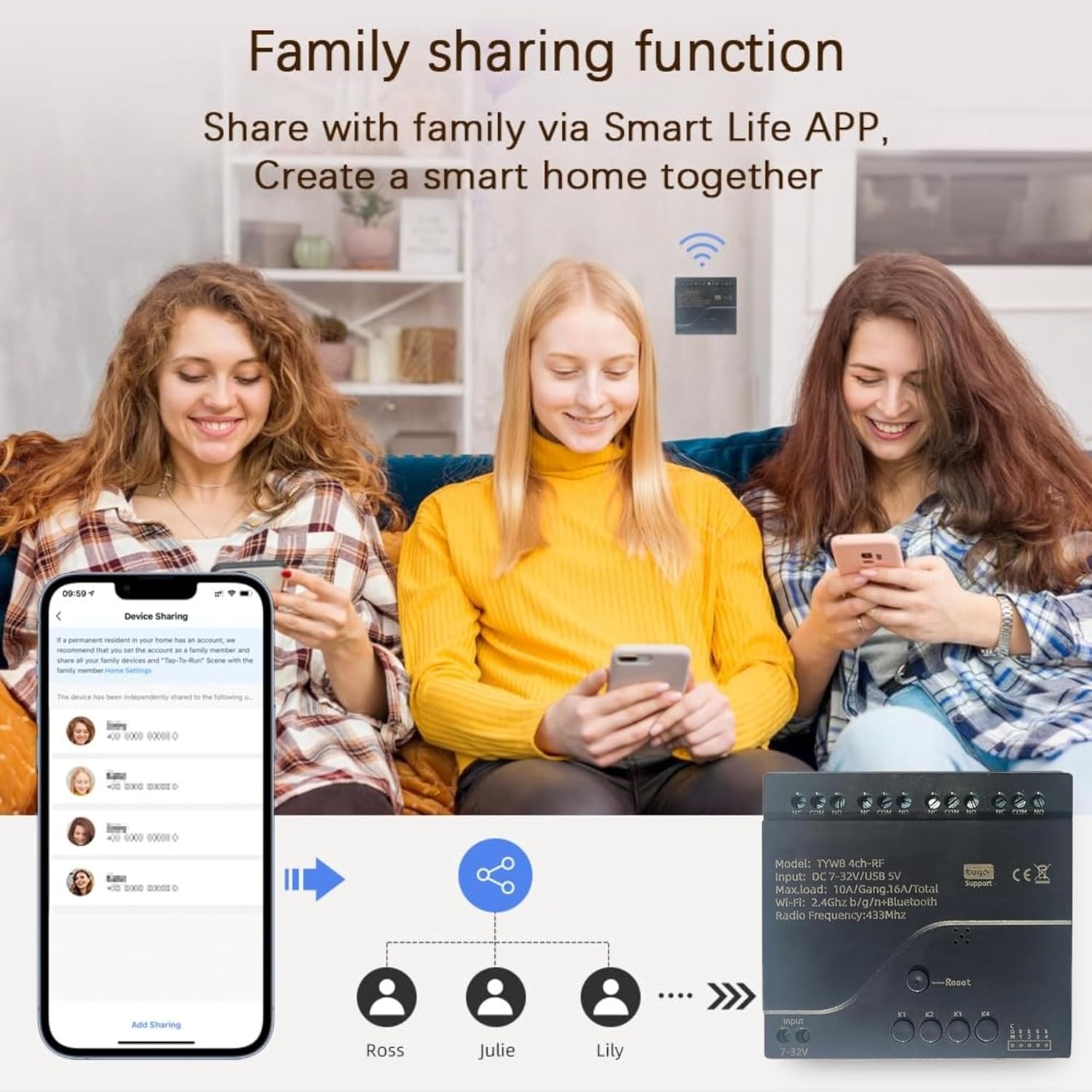
Figure 5.1.1: Visual examples of the relay module's applications, including garage door control, lighting, smart sockets, and water pump automation.
6. Maintenance
The Kinkeni 4-channel relay module is designed for low maintenance. To ensure optimal performance and longevity:
- Keep the module in a dry environment, away from excessive moisture or humidity (Working Humidity: 40% to 80% RH).
- Ensure it operates within the specified temperature range (-40 to 70 degrees Celsius).
- Periodically check wiring connections for tightness and integrity.
- Clean the exterior of the module with a soft, dry cloth if necessary. Do not use liquid cleaners.
- No user-serviceable parts are inside. Do not attempt to disassemble the module beyond what is necessary for installation.
7. Troubleshooting
If you encounter issues with your Kinkeni 4-channel relay module, refer to the following common troubleshooting steps:
- Device Not Found in App: Ensure Bluetooth is enabled on your phone and the module is powered. Verify your WiFi network is 2.4GHz. Try restarting the module by cycling its power.
- Cannot Connect to WiFi: Double-check your WiFi password. Ensure the module is within range of your WiFi router. If issues persist, try resetting the module (using the reset button if available) and re-attempting the setup process.
- Relay Not Responding: Verify the input voltage is within the specified range (USB 5V or DC 7-32V). Check all wiring connections to the load and power source. Ensure the correct working mode is selected in the app.
- Voice Control Issues: Confirm that your Smart Life/Tuya account is correctly linked to your Alexa or Google Home app. Ensure the device is named clearly and recognized by the voice assistant. Check your internet connection.
- Intermittent Operation: Check for stable WiFi signal strength. Ensure the power supply to the module is consistent and meets the requirements.
For persistent issues, consult the Smart Life/Tuya App's help section or contact Kinkeni customer support.
8. Technical Specifications
| Feature | Specification |
|---|---|
| Model Number | TYWB 4ch-RF |
| Input Voltage | USB 5V or DC 7-32V |
| Power Consumption | <1W |
| Quiescent Current | 80mA |
| Cutover Current | <10A |
| Cutover Voltage | <250V |
| Relay Model | 10A Relay |
| Working Temperature | -40 to 70 degrees Celsius |
| Working Humidity | 40% to 80% RH |
| Product Dimensions | 3.19 x 2.99 x 0.98 inches |
| Item Weight | 3.84 ounces |
| Mounting Type | DIN Rail Mount |
| Connector Type | Screw |
| Contact Material | Silver |
| Contact Type | Normally Open |
9. Warranty and Support
For warranty information, please refer to the terms provided by your retailer or the manufacturer at the time of purchase. Typically, electronic devices come with a limited warranty covering manufacturing defects.
For technical support, troubleshooting assistance beyond this manual, or inquiries regarding product functionality, please contact the seller or manufacturer directly. You can often find contact details on the product packaging or the purchase platform.
Manufacturer: Qianyi Technology.co.ltd


