
EXTRALINK H18650CH-4S2P
Extralink Replacement Battery User Manual
Model: H18650CH-4S2P
1. Product Overview
This document provides essential information for the safe and effective use of your Extralink 5000mAh 14.4V 72Wh replacement battery for robotic vacuum cleaners. This high-capacity battery is designed to restore and extend the operational life of your compatible robotic vacuum, ensuring optimal cleaning performance.
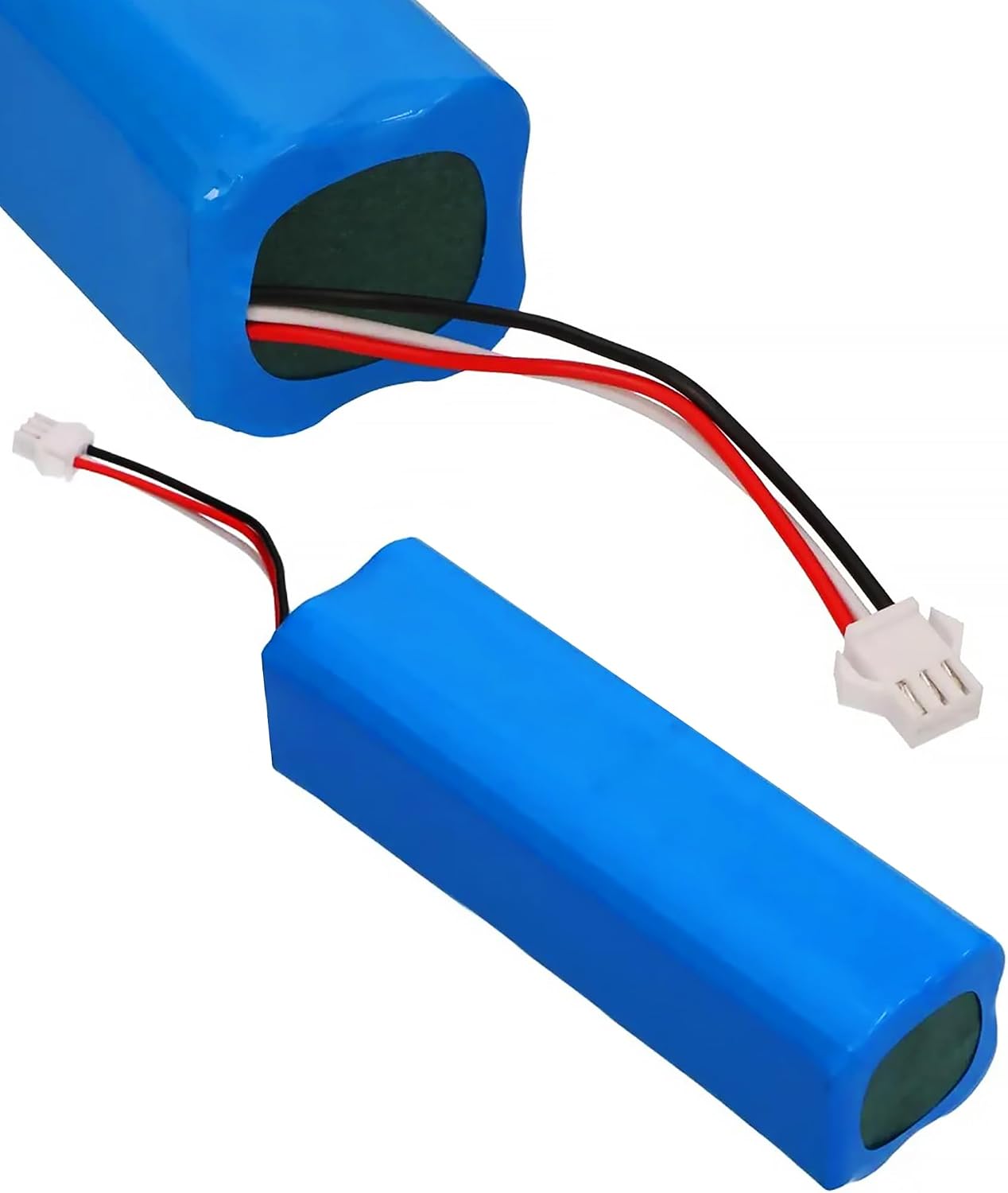
Image: The Extralink replacement battery, a blue rectangular unit with a white connector and red, black, and white wires extending from one end.
2. Safety Information
WARNING: To reduce the risk of fire or burns, please observe the following safety precautions:
- Do not disassemble the battery.
- Do not crush or puncture the battery.
- Avoid short external contacts.
- Keep the battery away from water, fire, and high temperatures.
- Dispose of used batteries according to local regulations.

Image: The Extralink replacement battery showing its product label with specifications and safety warnings in English and German.
3. Product Features
- High Capacity: 5000 mAh for extended cleaning cycles and maximum efficiency.
- Restored Performance: Helps restore the full cleaning power of your robotic vacuum cleaner.
- Integrated Safety: Features built-in protection against overheating, short circuits, and overcharging for stable and safe operation.
- Easy Installation: Designed for quick and effortless replacement.
- Extended Device Lifespan: Regular battery replacement can prolong the overall lifespan of your robotic vacuum cleaner.
4. Setup and Installation
Before installation, ensure your robotic vacuum cleaner is powered off and unplugged from its charging base. Refer to your vacuum cleaner's original manual for specific battery compartment access instructions.
- Locate the battery compartment on your robotic vacuum cleaner. This is typically on the underside.
- Open the battery compartment cover, usually secured by screws or latches.
- Carefully disconnect the old battery's connector from the vacuum cleaner's port.
- Remove the old battery.
- Align the new Extralink battery's connector with the vacuum cleaner's port and firmly plug it in. Ensure the connection is secure.
- Place the new battery into the compartment.
- Close the battery compartment cover and secure it.

Image: The Extralink replacement battery showing its integrated wiring and white connector, ready for installation.

Image: A close-up view of the white three-pin connector on the Extralink replacement battery, highlighting its design for secure connection.
Compatibility
This battery is compatible with various robotic vacuum cleaner models, including but not limited to:
- Roidmi EVE Plus, M8MAX M8 Plus
- Xclea H30, H30 Plus
- Viomi A1 Pro, S9, VXMVC12 (VXVC 11, 13, 14, 15, 07-JG/IC)
- Huawei
- Lenovo T1 PRO, LR1
- Imou L11
- Kyvol Cybovac S31
- Arnagar S8 pro
- Proscenic M7 MAX, M8 pro max
- Haier TAB-T530S
- UONI V980Plus, V980MAX
5. Operating Instructions
After installing the new battery, place your robotic vacuum cleaner on its charging base to fully charge the battery before its first use. A full charge cycle is recommended to calibrate the new battery.
- Always use the original charging base and adapter provided with your robotic vacuum cleaner.
- Allow the battery to fully charge before each cleaning cycle for optimal performance and runtime.
- Avoid completely draining the battery frequently, as this can reduce its overall lifespan.
6. Maintenance
Proper maintenance can extend the life of your battery:
- Regular Charging: Keep the battery charged. If the vacuum cleaner will not be used for an extended period, charge the battery fully before storage and recharge it every 3-6 months.
- Storage: Store the battery in a cool, dry place, away from direct sunlight and extreme temperatures.
- Cleaning Contacts: Periodically check and clean the battery contacts on both the battery and the vacuum cleaner to ensure good conductivity.
7. Troubleshooting
If you encounter issues with your new battery, consider the following:
- Battery Not Charging:
- Ensure the battery is correctly installed and the connector is firmly seated.
- Verify that the charging base and power adapter are functioning correctly.
- Clean the charging contacts on both the vacuum and the charging base.
- Short Runtime:
- Ensure the battery has been fully charged.
- Check for any blockages in the vacuum cleaner (e.g., brushes, wheels) that might increase power consumption.
- If the issue persists after several charge cycles, contact support.
- Vacuum Not Powering On:
- Confirm the battery is fully charged.
- Re-install the battery to ensure proper connection.
- Check the vacuum cleaner's power button and other components.
8. Specifications
| Attribute | Value |
|---|---|
| Battery Type | Li-polymer battery |
| Capacity | 5000 mAh |
| Rated Voltage | 14.4 V |
| Energy | 72 Wh |
| Weight | 380g |
| Dimensions (L x W x H) | 135 x 35 x 35 mm |
| Model Number | H18650CH-4S2P |
| Manufacturer | EXTRALINK |
| Country of Origin | China |
9. Warranty and Support
For warranty information or technical support, please refer to the seller's policy or contact the retailer where the product was purchased. Keep your proof of purchase for any warranty claims.
Ask a question about this manual
Ask about setup, troubleshooting, compatibility, parts, safety, or missing instructions. Manuals+ will review the question and use this page’s manual context to help answer it.