
GTRACING DL001
GTRACING L-Shaped Gaming Desk Instruction Manual
Model: DL001
Brand: GTRACING
1. Introduction
This manual provides comprehensive instructions for the assembly, operation, and maintenance of your GTRACING L-Shaped Gaming Desk. Please read this manual carefully before assembly and use to ensure proper setup and safe operation. Keep this manual for future reference.
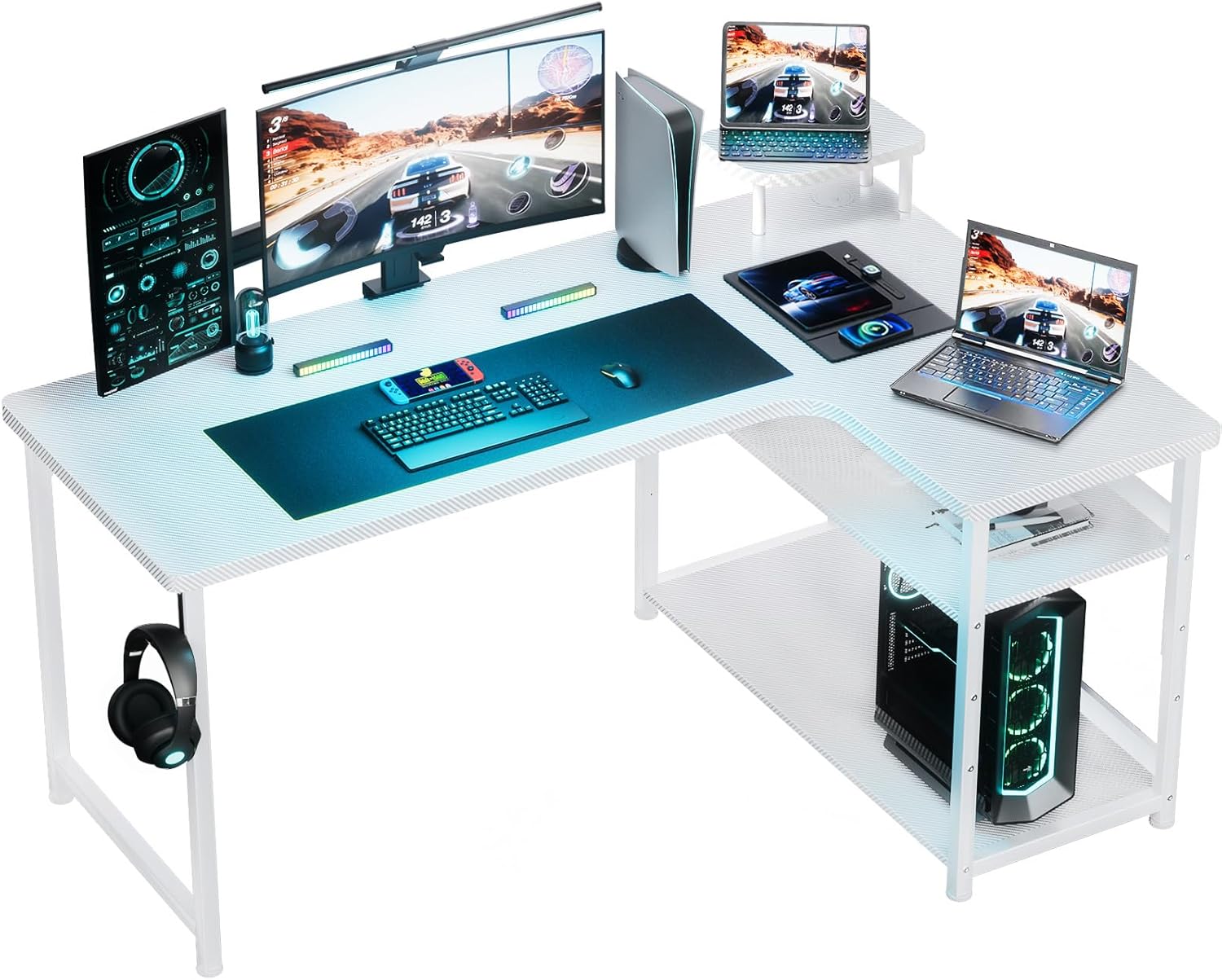
Figure 1.1: GTRACING L-Shaped Gaming Desk in a typical gaming environment, showcasing its L-shape and ample surface area for multiple monitors and peripherals.
2. Product Overview
The GTRACING L-Shaped Gaming Desk is designed for both gaming and home office use, offering a spacious and ergonomic workspace. It features a carbon fiber style finish, robust construction, and thoughtful design elements for enhanced user experience.
2.1 Key Features
- L-Shaped Design: Provides extensive surface area for multiple monitors, keyboards, and other equipment.
- Carbon Fiber Style Finish: Durable and aesthetically pleasing surface.
- Movable Monitor Stand: Allows for flexible monitor placement and ergonomic viewing.
- Wire Organizer Grommet: Helps manage cables for a tidy workspace.
- Anti-Fall Panel Design: Prevents items from falling off the back edge of the desk.
- Monitor Arm Compatibility: Designed to accommodate various monitor arms for customized setups.
- Rounded Corners: Enhances safety, particularly in environments with children.
- Adjustable Shelf Height: Provides flexible storage options for PC towers, books, or other items.
- Stable and Heavy-Duty Construction: Supports up to 80kg (176 lbs) with reinforced pipes and cross braces.

Figure 2.1: Visual representation of key features including the headphone hook, rounded corner design, anti-fall board, and right-side storage shelves.

Figure 2.2: Illustration demonstrating the safety benefit of the rounded corner design compared to desks with sharp edges.

Figure 2.3: Depiction of flexible PC placement options, allowing the user to position their computer in the middle or on the right side of the L-shaped desk for optimal space utilization.

Figure 2.4: Detailed view of the mini table for monitor or accessories, the integrated wiring hole for cable management, the robust SPCC steel frame, and the anti-fall board design.

Figure 2.5: Illustration of the adjustable shelf system, demonstrating lower, intermediate, and upper positions for customizable storage space.
3. Assembly Instructions
Assembly of the GTRACING L-Shaped Gaming Desk is designed to be straightforward and can typically be completed by one person. All necessary components and tools are included in the package, along with a detailed assembly guide.
3.1 Before You Begin
- Unpack all components and verify against the parts list provided in the separate assembly guide.
- Ensure you have sufficient space for assembly.
- Keep small parts away from children.
3.2 Assembly Steps
- Refer to the step-by-step instructions and diagrams in the included assembly manual.
- Identify and separate all hardware (screws, bolts, etc.) and desk components.
- Begin by assembling the main frame, ensuring all connections are secure but not overtightened until the desk is fully assembled.
- Attach the L-shaped desktop sections.
- Install the storage shelves, adjusting their height as desired.
- Attach accessories such as the headphone hook and cup holder (if included).
- Once fully assembled, tighten all screws and bolts to ensure stability.
Note: The desk is not reversible in its L-shape configuration.
4. Operating Instructions
Your GTRACING L-Shaped Gaming Desk is ready for use once assembled. Its design supports various setups for gaming, work, or study.
4.1 Workspace Setup
- Utilize the L-shape to create distinct zones for your monitor setup, keyboard/mouse, and other peripherals.
- Place your PC tower on the adjustable shelves for optimal airflow and accessibility.
- Use the wire organizer grommet to route cables neatly, reducing clutter.
- The movable monitor stand can be positioned to achieve an ergonomic viewing height, promoting good posture.
- Attach a monitor arm directly to the desk if desired, utilizing its compatibility features.
4.2 Weight Capacity
The desk top is designed to hold up to 80 kg (approximately 176 lbs). Distribute weight evenly across the surface to maintain stability and prevent damage.
5. Maintenance
Regular maintenance will help preserve the appearance and longevity of your GTRACING L-Shaped Gaming Desk.
- Cleaning: Wipe the carbon fiber style surface with a soft, damp cloth. Avoid abrasive cleaners or harsh chemicals that may damage the finish. For dust, a dry microfiber cloth is recommended.
- Hardware Check: Periodically check all screws and bolts to ensure they remain tight. Retighten if necessary to maintain desk stability.
- Avoid Excessive Moisture: While the surface is durable, prolonged exposure to liquids should be avoided. Wipe up spills immediately.
- Protect from Heat: Do not place extremely hot items directly on the desk surface without a protective coaster.
6. Troubleshooting
If you encounter any issues with your GTRACING L-Shaped Gaming Desk, refer to the following common solutions:
6.1 Desk Wobbles
- Check Connections: Ensure all screws and bolts are fully tightened. Loose connections are a common cause of instability.
- Level Surface: Verify that the desk is placed on a flat, level surface. Adjust any leveling feet if present.
- Cross Braces: Confirm that all reinforced pipes and cross braces are correctly installed and secured as per the assembly instructions.
6.2 Parts Missing or Damaged
- If any parts are missing or damaged upon arrival, please contact GTRACING customer support immediately with your purchase details. Refer to the "Warranty and Support" section for contact information.
7. Specifications
| Attribute | Detail |
|---|---|
| Brand | GTRACING |
| Model Number | DL001 |
| Dimensions (D x W x H) | 19.68"D x 47.24"W x 29.13"H (50cm D x 120cm W x 74cm H) |
| Color | White |
| Top Material Type | Wood with Carbon Fiber Style Finish |
| Base Material | Metal (SPCC Steel) |
| Maximum Weight Recommendation | 80 kg (176 lbs) |
| Item Weight | 35.7 Pounds (16.2 kg) |
| Assembly Required | Yes (Recommended 1 person) |
| Special Features | Adjustable Shelf Height, Anti-Fall Panel, Movable Monitor Stand, Wire Organizer Grommet, Rounded Corners, Headphone Hook |

Figure 7.1: Detailed dimensions of the GTRACING L-Shaped Gaming Desk, including overall length, width, height, and shelf measurements.

Figure 7.2: Overview of the desk's dimensions and its maximum weight capacity of 176 lbs.
8. Warranty and Support
GTRACING stands behind the quality of its products. Your L-Shaped Gaming Desk comes with the following support:
- Return Policy: A 30-day return policy is available from the date of purchase.
- Repair Service: Enjoy 1 year of repair service. Replacement parts are guaranteed to match the originals.
8.1 Contacting Support
For warranty claims, technical assistance, or any questions regarding your product, please contact GTRACING customer support through their official channels. You can often find contact information on the GTRACING website or through your purchase platform.
Visit the official GTRACING Store for more information: GTRACING Store on Amazon
Related documentsDL001

Ask a question about this manual
Ask about setup, troubleshooting, compatibility, parts, safety, or missing instructions. Manuals+ will review the question and use this page’s manual context to help answer it.