
Introduction
This manual provides comprehensive instructions for the Generic Compatible Remote Control designed for QILIVE televisions. This remote offers 100% compatibility with the functions of your original QILIVE TV remote, ensuring a seamless user experience. It is not manufactured or sold by QILIVE but is fully functional as a replacement.
Package Contents
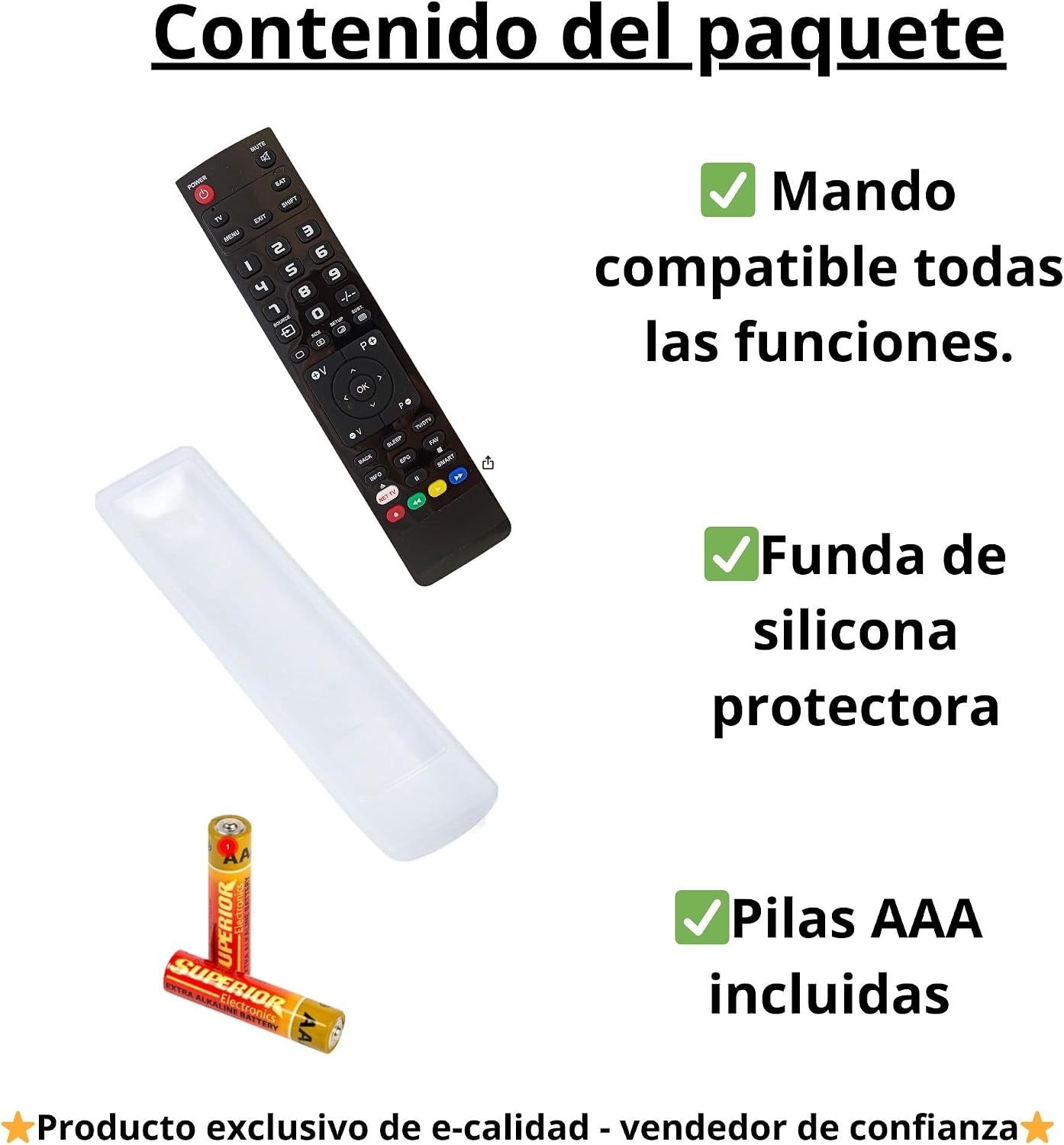
Please verify that all items listed below are included in your package:
- 1 x Compatible Remote Control for QILIVE TV
- 1 x Protective Silicone Case
- 2 x AAA Batteries
Setup
Battery Installation
- Locate the battery compartment on the back of the remote control.
- Slide open the battery compartment cover.
- Insert the two included AAA batteries, ensuring the positive (+) and negative (-) terminals align correctly with the markings inside the compartment.
- Close the battery compartment cover securely.
The remote control is now ready for use. No additional programming is required for QILIVE televisions.

Operating Instructions
This compatible remote control provides all the essential functions of your original QILIVE TV remote. Simply point the remote towards your QILIVE television and press the desired buttons.
Basic Functions:
- Power Button: Turns the TV on or off.
- Number Buttons (0-9): For direct channel selection.
- Volume Up/Down: Adjusts the sound level.
- Channel Up/Down: Changes channels sequentially.
- Mute Button: Silences the TV audio.
- Menu Button: Accesses the TV's main menu.
- Navigation Buttons (Up, Down, Left, Right, OK): For navigating menus and confirming selections.
- Input/Source Button: Selects different input sources (HDMI, AV, etc.).
- Smart TV Buttons: Dedicated buttons for common streaming services (if present on the remote layout).
The remote allows full access to all TV menus and settings, just like the original remote.

Maintenance
Cleaning the Remote Control:
- Wipe the remote control with a soft, dry cloth.
- For stubborn dirt, slightly dampen the cloth with water or a mild cleaning solution. Do not use harsh chemicals.
- Ensure no liquid enters the remote control.
Using the Protective Silicone Case:
The included silicone case offers several benefits:
- Protection: Shields the remote from drops, scratches, and spills.
- Improved Grip: Provides a firmer and more comfortable hold, reducing the chance of accidental drops.
- Enhanced Durability: Extends the lifespan of your remote control.
- Easier Cleaning: The silicone case can be easily removed and washed.
To install the case, simply slide the remote control into the silicone cover, ensuring all buttons and sensors are properly aligned.

Troubleshooting
If you encounter any issues with your remote control, please refer to the following common solutions:
- Remote not responding:
- Check if the batteries are inserted correctly with the correct polarity (+/-).
- Replace the batteries with new AAA batteries.
- Ensure there are no obstructions between the remote control and the TV's infrared sensor.
- Make sure you are within the effective range of the TV's infrared receiver.
- Specific buttons not working:
- Clean the remote control, especially around the non-functional buttons, to remove any dirt or debris that might be preventing proper contact.
- If cleaning does not resolve the issue, the button may be damaged.
- TV not turning on/off:
- Verify that the TV is plugged into a power source and is not in standby mode due to a power outage.
- Try using the power button directly on the TV to confirm the TV itself is functional.
If these steps do not resolve the issue, please contact customer support for further assistance.
Specifications
| Brand | Generic |
| Model Name | Universal QILIVE Compatible Remote |
| Compatible Devices | QILIVE Televisions |
| Connectivity Technology | Infrared |
| Controller Type | Infrared Control |
| Number of Buttons | 25 |
| Special Feature | 100% QILIVE Compatible |
| Color | Black |
| Batteries Required | 2 x AAA (Alkaline recommended) |
| Product Dimensions | 6 x 2 x 16 cm |
| Product Weight | 150 g |
| Country of Origin | China |
| Smart Home Compatibility | Not compatible with smart home systems |
Warranty Information
This product comes with a 3-year warranty provided exclusively by the seller, e-calidad. Please retain your proof of purchase for any warranty claims. The warranty covers manufacturing defects and malfunctions under normal use conditions.
Support
For any questions, clarifications, or assistance regarding your compatible QILIVE remote control, please contact the seller, e-calidad, directly. Support is available via WhatsApp.
Please refer to your purchase documentation for specific contact details or visit the seller's page on Amazon.
