
Introduction
Thank you for choosing the PRETTYCARELIFE Cordless Vacuum Cleaner. This manual provides essential information for the safe and efficient operation, maintenance, and troubleshooting of your new appliance. Please read it thoroughly before first use and keep it for future reference.
What's Included
Your PRETTYCARELIFE Cordless Vacuum Cleaner package includes the following components:
- Dusting Brush
- Adapter
- Crevice Tool
- LED Roller Brush
- Cordless Vacuum Main Unit
- 2-in-1 Dust Brush
- Wall Mount
- Foldable Metal Tube
- 2 x Filters
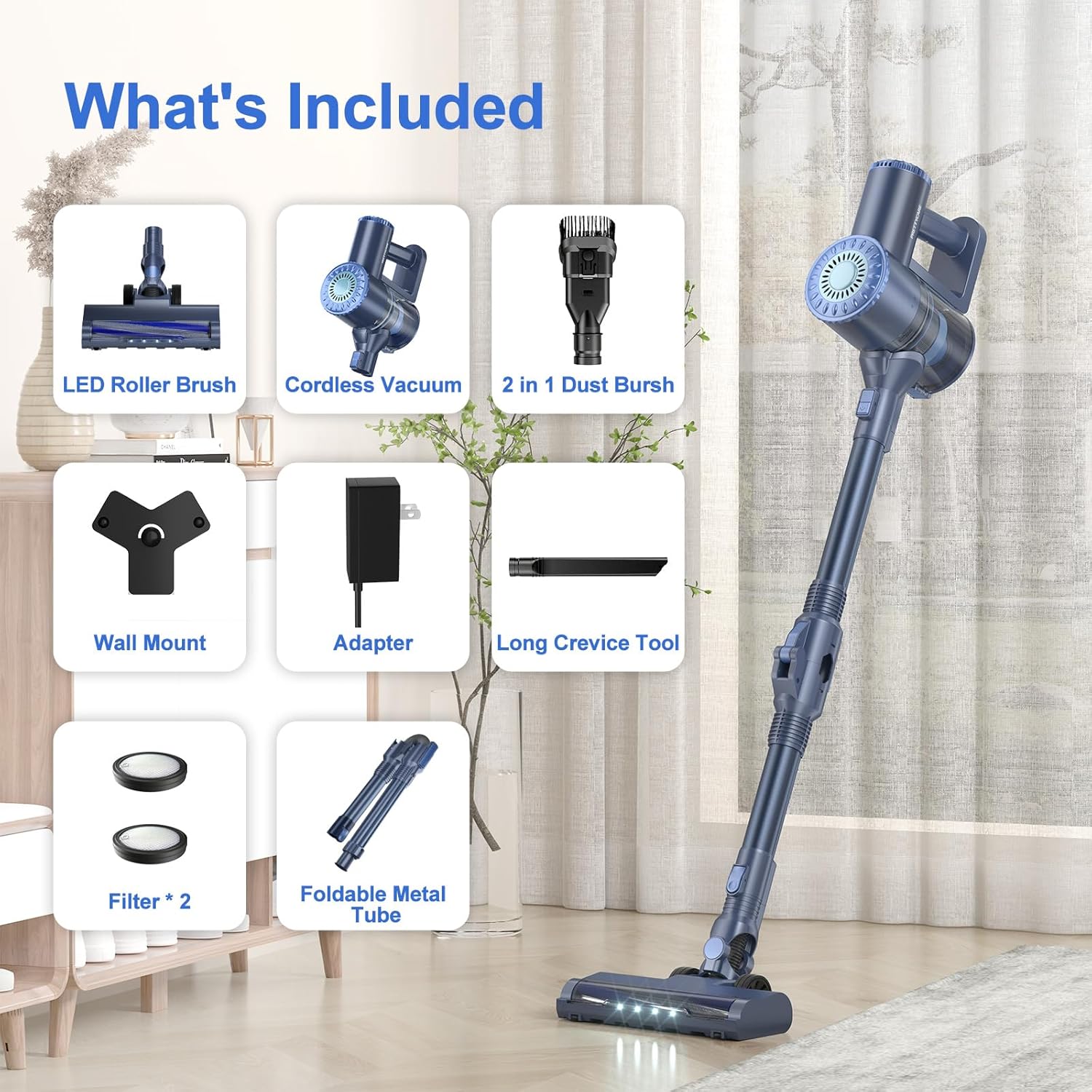
Figure 1: All included components.
Setup
Follow these steps to assemble and prepare your vacuum cleaner for first use:
- Unpack Components: Carefully remove all parts from the packaging.
- Assemble the Main Unit: Attach the foldable metal tube to the main vacuum unit. Ensure it clicks securely into place.
- Attach Floor Brush: Connect the LED roller brush head to the bottom of the foldable metal tube. It should also click firmly.
- Initial Charge: Before first use, fully charge the vacuum cleaner. Connect the adapter to the charging port on the main unit and plug it into a power outlet. The indicator lights will show charging status. A full charge ensures optimal performance and battery longevity.

Figure 2: Assembling the main vacuum unit.
Charging the Battery
The vacuum uses 6 large-capacity Lithium Ion batteries. To charge, simply plug the adapter into the vacuum's charging port. The indicator lights will illuminate to show the charging progress. Once fully charged, the light will switch to a fixed state, indicating it's ready for use.
Operating Instructions
Your cordless vacuum cleaner is designed for versatile and efficient cleaning. Here's how to operate it:
- Power On/Off: Press the power button on the main unit to turn the vacuum on or off.
- Adjust Suction Power: The vacuum features two-speed levels. Use the +/- button to switch between standard and powerful suction (up to 39KPa) depending on your cleaning needs.
- Self-Standing Function: The vacuum is designed with a self-standing feature via the floor brush buckle, allowing it to stand upright independently for convenient storage or pauses during cleaning.
- 180° Bendable Wand: Utilize the 180° bendable wand to easily reach under furniture, beds, and other hard-to-reach areas without bending over.
- LED Headlights: The front of the brush head is equipped with bright LED lights that automatically turn on when the vacuum is in operation, illuminating dust and debris in dark areas or under furniture.
- Using Attachments: The 6-in-1 design allows for various cleaning configurations. Detach the main unit from the tube and attach the 2-in-1 brush head or long crevice tool for cleaning curtains, upholstery, car interiors, or tight corners.
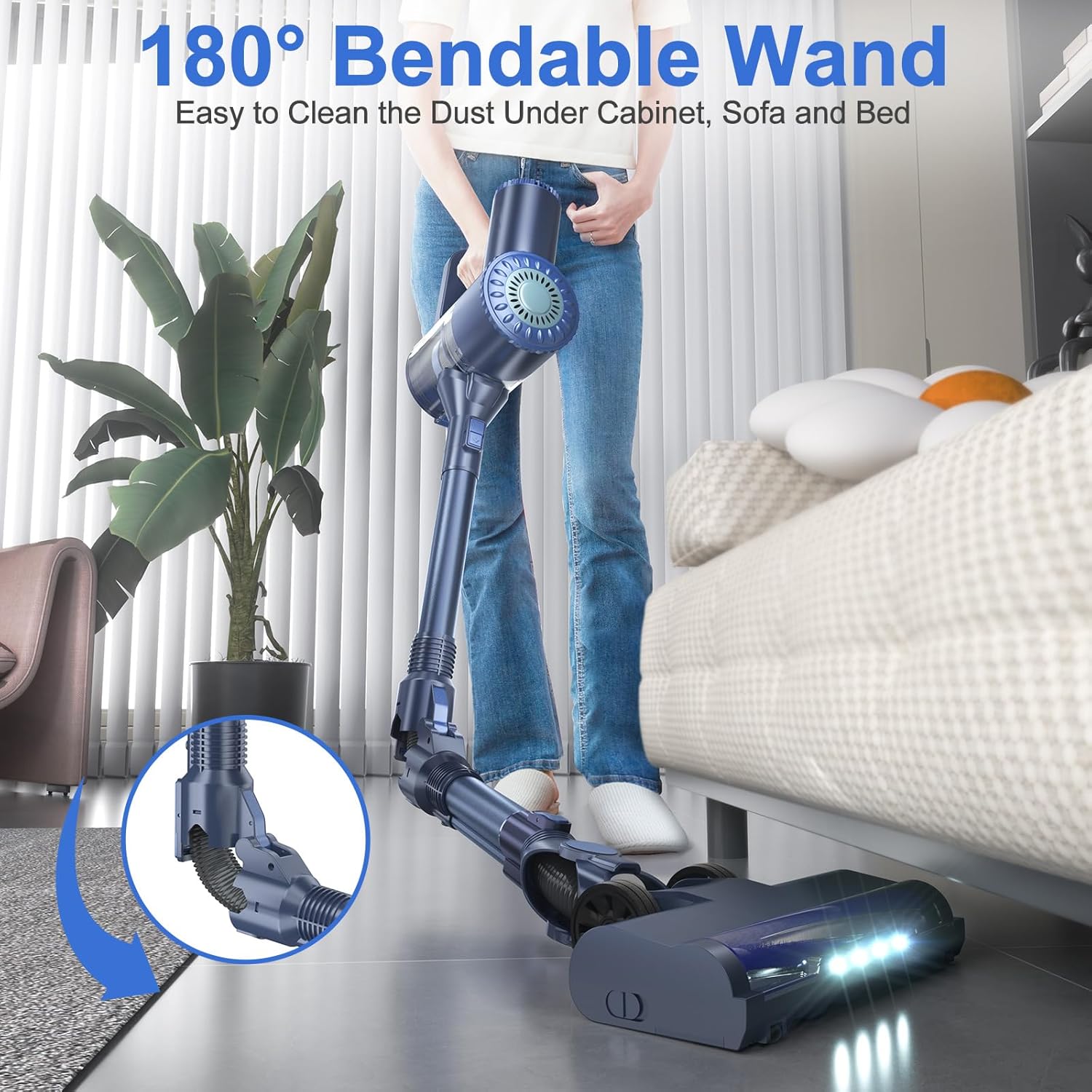
Figure 3: Utilizing the 180° bendable wand for hard-to-reach areas.

Figure 4: Bright LED headlights for enhanced visibility.
Official Product Video: Operation Overview
Video 1: Demonstrates the vacuum's self-standing design, powerful suction, 2-speed levels, 6-stage filtration, bendable wand, 6-in-1 design, quiet operation, and one-click dust removal.
Maintenance
Regular maintenance ensures your vacuum cleaner performs optimally and extends its lifespan:
- One-Click Dust Removal: To empty the dust cup, simply press the release button. This allows for quick and hygienic disposal of collected debris.
- Filter Cleaning: The 6-stage dual cyclone filtration system includes washable components. After washing the filter cotton, dustcup, and metal mesh filter, ensure they are thoroughly dried before reassembling and using the vacuum again. This is crucial for maintaining suction power and preventing damage.
- Soft Roller Brush Maintenance: The floor brush head features soft bristles designed to protect your floors. Periodically check the brush for tangled hair or debris and clean as necessary to ensure smooth operation and effective cleaning.

Figure 5: One-click dust removal for easy emptying.

Figure 6: Washable filter components for thorough cleaning.
Troubleshooting
If you encounter issues with your vacuum cleaner, refer to the common problems and solutions below:
| Problem | Possible Cause | Solution |
|---|---|---|
| Vacuum does not turn on | Battery is depleted; Power button not pressed correctly. | Charge the battery fully; Ensure the power button is pressed firmly. |
| Reduced suction power | Dust cup is full; Filters are clogged; Brush head is obstructed. | Empty the dust cup; Clean or replace filters; Remove any obstructions from the brush head. |
| Battery not holding charge | Improper charging; Battery degradation. | Ensure adapter is correctly connected and outlet is functional; Contact customer support if battery life significantly decreases over time. |
| Brush head not rotating | Obstruction in brush roll; Incorrect assembly. | Clear any hair or debris from the brush roll; Reassemble the brush head and tube correctly. |
Specifications
- Model Name: W400
- Special Feature: Lightweight, Cordless, Foldable, Washable Filter, Bagless
- Filter Type: HEPA Filter
- Is Cordless?: Yes
- Capacity: 1.2 Liters
- Form Factor: Stick
- Color: Blue
- Product Dimensions: 40.6"L x 8.2"W x 9.9"H
- Noise Level: 63 dB
- Number of Speeds: 2
- Item Weight: 3 pounds
- Batteries: 1 Lithium Ion battery required (included)
Warranty Information
PRETTYCARELIFE products are manufactured to the highest quality standards. This product comes with a limited warranty against defects in materials and workmanship. Please retain your proof of purchase for warranty claims. For specific warranty terms and conditions, refer to the documentation provided with your purchase or contact customer support.
Support
For any questions, technical assistance, or warranty inquiries, please contact PRETTYCARELIFE customer support through the retailer's platform or the official brand website. Our team is dedicated to providing you with the best possible service.