
1. Introduction
This manual provides essential instructions for the safe and effective use of your onerbl Car Power Adapter. This adapter is designed as a replacement power supply for Starlink UTA-231 and UTP-231L systems, converting 12-24V DC input from your vehicle's power outlet into the necessary DC output for your device. Please read this manual thoroughly before use and retain it for future reference.
The onerbl Car Power Adapter is manufactured with high-quality materials and includes built-in safety features such as over-voltage and over-heat protection to ensure reliable operation.
2. Safety Information
Always observe the following safety precautions to prevent damage to the adapter, your device, or personal injury:
- Do not expose the adapter to water, rain, or excessive moisture.
- Do not disassemble or modify the adapter. Unauthorized modifications can lead to hazards and void the warranty.
- Ensure the vehicle's power outlet (cigarette lighter socket) is clean and free of debris before inserting the adapter.
- Do not use the adapter if the cable is damaged or frayed.
- Keep the adapter away from heat sources and direct sunlight.
- Ensure proper ventilation around the adapter during use to prevent overheating.
- This adapter is designed for 12-24V DC input only. Do not connect to other power sources.
3. Setup Instructions
Follow these steps to set up your onerbl Car Power Adapter:
- Identify the correct port: Locate the power input port on your Starlink UTA-231 or UTP-231L device.
- Connect to device: Carefully insert the output connector of the onerbl car adapter into the power input port of your Starlink device. Ensure a snug fit.
- Connect to vehicle: Insert the car adapter's plug firmly into your vehicle's 12V or 24V DC power outlet (cigarette lighter socket).
- Verify power: Once connected, your Starlink device should receive power. Refer to your Starlink device's manual for indicators of successful power connection.
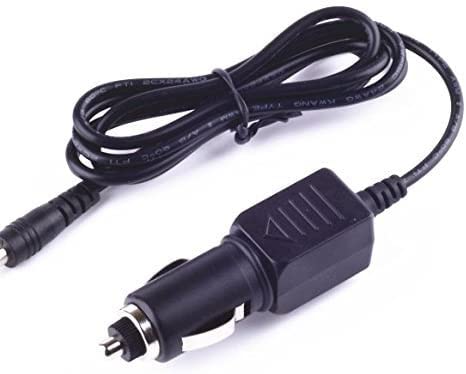
Figure 1: onerbl Car Power Adapter connected to a vehicle's 12V socket and a Starlink device. The image shows the adapter's plug inserted into a car's power outlet and the cable extending to a device, illustrating the connection process.
4. Operating Instructions
The onerbl Car Power Adapter operates automatically once connected. It provides a stable DC power supply to your compatible Starlink device.
- Ensure your vehicle's engine is running or the accessory power is active for the 12V/24V outlet to supply power.
- Monitor your Starlink device for proper operation. If the device does not power on, refer to the Troubleshooting section.
- Disconnect the adapter from the vehicle's power outlet when not in use for extended periods to prevent draining the vehicle's battery.
5. Maintenance
Proper maintenance ensures the longevity and safe operation of your adapter:
- Cleaning: Use a dry, soft cloth to clean the adapter. Do not use liquid cleaners or solvents.
- Storage: Store the adapter in a cool, dry place when not in use. Avoid extreme temperatures.
- Inspection: Periodically inspect the cable and connectors for any signs of damage, such as cuts, fraying, or bent pins. If damage is found, discontinue use immediately.
6. Troubleshooting
If you encounter issues with your onerbl Car Power Adapter, refer to the following common problems and solutions:
| Problem | Possible Cause | Solution |
|---|---|---|
| Device not receiving power. |
|
|
| Adapter feels excessively hot. |
|
|
If the problem persists after trying these solutions, please contact customer support.
7. Specifications
- Brand: onerbl
- Compatible Devices: Starlink UTA-231, 0415000-502-A, UTP-231L
- Input: DC 12-24V
- Output: DC (Specific output voltage/amperage not provided, assumed to match compatible devices)
- Special Features: Over Voltage Protection, Over Heat Protection, Travel-friendly design
- Manufacturer: Shenzhen Waweis Technology Co., Ltd
8. Warranty and Support
This onerbl product is covered by a standard manufacturer's warranty against defects in materials and workmanship. For specific warranty terms and conditions, please refer to the product packaging or contact your retailer.
For technical support, troubleshooting assistance, or warranty claims, please contact onerbl customer service through your purchase platform or the contact information provided with your product.
Note: Protection plans may be available for purchase separately through your retailer. These plans offer extended coverage beyond the manufacturer's warranty.