
1. Introduction
The Nobsound Q3 is a versatile Mini USB Digital to Analog Converter (DAC) and Headphone Amplifier designed to enhance your audio experience. It features multiple input options including PC-USB, Optical, and Coaxial, and provides RCA and 3.5mm headphone outputs. With its compact size and robust features like treble and bass control, the Q3 is ideal for various home and desktop audio setups.
This manual provides detailed instructions for setting up, operating, and maintaining your Nobsound Q3 DAC to ensure optimal performance and longevity.
2. Safety Information
- Ensure the device is powered by a stable DC 5V power supply.
- Do not expose the unit to water, moisture, or extreme temperatures.
- Avoid placing the unit near heat sources or in direct sunlight.
- Do not disassemble the unit. Refer all servicing to qualified personnel.
- Keep out of reach of children.
- Disconnect power before cleaning or if the unit will be unused for a long period.
3. Package Contents
Please check the box for the following items:
- 1x Nobsound Q3 DAC
- 1x USB Cable
- 1x USB Data Cable
- 1x Optical Cable
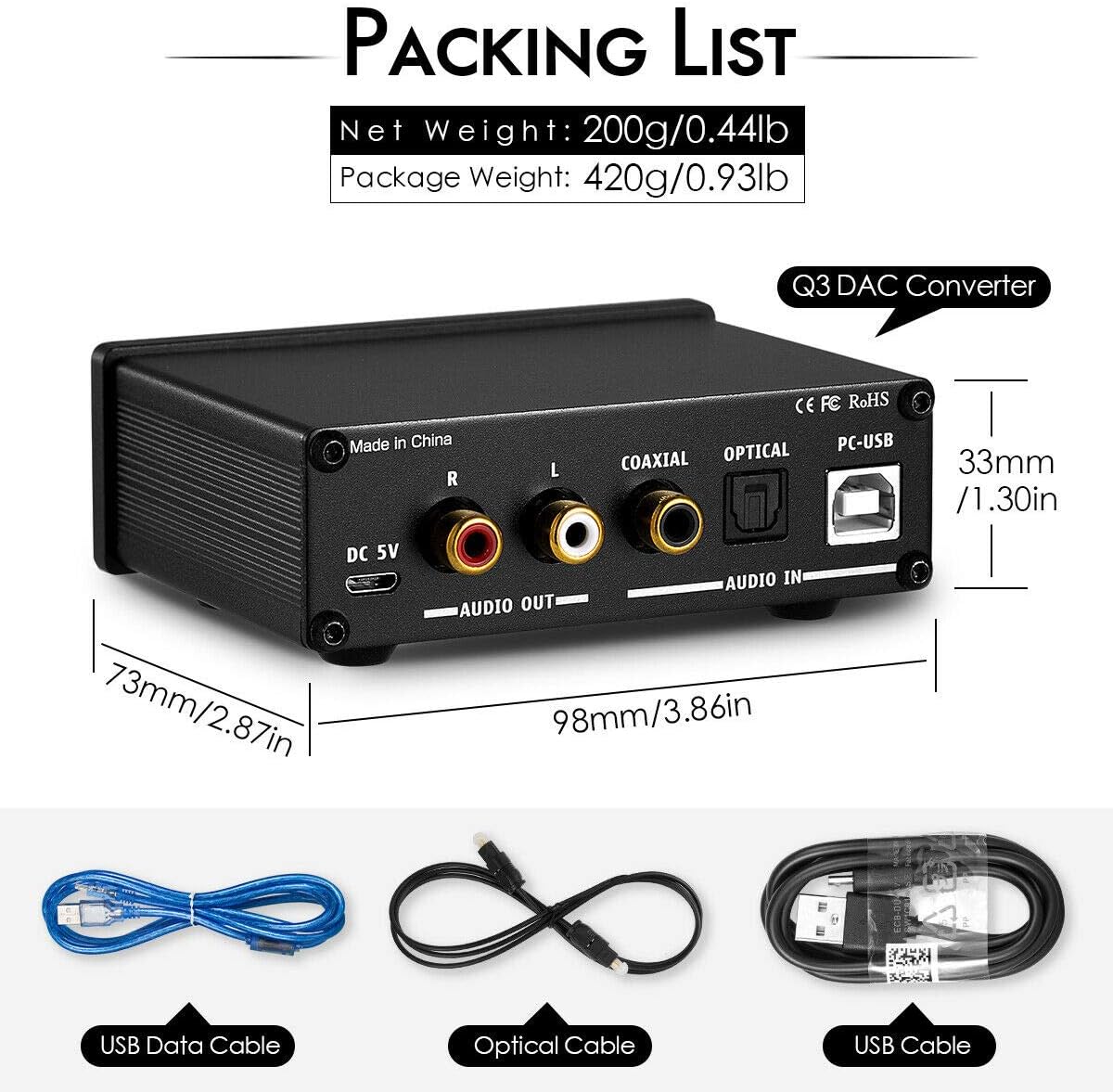
Image: The Nobsound Q3 DAC unit shown alongside its included accessories: a USB Data Cable, an Optical Cable, and a USB Cable.
4. Product Overview
The Nobsound Q3 is a compact and elegantly designed audio device. Its black aluminum case ensures durability and a sleek appearance, making it suitable for any desktop or home audio setup.

Image: A front-angle view of the Nobsound Q3 Mini USB DAC, showcasing its compact black aluminum chassis and front panel controls.
Front Panel Features:
- Input Selector Switch: Toggle between USB, Optical (OPT), and Coaxial (COA) inputs.
- Headphone Output (3.5mm): Connect your headphones.
- Bass Control Knob: Adjust the bass level.
- Treble Control Knob: Adjust the treble level.
- Volume Control Knob: Adjust the overall output volume for both headphone and RCA outputs.
- Power Indicator: Illuminates when the device is powered on.
Rear Panel Features:
- DC 5V Input: Power connection port.
- RCA Audio Output (L/R): Connect to external amplifiers or active speakers.
- Coaxial Audio Input: Connect digital audio sources via coaxial cable.
- Optical Audio Input: Connect digital audio sources via optical cable.
- PC-USB Input: Connect to a computer for USB audio.

Image: A detailed diagram showing the labeled front and rear panels of the Nobsound Q3 DAC, highlighting all input/output ports and control knobs.
5. Setup and Connections
Follow these steps to connect your Nobsound Q3 DAC to your audio system:
- Power Connection: Connect the provided USB cable to the DC 5V input on the rear panel of the Q3. Plug the other end into a 5V USB power adapter (not included) or a USB port on your computer.
- Output Connection:
- RCA Output: Connect the RCA L/R outputs on the Q3 to the analog audio inputs of your amplifier, active speakers, or receiver using RCA cables.
- Headphone Output: Plug your headphones into the 3.5mm headphone jack on the front panel.
- Input Connection (Choose one):
- PC-USB Input: Connect the provided USB data cable from the PC-USB port on the Q3 to a USB port on your computer. The Q3 is plug-and-play and does not require drivers for Windows XP/7/8/10, MAC, or Linux.
- Optical Input: Connect an optical cable from your digital audio source (e.g., TV, game console, CD player) to the Optical input on the Q3.
- Coaxial Input: Connect a coaxial cable from your digital audio source to the Coaxial input on the Q3.
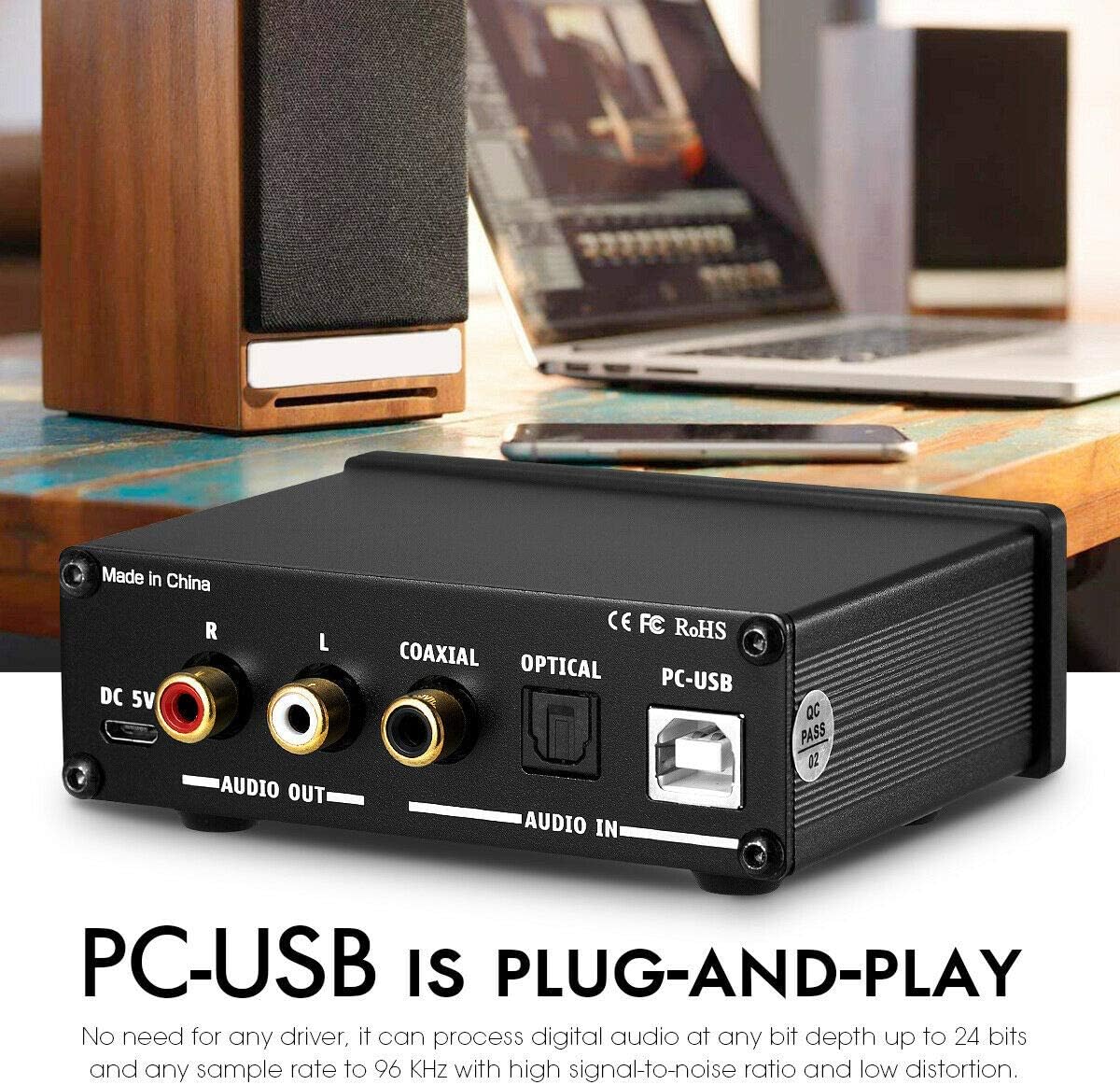
Image: The Nobsound Q3 DAC connected to a laptop via its PC-USB input, illustrating its plug-and-play functionality for computer audio.
6. Operating Instructions
- Power On: Once connected, the power indicator light on the front panel will illuminate, indicating the unit is powered on.
- Select Input: Use the input selector switch on the front panel to choose your desired audio source (USB, OPT, or COA).
- Adjust Volume: Rotate the "VOL" knob clockwise to increase the volume and counter-clockwise to decrease it. This knob controls both the headphone and RCA outputs.
- Adjust Tone (Treble & Bass):
- Rotate the "TREBLE" knob to adjust the high-frequency response.
- Rotate the "BASS" knob to adjust the low-frequency response.
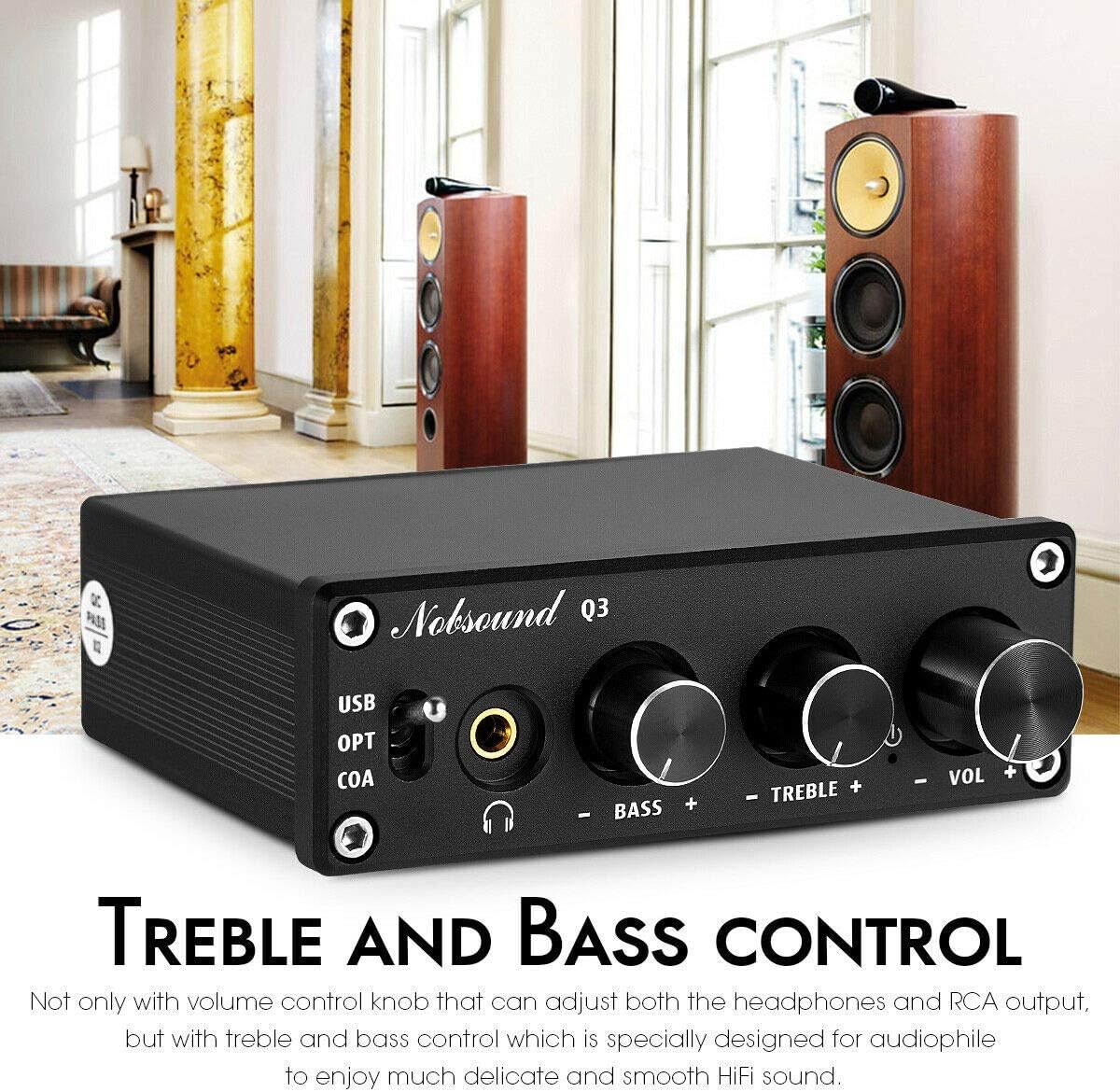
Image: The Nobsound Q3 DAC with emphasis on its Treble and Bass control knobs, allowing for fine-tuning of audio output.
- Using as Headphone Amplifier: The Q3 features a high-performance headphone output designed to drive headphones with impedances ranging from 16Ω to 200Ω. Simply plug your headphones into the 3.5mm jack and adjust the volume.
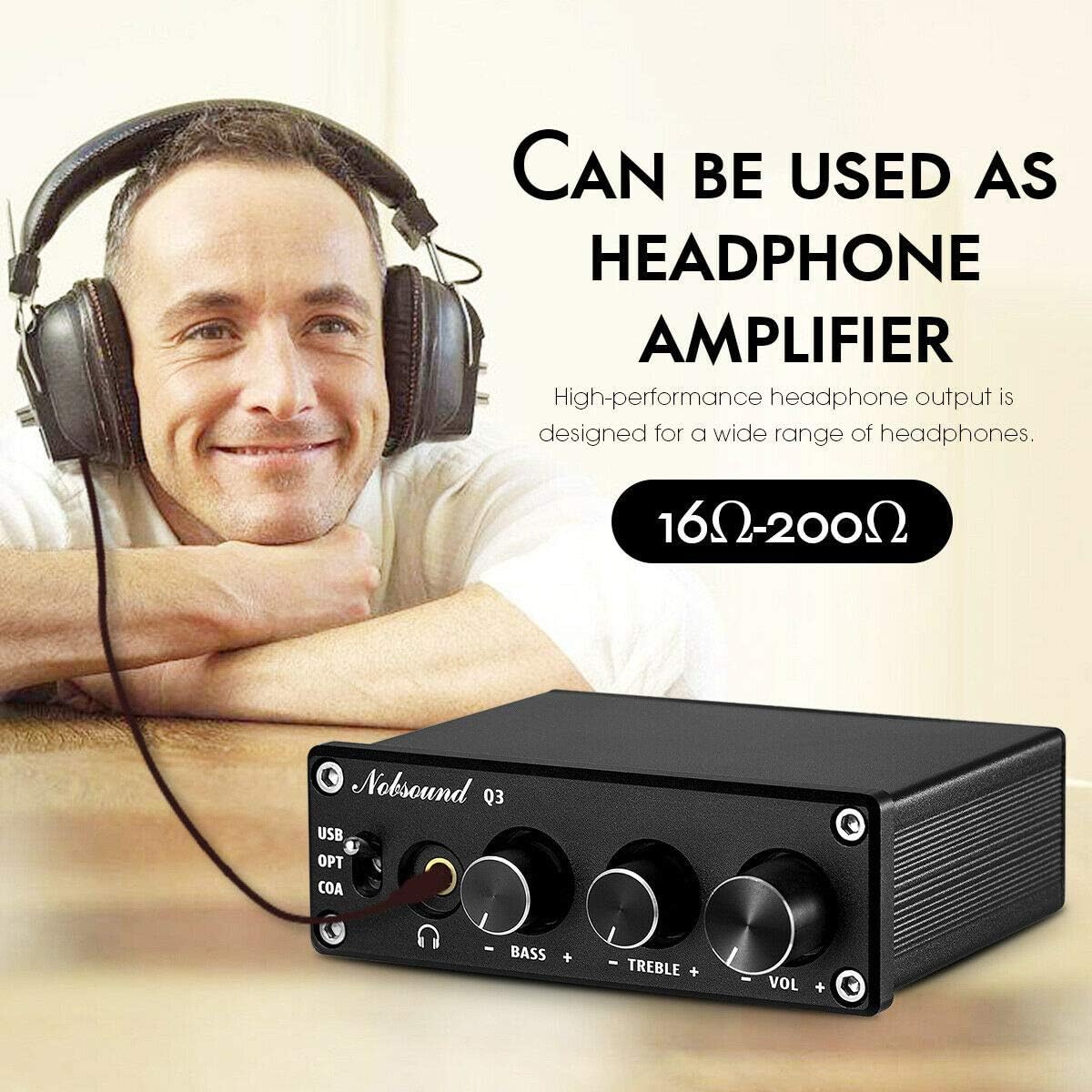
Image: A user wearing headphones connected to the Nobsound Q3 DAC, demonstrating its function as a dedicated headphone amplifier.
7. Troubleshooting
| Problem | Possible Cause | Solution |
|---|---|---|
| No sound output. | Incorrect input selected. Volume too low. Cables not connected properly. Source device not playing audio. | Ensure the input selector matches your source. Increase the "VOL" knob. Check all audio and power cables for secure connections. Verify audio playback on the source device. |
| Distorted or poor sound quality. | Input signal too strong. Cables are faulty. Treble/Bass settings are extreme. | Reduce the volume on the source device. Try different cables. Adjust Treble/Bass knobs to a neutral position or to your preference. |
| PC-USB not recognized. | USB cable issue. Computer USB port issue. | Try a different USB cable. Try a different USB port on your computer. Restart your computer. |
| Power indicator not on. | No power supply. Faulty USB power cable/adapter. | Ensure the 5V DC power is connected. Try a different USB power cable or adapter. |
8. Specifications
| Parameter | Value |
|---|---|
| PC-USB Input Sampling Frequency | 96K/24Bit |
| Optical/Coaxial Input Sampling Frequency | 192K/24Bit |
| Frequency Range | 20Hz-20KHz (±3dB) |
| PC-USB System Supported | XP/W7/W8/W10/MAC/Linux |
| Bass & Treble Range | ±6dB |
| SNR (Signal-to-Noise Ratio) | ≥105dB |
| THD (Total Harmonic Distortion) | 0.01% |
| RCA Output Level | 2.3V |
| Headphone Matching Impedance | 16-200Ω |
| Headphone Max Power Output | 100mw (32Ω load) |
| Working Voltage | DC 5V |
| Dimensions (L*W*H) | 73*98*33 mm / 2.87*3.86*1.3 in |
| Net Weight | 200 g / 0.44 lb |
| Material | Aluminum |
Image: A diagram illustrating the precise dimensions (length, width, height) and weight of the Nobsound Q3 DAC unit.
Internal Chipset:
The Nobsound Q3 utilizes a high-performance chip combination for superior audio quality:
- SA9023: USB chip
- CS8412: DAC chip
- 97220: Headphone amp chip
- NE5532: Op amp (for treble and bass effects)

Image: An internal view of the Nobsound Q3's circuit board, highlighting the key audio chips: SA9023 USB chip, CS8412 DAC chip, 97220 headphone amp chip, and NE5532 op amp.
9. Maintenance
- Cleaning: Use a soft, dry cloth to clean the exterior of the unit. Do not use liquid cleaners or aerosols.
- Storage: When not in use for extended periods, store the unit in a cool, dry place away from direct sunlight and dust.
- Handling: Handle the unit with care to avoid physical damage.
10. Warranty and Support
For warranty information and technical support, please refer to the Nobsound official website or contact your retailer. Keep your purchase receipt as proof of purchase for any warranty claims.
For further assistance, you may visit the Nobsound Store on Amazon: Nobsound Store