
1. Product Overview
The Philips 10000mAh Powerbank Super Mini Series PD 22.5W is a compact and powerful portable charger designed to keep your devices powered on the go. With its 10000mAh capacity and 22.5W fast charging, it provides multiple recharges for smartphones, tablets, and other compatible devices. It features built-in USB-C and Lightning cables for convenience, eliminating the need to carry extra charging accessories.
Key Features:
- Fast Charging: Experience rapid charging with 22.5W Power Delivery (PD) capability.
- Multiple Outputs: Charge up to four devices simultaneously using the integrated USB-C and USB-A ports.
- Built-in Cables: Includes convenient built-in USB-C and Lightning cables, ensuring you always have the right connection.
- Compact Design: Small and lightweight, making it highly portable for travel and daily use.
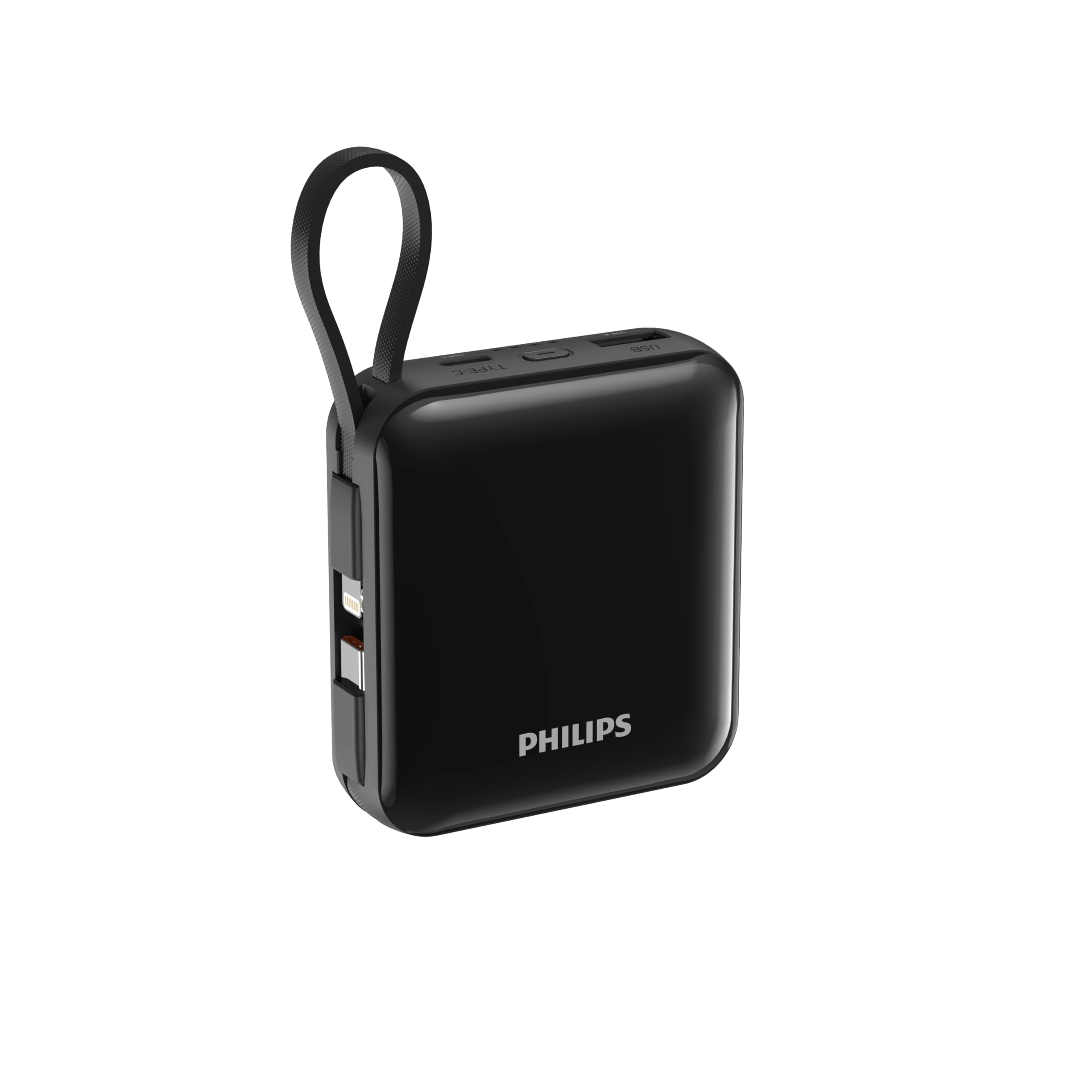
Figure 1: Front view of the Philips 10000mAh Powerbank, highlighting its compact size and port layout.
2. Important Safety Information
Please read and understand all safety instructions before using this product. Failure to follow these instructions may result in electric shock, fire, or serious injury.
- Do not expose the power bank to extreme temperatures (above 45°C or below 0°C).
- Do not disassemble, modify, or attempt to repair the device.
- Keep away from water, moisture, and flammable materials.
- Avoid dropping or subjecting the power bank to strong impacts.
- Use only certified charging cables and adapters.
- Keep out of reach of children.
- Dispose of the power bank responsibly according to local regulations.
3. Setup and First Use
3.1 Package Contents
- Philips 10000mAh Powerbank (Model DLP5713CB/00)
- User Manual
Note: The power bank features built-in USB-C and Lightning cables, so no additional cables are included or required for basic operation.
3.2 Initial Charging of the Powerbank
Before first use, fully charge your power bank. This ensures optimal battery performance and longevity.
- Connect the power bank to a compatible USB wall adapter (not included) using its built-in USB-C cable or a separate USB-C cable via the USB-C port.
- The LED indicator lights will illuminate to show the charging status. When all indicators are solid, the power bank is fully charged.
4. Operating Instructions
4.1 Charging Your Devices
The power bank offers multiple ways to charge your devices:
- Using Built-in Cables:
- Pull out the built-in USB-C or Lightning cable from its storage slot.
- Connect the appropriate cable directly to your device's charging port.
- Charging will begin automatically.
- Using USB-A or USB-C Ports:
- Connect your device's charging cable (USB-A to device or USB-C to device) to the corresponding port on the power bank.
- Connect the other end of the cable to your device.
- Charging will commence.
The power bank supports charging up to four devices simultaneously using a combination of its built-in cables and external ports.

Figure 2: The Philips Powerbank with its integrated USB-C and Lightning cables ready for use.

Figure 3: Side view of the power bank, illustrating the integrated Lightning and USB-C cables.
4.2 Checking Battery Level
Press the power button once to activate the LED indicators, which display the remaining battery charge. Each light typically represents a percentage range of the total capacity.
5. Care and Maintenance
- Cleaning: Use a soft, dry cloth to clean the power bank. Do not use liquid cleaners or aerosols.
- Storage: Store the power bank in a cool, dry place away from direct sunlight and extreme temperatures. For long-term storage, charge the power bank to about 50-70% every three months to maintain battery health.
- Battery Longevity: To maximize the lifespan of the battery, avoid fully discharging it frequently.
6. Troubleshooting
| Problem | Possible Cause | Solution |
|---|---|---|
| Power bank not charging devices. | Low battery on power bank; incorrect cable connection; device incompatibility. | Recharge the power bank; ensure cables are securely connected; verify device compatibility. |
| Power bank not recharging. | Faulty charging adapter/cable; power bank fault. | Try a different charging adapter and cable; contact customer support if issue persists. |
| Slow charging. | Using a non-fast charging adapter/cable; multiple devices charging simultaneously. | Use a PD-compatible adapter and cable; charge fewer devices at once for faster speeds. |
7. Technical Specifications
| Feature | Detail |
|---|---|
| Brand | Philips |
| Model | DLP5713CB/00 |
| Battery Capacity | 10000 mAh |
| Power Output | 22.5W (Max) |
| Connector Type | USB Type-C, Lightning (built-in cables), USB-A (port) |
| Number of Ports | 2 (USB-A, USB-C) + 2 built-in cables |
| Compatible Devices | Smartphones, Tablets, and other USB-powered devices |
| Product Dimensions | 6.6 x 2.5 x 7.4 cm |
| Item Weight | 220 g |
8. Warranty and Support
For warranty information and customer support, please refer to the warranty card included with your product or visit the official Philips website. Keep your purchase receipt as proof of purchase.


