
Important Safety Information
Please read all instructions carefully before beginning installation and retain this manual for future reference. Improper installation or operation can lead to electric shock, fire, or personal injury.
- Always disconnect power at the circuit breaker before installation or servicing.
- Ensure all electrical connections comply with local codes and ordinances, as well as the National Electrical Code (NEC).
- Consult a qualified electrician if you are unsure about wiring or installation procedures.
- The fan must be mounted with a minimum of 7 feet (2.1 meters) clearance from the trailing edge of the blades to the floor.
- Ensure the outlet box is securely attached to the building structure and is capable of supporting the fan's weight (at least 35 lbs / 15.9 kg).
- Do not operate the fan with damaged blades or any visible defects.
Product Overview
The Vaczon 52 Inch Black Ceiling Fan with Light and Remote is designed for both indoor and outdoor use, offering efficient air circulation and adjustable LED lighting. It features a quiet DC motor, multiple fan speeds, and reversible airflow for year-round comfort.

Figure 1: Overall view of the Vaczon 52 Inch Black Ceiling Fan with integrated LED light. This modern fan features three sleek blades and a matte black finish, suitable for various room aesthetics.
Setup and Installation
Installation of the Vaczon ceiling fan is designed to be straightforward, requiring minimal screws and steps. It is recommended to have two people for installation for safety and ease.
Before You Begin:
- Unpack all components and ensure all parts are present according to the packing list.
- Turn off power at the circuit breaker to avoid electrical shock.
- Prepare the mounting location, ensuring the electrical box is securely mounted and rated for ceiling fan support.
Installation Steps (General Guide):
- Mount the Mounting Bracket: Secure the mounting bracket to the ceiling outlet box using the provided screws.
- Assemble the Downrod: Attach the downrod to the fan motor assembly, feeding the electrical wires through the downrod.
- Hang the Fan: Carefully lift the fan assembly and hang it on the mounting bracket.
- Make Electrical Connections: Connect the fan's electrical wires to the household wiring according to the wiring diagram in the detailed manual (not provided here). Ensure all connections are secure.
- Secure the Canopy: Slide the canopy up to the ceiling and secure it to the mounting bracket, covering the electrical connections.
- Attach Fan Blades: Securely attach the three fan blades to the motor housing.
- Install Light Kit: Connect and secure the LED light kit to the bottom of the fan motor housing.
For detailed, step-by-step instructions and diagrams, please refer to the comprehensive installation manual included in your product packaging.

Figure 2: This image illustrates the dimensions of the 52-inch ceiling fan, showing a total height of 16.92 inches and a blade span of 52 inches. It also indicates the fan is suitable for bedrooms, dining rooms, and living rooms, with recommended room sizes between 12ft x 12ft and 18ft x 18ft.
Operating Instructions
The Vaczon ceiling fan is controlled by a multi-function remote control, allowing for convenient adjustment of fan speed, light settings, and direction.
Remote Control Functions:
- Fan ON/OFF: Turns the fan on or off.
- Fan Speed Control: Adjusts between 6 different fan speeds to suit your comfort level.
- Light ON/OFF: Turns the LED light on or off.
- Color Temperature Adjustment: Cycles through three different light color temperatures (3000K Warm White, 4000K Neutral White, 6000K Cool White). The light has a memory function, recalling your last setting.
- Stepless Dimming: Adjusts the brightness of the LED light from 15% to 100%.
- Reversible Mode: Changes the direction of the fan blades. Use the 'Summer' mode for downward airflow to create a cooling effect, and the 'Winter' mode for upward airflow to circulate warm air.
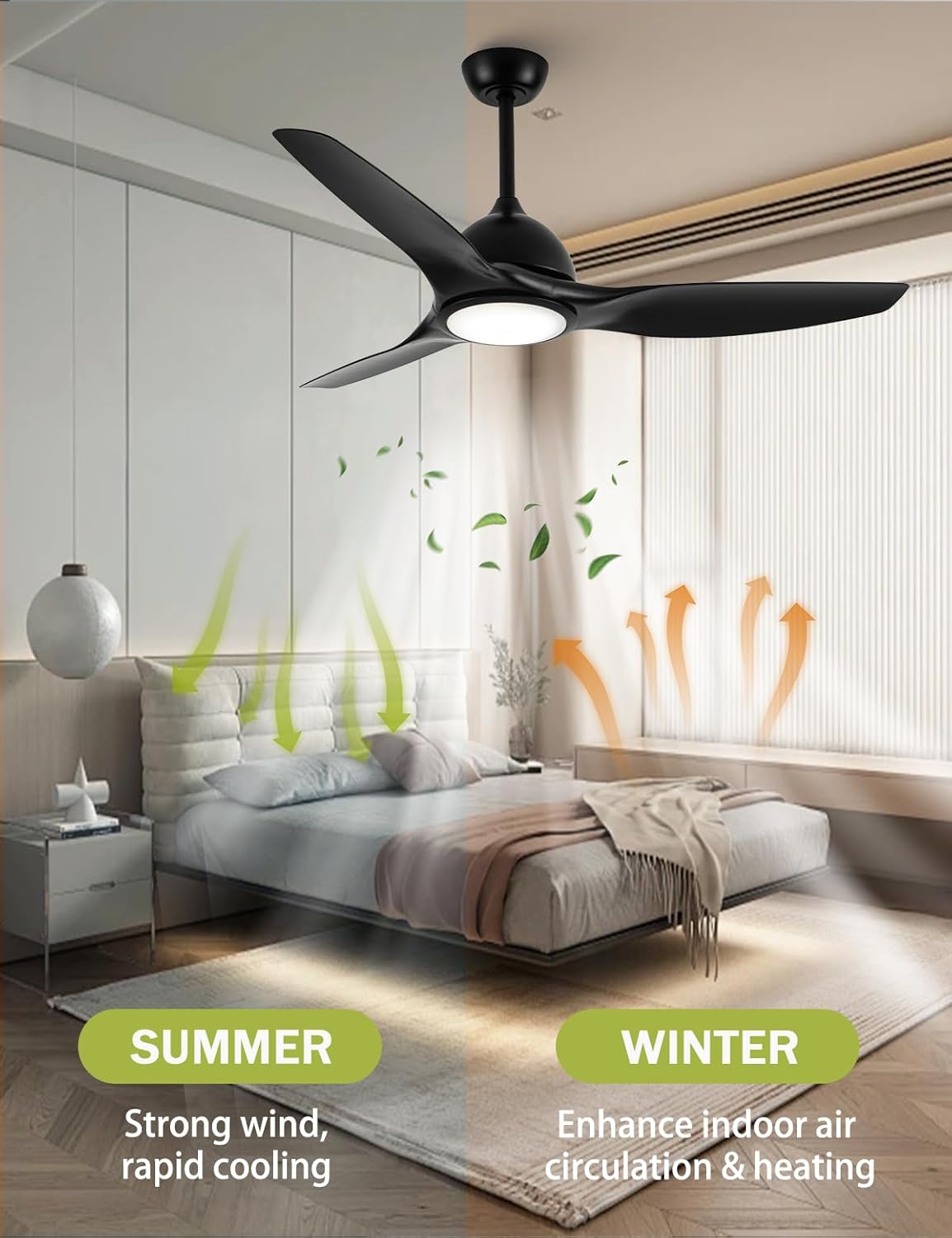
Figure 3: This image highlights the key features of the Vaczon ceiling fan, including remote control operation, a reversible motor for seasonal use, natural wind mode, three color temperature options for the light, stepless dimming, and six adjustable wind speeds.
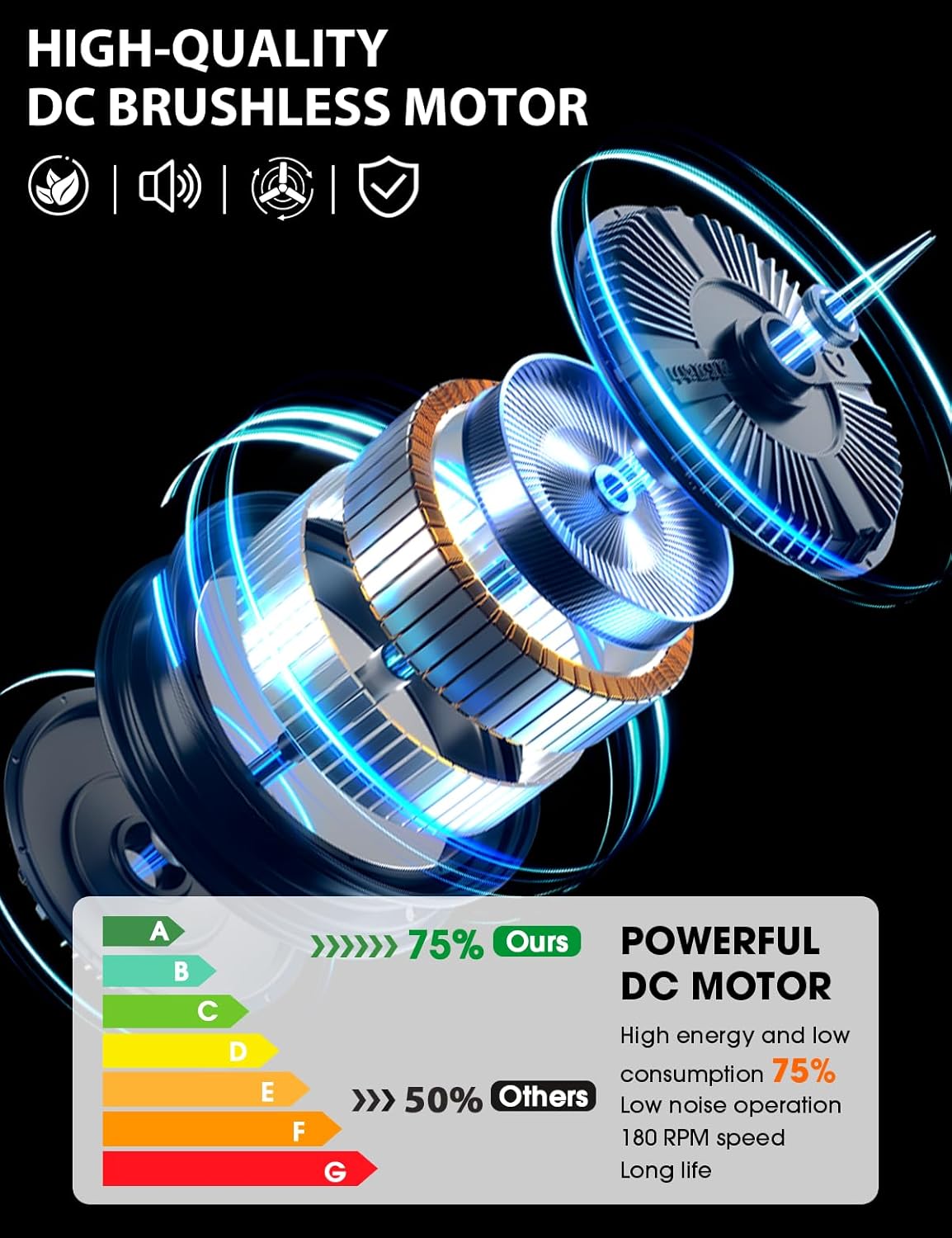
Figure 4: This illustration demonstrates the reversible airflow feature. In 'SUMMER' mode, the fan creates a strong downward wind for rapid cooling. In 'WINTER' mode, the fan enhances indoor air circulation and heating by drawing air upwards.

Figure 5: This image shows the fan's ability to switch between three light color temperatures: 3000K (warm white), 4000K (neutral white), and 6000K (cool white), allowing users to set the mood. The 24W LED light also offers stepless adjustment from 15% to 100% brightness.
Maintenance
Regular maintenance helps ensure the longevity and optimal performance of your Vaczon ceiling fan.
- Cleaning: To clean the fan, wipe with a soft, damp cloth. Do not use abrasive cleaners or solvents, as these may damage the finish or electrical components. Ensure power is off before cleaning.
- Blade Cleaning: Dust the fan blades regularly to prevent dust buildup, which can affect fan balance and performance.
- Tighten Fasteners: Periodically check all screws and fasteners on the fan and mounting hardware to ensure they are secure.
- No Lubrication Needed: The DC motor is permanently lubricated and does not require oiling.
Troubleshooting
If you experience issues with your Vaczon ceiling fan, refer to the following common troubleshooting steps:
| Problem | Possible Cause | Solution |
|---|---|---|
| Fan does not start | No power to the fan; Loose wire connections; Remote control battery low or not paired. | Check circuit breaker; Verify all wire connections are secure; Replace remote battery or re-pair remote. |
| Light does not work | Loose wire connection to light kit; LED driver issue. | Check light kit wiring; Contact customer support if LED driver is suspected. |
| Fan wobbles | Loose fan blades; Uneven blade balance; Loose mounting bracket. | Ensure all blade screws are tight; Use balancing kit (if included) to balance blades; Tighten mounting bracket screws. |
| Remote control not responding | Battery low or dead; Remote not paired with fan; Obstruction between remote and receiver. | Replace battery; Follow pairing instructions in the full manual; Ensure clear line of sight. |
| Noisy operation | Loose screws; Motor hum (normal for DC motors, but excessive noise indicates issue). | Check and tighten all screws; If noise persists, contact customer support. |
If the problem persists after attempting these solutions, please contact Vaczon customer support for further assistance.
Specifications
| Feature | Description |
|---|---|
| Brand | Vaczon |
| Model | B0DKSHD1ZC |
| Color | Matte Black |
| Electric Fan Design | Ceiling Fan |
| Power Source | DC Motor |
| Style | Modern |
| Product Dimensions | 52"D x 52"W x 16.92"H |
| Room Type | Bedroom, Living Room, Dining Room (Indoor/Outdoor rated) |
| Special Features | Adjustable Color Temperature, Dimmable LED Light, Energy Efficient, Quiet DC Motor, Reversible Airflow, 6 Fan Speeds |
| Recommended Uses | Cooling, Air Circulation |
| Noise Level | 30 dB (under 30dB at 180r/min) |
| Light Output | 24W + 1850 LM Eye-Protection LED |
| Certifications | FCC, ETL, DOE |
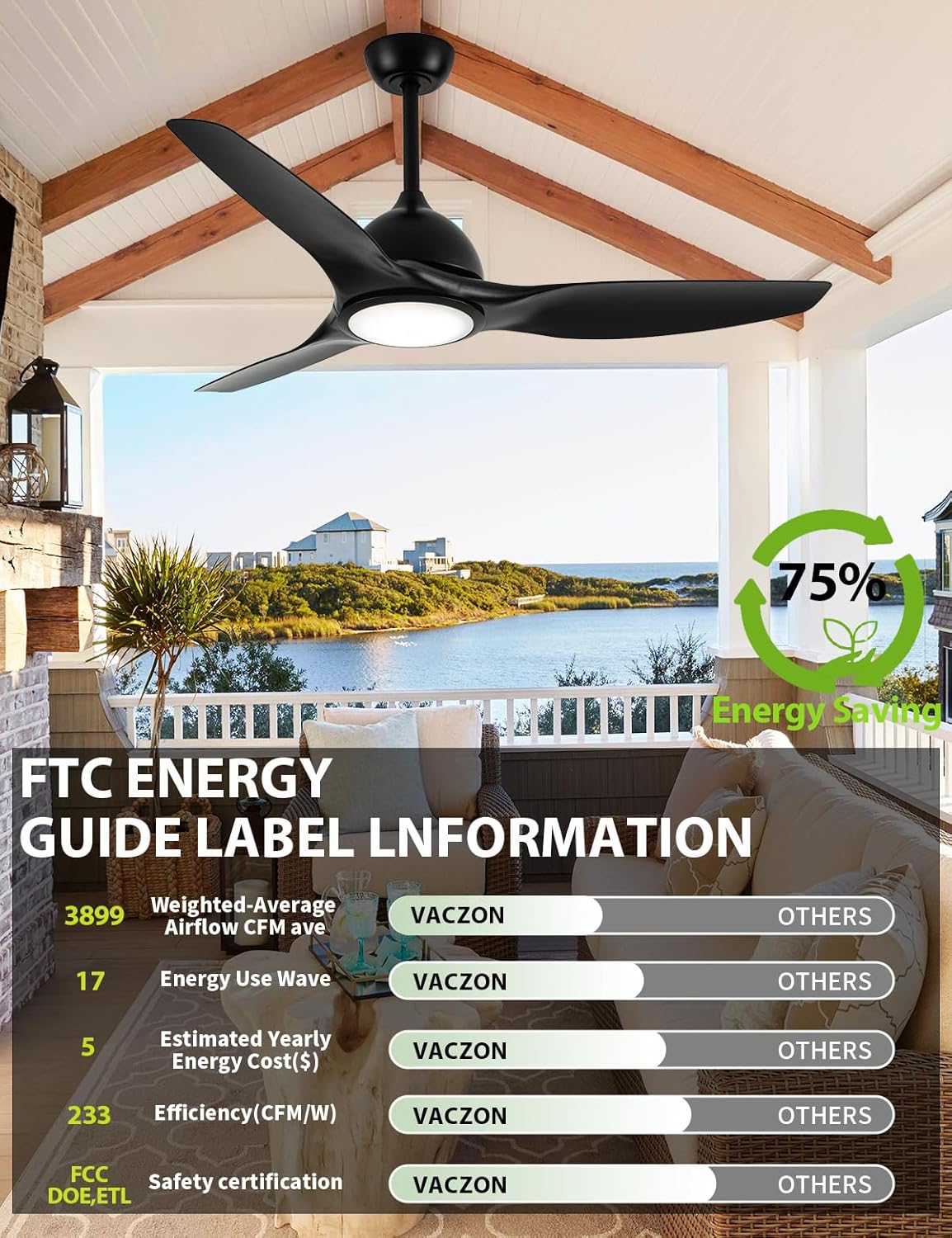
Figure 6: This image displays the FTC Energy Guide Label information for the Vaczon ceiling fan, highlighting its energy efficiency. It shows a weighted-average airflow of 3899 CFM, energy use of 17 watts, estimated yearly energy cost of $5, and an efficiency of 233 CFM/W, indicating significant energy savings compared to other models.
Warranty and Support
Vaczon is committed to customer satisfaction. If you encounter any issues with your ceiling fan, including defects, damage from transportation, or problems with installation or use, please contact us directly.
We offer a 100% satisfaction guarantee and will provide a replacement or refund within 24 hours for defective or unsatisfactory products. Our support team is available to assist with any installation or operational questions you may have.
For assistance, please reach out to VACZON USA customer service through your purchase platform or the contact information provided in your product packaging.


