
Introduction
This manual provides essential information for the safe and efficient operation of your HIFI WALKER H20 Ultra HiFi MP3 Player. Please read this manual thoroughly before using the device to ensure proper setup, usage, and maintenance. This high-fidelity music player is designed to deliver exceptional audio quality with advanced features for an immersive listening experience.
Package Contents
Upon unboxing, please verify that all items listed below are present:
- HIFI WALKER H20 Ultra MP3 Player
- USB-C Data Cable
- 128GB TF Card (pre-installed or separate)
- Velvet Storage Bag
- User Manual (this document)
Setup
1. Charging the Device
Before first use, fully charge the H20 Ultra. Connect the supplied USB-C cable to the player's USB-C port and the other end to a compatible USB power adapter (not included) or a computer's USB port. The device features a 3000mAh battery and supports fast charging, typically completing a full charge in approximately 3 hours.

Image: The H20 Ultra player being charged via its USB-C port, highlighting its 3000mAh battery, 12-hour playback, and 3-hour fast charging.
2. Inserting a MicroSD Card
The H20 Ultra supports expandable storage up to 1TB via a microSD card. Locate the microSD card slot on the device. Gently insert the microSD card until it clicks into place. To remove, press the card inward until it springs out.
3. Powering On/Off
Press and hold the Power button (usually located on the side) for a few seconds to turn the device on or off. A short press will turn the screen on or off.
4. Connecting Headphones
The H20 Ultra features both 3.5mm single-ended and 4.4mm balanced headphone outputs. Choose the appropriate jack for your headphones.
- 3.5mm Single-Ended Output: For standard headphones.
- 4.4mm Balanced Output: Provides superior channel separation and noise control for compatible balanced headphones.

Image: The top of the H20 Ultra player displaying the 4.4mm balanced and 3.5mm single-ended headphone jacks.
5. Bluetooth Pairing
- Navigate to the Bluetooth settings on your H20 Ultra.
- Enable Bluetooth and set the device to pairing mode.
- On your Bluetooth headphones or speaker, enable pairing mode.
- Select your device from the list on the H20 Ultra's screen to connect.
Operating Instructions
1. User Interface and Navigation
The H20 Ultra features a 4-inch HD wide-angle touchscreen for intuitive control. Swipe and tap to navigate menus, browse your music library, and adjust settings. The device also includes physical buttons for blind operation and an ALPS mechanical volume knob for precise audio level adjustments.
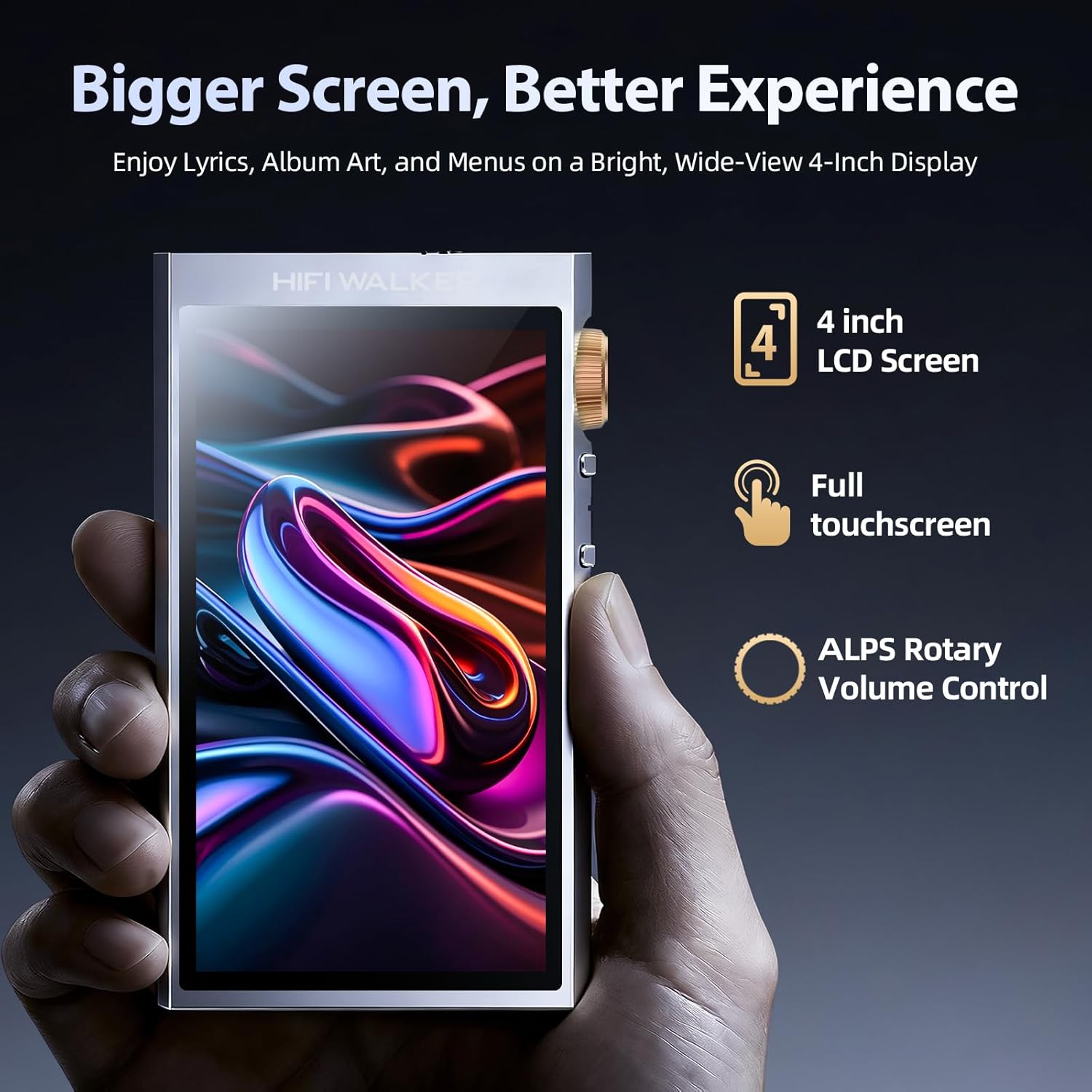
Image: The H20 Ultra's 4-inch touchscreen display and ALPS rotary volume control, emphasizing ease of navigation.

Image: A detailed view of the ALPS mechanical volume knob and adjacent control buttons on the side of the H20 Ultra.
2. Music Playback
The H20 Ultra supports a wide range of high-resolution audio formats, including Native DSD256 and 32-bit/192kHz PCM. Supported formats include WAV, FLAC, APE, ALAC, WMA, DSF, DFF, Ogg, AAC, and MP3.

Image: The H20 Ultra's screen showing music playback and a comprehensive list of supported DSD and PCM lossless audio formats.
- Transfer your music files to the device's internal storage or microSD card.
- Open the music application on the player.
- Browse your library by artist, album, genre, or folder.
- Tap on a track to begin playback.
- Use the physical buttons or touchscreen controls for play/pause, skip, and volume adjustment.
3. Advanced Audio Features
- ES9038Q2M DAC: The integrated ESS ES9038Q2M DAC and FPGA architecture ensure high-fidelity audio decoding with ultra-low distortion.
- Equalizer (EQ): Access the equalizer settings to customize the sound profile to your preference.
- USB DAC Function: Connect the H20 Ultra to your computer via USB-C to use it as an external DAC, enhancing your computer's audio output.
- Line Out/SPDIF: Utilize the Line Out or SPDIF outputs to connect the player to external amplifiers, speakers, or other Hi-Fi systems.
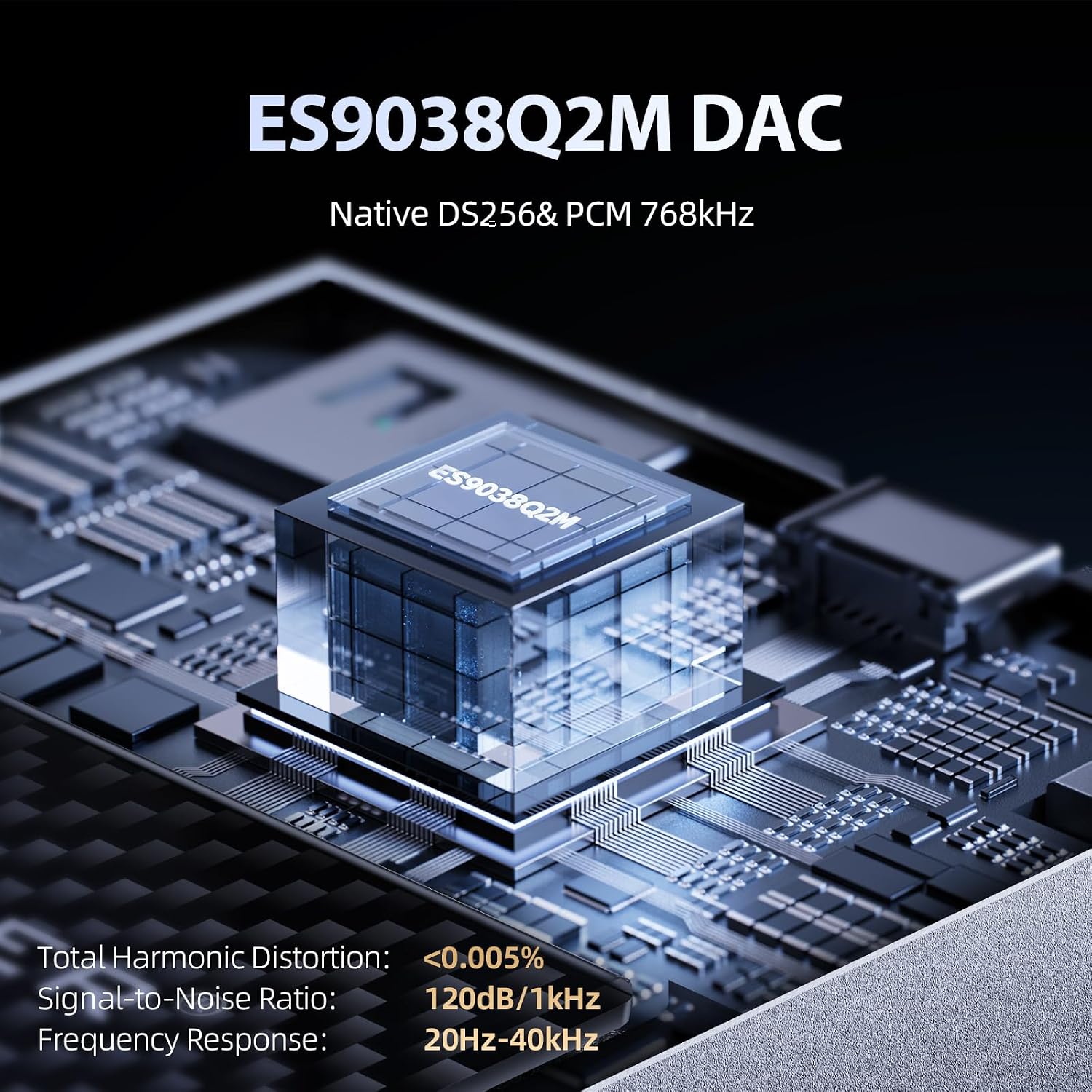
Image: An internal view highlighting the ES9038Q2M DAC chip, emphasizing its role in delivering Native DSD256 and PCM 768kHz audio with low distortion.
Maintenance
1. Cleaning
Wipe the device with a soft, dry, lint-free cloth. Do not use abrasive cleaners, solvents, or aerosol sprays. Avoid getting moisture into openings.
2. Battery Care
To prolong battery life, avoid fully discharging the battery frequently. Store the device in a cool, dry place when not in use for extended periods. Charge the device regularly, even if not used, to maintain battery health.
3. Firmware Updates
Periodically check the HIFI WALKER official website for available firmware updates. Updates can improve performance, add features, or fix bugs. Follow the instructions provided with the firmware update carefully.
Troubleshooting
- Device does not power on: Ensure the battery is charged. Connect the player to a power source and try again. If unresponsive, perform a hard reset (refer to the device's specific reset procedure, usually holding the power button for an extended period).
- No sound output:
- Check headphone connection and ensure they are fully inserted.
- Verify volume level is not set to zero or muted.
- Test with different headphones or audio output methods (e.g., Bluetooth).
- Ensure the correct output mode (e.g., headphone, Line Out) is selected in settings.
- Bluetooth connection issues:
- Ensure both devices are in pairing mode and within range.
- Forget the device on both the H20 Ultra and the Bluetooth accessory, then attempt to re-pair.
- Restart both devices.
- Screen unresponsive or erratic:
- Restart the device.
- Ensure the screen is clean and free of moisture or debris.
- If the issue persists, a firmware update might be necessary.
- Cannot play certain audio files:
- Verify the file format is supported by the H20 Ultra (WAV, FLAC, APE, ALAC, WMA, DSF, DFF, Ogg, AAC, MP3).
- Check if the file is corrupted. Try playing other files.
- Ensure the file is stored in an accessible location on the device or microSD card.
Specifications
| Feature | Detail |
|---|---|
| Model Name | H20 Ultra |
| DAC Chip | ESS ES9038Q2M |
| Display | 4-inch HD IPS Touchscreen |
| Internal Storage | 128 GB |
| Expandable Storage | Up to 1 TB via MicroSD card |
| Bluetooth Version | 5.1 (with aptX/LDAC support) |
| Supported Audio Formats | Native DSD256, 32-bit/192kHz PCM, WAV, FLAC, APE, ALAC, WMA, DSF, DFF, Ogg, AAC, MP3 |
| Headphone Outputs | 3.5mm Single-Ended (2V), 4.4mm Balanced (4V) |
| Other Outputs | USB DAC, Line Out, SPDIF |
| Battery Capacity | 3000 mAh |
| Battery Life | Up to 12 hours |
| Charging Time | Approx. 3 hours (fast charging) |
| THD+N | 0.005% |
| Material | Aerospace-grade Aluminum |
Warranty and Support
The HIFI WALKER H20 Ultra comes with a manufacturer's warranty. Specific warranty terms and conditions are typically detailed in the warranty card included with your product or available on the official HIFI WALKER website. Please retain your proof of purchase for warranty claims.
For technical support, troubleshooting assistance, or further inquiries, please visit the official HIFI WALKER brand store or contact their customer service. You can find more information and support resources at the HIFI WALKER Brand Store.


