1. Introduction
This manual provides detailed instructions for the WOLFANG Digital Camera, designed for ease of use by beginners, children, teenagers, and seniors. It covers essential information from initial setup to advanced features, ensuring you can capture life's moments effectively.

Figure 1: WOLFANG Digital Camera, front and back view, with included battery and 32GB memory card.
2. What's in the Box
Please verify that all the following components are included in your package:
- Digital Camera x1
- 750 mAh Battery x1 (pre-installed)
- 32GB Memory Card x1 (pre-installed)
- Loss Prevention Cable x1
- User Manual x1
- Storage Bag x1
- USB Cable x1
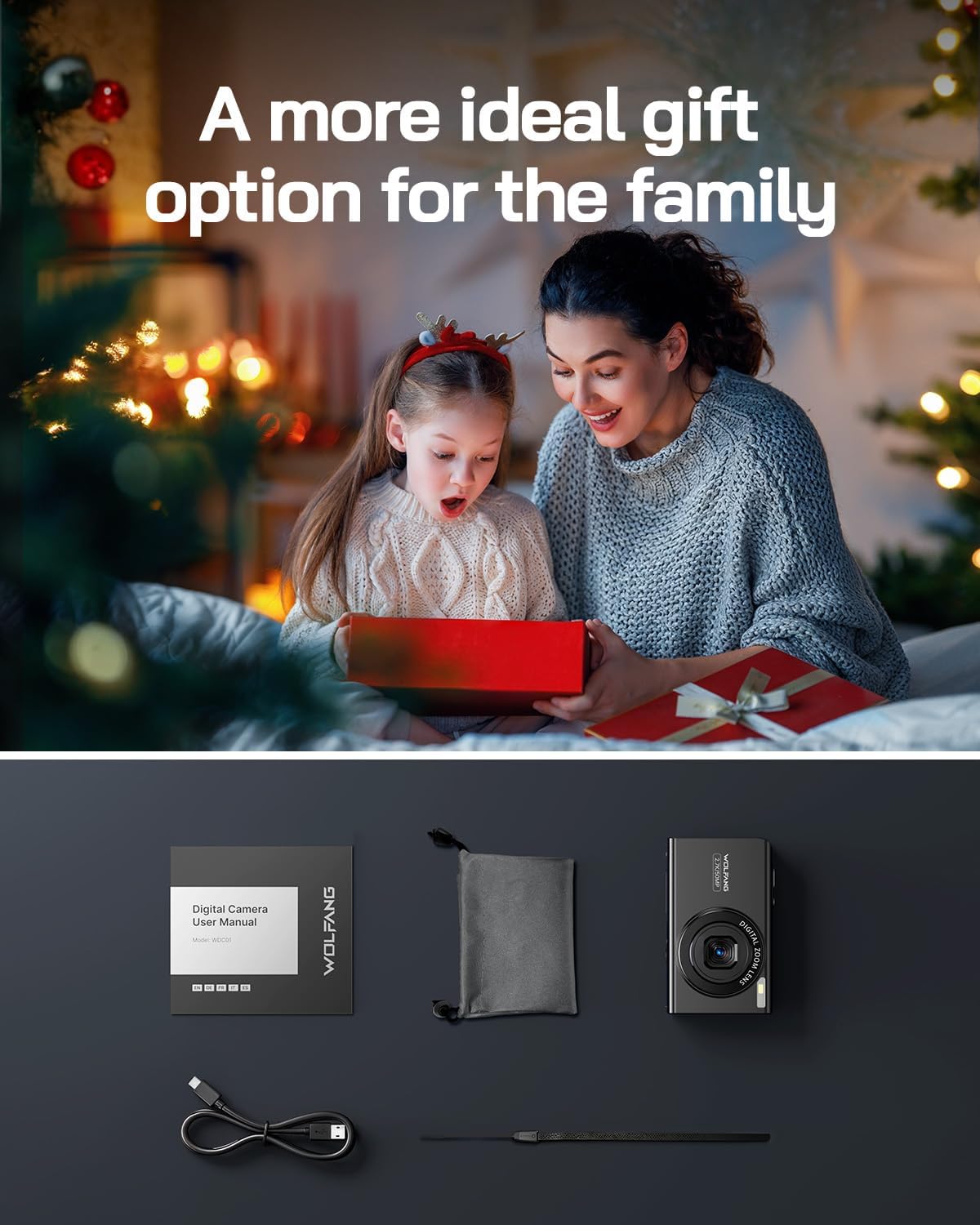
Figure 2: All components included in the WOLFANG Digital Camera package.
3. Setup
3.1 Battery Installation
- Slide out the battery door located on the bottom of the camera.
- Ensure the text 'BL-5B' on the battery is facing the same direction as the camera screen before inserting.
- Insert the battery firmly into the compartment.
- Close the battery door until it clicks securely.

Figure 3: Correct orientation for inserting the BL-5B battery.
3.2 Memory Card
The 32GB memory card is pre-installed in the camera. To access or remove it:
- Gently push the battery compartment door outwards to open it.
- Locate the memory card slot next to the battery.
- To remove, gently press the card with your fingernail until it pops out.
- To insert, push the card into the slot until it clicks into place.
The camera requires a memory card to function as it does not have internal storage.

Figure 4: Location of the memory card slot within the battery compartment.
3.3 Initial Power On and Settings
After installing the battery and memory card, long press the power button to turn on the camera. You may be prompted to set the date and time, and format the SD card. Follow the on-screen instructions.
4. Operating Instructions
4.1 Basic Operation
- Power On/Off: Long press the power button.
- Mode Button (M): Press to switch between photo, video, and playback modes.
- Shutter Button: Press fully to take a photo or start/stop video recording.
4.2 Zoom Function
The camera features 16x digital zoom. Use the 'W' and 'T' buttons to adjust the zoom level.
- 'W' Button: Zoom out.
- 'T' Button: Zoom in.
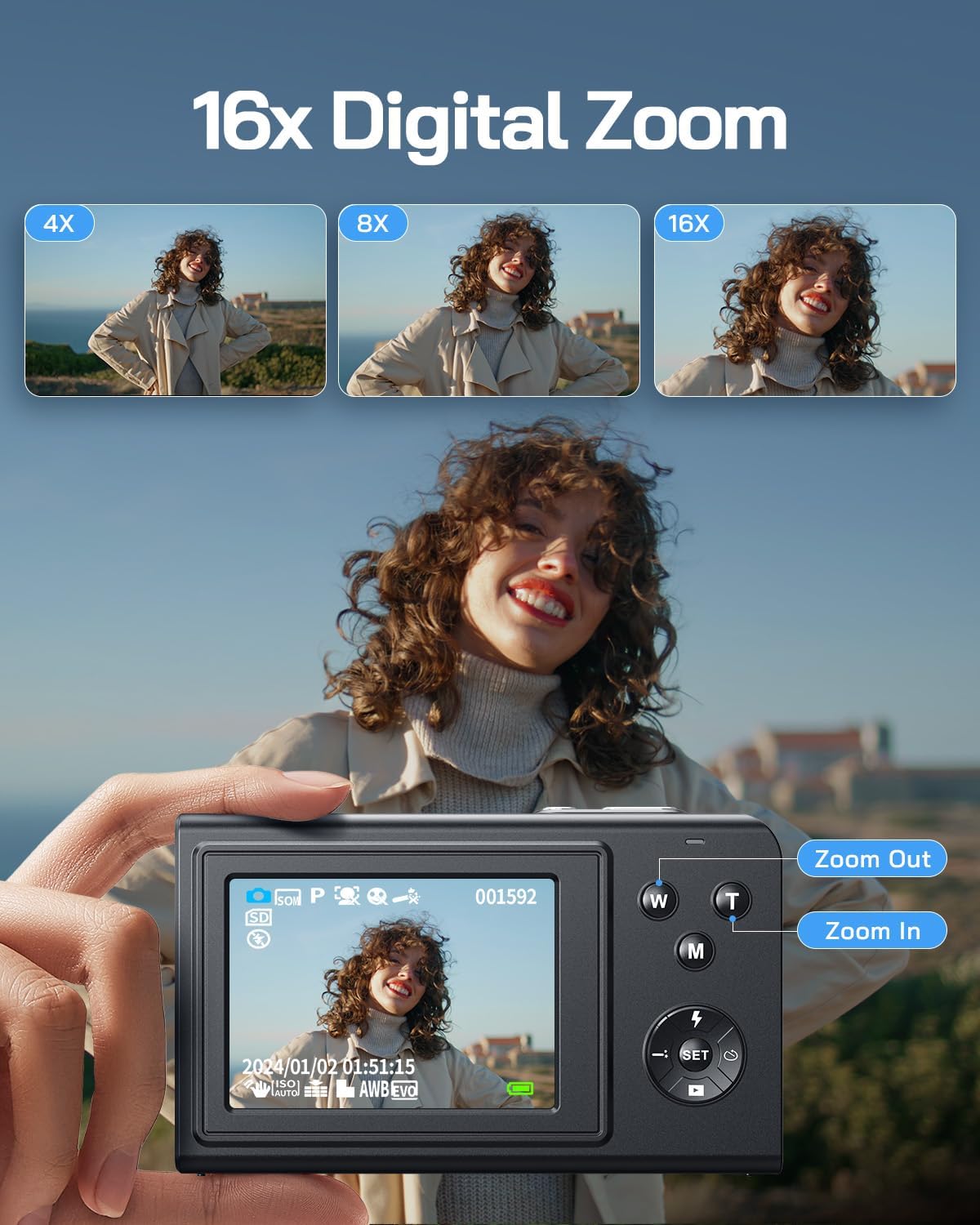
Figure 5: Demonstrating the 16x digital zoom function using the 'W' and 'T' buttons.
4.3 Autofocus
The camera is equipped with an easy-to-use autofocus function. Simply half-press the shutter button to allow the camera to focus on your subject before fully pressing to capture the image.
4.4 Filters and Recording Modes
Explore various creative options with 20 built-in filters and 8 recording modes to enhance your photos and videos.
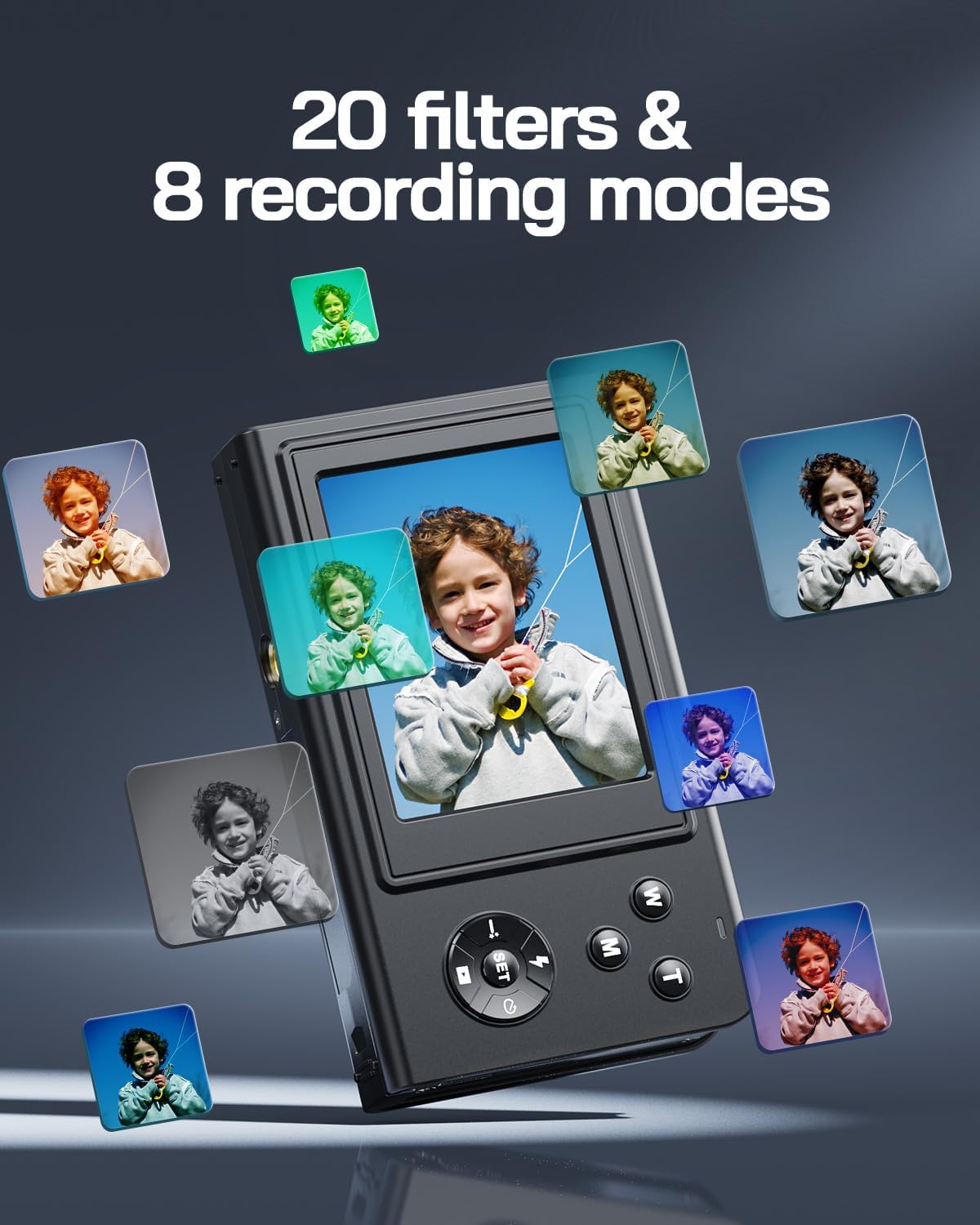
Figure 6: Examples of the 20 available filters and 8 recording modes.
4.5 Special Functions
The camera supports several useful functions for diverse shooting scenarios:
- Self-Timer: Set a delay (e.g., 2s, 5s, 10s) before the photo is taken, ideal for group shots.
- Face Capture: Automatically detects faces in the frame for optimal focus and exposure.
- Multi-Snapshot: Capture a series of rapid photos.
- Beauty Face: Enhances facial features in portraits.
- Anti-shake: Helps reduce blur caused by camera movement.

Figure 7: Visual representation of Self-Timer, Face Capture, and Multi-Snapshot features.
5. Key Features
- High Resolution Imaging: Capture crisp 50MP still images and smooth 2.7K video recordings.
- CMOS Sensor Technology: Ensures good image quality and performance.
- Webcam Mode: Connect the camera to your computer via USB to use it as a webcam for video calls.
- Built-in Microphone and Speaker: For clear audio recording with videos and playback.

Figure 8: Overview of 50MP photo and 2.7K video capabilities, highlighting CMOS sensor technology.
6. Maintenance
- Cleaning: Use a soft, dry cloth to clean the camera body. For the lens, use a specialized lens cleaning cloth and solution. Avoid abrasive materials.
- Storage: Store the camera in a cool, dry place away from direct sunlight and extreme temperatures. Use the provided storage bag for protection.
- Battery Care: Remove the battery if the camera will not be used for an extended period. Charge the battery fully before first use and periodically if stored.
7. Troubleshooting
- Q: How do I delete a photo/video?
- A: In non-recording mode, press the button below the SET button to enter the album. Use the left/right buttons around the SET key to navigate. Alternatively, press the 'W' button to enter preview view. Once you've selected the file, press the SET button to bring up the edit menu, then navigate to the trash icon and confirm deletion.
- Q: How do I remove the date stamp from photos?
- A: Press the SET button, then repeatedly press the left button to navigate to the penultimate menu bar (indicated by a stamp icon). From there, you can adjust or disable the date stamp setting.
- Q: My camera is not turning on or charging.
- A: Ensure the battery is correctly installed with the 'BL-5B' text facing the screen. If the indicator flashes red briefly and then switches on, the battery is normal. If the charging indicator is always green without flashing when plugged in, it's charging correctly. If the green light flashes when charging and the camera doesn't turn on, please contact customer service.
- Q: Is this camera comparable to a professional camera?
- A: The WOLFANG Digital Camera is an entry-level device suitable for beginners and casual use. It is not designed to compete with professional-grade cameras or high-end smartphones. Its purpose is to provide an easy and accessible photography experience for daily, simple needs.
8. Specifications
| Brand | WOLFANG |
| Model Number | WDC01 |
| Effective Still Resolution | 50 MP |
| Video Capture Resolution | 2.7K |
| Digital Zoom | 16x |
| Focus Type | Auto Focus |
| Screen Size | 2.4 Inches |
| Connectivity Technology | USB |
| Included Components | Battery, USB cable, User manual, Bag, Lanyard rope, 32 GB Memory Card |
| Battery Type | Lithium Ion (750 mAh) |
| Package Dimensions | 11.7 x 10.8 x 3.4 cm |
| Package Weight | 0.18 Kilograms |
| Water Resistance Level | Not Water Resistant |
9. Warranty and Customer Support
WOLFANG offers a 2-year warranty for this digital camera, along with lifetime technical support. Additionally, a 1-month free return and replacement policy is provided.
For any questions, technical assistance, or to inquire about upgrading accessories (such as a mini tripod or card reader), please contact our customer service team:
- Email: support.vc@wolfang.co
Our customer service team aims to resolve issues within 24 hours on working days.


