
1. Introduction
Thank you for choosing the VG VOGCREST 2-in-1 Rechargeable Facial Hair Removal & Eyebrow Shaver. This device is designed for gentle and precise hair removal on various facial areas. Please read this manual thoroughly before first use to ensure proper operation and maintenance.
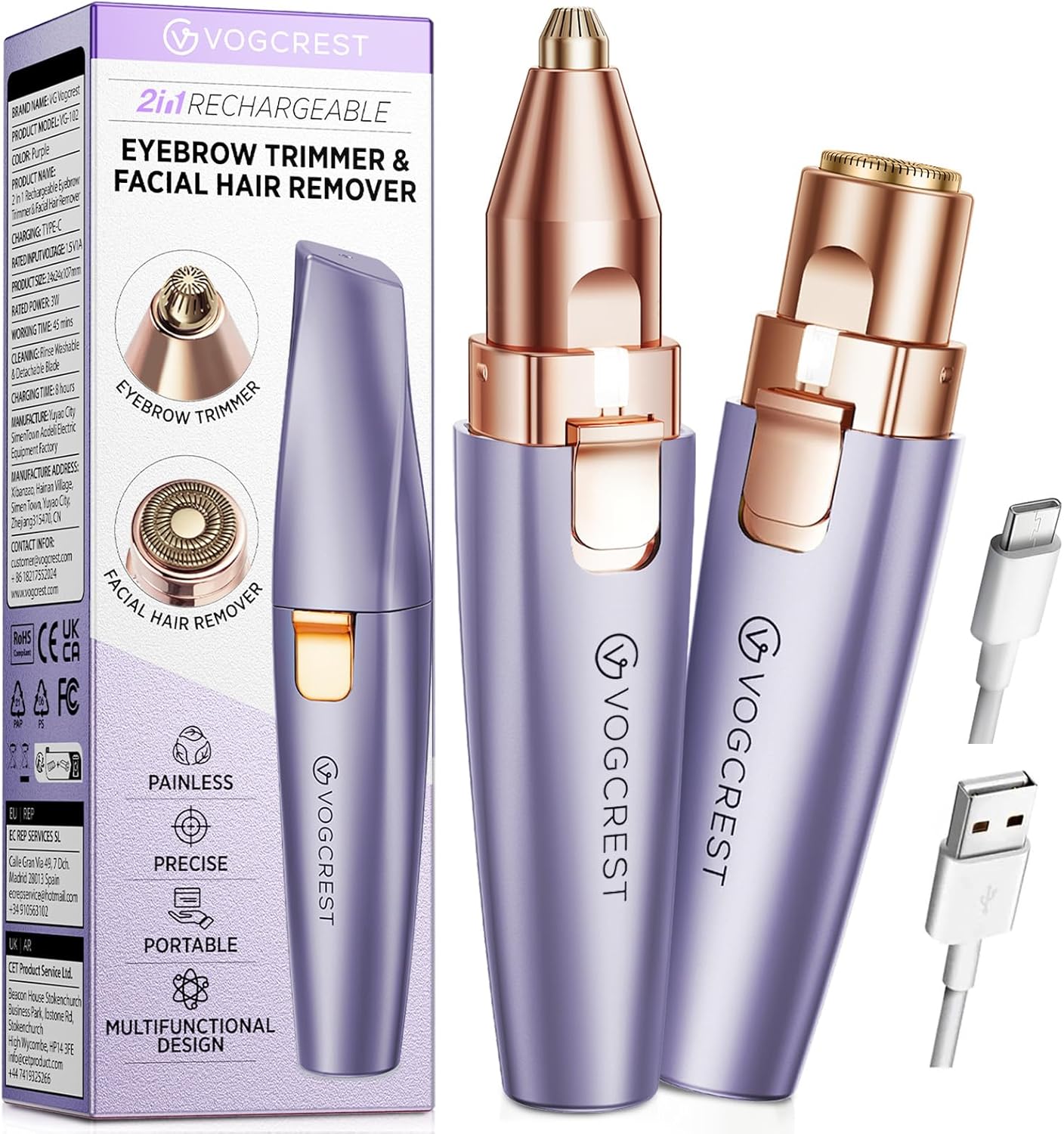
Image 1.1: VG VOGCREST 2-in-1 Rechargeable Facial Hair Removal & Eyebrow Shaver with accessories.
Key Features:
- 2-in-1 Design: Features interchangeable heads for eyebrow trimming and general facial hair removal.
- Gentle & Painless: Engineered for comfortable hair removal without nicks, cuts, or irritation.
- Precision: Designed for effective removal of fine hair and shaping eyebrows with accuracy.
- Portable & Discreet: Compact size for convenient use at home or while traveling.
- Rechargeable: Equipped with a built-in battery and USB-C charging for cordless operation.
- Built-in LED Light: Illuminates the skin to help identify and remove fine hairs.

Image 1.2: Overview of the device's main features.
2. Safety Information
To ensure safe operation and prevent injury or damage to the device, please adhere to the following safety guidelines:
- Do not submerge the entire device under water.
- Keep the appliance out of reach of children.
- Keep the appliance away from heated surfaces.
- When using around the eyes, proceed with caution.
- Test on a small skin area before first use. Discontinue use if skin irritation occurs.
- Do not use the shaver if the blade is damaged or dull.
- Clean the shaver regularly to prevent bacterial growth.
- Keep the shaver away from water while in use or charging to prevent electrical shock.

Image 2.1: Important safety warnings.
3. Product Components
The VG VOGCREST 2-in-1 Trimmer includes the following components:
- Main Trimmer Body (with built-in LED light)
- Eyebrow Trimmer Head (precision tip)
- Facial Hair Remover Head (flat, circular blade)
- USB-C Charging Cable
- Cleaning Brush

Image 3.1: Titanium-plated replacement heads.
4. Setup and Charging
4.1 Charging the Device:
- Ensure the device is turned off before charging.
- Connect the USB-C charging cable to the port at the bottom of the trimmer.
- Plug the other end of the USB cable into a compatible USB power source (e.g., wall adapter, computer, power bank).
- The indicator light will illuminate red during charging.
- When fully charged, the indicator light will change from red to green.
- A full charge typically takes approximately 4 hours.

Image 4.1: Connecting the Type-C charging cable.
4.2 Attaching/Detaching Trimmer Heads:
- To attach a head, align the head with the main body and twist clockwise until it clicks into place.
- To detach a head, twist counter-clockwise and pull gently.
- Ensure the device is off before changing heads.
5. Operating Instructions
Follow these steps for effective and safe hair removal:
- Prepare Skin: Ensure your skin is clean and dry before use.
- Install Head: Attach the desired cutting head (facial shaver or eyebrow trimmer) as described in Section 4.2.
- Power On: Slide the switch upward into the "ON" position. The built-in LED light will illuminate.
- Facial Hair Removal (using the circular head):
- Gently press the facial shaver head against the skin.
- Move the device in small, circular motions over the desired area (forehead, upper/lower lip, cheeks, chin).
- For stubborn areas, gently pull the skin taut to ensure closer contact.
- Eyebrow Trimming (using the precision head):
- Carefully position the precision head to shape or remove unwanted eyebrow hairs.
- Move the device in small, back-and-forth motions.
- Use the LED light for enhanced visibility and precision.
- Power Off: After use, slide the switch downward to the "OFF" position.

Image 5.1: Easy-to-follow usage steps.

Image 5.2: Application areas for facial hair removal.

Image 5.3: Using the precision eyebrow trimmer.

Image 5.4: Built-in LED light for improved visibility.
6. Maintenance and Cleaning
Regular cleaning and maintenance will ensure optimal performance and extend the lifespan of your device.
- Turn Off Device: Always ensure the trimmer is switched off before cleaning.
- Remove Head: Detach the trimmer head from the main body.
- Clean Blades: Use the provided cleaning brush to gently brush away any accumulated hair from the blades and inside the head.
- Rinse Head (Optional): The detachable heads can be quickly rinsed under running water. Ensure they are completely dry before reattaching or storing. Do not rinse the main body of the device.
- Dry Device: Wipe the main body with a dry, soft cloth.
- Storage: Store the device in a cool, dry place, away from direct sunlight and moisture.
7. Troubleshooting
If you encounter any issues with your VG VOGCREST trimmer, please refer to the following common troubleshooting steps:
| Problem | Possible Cause | Solution |
|---|---|---|
| Device does not turn on. | Battery is depleted. | Charge the device fully (refer to Section 4.1). |
| Device does not turn on. | Switch is not fully in "ON" position. | Ensure the switch is firmly slid to the "ON" position. |
| Poor trimming performance. | Blades are clogged with hair. | Clean the trimmer head and blades thoroughly (refer to Section 6). |
| Poor trimming performance. | Battery is low. | Charge the device fully. |
| Skin irritation after use. | Skin not clean/dry, or sensitive skin reaction. | Ensure skin is clean and dry. Perform a patch test on a small area. If irritation persists, discontinue use. |
If the problem persists after attempting these solutions, please contact customer support.
8. Specifications
- Model Name: VG-102
- Brand: VG VOGCREST
- Power Source: Battery Powered (Rechargeable)
- Special Feature: Cordless, Built-in LED Light
- Recommended Uses: Eyebrow, Facial Hair Removal
- Package Dimensions: 6.38 x 1.97 x 1.46 inches
- Item Weight: 3.88 ounces
- Manufacturer: VG VOGCREST

Image 8.1: Internal features of the facial hair remover head.
9. Warranty and Support
VG VOGCREST offers a hassle-free 60-day return policy and a lifetime guarantee for any product defects.
For warranty claims, technical support, or any other inquiries, please contact VG VOGCREST customer service. Refer to the product packaging or the official VG VOGCREST website for current contact information.