
Introduction
This manual provides comprehensive instructions for the ENEGON NP-BX1 3-pack battery and 3-channel charger. This product is designed to offer extended power and convenient charging for compatible Sony cameras, ensuring you have reliable power for your photography and videography needs.
Package Contents
Upon unpacking, please verify that all items listed below are present and in good condition:
- 3 x ENEGON NP-BX1 Replacement Batteries (1380mAh each)
- 1 x ENEGON 3-Channel Battery Charger
- 1 x USB-C Charging Cable

Image: The ENEGON 3-channel charger, three NP-BX1 batteries, and a USB-C cable, illustrating the complete package contents.
Setup
Charging the Batteries
- Open the lid of the ENEGON 3-channel charger.
- Insert up to three NP-BX1 batteries into the designated slots. Ensure the battery contacts align correctly with the charger's pins.
- Connect the USB-C charging cable to the charger's Type-C port and to a compatible USB power source (e.g., USB adapter, power bank, laptop USB port, car charger).
- Observe the LED display lights on the charger. A red light indicates the battery is currently charging. A green light indicates the battery is fully charged.

Image: The ENEGON 3-channel charger with batteries inserted, showing the Type-C charging port and LED display lights indicating charging status.
Multiple Charging Options
The charger supports various USB power sources for flexibility:
- Wall Charging (via USB adapter)
- Power Bank
- Laptop USB Port
- Car Charger
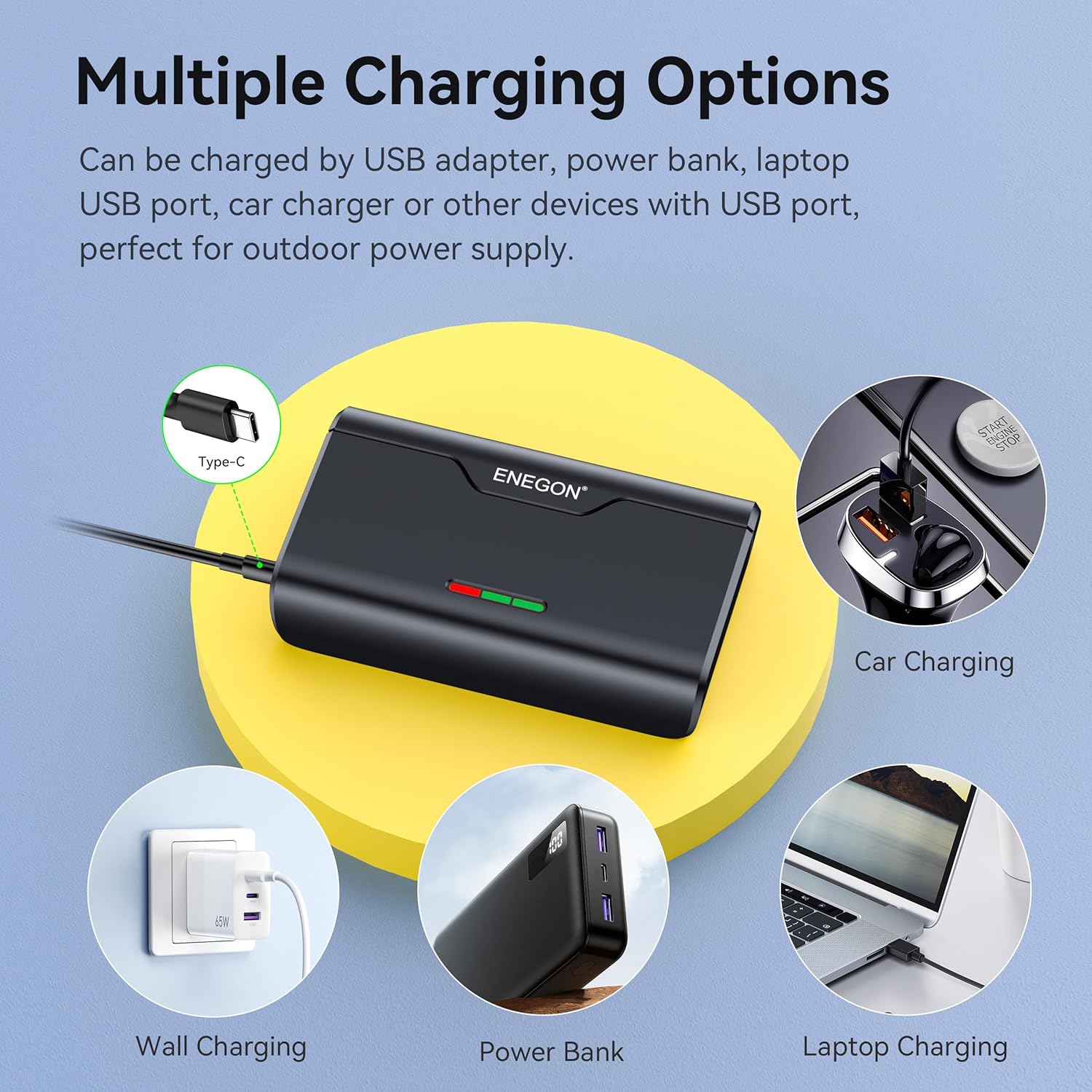
Image: Visual representation of different power sources that can be used to charge the ENEGON 3-channel charger, including wall adapters, power banks, laptops, and car chargers.
Operating Instructions
Using Batteries with Your Camera
- Ensure the ENEGON NP-BX1 battery is fully charged (indicated by a green LED on the charger).
- Open the battery compartment of your compatible Sony camera.
- Insert the charged NP-BX1 battery into the camera's battery slot, ensuring correct orientation.
- Close the battery compartment securely.
- Power on your camera to begin use.
Micro SD Card Storage
The charger features two dedicated slots for storing Micro SD cards, providing a convenient way to carry extra memory cards alongside your batteries.
Image: The ENEGON 3-channel charger with batteries and Micro SD cards inserted into their respective storage slots.
Features
Compatibility
The ENEGON NP-BX1 batteries and charger are fully compatible with cameras using the Sony NP-BX1/M8 battery type, including:
- Sony ZV-1, ZV-1 II
- Sony Cyber-Shot DSC-HX80, HX90V, HX95, HX99
- Sony RX1, RX1R II
- Sony RX100 (II/III/IV/V/VA/VI/VII)
- Sony FDR-X3000

Image: A visual guide showing the ENEGON NP-BX1 battery and various compatible Sony camera models like the ZV-1, RX100 III, RX100 V, and RX100 VI.
Enhanced Battery Capacity
Each ENEGON NP-BX1 battery provides a precise 1380mAh capacity, offering extended runtime compared to standard batteries. This allows for longer photo shoots and video recording sessions.

Image: Illustrates the benefit of extended battery life, showing a camera user capturing photos and videos, with icons indicating capacity for 1000x3 photos and 3 hours of video shooting.
Safety and Reliability
The charger incorporates a built-in safety protection system to safeguard your batteries during charging. This system includes:
- Overcharge Protection
- Short Circuit Protection
- High Temperature Protection
- Over Current Protection
- Overvoltage Protection
- Electrical Shock Protection

Image: Icons representing various safety features of the ENEGON charger, including protections against overcharge, short circuit, high temperature, over current, overvoltage, and electrical shock.
Compact and Portable Design
The charger's flat and compact design allows for easy transport, fitting conveniently into a pocket or camera bag. It is designed to be more portable than traditional square chargers.

Image: A comparison showing the ENEGON charger's slim profile fitting easily into a pocket, contrasted with a bulkier, traditional charger.
Maintenance
- Keep the batteries and charger clean and dry. Avoid exposure to moisture or extreme temperatures.
- Store batteries in a cool, dry place when not in use.
- Do not disassemble the batteries or charger.
- Use only the provided USB-C cable or a certified equivalent for charging.
- Periodically check the charging contacts on both the batteries and the charger for any debris or damage.
Troubleshooting
Batteries Not Charging
- Ensure the USB-C cable is securely connected to both the charger and the power source.
- Verify that the power source is active and providing sufficient power.
- Check if the batteries are inserted correctly into the charger with contacts aligned.
- If the LED remains red after an extended period, try a different USB-C cable or power source.
Battery Not Recognized by Camera
- Ensure the battery is fully charged.
- Remove and reinsert the battery into the camera, ensuring it is seated correctly.
- Clean the battery contacts on both the battery and the camera with a dry, soft cloth.
- Confirm your camera model is listed as compatible with NP-BX1 batteries.
Specifications
| Feature | Specification |
|---|---|
| Product Dimensions (Charger) | 1.97 x 2.36 x 3.94 inches (50 x 60 x 100 mm) |
| Item Weight (Total) | 7.4 ounces (210 grams) |
| Battery Model | NP-BX1 |
| Battery Cell Composition | Lithium Ion |
| Battery Capacity (Each) | 1380 mAh |
| Number of Batteries | 3 (included) |
| Charger Channels | 3 |
| Charging Port | USB-C |
| Micro SD Card Slots | 2 |
| Manufacturer | Dongguan Beston Digital Technology Co., LTD |
Warranty and Support
For warranty information and customer support, please refer to the documentation included with your purchase or contact ENEGON customer service directly. Keep your proof of purchase for any warranty claims.