
1. Introduction
This manual provides detailed instructions for the installation, operation, and maintenance of your VASTEND VE-7AC RV Backup Camera. Please read this manual thoroughly before using the product to ensure proper function and safety. This product is designed as a single camera unit, compatible with the VE-7A system.
2. Product Overview
The VASTEND VE-7AC is a high-definition wireless backup camera designed for RVs, trailers, and motorhomes. It provides a clear, wide-angle view to assist with reversing and eliminating blind spots. This package includes one pre-wired camera unit.

Image 2.1: VASTEND VE-7AC RV Backup Camera. This image shows the compact design of the camera with its integrated mounting bracket and antenna.
3. Key Features
- IP69 Waterproof: The camera is designed to withstand harsh weather conditions, operating effectively in temperatures from -10°C to 70°C.
- Super Night Vision: Equipped with a built-in IR CUT filter, the camera corrects color deviation during the day and significantly enhances brightness for clear visibility at night.
- 170° Wide Angle: Provides an expansive 170-degree viewing angle, capturing more details and effectively reducing blind spots for improved driving safety.
- Pre-Wired for Furrion System: Designed for easy integration with existing Furrion pre-wired systems, simplifying installation.
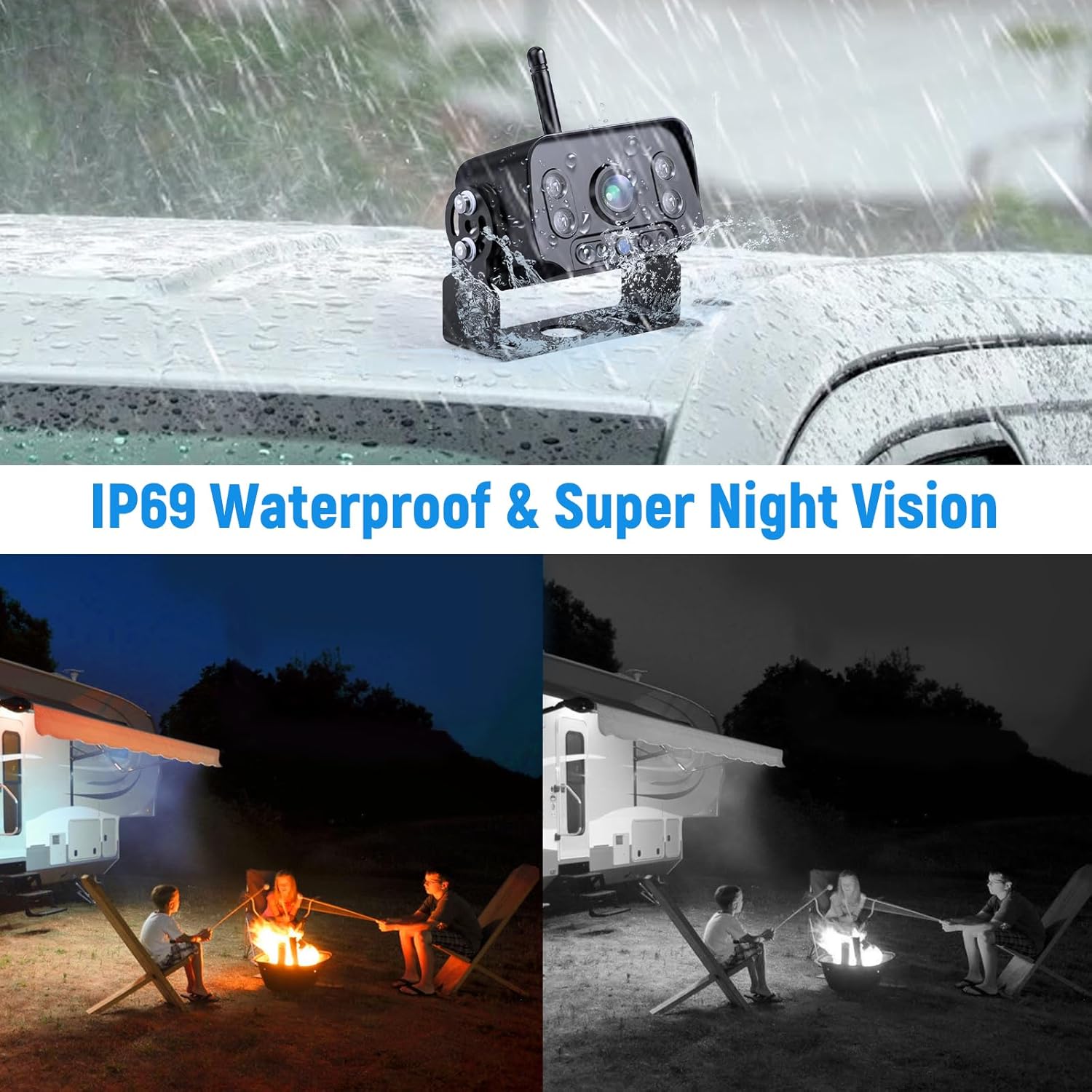
Image 3.1: Illustration of the camera's IP69 waterproof rating under rain and its super night vision capability, showing a comparison between normal and enhanced night vision views.
4. Setup and Installation
The VE-7AC camera is designed for plug-and-play installation, especially with Furrion pre-wired systems. Ensure your vehicle's power is off before beginning installation.
- Mounting Location: Choose a suitable location at the rear of your RV or trailer that provides an unobstructed view. The camera's integrated mounting frame allows for secure attachment.
- Power Connection: Connect the camera to a stable 12V DC power source. This is typically the backup light circuit, which provides power when the vehicle is in reverse. Ensure all connections are secure and properly insulated.
- Antenna Placement: Ensure the camera's antenna is positioned for optimal signal transmission to your compatible monitor (e.g., VASTEND VE-7A monitor, sold separately).
- Testing: Once installed, power on your vehicle and engage reverse gear to test the camera's functionality and image transmission to your monitor. Adjust the camera angle as needed for the best view.
5. Operating Instructions
The VE-7AC camera operates wirelessly with a compatible VASTEND monitor (e.g., VE-7A). Once properly installed and powered, the camera will automatically transmit video feed to the paired monitor when the vehicle is in reverse or when the camera's power source is active.
- Automatic Activation: If connected to the reverse light circuit, the camera will activate automatically when reverse gear is engaged.
- Continuous Operation: If connected to a constant 12V DC power source, the camera can provide a continuous rear view.
- Viewing Angle: Utilize the 170° wide-angle view to observe surroundings, obstacles, and traffic behind your vehicle.
- Night Vision: The camera's super night vision feature will automatically engage in low-light conditions, providing a clear image even in darkness.
6. Maintenance
Regular maintenance ensures the longevity and optimal performance of your VASTEND VE-7AC camera.
- Cleaning the Lens: Periodically clean the camera lens with a soft, damp cloth to remove dirt, dust, or water spots that may obstruct the view. Avoid abrasive cleaners.
- Checking Connections: Inspect all power connections and wiring periodically to ensure they are secure and free from corrosion or damage.
- Mounting Security: Verify that the camera's mounting bracket remains securely fastened to the vehicle, especially after long trips or exposure to vibrations.
- Weather Protection: While the camera is IP69 waterproof, extreme weather conditions (e.g., heavy snow, ice buildup) may temporarily affect performance. Ensure the lens is clear before use.
7. Troubleshooting
If you encounter issues with your VASTEND VE-7AC camera, refer to the following common troubleshooting steps:
- No Image on Monitor:
- Ensure the camera is receiving power. Check the power connection and fuse.
- Verify that your monitor is powered on and correctly paired with the camera.
- Check for any obstructions between the camera and the monitor that might interfere with the wireless signal.
- Flickering or Distorted Image:
- Ensure the camera lens is clean and free from dirt or moisture.
- Check for strong electromagnetic interference from other devices near the camera or monitor.
- Verify the power supply is stable and within the specified voltage range (12V DC).
- Poor Night Vision:
- Ensure the camera lens is clean.
- Verify that the IR LEDs (if visible) are not obstructed.
If these steps do not resolve the issue, please contact VASTEND customer support for further assistance.
8. Specifications
| Feature | Specification |
|---|---|
| Model Number | VE-7AC |
| Brand | VASTEND |
| Video Capture Resolution | 1080p |
| Voltage | 12 Volts (DC) |
| Actual Viewing Angle | 170 Degrees |
| Lens Type | Wide Angle, Fixed |
| Waterproof Rating | IP69 |
| Operating Temperature | -10°C to 70°C |
| Product Dimensions | 25.4 x 17.78 x 5.08 cm; 300 g |
9. Warranty and Support
VASTEND provides a two-year warranty service for this product, along with lifetime technical support. If you have any questions or concerns regarding your VE-7AC camera, please contact us via the email address provided in the product packaging or on our official website. Our customer service team is ready to assist you.