
1. Introduction
The ZZB WP-03B is a compact and versatile portable Bluetooth speaker designed for various audio needs. It features clear stereo sound, deep bass, and integrated lighting effects. With its IPX5 waterproof rating and long battery life, it is suitable for both indoor and outdoor use, providing a robust audio experience in a small form factor.

Image 1.1: Front view of the orange ZZB WP-03B Portable Bluetooth Speaker. This image shows the compact design and the main speaker grille.
2. Key Features
- High-Definition Stereo Sound: Provides powerful, balanced audio with deep bass and minimal distortion.
- TWS (True Wireless Stereo) Functionality: Allows two WP-03B speakers to be paired together for an immersive stereo experience.
- IPX5 Waterproof Rating: Designed to withstand splashes and light rain, making it suitable for outdoor and wet environments.
- Bluetooth 5.3 Connectivity: Ensures fast pairing and a stable wireless connection with compatible devices up to 100 feet.
- Multiple Playback Options: Includes a built-in AUX-in jack for non-Bluetooth devices and supports TF-SD cards for direct music playback.
- Integrated Microphone: Enables hands-free calling.
- Dynamic Lighting Effects: Features color breathing lights that synchronize with the music beat, enhancing the listening experience.
- Long Playtime: Offers up to 12 hours of continuous audio playback on a single charge.
- Compact and Portable Design: Lightweight and easy to carry with a convenient strap.

Image 2.1: Two ZZB WP-03B speakers demonstrating their waterproof design and TWS capability.
3. Setup Guide
3.1 Charging the Speaker
Before initial use, ensure the speaker is fully charged. Connect the provided USB charging cable to the charging port on the side of the speaker and plug the other end into a compatible USB power adapter (not included).

Image 3.1: The ZZB WP-03B speaker with its charging cable connected, illustrating the charging process.
3.2 Power On/Off
- To power on, press and hold the Power button (
 ) for approximately 3 seconds until you hear an audible prompt or see the indicator light illuminate.
 - To power off, press and hold the Power button again for 3 seconds.
3.3 Bluetooth Pairing
- Ensure the speaker is powered on. It will automatically enter Bluetooth pairing mode, indicated by a flashing blue LED light.
- On your smartphone, tablet, or other Bluetooth-enabled device, navigate to the Bluetooth settings.
- Search for available devices and select "WP-03B" from the list.
- Once connected, the LED indicator will turn solid blue, and you will hear a confirmation tone.
3.4 TWS (True Wireless Stereo) Pairing (Optional)
To pair two WP-03B speakers for stereo sound:
- Ensure both speakers are powered on and not connected to any other Bluetooth device.
- On one of the speakers, press the TWS button (if available, or a specific pairing button as indicated in the quick start guide). The speaker will enter TWS pairing mode.
- The two speakers will automatically connect to each other. A confirmation tone will sound once TWS pairing is successful.
- Now, connect your device to one of the paired speakers via Bluetooth as described in Section 3.3. Both speakers will play audio in stereo.
4. Operating Instructions
4.1 Button Functions
Image 4.1: Side view of the ZZB WP-03B speaker, highlighting the control buttons for power, volume, and playback.
- Power Button: Press and hold to power on/off. Short press for mode change (Bluetooth/AUX/TF-SD/FM).
- Volume Up (+): Short press to increase volume. Long press for next track.
- Volume Down (-): Short press to decrease volume. Long press for previous track.
- Play/Pause Button: Short press to play or pause music. During a call, short press to answer/end call. Long press to reject call.
4.2 AUX-in Mode
To play audio from a non-Bluetooth device:
- Connect one end of a 3.5mm audio cable (not included) to the AUX-in port on the speaker.
- Connect the other end to the audio output jack of your device.
- The speaker will automatically switch to AUX mode, or you may need to press the Power button to cycle through modes until AUX mode is activated.
4.3 TF-SD Card Playback
To play music directly from a TF-SD card:
- Insert a TF-SD card (with MP3 audio files) into the designated card slot on the speaker.
- The speaker will automatically detect the card and begin playing music, or you may need to press the Power button to switch to TF-SD card mode.
4.4 Lighting Effects
The speaker features dynamic color breathing lights that can enhance your listening experience. These lights typically synchronize with the music beat. Specific controls for toggling or changing light modes may be integrated with the power or mode button, or activate automatically with music playback.
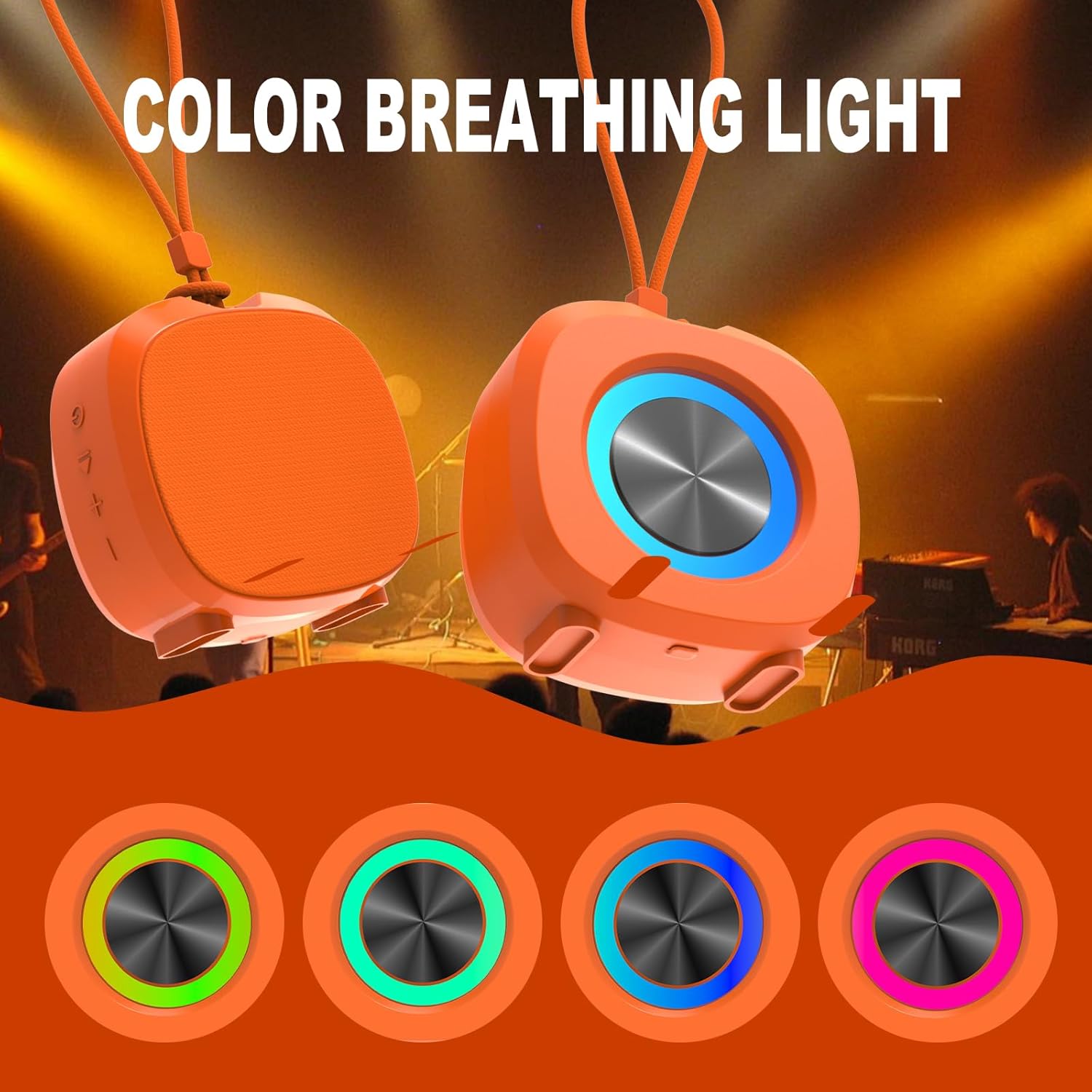
Image 4.2: The ZZB WP-03B speaker showcasing its vibrant color breathing lights in action.
5. Maintenance
5.1 Water Resistance
The ZZB WP-03B speaker has an IPX5 waterproof rating. This means it is protected against low-pressure water jets from any direction. It is suitable for use in environments where it might encounter splashes or light rain. Do not submerge the speaker in water.

Image 5.1: The ZZB WP-03B speaker demonstrating its IPX5 water resistance with water splashes.
5.2 Cleaning and Storage
- To clean the speaker, gently wipe its surface with a soft, slightly damp cloth.
- Avoid using abrasive cleaners, solvents, or harsh chemicals, as these can damage the speaker's finish or internal components.
- When storing the speaker for extended periods, ensure it is fully charged and kept in a cool, dry place away from direct sunlight and extreme temperatures.
6. Troubleshooting
| Problem | Possible Cause | Solution |
|---|---|---|
| Speaker does not turn on | Low battery; Power button not pressed correctly | Charge the speaker fully. Press and hold the Power button for 3 seconds. |
| Cannot pair via Bluetooth | Speaker not in pairing mode; Bluetooth off on device; Device too far | Ensure speaker is flashing blue. Enable Bluetooth on your device. Move device closer (within 100 ft). Forget "WP-03B" from device's Bluetooth list and re-pair. |
| No sound or low volume | Volume too low on speaker/device; Incorrect mode selected | Increase volume on both speaker and connected device. Ensure correct mode (Bluetooth, AUX, TF-SD) is selected. |
| Poor sound quality | Interference; Low quality audio source | Move speaker closer to the Bluetooth source. Use high-quality audio files. |
| Short battery life | Not fully charged; High volume usage; Lights always on | Ensure speaker is fully charged. Reduce volume. Turn off lighting effects if not needed. |
7. Specifications
| Feature | Detail |
|---|---|
| Brand | ZZB |
| Model Number | WP-03B |
| Product Dimensions | 1.6 x 2.9 x 3 inches |
| Item Weight | 5 ounces (0.14 Kilograms) |
| Speaker Size | 3 Inches |
| Bluetooth Version | 5.3 |
| Bluetooth Range | Up to 100 Feet |
| Waterproof Rating | IPX5 |
| Battery Type | 1 Lithium Ion (included) |
| Playtime | Up to 12 hours |
| Audio Output Mode | Stereo |
| Input Options | Bluetooth, AUX-in, TF-SD Card |
8. Warranty and Support
8.1 Limited Warranty
This ZZB product is covered by a Limited Warranty. Please retain your proof of purchase for any warranty claims. The warranty covers manufacturing defects under normal use conditions.
8.2 Customer Support
For technical assistance, troubleshooting, or to inquire about warranty services, please refer to the contact information provided with your product packaging or visit the official ZZB website for further support.