
Product Overview
The FLEXISPOT Dual Motor L Shaped Standing Desk is designed to provide a spacious and adaptable workspace for home and office environments. Featuring a robust 4-leg frame and dual motors, this electric sit-stand desk offers smooth and quiet height adjustments, allowing users to effortlessly transition between sitting and standing positions. The L-shaped desktop provides ample room for multiple monitors and office essentials, while the intuitive control panel with memory presets enhances user convenience. Constructed with industrial-grade steel and environmentally sourced materials, the desk is built for stability, durability, and long-term use.
Setup and Assembly
Assembly of the FLEXISPOT L Shaped Standing Desk is required. Please follow the detailed instructions provided in the separate assembly guide for proper setup. Ensure all components are present and undamaged before beginning assembly. The desk features a sturdy 4-leg frame designed for enhanced stability and can support a maximum weight capacity of 176 lbs.

Figure 1: Assembled FLEXISPOT L Shaped Standing Desk in Black.

Figure 2: Desktop dimensions (63"x43.3") and adjustable height range (28.3"-46").
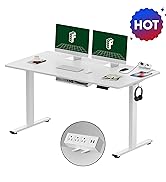
Figure 3: Illustration of the strong steel frame structure ensuring stability.
Operating Instructions
The desk features a user-friendly one-touch LED control panel for easy height adjustments and memory function. The dual motors provide continuous height adjustment from 28.3 inches to 46 inches.
Control Panel Functions:

Figure 4: Intelligent control panel with Up/Down, Reset, and Sitting/Standing preset buttons.
- Up/Down Buttons: Use the arrow buttons to manually adjust the desk height upwards or downwards.
- Memory Presets: The control panel includes buttons to save and recall your preferred sitting and standing heights. To save a height, adjust the desk to the desired level, then press and hold the designated memory button (e.g., 'S' for sitting, 'T' for standing) until the display blinks or confirms the setting.
- Reset Function: If the desk encounters an error or needs recalibration, use the reset button (often indicated by a circle or 'R'). Consult the detailed assembly guide for the specific reset procedure.
Safety Guidelines
Adherence to the following safety guidelines is crucial for safe operation and longevity of your standing desk:
- Always ensure the desk is properly assembled and stable before use.
- Avoid prolonged standing to prevent muscle strain and other health issues; alternate between sitting and standing positions.
- Keep the work surface clear of objects that could fall and cause injury during height adjustments.
- Do not exceed the maximum weight capacity of 176 lbs (80 kg).
- Always follow the manufacturer's instructions for assembly, use, and maintenance.
- Ensure there are no obstructions in the path of the desk's movement during height adjustments.
- Keep children and pets away from the desk during operation.
Maintenance
Regular maintenance helps ensure the optimal performance and lifespan of your FLEXISPOT standing desk:
- Cleaning: Wipe the desktop and frame with a soft, damp cloth. Avoid harsh chemicals or abrasive cleaners that could damage the finish.
- Check Connections: Periodically inspect all screws and bolts to ensure they are tight. Re-tighten if necessary.
- Lubrication: If you notice any squeaking during height adjustments, a small amount of white lithium grease can be applied to the internal moving parts of the legs. Refer to the assembly guide for specific lubrication points.
- Cable Management: Organize cables to prevent tangling and interference with the desk's movement.
Troubleshooting
If you encounter issues with your FLEXISPOT standing desk, try the following troubleshooting steps:
- Desk Not Moving:
- Check if the power cord is securely plugged into both the desk and the wall outlet.
- Ensure no objects are obstructing the desk's movement.
- Perform a reset procedure as outlined in your assembly manual (often involves holding the reset button until the desk moves to its lowest point and then slightly up).
- Squeaking During Adjustment:
- Apply white lithium grease to the internal moving parts of the desk legs. This can often resolve minor squeaking noises.
- Verify that all assembly screws are properly tightened.
- Uneven Height:
- Perform a reset procedure to recalibrate the desk's height sensors.
- Ensure the desk is placed on a level surface.
If problems persist after attempting these steps, please contact FLEXISPOT customer support for further assistance.
Specifications
| Feature | Detail |
|---|---|
| Brand | FLEXISPOT |
| Product Dimensions | 48"D x 37"W x 23.6"H (Note: L-shape dimensions are 63"x43") |
| Color | Black Frame & Black Top |
| Style | Modern |
| Base Material | Metal |
| Top Material Type | Wood |
| Finish Type | Wood |
| Special Feature | Corded, Height Adjustable |
| Mounting Type | Floor Mount |
| Furniture Finish | Black Wood |
| UPC | 840460417587 |
| Manufacturer | FLEXISPOT |
| Item Height (Adjustable) | 28.3 inches (min) to 46 inches (max) |
| Desk Design | Standing Desk (L-Shaped) |
| Tabletop Thickness | 28 Inches |
| Maximum Weight Recommendation | 176 Pounds |
| Required Assembly | Yes |
| Warranty Type | Lifetime |
Note: Some dimensions might refer to packaging or specific components. Refer to the assembly guide for precise measurements.
Quality and Manufacturing
FLEXISPOT is committed to producing high-quality ergonomic furniture. Our manufacturing process incorporates advanced technology and rigorous testing to ensure product reliability and durability. The desk's robust construction is supported by extensive cycle testing to ensure long-term stability and safety.
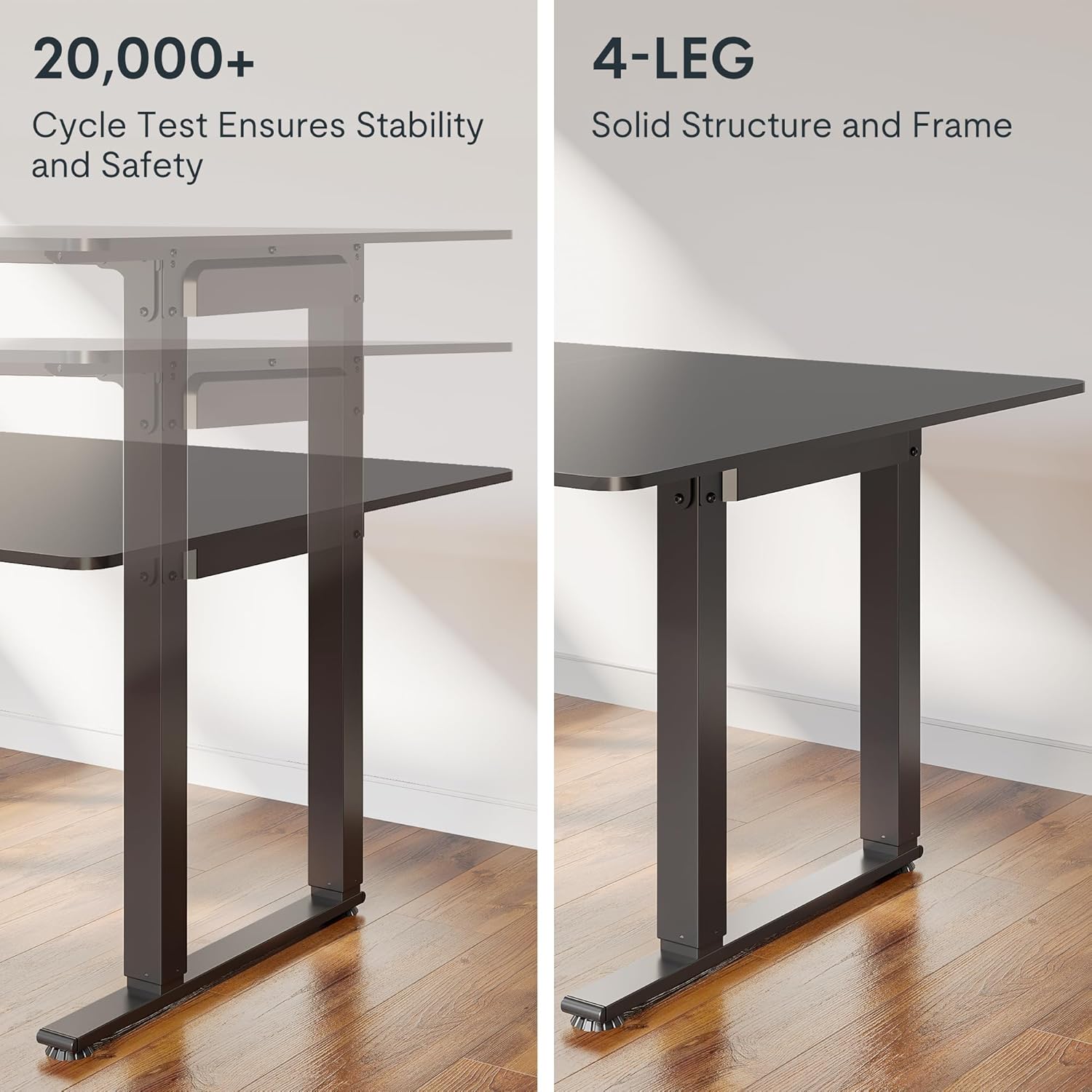
Figure 5: Visual representation of the 20,000+ cycle test for stability and the solid 4-leg structure.

Figure 6: Certifications for environmentally sourced materials, including CARB and TSCA Title VI compliance.
Video 1: A look inside FLEXISPOT's manufacturing facility, showcasing the precision and innovation behind product creation.
Warranty and Support
The FLEXISPOT Dual Motor L Shaped Standing Desk comes with a Lifetime Warranty, reflecting our confidence in the product's quality and durability. For warranty claims, technical support, or any inquiries not covered in this manual, please contact FLEXISPOT customer service through the official website or your purchase platform.
For additional resources and frequently asked questions, visit the official FLEXISPOT store: FLEXISPOT Store