
Introduction
This user guide is designed to help you master your GoPro HERO13 Black action camera. Whether you are a beginner or an experienced user, this manual provides comprehensive insights into the camera's functionalities, recommended presets, and best practices for capturing high-quality content. It covers everything from initial setup to advanced operational modes, ensuring you can fully utilize your GoPro HERO13 Black.
The guide aims to simplify the learning process, offering clear, step-by-step instructions to help you understand the camera's interface, control modes, and customization options. By following the guidance provided, you will be able to confidently navigate your GoPro HERO13 Black and tell a better story through your videos and photos.
Initial Setup
Getting started with your GoPro HERO13 Black involves several key steps to ensure optimal performance. This section outlines the initial setup process, including unboxing the camera and its accessories, charging the battery, inserting a microSD card, and performing the first-time power-on sequence.
Unboxing and Components
Upon opening your GoPro HERO13 Black package, verify that all components are present. Typically, the box includes the camera unit, a rechargeable battery, a USB-C cable, a mounting buckle, and adhesive mounts. Refer to the packaging for a complete list of included items.
First-Time Power On
- Charge the Battery: Before first use, fully charge the GoPro battery using the provided USB-C cable and a compatible power adapter.
- Insert MicroSD Card: Open the side door and insert a compatible, high-speed microSD card (sold separately) into the designated slot. Ensure it is correctly oriented.
- Power On: Press and hold the Mode button (usually on the side) for a few seconds until the camera powers on.
- Initial Settings: Follow the on-screen prompts to select your language, date, and time.
- Pair with GoPro Quik App: For enhanced control and media management, download the GoPro Quik app on your smartphone and follow the instructions to pair your camera.

Image: Front cover of the GoPro Hero 13 Black User Guide book. This image displays the title "GoPro HERO 13 Black User Guide" prominently, along with a brief summary of the guide's purpose: to help users master their GoPro action camera, from unboxing to advanced features.
Operating Your GoPro HERO13 Black
This section details the various operational aspects of your GoPro HERO13 Black, including understanding the interface, navigating control modes, and utilizing recommended presets for different shooting scenarios.
Understanding the Interface
The GoPro HERO13 Black features intuitive touchscreens and physical buttons for navigation. The front screen provides a live preview and status information, while the rear touchscreen allows for detailed settings adjustments and playback. Learn to swipe and tap to access different modes and menus.
GoPro Control Modes
The camera offers various control modes to suit different user preferences and skill levels:
- Easy Mode: Simplified settings for quick capture, ideal for beginners. This mode often automates many settings to ensure good results without complex adjustments.
- Pro Mode: Provides full manual control over settings such as resolution, frame rate, ISO, white balance, and exposure. This mode is recommended for experienced users who want to fine-tune their footage.
Recommended Presets
The guide provides specific presets tailored for various environmental conditions and activities. These presets optimize settings for scenarios like:
- Action Sports (e.g., biking, surfing)
- Vlogging and Interviews
- Low Light Conditions
- Time-lapse and Slow Motion
- Underwater Filming
Refer to the detailed sections within the book for specific preset configurations and how to apply them.
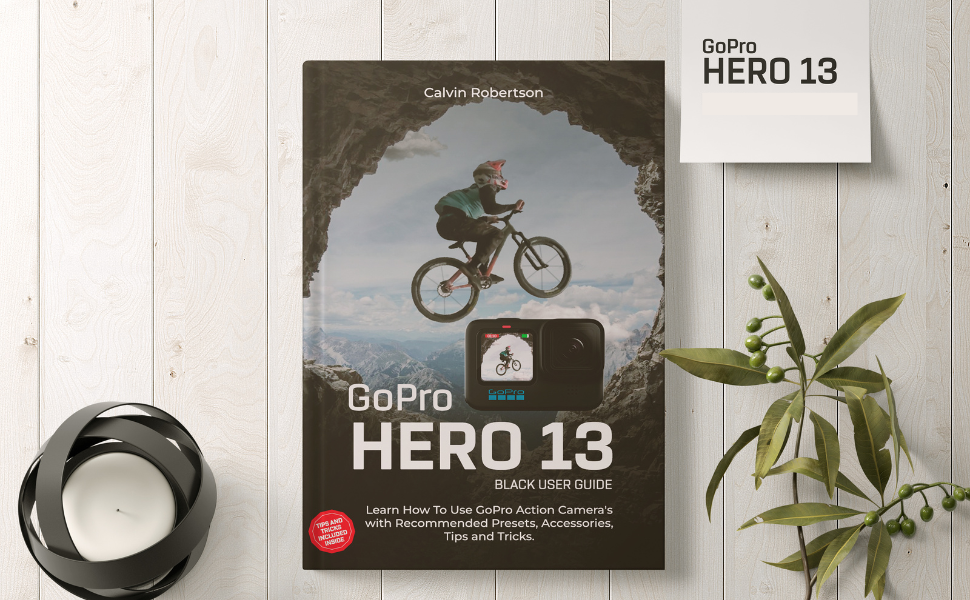
Image: The GoPro Hero 13 Black User Guide book displayed on a wooden surface, accompanied by a decorative plant and a candle. This image highlights the book's cover, featuring a cyclist on a mountain trail, emphasizing the adventure aspect of GoPro usage.
Maintenance and Care
Proper maintenance ensures the longevity and optimal performance of your GoPro HERO13 Black. This section provides general guidelines for cleaning, storage, and battery care.
Cleaning Your Camera
- Lens: Use a soft, lint-free cloth specifically designed for optics. For stubborn smudges, a small amount of lens cleaning solution can be applied to the cloth, not directly to the lens.
- Body: Wipe the camera body with a damp, soft cloth. Ensure all ports and doors are closed before cleaning, especially if using water.
- Ports: Keep USB-C ports and microSD card slots free of debris. Use compressed air if necessary, but avoid direct contact with sensitive components.
Battery and Storage
- Battery Care: Store batteries in a cool, dry place. Avoid fully discharging or overcharging batteries for extended periods.
- Storage: When not in use, store your GoPro in a protective case to prevent scratches and impacts. Ensure the camera is dry before storage.
Troubleshooting Common Issues
This section addresses common problems you might encounter with your GoPro HERO13 Black and offers solutions to resolve them. For more detailed troubleshooting, refer to the dedicated section in the user guide book.
Camera Not Responding
- Battery Check: Ensure the battery is charged and properly inserted.
- Force Restart: Press and hold the Mode button for 8-10 seconds to perform a force restart.
- Firmware Update: Ensure your camera's firmware is up to date.
Recording Issues
- SD Card: Verify that the microSD card is compatible, formatted correctly, and has sufficient free space. Try reformatting the card (this will erase all data).
- Overheating: In high-performance modes or warm environments, the camera may overheat and stop recording. Allow it to cool down.
Connectivity Problems
- Wi-Fi/Bluetooth: Ensure Wi-Fi and Bluetooth are enabled on both the camera and your mobile device. Try resetting the camera's wireless connections.
- GoPro Quik App: Update the GoPro Quik app to the latest version.
User Guide Book Specifications
The following specifications pertain to the "GoPro Hero 13 Black User Guide" book itself, providing details about its publication and physical attributes.
| Attribute | Detail |
|---|---|
| ASIN | B0DKNT99KJ |
| Publisher | Independently published |
| Publication Date | October 22, 2024 |
| Language | English |
| Print Length | 186 pages |
| ISBN-13 | 979-8344093260 |
| Item Weight | 12 ounces |
| Dimensions | 6 x 0.42 x 9 inches |

Image: Back cover of the GoPro Hero 13 Black User Guide book. This image features a barcode and the ISBN-13 number (979-8344093260), along with additional publishing details.
Warranty Information
This section typically covers the warranty details for the product. As this document is a user guide book for the GoPro HERO13 Black camera, it does not carry a product warranty itself. For warranty information regarding your GoPro HERO13 Black camera, please refer to the official documentation provided with your camera or visit the official GoPro website.
Support and Contact
For support related to the content of this "GoPro Hero 13 Black User Guide" book, please contact the publisher, Independently published, or the author, Calvin Robertson, through their respective channels. For technical support, service, or inquiries about your GoPro HERO13 Black camera, please visit the official GoPro support website or contact GoPro customer service directly.
Official GoPro Support: gopro.com/help


