
1. Introduction
Welcome
Thank you for choosing the Sukerxius 52 Inch Wood Ceiling Fan. This manual provides essential information for the safe installation, operation, and maintenance of your new ceiling fan. Please read it thoroughly before installation and keep it for future reference.
Product Overview
This 52-inch wood ceiling fan is designed for both indoor and covered outdoor spaces, featuring a quiet DC motor and smart control options. It offers efficient air circulation with a reversible function for year-round comfort.
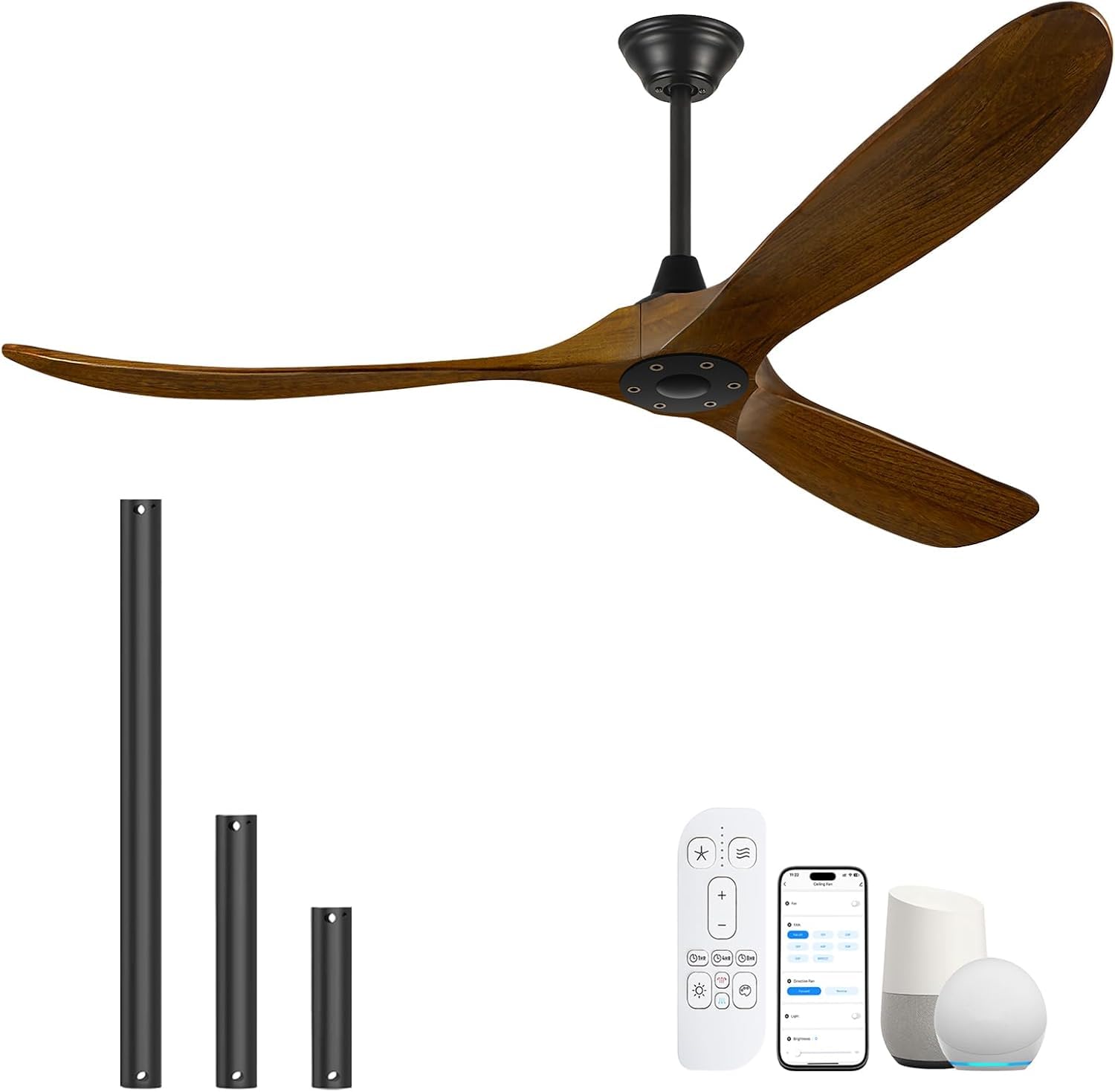
Image 1.1: Sukerxius 52 Inch Wood Ceiling Fan without Light.
- Elegant Walnut Finish: Hand-polished walnut finish and lacquered surface for durability and reduced wind noise.
- Advanced Smart Technology: Control via "Tuya" app, Alexa Voice, or remote control.
- Large Air Volume & Reversible: Six variable speeds up to 180r/min, airflow up to 7061 CFM. Reversible mode for summer cooling and winter air circulation.
- Silent Performance & Energy Saving: 40W silicon steel pure copper DC motor with only 30 decibels audible noise. Timer settings (1/4/8-hour) for energy efficiency.
- Easy Assembly: Designed for straightforward installation with included down-rods.
2. Safety Information
Please read and understand all safety instructions before attempting to assemble, install, or operate this fan. Failure to follow these instructions could result in electric shock, fire, or personal injury.
- Ensure the power is turned off at the circuit breaker before installation or maintenance.
- All wiring must be in accordance with national and local electrical codes. If you are unfamiliar with wiring, consult a qualified electrician.
- The mounting structure must be capable of supporting the weight of the fan (at least 35 lbs).
- Do not bend the blade holders during installation or cleaning.
- Keep hands, tools, and other objects away from the fan blades when the fan is operating.
- This fan is suitable for indoor and covered outdoor use only. Do not expose to direct rain.
3. Package Contents
Verify that all components listed below are included in your package. If any parts are missing or damaged, contact customer support.
- Motor Housing Assembly
- Fan Blades (3)
- Down-rods (5", 10", 24")
- Canopy and Mounting Bracket
- Remote Control with Wall Mount
- Receiver for Smart Control
- Hardware Pack (screws, washers, wire nuts)
- Instruction Manual
4. Installation Guide
Before You Begin
Ensure you have the necessary tools: screwdriver, wire strippers, ladder, and electrical tape. Turn off power at the circuit breaker.
Mounting the Fan
- Secure the mounting bracket to the ceiling junction box. Ensure the junction box is securely fastened to the building structure and can support the fan's weight.
- Choose the appropriate down-rod (5", 10", or 24") for your ceiling height. For sloped ceilings (up to 20°), ensure the canopy allows for proper clearance.
- Feed the wires from the motor assembly through the chosen down-rod.
- Attach the down-rod to the motor housing and secure it with the provided pin and screw.
- Carefully lift the fan assembly and hang it on the mounting bracket hook.
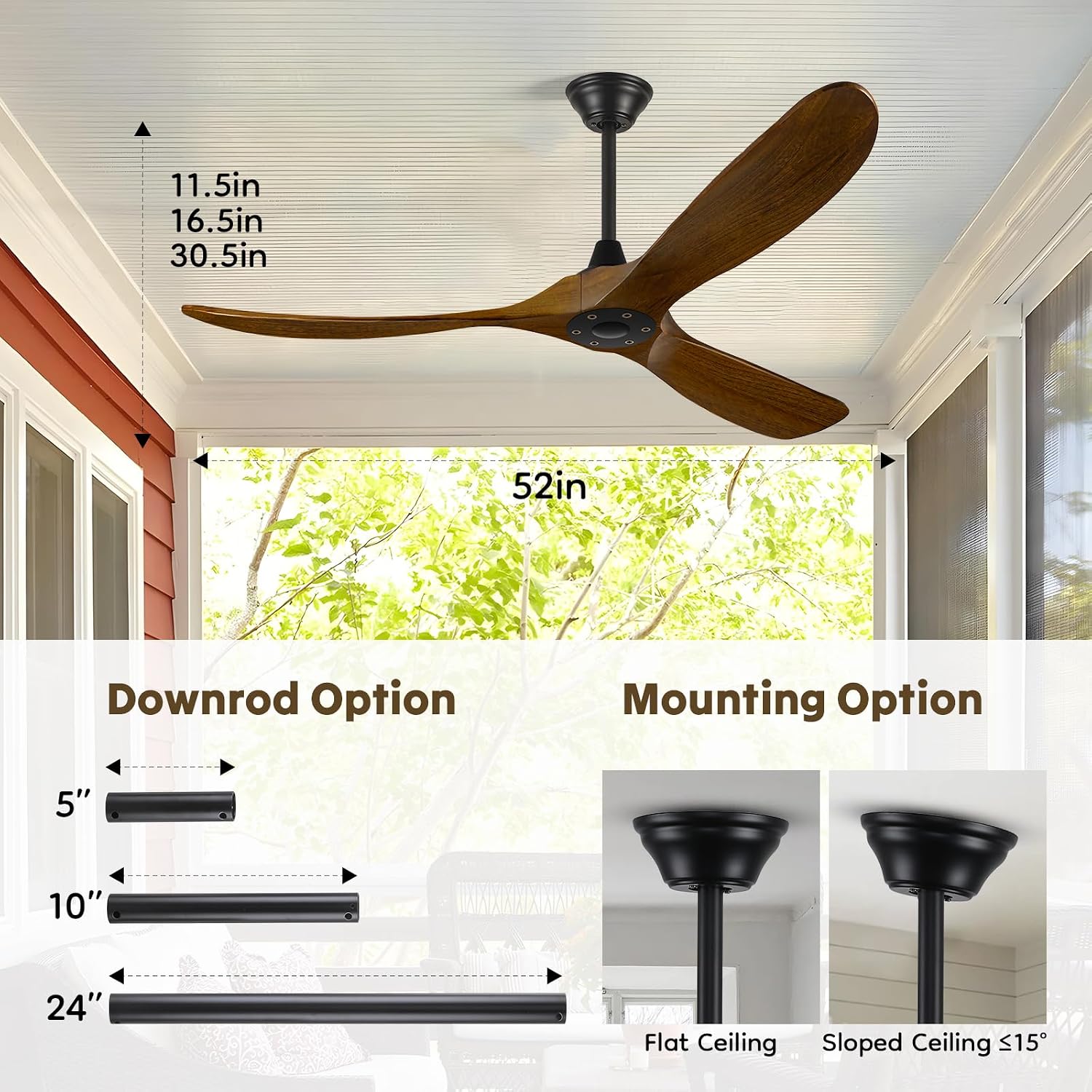
Image 4.1: Illustration of down-rod options (5", 10", 24") and mounting options for flat and sloped ceilings.

Image 4.2: Visual representation of the fan installed with different down-rod lengths.
Wiring Instructions
- Connect the fan's wires to the household wiring according to the wiring diagram in the full manual (not provided here). Typically, connect black to black (live), white to white (neutral), and green/bare copper to green/bare copper (ground).
- Install the receiver for smart control within the canopy, ensuring all connections are secure.
- Carefully tuck all wires into the junction box and raise the canopy to cover the mounting bracket, securing it with screws.
Blade Attachment
- Attach each fan blade to the motor housing using the provided screws. Ensure all screws are tightened securely.
5. Operating Instructions
Your Sukerxius ceiling fan offers multiple control methods for convenience.

Image 5.1: Overview of the 3-in-1 control methods: Remote, App, and Voice Control.
Remote Control
The included remote control allows you to adjust fan speed, direction, and set the timer. Insert batteries (not included) into the remote. Point the remote towards the fan's receiver for optimal operation.
Smart App Control (Tuya)
Download the "Tuya" app from your smartphone's app store. Follow the in-app instructions to pair your ceiling fan. This enables control from your mobile device, including speed adjustments, direction changes, and timer settings.
Voice Control (Alexa/Google Assistant)
Once paired with the "Tuya" app, you can link your fan to Amazon Alexa or Google Assistant. Use voice commands to turn the fan on/off, adjust speeds, and change direction.
Speed Settings
The fan features six variable speeds. Use the remote, app, or voice control to select your desired airflow. Speeds 1-2 are ideal for a gentle breeze, 3-4 for natural wind, and 5-6 for strong airflow.

Image 5.2: Visual guide to the 6-speed settings and their corresponding airflow intensity.
Reversible Function
The fan includes a reversible DC motor for year-round use. In summer, set the fan to forward mode (counter-clockwise) to create a cooling downdraft. In winter, set it to reverse mode (clockwise) to circulate warm air trapped near the ceiling.

Image 5.3: Diagram illustrating forward rotation for summer and reverse rotation for winter.
Timer Function
Utilize the timer function (1, 4, or 8 hours) via the remote or app to automatically turn off the fan, saving energy and providing convenience.
Video 5.4: A demonstration of the Sukerxius ceiling fan's features and operation in various settings.
6. Maintenance
Cleaning
To maintain the fan's appearance and performance, clean it periodically. Always turn off the power at the circuit breaker before cleaning.
- Use a soft, damp cloth to wipe down the motor housing and blades.
- Do not use abrasive cleaners or solvents, as these can damage the finish.
- Ensure the fan is completely dry before restoring power.
7. Troubleshooting
If you experience issues with your fan, refer to the following common problems and solutions:
| Problem | Possible Cause | Solution |
|---|---|---|
| Fan does not start | No power; Loose wiring; Remote not paired | Check circuit breaker; Verify wiring connections; Re-pair remote/app. |
| Fan wobbles | Loose blades; Uneven blades; Loose mounting bracket | Tighten blade screws; Check blade balance; Secure mounting bracket. |
| Remote not working | Dead batteries; Remote not paired; Obstruction | Replace batteries; Re-pair remote; Ensure clear line of sight. |
| Noise from fan | Loose screws; Rubbing components | Check and tighten all screws; Ensure no parts are touching. |
If the problem persists after trying these solutions, please contact Sukerxius customer support.
8. Specifications

Image 8.1: Dimensions of the 52-inch ceiling fan and recommended room sizes.
| Feature | Detail |
|---|---|
| Brand | Sukerxius |
| Model Number | Wood Ceiling with Remote |
| Color | Walnut |
| Product Dimensions | 52"D x 52"W x 24"H |
| Mounting Type | Ceiling Mount |
| Wattage | 40 watts |
| Finish Type | Polished |
| Air Flow Capacity | 7061 CFM (max) |
| Speed | 6 levels, up to 180 rpm |
| Efficiency | High Efficiency, Energy Saving |
| Noise Level | 30 decibels |
| Down-rods Included | 5", 10", 24" |
| Control Methods | Remote, Tuya App, Alexa Voice, Google Assistant |
9. Warranty and Support
Warranty Information
Sukerxius prioritizes customer experience. We offer a new replacement service within 3 years for product issues. Additionally, a 180-day no-hassle replacement is available for any quality problem.
Customer Support
For professional technical support, solutions, or any inquiries, please contact our customer service. We provide lifetime service and 24/7 AI + staff support for rapid response.