
RTNLIT Foot Switch
RTNLIT 6Ft Floor Foot Pedal Push Switch Instruction Manual
Model: Foot Switch
1. Introduction
This manual provides detailed instructions for the safe and effective use of your RTNLIT 6Ft Floor Foot Pedal Push Switch. This inline lamp light control switch is designed for convenient on-off operation of various electrical lights and small appliances. Please read this manual thoroughly before installation and operation to ensure proper functionality and safety.
2. Product Overview
2.1 Key Features
- Quality and Safety: Constructed with PVC Plastic and Pure Copper wire for enhanced safety and stability. Supports a maximum load of 200W.
- Wide Application: Ideal for controlling electrical lights, fans, or small appliances such as table lamps, floor lamps, and Christmas tree lights.
- Product Size: Total cable length is 180 cm (6 feet), with the foot switch positioned approximately 90 cm (3 feet) from the plug end.
- Easy to Install: Features stripped wire ends, allowing for flexible installation and customization according to your specific wiring needs.
2.2 Package Contents
The package includes:
- 1 x RTNLIT Foot Switch Plug Wire (Black)
2.3 Product Visuals

Figure 2.3.1: Overview of the RTNLIT Foot Pedal Switch, showing the inline switch, power plug, and stripped wire ends for connection.

Figure 2.3.2: The complete 1.8-meter (6-foot) cable assembly, illustrating the total length from plug to stripped ends, with the foot switch positioned centrally.

Figure 2.3.3: Detailed view of the stripped wire ends, ready for direct wiring into a lighting fixture or appliance.
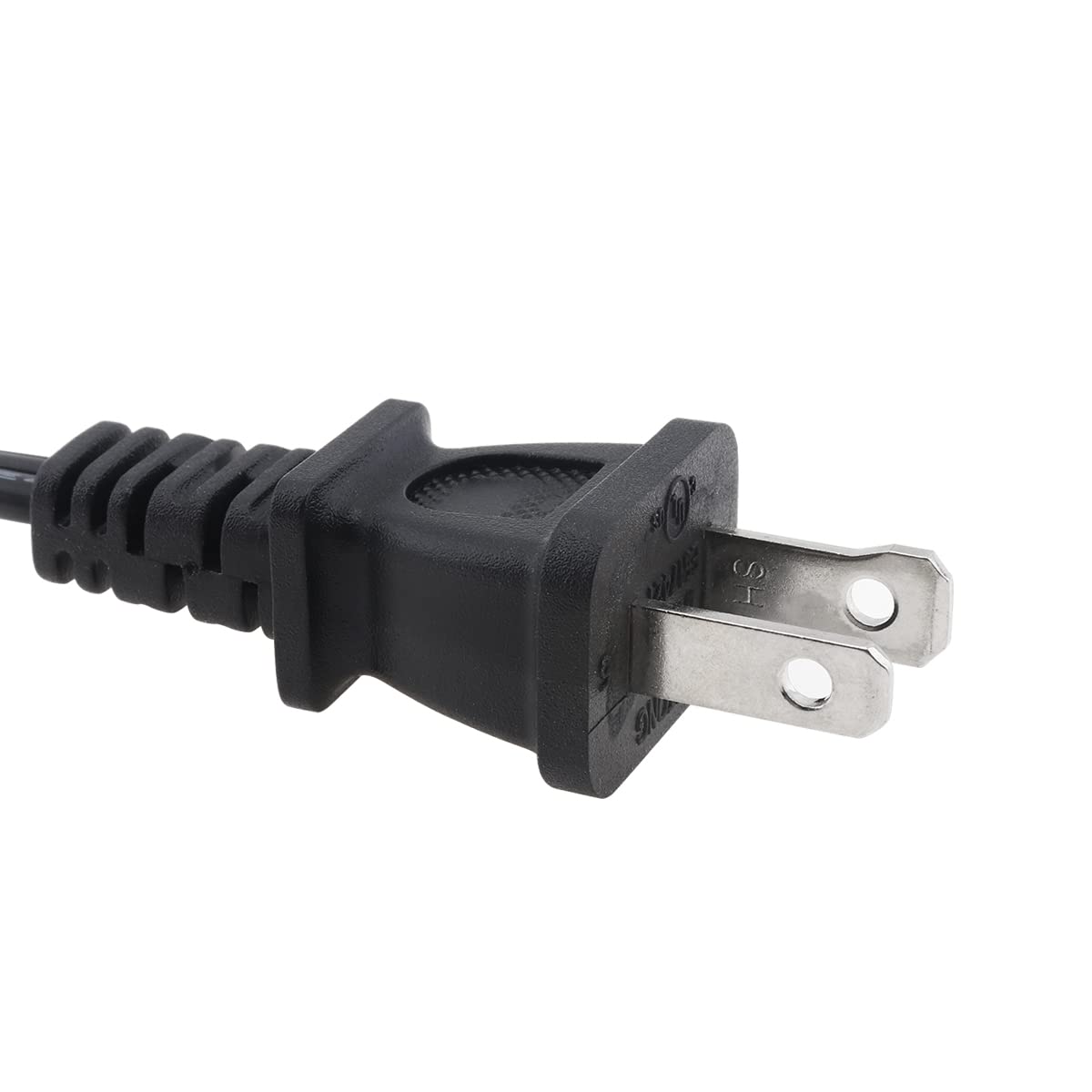
Figure 2.3.4: Close-up of the standard two-prong power plug, designed for connection to a wall outlet.

Figure 2.3.5: Diagram illustrating the dimensions of the foot pedal switch unit, with measurements of 69mm and 24mm indicated.
3. Specifications
| Attribute | Value |
|---|---|
| Material | Plastic (Housing), PVC + Copper Core (Wire) |
| Color | Black |
| Wire Length | 1.8 meters (6 feet) |
| Voltage | 110 - 220V |
| Max Load Power | 100W |
| Operation Mode | Foot Switch, On-off, Push Switch |
| Contact Type | Normally Open |
| Connector Type | Plug In (US Standard) |
| Mounting Type | Floor Mount |
| Actuator Type | Push |
| Item Model Number | Foot Switch |
4. Setup and Installation
This foot switch is designed for custom wiring into a lighting fixture or small appliance. Please follow these instructions carefully to ensure safe and correct installation.
4.1 Safety Precautions
- ALWAYS disconnect power to the fixture or appliance you are wiring before beginning installation. Turn off the circuit breaker or unplug the device.
- If you are unsure about electrical wiring, consult a qualified electrician.
- Ensure the total wattage of the connected device does not exceed the switch's maximum load capacity (100W).
- Do not use in wet or damp locations.
4.2 Wiring Instructions
- Prepare the Fixture: Ensure the lighting fixture or appliance you intend to connect has appropriate wiring terminals or a place to connect the stripped wires. If replacing an existing switch, carefully remove the old switch.
- Identify Wires: The RTNLIT foot switch cable has two stripped wire ends. These are typically for connecting to the live and neutral wires of your fixture.
- Connect Wires:
- Carefully connect one stripped wire end from the foot switch cable to the live (hot) wire of your fixture.
- Connect the other stripped wire end from the foot switch cable to the neutral wire of your fixture.
- Ensure all connections are secure, either by twisting wires together and capping with wire nuts, or by securing them under screw terminals, depending on your fixture's design.
- Insulate Connections: Properly insulate all exposed wire connections with electrical tape or wire nuts to prevent short circuits.
- Secure Wiring: Ensure the wiring is neatly arranged and not pinched or stressed.
- Test Connection: Once wiring is complete and secure, plug the foot switch's power plug into a standard wall outlet.
Figure 4.2.1: The stripped wire ends are designed for direct connection to the internal wiring of a lamp or appliance. Ensure proper polarity if applicable to your fixture.
5. Operating Instructions
Operating the RTNLIT Foot Pedal Push Switch is straightforward:
- Ensure the foot switch is properly wired to your lamp or appliance and the power plug is securely inserted into a live electrical outlet.
- To turn the connected device ON, gently press down on the circular pedal with your foot. You will feel a click.
- To turn the connected device OFF, press down on the circular pedal again. You will feel another click.
The switch provides a simple and convenient way to control your lighting or appliance without needing to reach for a wall switch or the device itself.
6. Maintenance
The RTNLIT Foot Pedal Push Switch requires minimal maintenance to ensure long-lasting performance:
- Cleaning: Wipe the surface of the switch and cable with a soft, dry cloth. Do not use abrasive cleaners or immerse the switch in water.
- Inspection: Periodically inspect the cable and plug for any signs of damage, fraying, or loose connections. If any damage is observed, discontinue use immediately and replace the unit.
- Storage: When not in use for extended periods, store the switch in a dry, cool place away from direct sunlight and extreme temperatures.
7. Troubleshooting
If you encounter issues with your RTNLIT Foot Pedal Push Switch, please refer to the following common troubleshooting steps:
| Problem | Possible Cause | Solution |
|---|---|---|
| Device does not turn ON/OFF | No power to the outlet. | Check if the wall outlet is working by plugging in another device. Check your home's circuit breaker. |
| Device does not turn ON/OFF | Loose or incorrect wiring connections. | Disconnect power first! Re-check all wire connections at the fixture and ensure they are secure and correctly wired. |
| Device does not turn ON/OFF | Connected device is faulty or exceeds max load. | Test the connected lamp/appliance directly in a working outlet. Ensure its wattage does not exceed 100W. |
| Switch feels loose or damaged | Physical damage to the switch or cable. | Discontinue use immediately. Do not attempt to repair. Replace the unit. |
If the problem persists after trying these steps, please contact RTNLIT customer support.
8. Warranty and Support
RTNLIT is committed to providing high-quality products. While specific warranty details are not provided in this manual, most RTNLIT products come with a standard manufacturer's warranty covering defects in materials and workmanship.
For customer service, technical support, or warranty inquiries, please contact RTNLIT directly through the retailer where you purchased the product or visit the official RTNLIT website for contact information.
Your satisfaction is our priority. If you are not satisfied with your Foot Switch Plug Line, please feel free to contact us. We will try our best to solve your problem.
Ask a question about this manual
Ask about setup, troubleshooting, compatibility, parts, safety, or missing instructions. Manuals+ will review the question and use this page’s manual context to help answer it.