
Introduction
The HALO HUB-LINK™ 10K Power Bank is designed to provide convenient and portable power for your electronic devices. It features integrated Micro-USB and USB-C charging cables, along with a Micro-USB to Lightning adapter, ensuring compatibility with a wide range of devices. Additional USB-A and USB-C output ports offer further flexibility. The integrated cables and adapter are designed to stow seamlessly into the power bank's body for easy transport.

Image: The HALO 10K mAh Power Bank, showcasing its compact and portable design.
Key Features:
- 10,000 mAh Capacity: Provides ample power to keep your devices charged throughout the day.
- Integrated Cables: Includes built-in Micro-USB and USB-C cables, plus a Micro-USB to Lightning adapter for broad compatibility.
- Bi-Directional USB-C Port: Allows for 15W input to recharge the power bank and 12W output to charge devices.
- Pass-Through Charging: Recharge both your device and the power bank simultaneously from a single power source.
- Smart Battery Protection: Advanced technology protects against short-circuit, over-charging, and over-discharging.
Setup
Initial Charging of the Power Bank:
- Connect the included USB-A to USB-C charging cable to the power bank's USB-C input port.
- Plug the other end of the cable into a compatible USB wall adapter (not included) or a powered USB port.
- The LED indicator lights on the power bank will illuminate to show the charging status. A full charge is indicated when all lights are solid.
Accessing Integrated Cables and Adapters:
The power bank features integrated cables and a hidden Lightning adapter for convenience.
- To access the integrated Micro-USB or USB-C cable, gently pull it from its storage slot on the side of the power bank.
- To locate the Lightning adapter, pull out the integrated Micro-USB cable. The Lightning adapter is designed to attach to the Micro-USB connector.
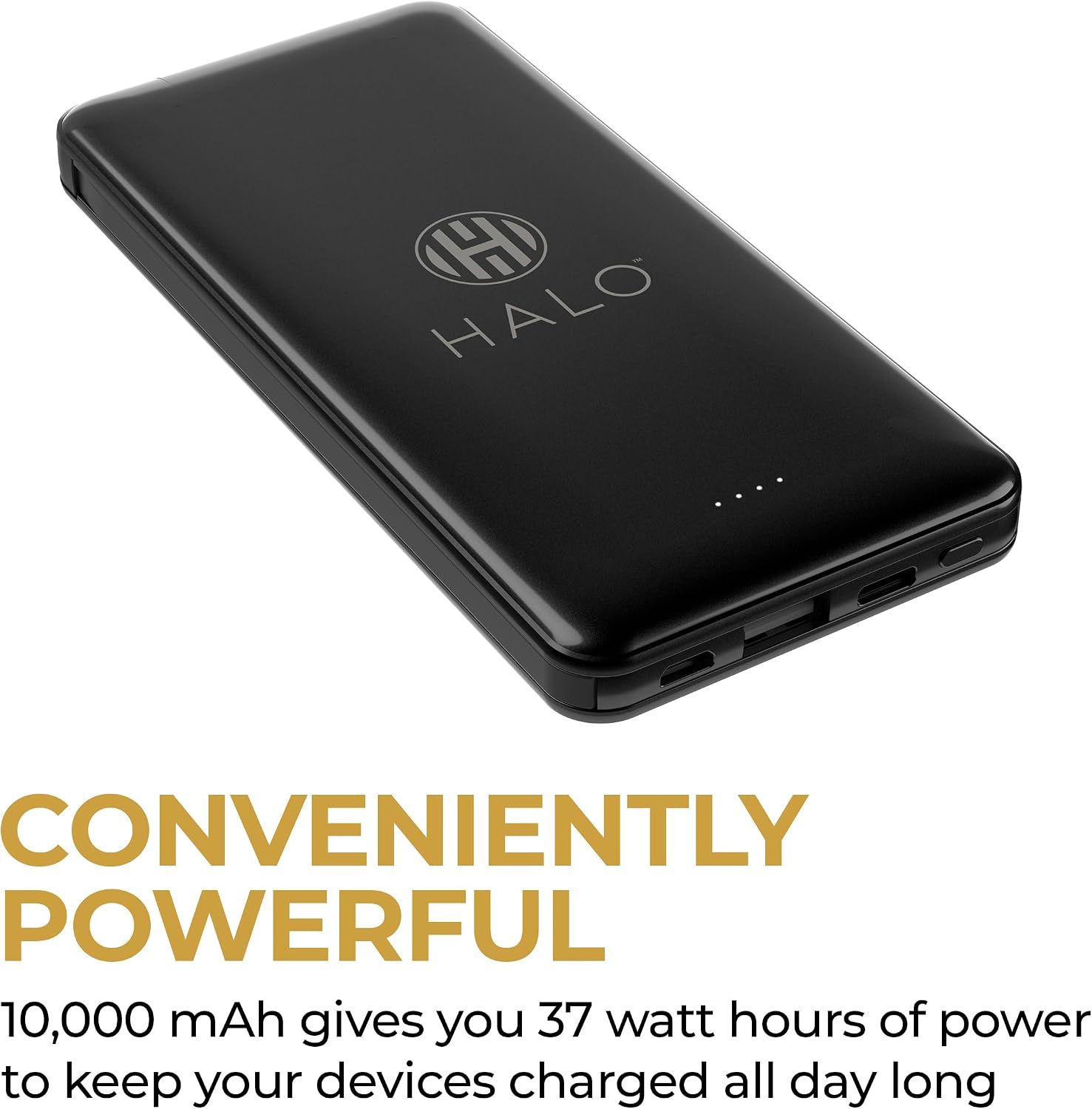
Image: The integrated Micro-USB cable with the detachable Lightning adapter for Apple devices.

Image: The integrated USB-C cable, ready for use.
Operating Your Power Bank
Charging Devices:
- Press the power button on the side of the power bank to activate it. The LED indicators will show the remaining battery level.
- Using Integrated Cables: Connect the appropriate integrated cable (Micro-USB or USB-C) directly to your device. If charging an Apple device, attach the Lightning adapter to the Micro-USB cable before connecting.
- Using USB-A or USB-C Output Ports: For devices requiring other cable types, use your device's original charging cable and connect it to one of the available USB-A or USB-C output ports on the power bank.
- Your device should begin charging automatically.

Image: Side view illustrating the various charging ports available on the power bank.
Pass-Through Charging:
The HALO 10K mAh Power Bank supports pass-through charging, allowing you to charge both the power bank and a connected device simultaneously.
- Connect your device to the power bank using an integrated cable or an output port.
- Connect the power bank to a wall adapter or power source using its USB-C input port.
- Both the power bank and your connected device will recharge concurrently.
Maintenance
- Cleaning: Use a soft, dry cloth to clean the exterior of the power bank. Avoid using harsh chemicals or abrasive materials.
- Storage: Store the power bank in a cool, dry place away from direct sunlight and extreme temperatures.
- Battery Life: To maintain optimal battery health, fully charge the power bank at least once every three months, even if not in regular use.
- Cable Care: When not in use, ensure integrated cables and adapters are properly stowed to prevent damage.
Troubleshooting
| Problem | Solution |
|---|---|
| Power bank is not charging. | Ensure the charging cable is securely connected to both the power bank's input port and the power source. Verify the wall adapter or USB port is functional. |
| Device is not charging from the power bank. | Press the power button to activate the power bank. Ensure the charging cable is correctly connected to your device and the power bank's output port. Try a different cable or output port. |
| Lightning adapter is difficult to find or attach. | The Lightning adapter is designed to fit onto the Micro-USB cable. Gently pull out the Micro-USB cable and look for the small adapter tucked near its base. It may require a firm but gentle push to attach or detach. |
| LED indicators are not lighting up. | The power bank may be fully discharged. Connect it to a power source for recharging. If the issue persists, contact customer support. |
Important Safety Information:
To prevent damage to your devices and the power bank, always ensure all ports and connectors are dry before use. Avoid using the power bank in humid or wet conditions. If moisture is detected by your device, discontinue use immediately and allow all components to dry completely before attempting to charge again.
Specifications
| Feature | Detail |
|---|---|
| Model Name | HALO Power Bank |
| Model Number | HAL-PBK-0073 |
| Battery Capacity | 10,000 mAh |
| Connector Types | Micro USB, USB Type A, USB Type C (integrated cables and ports) |
| Output Current | 2.4 Amps (max) |
| Voltage | 5 Volts |
| Number of Ports | 5 (2 integrated cables, 2 output ports, 1 input port) |
| Special Feature | Fast Charging, Pass-Through Charging |
| Item Dimensions (L x W x Th) | 5.85" x 2.74" x 0.62" |
| Item Weight | 0.51 Pounds |
| UPC | 044435919308 |
Warranty Information
This HALO Power Bank is covered by a 90-Day Limited Warranty. This warranty covers defects in materials and workmanship under normal use. It does not cover damage caused by misuse, accident, unauthorized modification, or external causes. Please retain your proof of purchase for warranty claims.
Customer Support
For any questions, technical assistance, or warranty inquiries regarding your HALO 10K mAh Power Bank, please visit the official HALO website or contact their customer support directly. Refer to the product packaging or the official HALO website for the most current contact information.


