
Thomson 32QG4S14
Thomson 32-inch QLED Google Smart TV User Manual
Model: 32QG4S14
Brand: Thomson
Introduction
This manual provides essential information for setting up, operating, and maintaining your Thomson 32-inch QLED Google Smart TV. Please read this manual thoroughly before using the television to ensure proper functionality and safety.
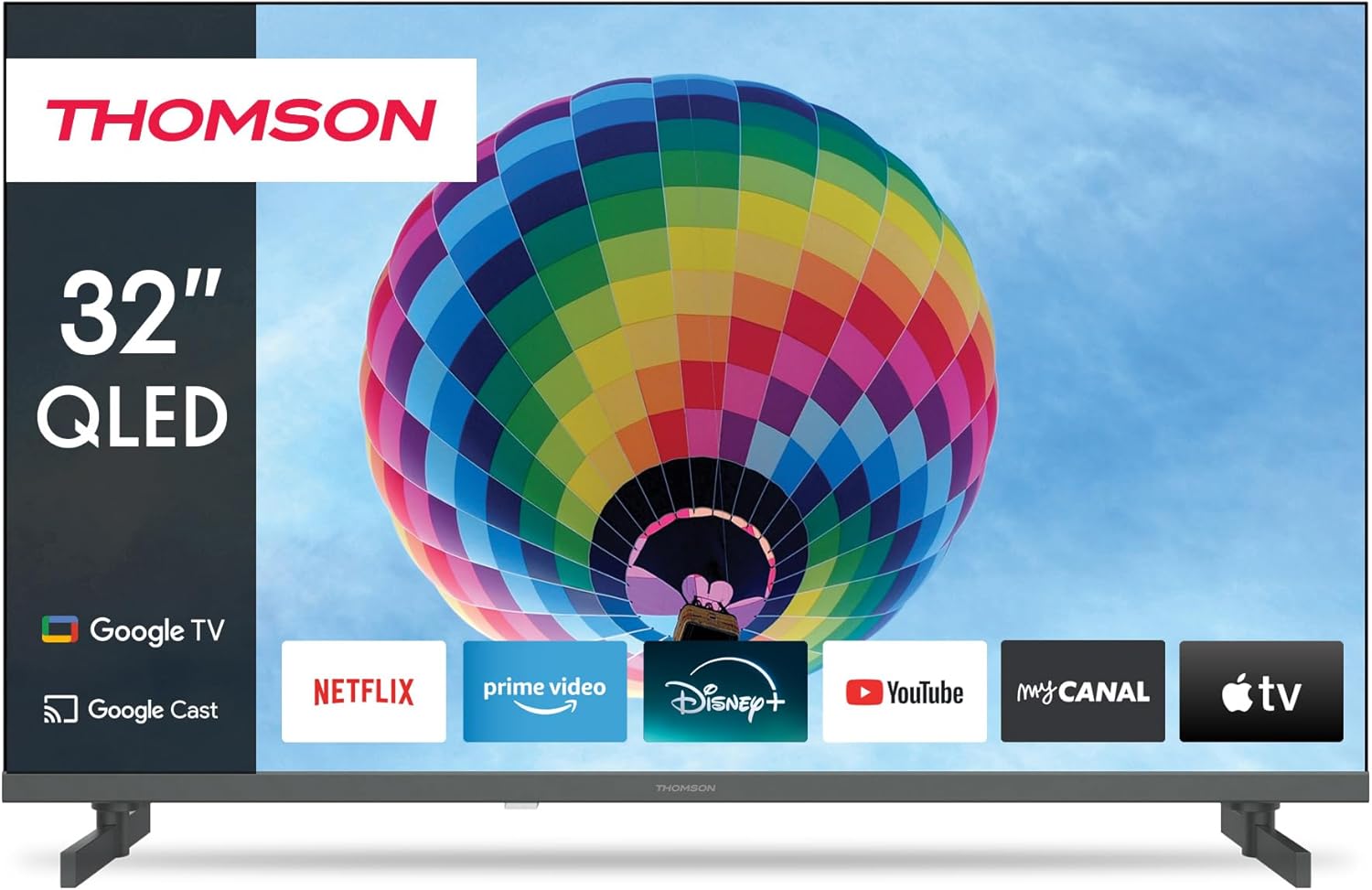
Image: Front view of the Thomson 32-inch QLED Google Smart TV, showcasing its sleek design and integrated Google TV interface with popular streaming applications like Netflix, Prime Video, Disney+, YouTube, My Canal, and Apple TV.
1. Setup
1.1 Unboxing and Package Contents
Carefully remove all components from the packaging. Ensure all items listed below are present:
- Thomson 32-inch QLED Google Smart TV
- Remote Control
- Power Cable
- Table Stand (2 pieces)
- Screws for stand attachment
- User Manual (this document)
Retain the packaging for future transportation or service needs.
1.2 Attaching the Table Stand
To attach the table stands:
- Place the TV screen-down on a soft, flat surface to prevent scratches.
- Align each stand with the corresponding slots on the bottom of the TV.
- Secure the stands using the provided screws. Ensure they are tightened firmly.

Image: Side view of the Thomson 32-inch QLED Google Smart TV, illustrating its compact dimensions of 8 cm depth, 72 cm width, and 46 cm height (with stand), making it suitable for various living spaces.
1.3 Connecting External Devices
Your Thomson TV offers various connection ports for external devices. Refer to the diagram below for port locations and types:

Image: Rear view of the Thomson 32-inch QLED Google Smart TV, detailing the available connection ports: 2x USB 2.0, DVB-T2/C/S2 (Antenna/Satellite), HDMI 1.4 + ARC, 2x HDMI 1.4, AV IN, Digital Optical Audio Out, and LAN (Ethernet).
- HDMI: Connect Blu-ray players, game consoles, or set-top boxes. The HDMI 1.4 + ARC port supports Audio Return Channel for simplified audio connections to soundbars or AV receivers.
- USB: For connecting USB storage devices to play media files.
- Antenna/Satellite (DVB-T2/C/S2): Connect your terrestrial antenna, cable, or satellite dish for broadcast TV.
- LAN: For a wired internet connection. Alternatively, use Wi-Fi.
- Digital Optical Audio Out: For connecting to external audio systems with optical input.
- AV IN: For older devices using composite video and stereo audio connections.
- CI+: Common Interface Plus slot for conditional access modules (CAM) to decrypt pay TV channels.
1.4 Initial Power On and First-Time Setup
After connecting all necessary cables:
- Plug the power cable into an electrical outlet.
- Press the power button on the TV or remote control to turn on the TV.
- Follow the on-screen instructions to complete the initial setup, which includes:
- Language selection
- Network connection (Wi-Fi or wired LAN)
- Google Account sign-in (for Google TV features)
- Channel scanning (Antenna, Cable, or Satellite)
- Accepting terms and conditions
The Google TV interface will guide you through personalizing your viewing experience, including setting up streaming services and Google Assistant.
2. Operating
2.1 Remote Control Functions
The remote control is your primary interface for navigating the TV. Key features include:

Image: The Thomson Smart TV remote control, illustrating its intuitive layout. Features include number keys for direct channel access, a dedicated Google Assistant button for voice control, backlit keys for visibility in low light, and quick access buttons for popular streaming apps like YouTube, Netflix, Prime Video, and Disney+.
- Power Button: Turns the TV on or off.
- Number Keys: Direct channel selection.
- Navigation Pad (Up/Down/Left/Right/OK): For menu navigation and selection.
- Back/Home Buttons: Return to previous screen or home screen.
- Volume Up/Down: Adjusts audio volume.
- Channel Up/Down: Changes TV channels.
- Google Assistant Button: Activates voice control for searching content, controlling smart home devices, and more.
- Quick Access Buttons: Dedicated buttons for popular streaming services (e.g., Netflix, Prime Video, YouTube, Disney+).
2.2 Google TV Features
Your Thomson Smart TV runs on Google TV, providing a personalized and integrated entertainment experience.

Image: The Google TV home screen, displaying personalized content recommendations and easy access to a wide array of streaming applications, allowing users to manage multiple profiles.
- Content Aggregation: Access over 400,000 movies and series from various streaming services like Netflix, Prime Video, YouTube, Disney+, and Canal+ all in one place.
- Google Assistant: Use voice commands to find content, control playback, get answers, and manage smart home devices.
- Chromecast Built-in: Cast photos, videos, and music directly from your smartphone, tablet, or computer to the TV.
- Personalized Profiles: Create multiple user profiles for tailored recommendations and watchlists.
2.3 Input Selection and Channel Tuning
To switch between different input sources (HDMI, AV, TV tuner) or manage channels:
- Input Selection: Press the "Input" or "Source" button on your remote control to bring up the input menu. Select the desired source (e.g., HDMI 1, AV, TV).
- Channel Tuning: If you need to rescan for channels or adjust settings for your antenna, cable, or satellite connection, navigate to the "Settings" menu, then "Channels & Inputs" or "Channel Setup".
3. Maintenance
3.1 Cleaning the Television
Regular cleaning helps maintain the TV's appearance and performance:
- Screen: Gently wipe the screen with a soft, lint-free cloth (e.g., microfiber cloth). For stubborn marks, lightly dampen the cloth with water or a screen-specific cleaning solution. Do not spray liquid directly onto the screen.
- Body: Use a soft, dry cloth to wipe the TV frame and stand.
- Ventilation: Ensure the ventilation openings on the back of the TV are not blocked to prevent overheating.
Always unplug the TV from the power outlet before cleaning.
3.2 Software Updates
Your Google Smart TV may receive software updates to improve performance, add new features, or fix bugs. It is recommended to keep your TV's software up to date.
- Automatic Updates: By default, the TV is set to receive automatic updates when connected to the internet.
- Manual Check: You can manually check for updates by navigating to "Settings" > "System" > "About" > "System update".
4. Troubleshooting
If you encounter issues with your TV, refer to the following common problems and solutions:
4.1 Common Issues and Solutions
| Problem | Possible Cause / Solution |
|---|---|
| No Power |
|
| No Picture / Black Screen |
|
| No Sound |
|
| Remote Control Not Working |
|
| Network Connection Issues |
|
4.2 Further Assistance
If the problem persists after trying the above solutions, please refer to the official Thomson support website or contact customer service for further assistance.
5. Specifications
Detailed technical specifications for your Thomson 32-inch QLED Google Smart TV (Model 32QG4S14):
| Feature | Detail |
|---|---|
| Brand | Thomson |
| Model Number | 32QG4S14 |
| Screen Size (Diagonal) | 80 cm (32 inches) |
| Display Technology | QLED |
| Resolution | 1920 x 1080 (Full HD) - Note: While the product title mentions 4K UHD, the detailed specifications and energy label indicate a resolution of 1920 x 1080. |
| Refresh Rate | 60 Hz |
| Operating System | Google TV |
| Connectivity Technology | Bluetooth, USB, HDMI, Wi-Fi (WLAN) |
| HDMI Ports | 3 (1x HDMI 1.4 with ARC, 2x HDMI 1.4) |
| USB Ports | 2x USB 2.0 |
| Tuner Type | Triple-Tuner (DVB-T2/C/S2 for Cable/Satellite/Antenna) |
| Supported Internet Services | Netflix, Prime Video, YouTube, Disney+, Canal+ |
| Product Dimensions (W x H x D) | 72 x 46 x 8 cm (approx. with stand) |
| Weight | 4.86 Kilograms |
| Mounting Type | Table Mount (Side Feet) |
| Energy Efficiency Class | E |

Image: The energy efficiency label for the Thomson 32QG4S14 TV, indicating an 'E' rating and 26 kWh/1000h energy consumption.
6. Warranty and Support
Thomson is committed to providing high-quality products and reliable support.
- Warranty: Your Thomson TV comes with a 3-year warranty, ensuring peace of mind and coverage against manufacturing defects. This commitment reflects the brand's dedication to quality and customer satisfaction.
- A+ Panel: The TV features an A+ Panel, guaranteeing precise images without dead pixels.
- European Assembly: Highest quality standards are maintained through assembly in Europe.
For detailed warranty terms, technical support, or service requests, please visit the official Thomson support website or contact their customer service. You can find more information on the Thomson brand store: Thomson Store on Amazon.
Related documents32QG4S14


Ask a question about this manual
Ask about setup, troubleshooting, compatibility, parts, safety, or missing instructions. Manuals+ will review the question and use this page’s manual context to help answer it.