
1. Introduction
Thank you for choosing the Baseus 20000mAh 100W PD Slim Power Bank. This high-capacity portable charger is designed to provide efficient and reliable power for your laptops, smartphones, tablets, and other electronic devices on the go. Its advanced features, including 100W Power Delivery, multiple safety protections, and a smart digital display, ensure a superior charging experience.
Please read this manual carefully before using the product to ensure proper operation and to maximize its lifespan.

Image: The Baseus 20000mAh 100W PD Slim Power Bank, showcasing its sleek design and included USB-C to C cable.
2. Product Features
- Lightweight and Slim Design: With a thickness of only 0.7 inches and weighing 1.08 lbs, this power bank is thinner and lighter than many laptops, making it highly portable.
- 100W Power Output: Equipped with two USB-C ports certified with PD 3.0 and PPS, delivering up to 100W output, capable of fast-charging laptops like the MacBook Pro 16-inch to 50% in just 30 minutes.
- 20000mAh High Capacity: Provides ample power to charge an iPhone 16 Pro up to 3.4 times, a Galaxy S20 2.4 times, or a MacBook Pro 14-inch 0.88 times.
- Two-Way Fast Charging: Supports 100W output and 60W input, allowing the power bank itself to be fully recharged in approximately 1.2 hours with a 65W PD wall charger (not included).
- Smart Digital Display: An intuitive LED display shows remaining battery percentage, real-time charging power (voltage and amperage), and estimated remaining charging time for the power bank.
- Multiple Safety Protections: Integrated BPSⅡ (Baseus Power Split) technology protects against over-voltage, over-discharge, deep discharge, overheating, overcurrent, short circuit, restoration, overload, and electromagnetic field interference.
- Versatile Port Configuration: Features two USB-C ports (100W output, 60W input) and two USB-A ports for charging up to four devices simultaneously.
- Low Current Mode: Activate by long-pressing the power button for three seconds, ideal for charging low-power devices like headphones or smartwatches via USB-A2.

Image: The power bank connected to a laptop, demonstrating its 100W ultra-fast charging capability.
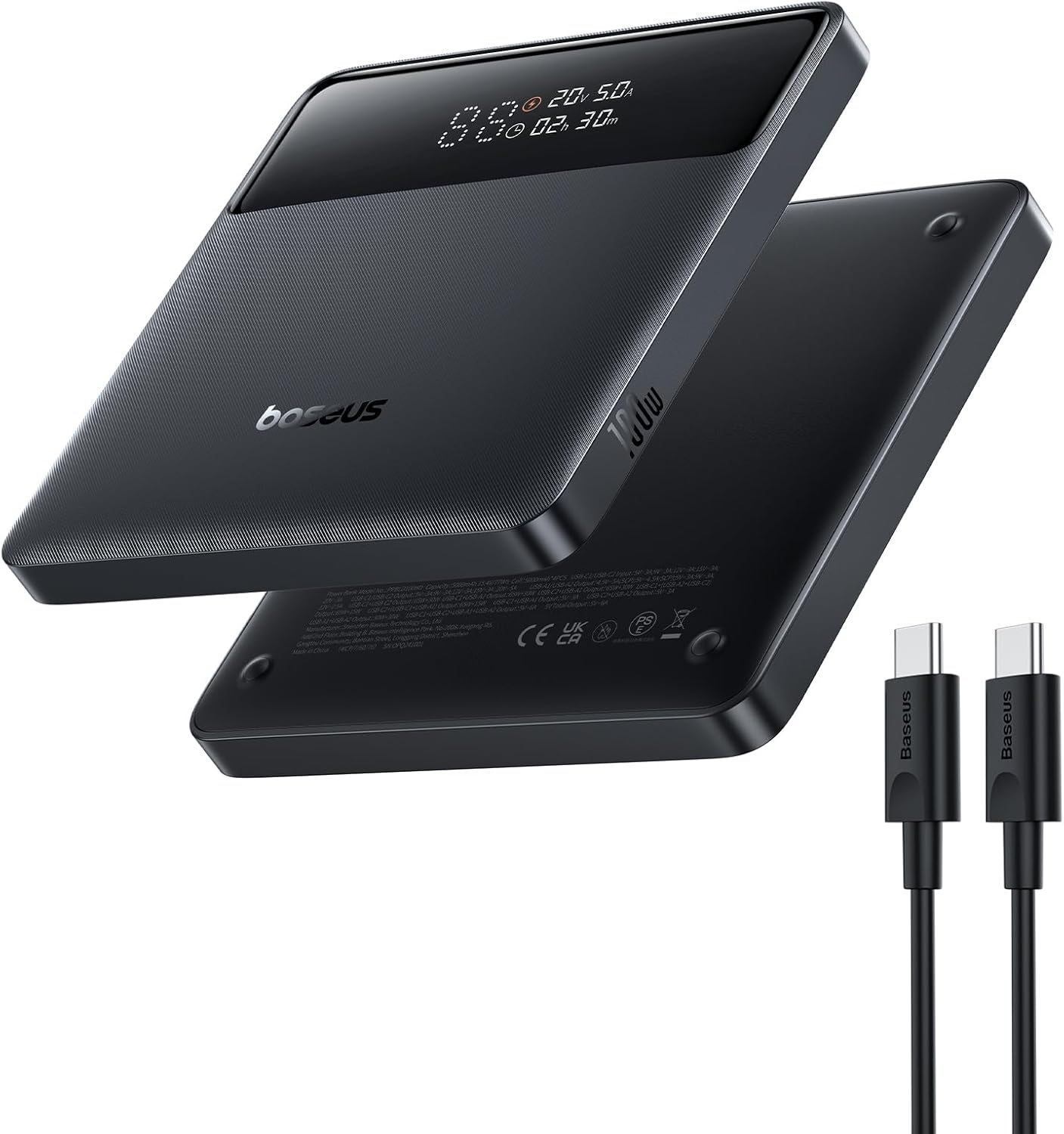
Image: An internal view of the power bank highlighting its 20000mAh high capacity and charge estimates for various devices.

Image: A side profile of the power bank illustrating its ultra-thin design (0.7 inches thick) and light weight (1.08 lbs).

Image: A close-up of the smart digital display showing remaining battery, charging power, and remaining charging time.
3. Setup and Initial Use
3.1 Unpacking
Carefully remove the power bank and its accessories from the packaging. Ensure all components listed in the 'What You Get' section are present.
3.2 Initial Charging of the Power Bank
- For optimal performance, fully charge the power bank before first use.
- Connect the included USB-C to C cable to one of the power bank's USB-C ports (C1 or C2).
- Connect the other end of the cable to a compatible USB-C wall charger (65W PD charger recommended for fastest charging, not included).
- The digital display will show the charging status, including input power and estimated time to full charge.

Image: The power bank being recharged via its USB-C port, illustrating its 60W high-speed input capability.
4. Operating Instructions
4.1 Charging Your Devices
- Connect your device to the power bank using an appropriate charging cable (USB-C to C for laptops/fast charging, USB-A for other devices).
- The power bank will automatically detect the connected device and begin charging. The digital display will show the output power.
- You can charge up to four devices simultaneously using the two USB-C and two USB-A ports.
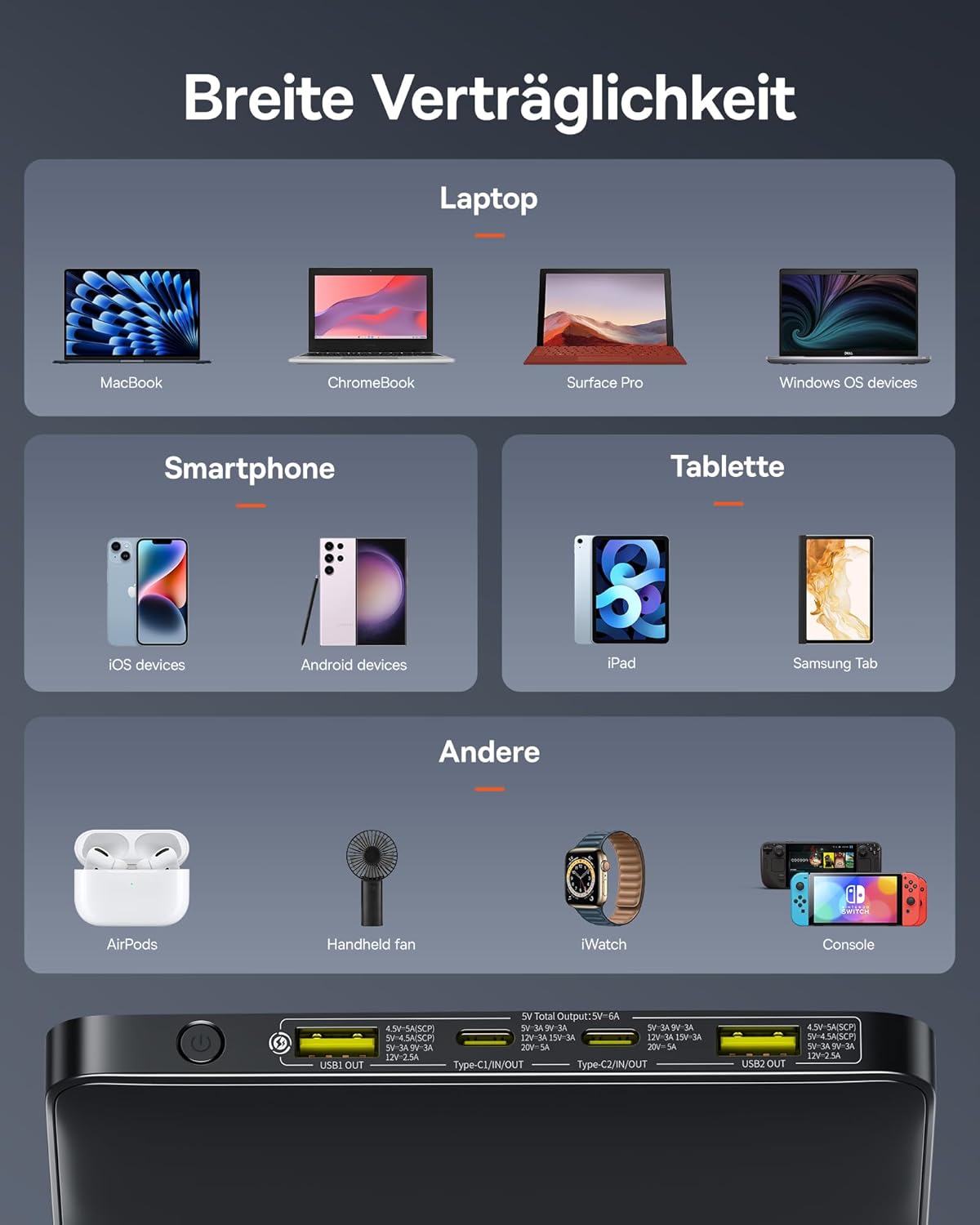
Image: A user charging multiple devices (laptop, tablet, smartphone, earbuds) simultaneously with the power bank.

Image: The power bank simultaneously charging a laptop and a smartphone while being recharged itself, demonstrating pass-through charging.
4.2 Low Current Mode
To charge low-power devices (e.g., smartwatches, Bluetooth earbuds) that require a lower current, activate the low current mode:
- Long-press the power button for approximately 3 seconds.
- The power bank will enter low current mode, indicated by a specific icon on the digital display.
- Connect your low-power device to the USB-A2 port.
- The low current mode will remain active for two hours.
4.3 Checking Battery Status
Briefly press the power button to activate the digital display and view the remaining battery percentage, current charging/discharging power, and estimated time.
5. Safety Information
The Baseus Power Bank is equipped with multiple safety features to protect both the device and your connected electronics. These include:
- Over-voltage Protection
- Over-discharge Protection
- Deep Discharge Protection
- Overheating Protection
- Overcurrent Protection
- Short Circuit Protection
- Restoration Protection
- Overload Protection
- Electromagnetic Field Protection
Important Safety Precautions:
- Do not expose the power bank to extreme temperatures (above 60°C/140°F or below 0°C/32°F).
- Do not disassemble, puncture, or modify the power bank.
- Keep away from water and high humidity.
- Avoid dropping or subjecting the power bank to strong impacts.
- Dispose of the power bank responsibly according to local regulations.

Image: A diagram illustrating the various safety protection mechanisms integrated into the power bank's design.
6. Compatibility
The Baseus 100W Power Bank offers wide compatibility with a variety of devices, including but not limited to:
- Laptops: MacBook, ChromeBook, Surface Pro, and other Windows OS devices.
- Smartphones: iOS devices (iPhone 16, 15 Pro Max, etc.), Android devices (Samsung Galaxy, etc.).
- Tablets: iPad Pro 11', Samsung Tab, and other tablets.
- Gaming Devices: Nintendo Switch, Steam Deck.
- Other Devices: AirPods, iWatch, handheld fans, and other low-power gadgets.

Image: A visual representation of the power bank's wide compatibility with various devices, including laptops, smartphones, tablets, and gaming consoles.
7. Maintenance
- Cleaning: Use a soft, dry cloth to clean the surface of the power bank. Do not use liquid cleaners or abrasive materials.
- Storage: Store the power bank in a cool, dry place away from direct sunlight and extreme temperatures. If storing for extended periods, charge it to about 50-70% every three months to preserve battery health.
- Battery Care: Avoid fully discharging the power bank regularly. It is best to recharge it before it drops below 20% to prolong battery life.
8. Troubleshooting
- Power Bank Not Charging:
- Ensure the charging cable is securely connected to both the power bank and the wall charger.
- Verify that the wall charger is functioning correctly and provides sufficient power (e.g., 65W PD charger).
- Try a different USB-C cable or wall charger.
- Device Not Charging from Power Bank:
- Ensure the cable connecting your device to the power bank is secure and compatible.
- Check if the power bank has sufficient charge.
- If charging a low-power device, ensure Low Current Mode is activated.
- Try a different port on the power bank.
- Slow Charging:
- Ensure you are using a high-quality, compatible cable that supports fast charging.
- Verify that your device supports the fast-charging protocols (PD, QC 4.0) provided by the power bank.
- If multiple devices are connected, the total output power is shared, which may reduce individual charging speeds.
- Digital Display Not Working:
- Briefly press the power button to activate the display.
- If the issue persists, the power bank might be completely discharged or require a reset (disconnect all cables and reconnect).
If you encounter issues not covered here, please refer to the warranty and support section for assistance.
9. Specifications
| Feature | Specification |
|---|---|
| Model Number | PPBLD100HD |
| Battery Capacity | 20000mAh |
| Battery Type | Lithium-Polymer |
| USB-C Input | 60W (Max) |
| USB-C Output (C1/C2) | 100W (Max) |
| USB-A Output (U1/U2) | 30W (Max) |
| Dimensions (L x W x D) | 13.4 x 13.4 x 1.84 cm (5.28 x 5.28 x 0.72 inches) |
| Weight | 444 grams (0.98 lbs) |
| Fast Charging Protocols | PD 3.0, QC 4.0, SCP, FCP |

Image: A diagram illustrating the various ports (USB-A, USB-C) and their maximum wattage outputs.
10. Warranty and Support
The Baseus 20000mAh 100W PD Slim Power Bank comes with a 24-month warranty from the date of purchase. This warranty covers manufacturing defects and issues arising from normal use.
The warranty does not cover:
- Damage caused by misuse, abuse, accident, or neglect.
- Unauthorized repair or modification.
- Normal wear and tear.
For warranty claims, technical support, or any questions regarding your product, please contact Baseus customer service through the platform where you purchased the product. Please have your order number and product model number (PPBLD100HD) ready when contacting support.


