
1. Introduction
This manual provides detailed instructions for the Fanvace 80GB MP3 Player. This device combines the functionality of an MP3 and MP4 player with smart features, including Bluetooth and Wi-Fi connectivity, a 4-inch touchscreen, and access to popular streaming apps. Please read this manual thoroughly to ensure proper use and to maximize your device's potential.

Image: The Fanvace 80GB MP3 Player displaying its home screen with various application icons.
2. Package Contents
Verify that all items are present in your package:
- 1 x MP3 Player
- 1 x 64GB SD Card
- 1 x USB C Cable
- 1 x Wired Earphones
- 1 x Screen Protector
- 1 x Protective Case
- 1 x User Manual

Image: All components included in the Fanvace MP3 Player package.
3. Setup
3.1 Charging the Device
Before first use, fully charge the MP3 player. Connect the provided USB-C cable to the device's charging port and the other end to a USB power adapter (not included) or a computer's USB port. The charging indicator will show the charging status.
3.2 Inserting the SD Card
The device comes with a pre-installed 64GB TF card. If you wish to use a different card or expand storage further (up to 1TB), locate the SD card slot on the side of the device. Gently insert the MicroSD card into the slot until it clicks into place. Ensure the card is formatted to FAT32 for optimal compatibility.
3.3 Powering On/Off
To power on, press and hold the power button located on the side of the device until the screen illuminates. To power off, press and hold the power button, then select 'Power off' from the on-screen options.
3.4 Connecting to Wi-Fi
- From the home screen, swipe down to access the quick settings panel or navigate to Settings.
- Tap on Network & Internet, then select Wi-Fi.
- Toggle Wi-Fi On. The device will scan for available networks.
- Select your desired network and enter the password if prompted.
- Once connected, the Wi-Fi icon will appear in the status bar.
4. Basic Operation
4.1 Touchscreen Navigation
The device features a 4-inch full-touch IPS screen. Use standard touch gestures:
- Tap: Select an item or open an app.
- Swipe: Scroll through lists or switch between home screens.
- Pinch: Zoom in or out in supported applications.
4.2 Installing and Managing Applications
The MP3 player comes pre-installed with popular online music apps such as Spotify, Amazon Music, Audible, and access to the Play Store. You can install or uninstall apps as desired.
- Install: Open the Play Store app, search for your desired application, and follow the on-screen instructions to install.
- Uninstall: Go to Settings > Apps & Notifications, select the app, and tap Uninstall.

Image: The Fanvace MP3 Player's customizable interface with various streaming apps.
4.3 Playing Music and Videos
Use the pre-installed music and video player apps to enjoy your media. The device supports 720p and 1080p HD video playback and a wide range of video formats including RM, RMVB, FLV, MP4, DAT, MKV, MPG, MOV, TS, and more, without the need for conversion.

Image: The Fanvace MP3 Player displaying a high-definition video, showcasing its viewing capabilities.
4.4 Bluetooth Pairing
Connect your MP3 player to Bluetooth headphones, speakers, or car systems for wireless audio.
- Go to Settings > Connected devices > Bluetooth.
- Toggle Bluetooth On.
- Ensure your Bluetooth accessory is in pairing mode.
- Select your accessory from the list of available devices to pair.

Image: A user enjoying music wirelessly with the Fanvace MP3 Player and Bluetooth headphones.
4.5 Parental Controls
The device includes built-in parental controls to manage app usage, screen time, and set boundaries for younger users.
- Navigate to Settings > Digital Wellbeing & Parental controls.
- Follow the on-screen instructions to set up and customize parental control features, such as daily limits, downtime, and blocking specific apps.

Image: The parental control interface on the Fanvace MP3 Player.
5. HiFi Sound Quality & Supported Formats
The Fanvace MP3 Player features a powerful audio decoding chip and optimized circuitry to deliver HiFi-level sound quality. It supports a broad range of music formats:
- MP3
- WAV
- FLAC
- APE
- OGG
- M4A
- AAC
- WMA
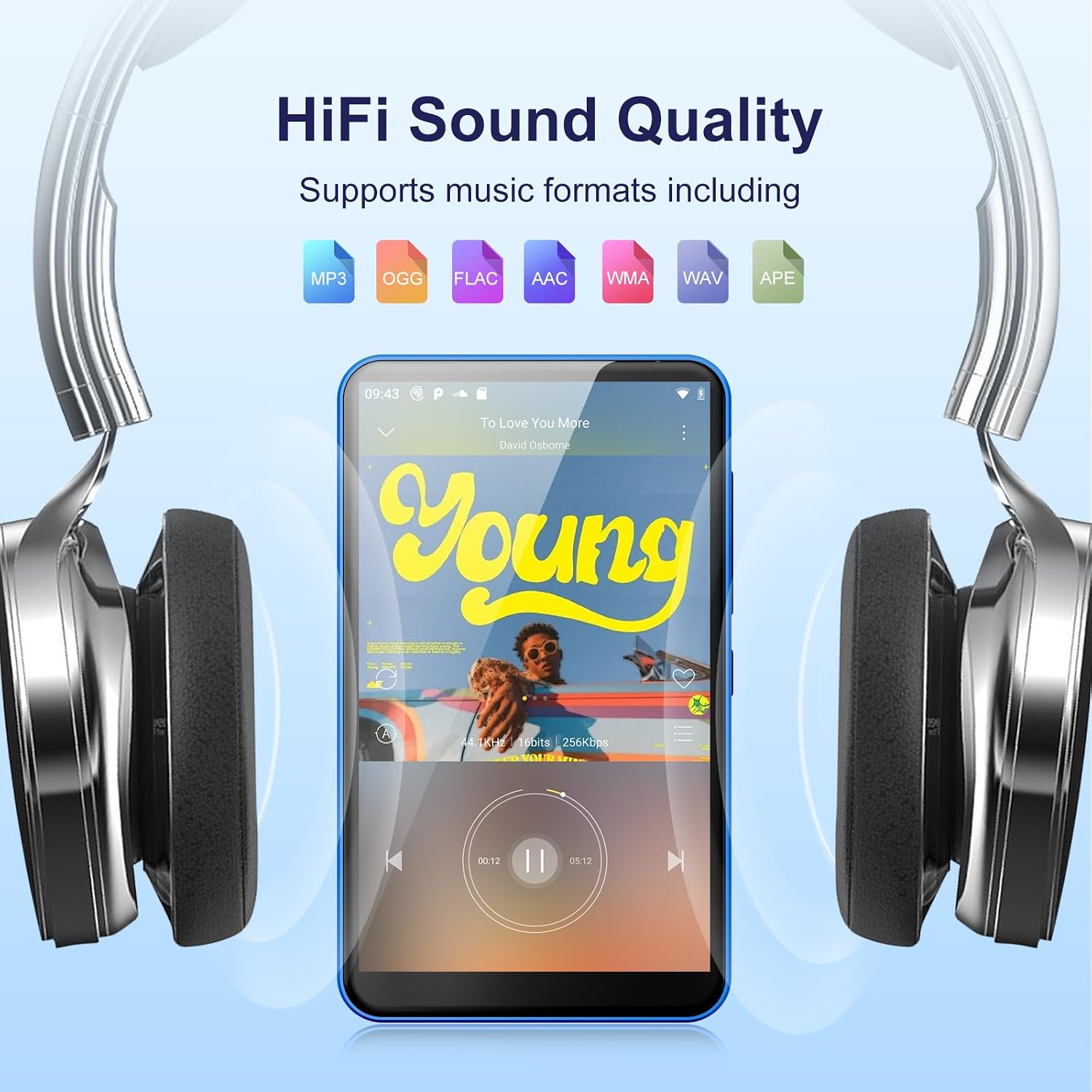
Image: The Fanvace MP3 Player showcasing its HiFi sound capabilities with various supported audio formats.
6. Storage and Battery
6.1 Storage Capacity
The device comes with 2GB RAM and 16GB ROM (internal storage), along with a 64GB TF card included in the package, providing a total of 80GB storage. The storage can be expanded up to 1TB using an external MicroSD card (FAT32 format only).
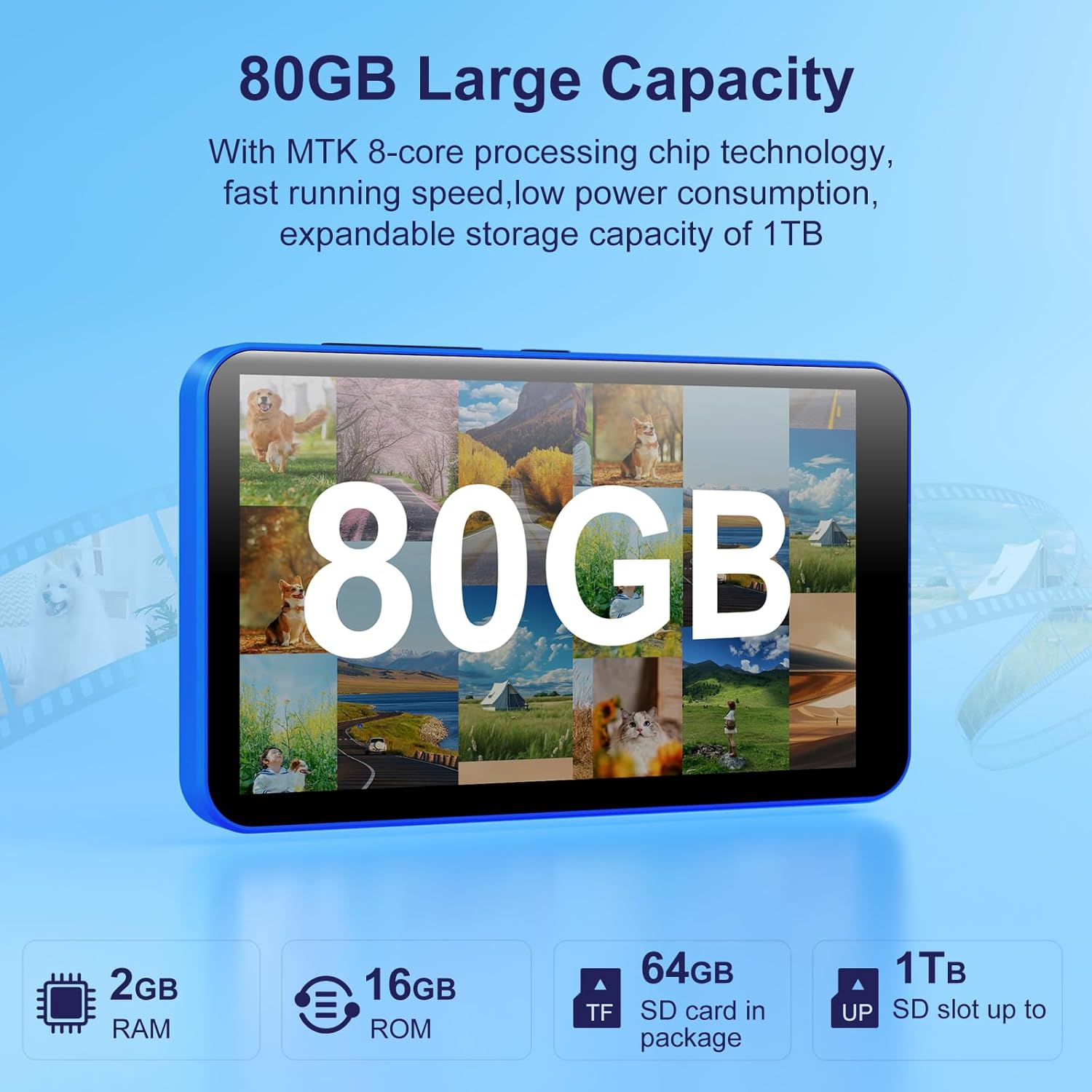
Image: Visual representation of the Fanvace MP3 Player's 80GB storage capacity, including RAM, ROM, and expandable SD card options.
6.2 Battery Life
Equipped with a built-in 2000mAh lithium battery and a low-power solution, the player offers extended usage times:
- Up to 50 hours of continuous music playback.
- Up to 8 hours of video playback.
- Charging time: Approximately 3-4 hours.

Image: Diagram illustrating the 2000mAh battery capacity and its corresponding usage times for music, video, and standby.
7. Maintenance
7.1 Cleaning the Device
Use a soft, lint-free cloth to gently wipe the screen and body of the player. Avoid using harsh chemicals or abrasive materials that could damage the surface. For stubborn smudges, slightly dampen the cloth with water.
7.2 Software Updates
Periodically check for software updates in the device's settings to ensure optimal performance and access to the latest features. Connect to Wi-Fi before attempting any updates.
7.3 Battery Care
To prolong battery life, avoid fully discharging the device frequently. Store the device in a cool, dry place when not in use for extended periods. Do not expose the device to extreme temperatures.
7.4 SD Card Handling
Always ensure MicroSD cards are formatted to FAT32 for proper recognition and functionality with the device. Improperly formatted cards may not be detected or may cause data corruption.
8. Troubleshooting
If you encounter issues with your Fanvace MP3 Player, refer to the following common solutions:
| Problem | Possible Solution |
|---|---|
| Device will not power on | Ensure the battery is charged. Connect to a power source and try again. If unresponsive, perform a hard reset (refer to device specifications for button combination, usually holding power button for 10-15 seconds). |
| Wi-Fi connection issues | Check if Wi-Fi is enabled in settings. Ensure you are within range of a Wi-Fi network. Verify the Wi-Fi password. Restart the device and your router. |
| Bluetooth pairing failure | Ensure Bluetooth is enabled on both the player and the accessory. Place devices close to each other. Put the accessory in pairing mode. Restart both devices. |
| SD card not recognized | Ensure the SD card is properly inserted. Verify that the SD card is formatted to FAT32. Try re-inserting the card or using a different compatible SD card. |
| Apps crashing or slow performance | Close background applications. Clear app cache (Settings > Apps & Notifications > [App Name] > Storage & cache > Clear cache). Restart the device. Ensure sufficient free storage space. |
For more detailed troubleshooting or issues not covered here, please contact customer service online.
9. Specifications
| Feature | Detail |
|---|---|
| Model Name | MP3 Player |
| Brand | Fanvace |
| ASIN | B0DKJCGZ98 |
| Color | Blue |
| Screen Size | 4 Inches |
| Memory Storage Capacity | 144 GB (16GB ROM + 64GB TF card included, expandable up to 1TB) |
| Connectivity Technology | Bluetooth, USB, Wi-Fi |
| Special Features | Built-In Speaker, FM Radio, Touch Screen, Video Playback, Voice Recorder |
| Compatible Devices | Headphone, Personal Computer, Smartphone, Speaker |
| Media Type | Micro SD |
| Batteries | 1 Lithium Ion battery required (included) |
| Item Weight | 8.1 ounces |
| Package Dimensions | 5.79 x 5.71 x 0.83 inches |
| Manufacturer | Fanvace |
10. Warranty and Support
Fanvace is committed to providing excellent customer service. While specific warranty details are not provided in this manual, we offer 12 hours of customer service support.
If you encounter any problems during your use of the Fanvace 80GB MP3 Player, please do not hesitate to contact our customer service team online. We aim to resolve any issues within 12 hours of your inquiry. Your trust and support are greatly appreciated.
For the most up-to-date support information, please refer to the official Fanvace website or contact customer service directly.


