
1. Introduction
Thank you for choosing the ModernMate 67" L-Shaped Standing Desk. This manual provides essential information for the safe and efficient assembly, operation, and maintenance of your new desk. Please read it thoroughly before use and retain it for future reference.

Figure 1: Overall view of the ModernMate 67" L-Shaped Standing Desk with key dimensions.
Product Overview
This executive standing desk is designed to provide an ergonomic and versatile workspace. It features a height-adjustable desk section, integrated storage with file cabinets and sliding doors, and built-in AC/USB power outlets. The modular design allows for flexible configuration to suit various office layouts.
2. Safety Information
Important Safety Instructions:
- Always follow assembly instructions carefully to ensure proper installation and stability.
- Ensure the desk is placed on a level surface.
- Do not exceed the maximum weight capacity of 176 pounds on the standing desk section.
- Keep children and pets away from the desk during operation to prevent injury.
- Avoid placing liquids directly on the desk surface, especially near electrical outlets.
- Regularly check all fasteners to ensure they remain tight.
- If any confusion arises during assembly or operation, contact customer service immediately.
3. Setup & Assembly
The ModernMate L-Shaped Standing Desk is designed for straightforward assembly. It arrives in multiple packages to ensure safe delivery and easier handling. All necessary tools are included.

Figure 2: Desk components are delivered in multiple packages for protection and convenience.
Assembly Steps:
- Unpack Components: Carefully unpack all boxes and verify that all parts and hardware are present according to the included parts list.
- Assemble Standing Desk Frame: Follow the detailed instructions provided in the separate 'ModernMate Electric Standing Desk Installation Video' for assembling the height-adjustable frame. Ensure all connections are secure.
- Assemble Lateral File Cabinet: Refer to the 'ModernMate Lateral File Cabinet Installation Video' for step-by-step guidance on assembling the storage unit.
- Connect Desk Sections: The modular design allows you to configure the L-shape to either the left or right side. Align the standing desk section with the storage cabinet section and secure them using the provided hardware.
- Cable Management: Utilize the included cable clips to neatly route power cords and other cables along the underside of the desk, preventing clutter and ensuring a clean workspace.
Assembly Videos:
ModernMate Electric Standing Desk Installation
Video 1: Step-by-step installation guide for the ModernMate Electric Standing Desk.
ModernMate Lateral File Cabinet Installation
Video 2: Step-by-step installation guide for the ModernMate Lateral File Cabinet.
4. Operating Instructions
Height Adjustment:
The standing desk section features an electric motor for smooth and quiet height adjustments. The control panel, located on the underside of the desk, allows you to easily raise or lower the desk to your preferred working height.
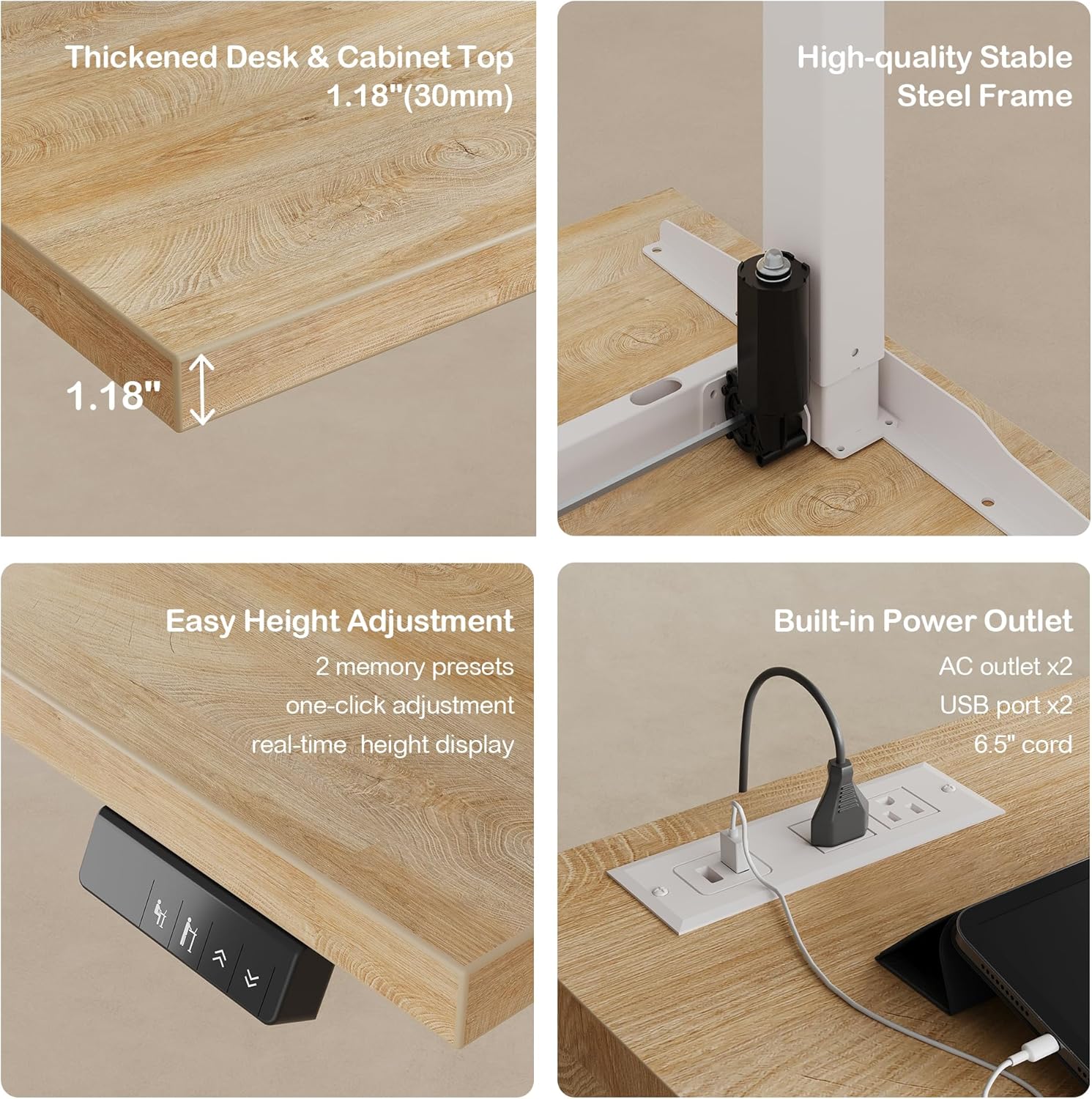
Figure 3: The control panel features buttons for height adjustment and two memory presets.
- Adjusting Height: Use the up and down arrow buttons on the control panel to move the desk to your desired height. The current height is displayed digitally.
- Memory Presets: The desk includes two memory buttons. To save a height, adjust the desk to the desired position, then press and hold one of the memory buttons (e.g., '1' or '2') until the display flashes or beeps. To recall a saved height, simply press the corresponding memory button.
- Quiet Operation: The motor is designed for whisper-quiet operation, ensuring minimal disruption to your work environment.
Built-in Power Outlets:
The desk is equipped with integrated power outlets for convenient charging and powering of your devices.
- The top surface of the storage cabinet includes 2 AC outlets and 2 USB ports.
- Ensure the desk is properly plugged into a wall outlet for these features to function.
5. Storage Features
The integrated storage system provides ample space for organizing your office essentials.

Figure 4: The integrated storage system offers diverse options for organization.
File Cabinets:
The desk includes dedicated file cabinet drawers designed to accommodate both Letter and A4 size documents. One drawer features a lock for securing important documents.

Figure 5: Detailed view of file storage options and locking mechanism.
Sliding Door Cabinets & Open Shelves:
The storage unit features sliding door cabinets and open shelves, perfect for books, office supplies, and decorative items. The shelves are adjustable to customize your storage space.

Figure 6: Adjustable shelves and integrated cable holes enhance storage convenience.
6. Maintenance
To ensure the longevity and appearance of your ModernMate desk, follow these maintenance guidelines:
- Cleaning: Wipe surfaces with a soft, damp cloth. Avoid harsh chemicals or abrasive cleaners that may damage the finish.
- Spills: Immediately wipe up any spills to prevent staining or damage to the wood.
- Fasteners: Periodically check and tighten all screws and bolts to maintain stability.
- Electrical Components: Keep the power outlets and cables free from dust and debris. Do not attempt to repair electrical components yourself; contact qualified personnel.
7. Troubleshooting
If you encounter any issues with your desk, please refer to the following common solutions:
- Desk Not Adjusting Height:
- Check if the power cord is securely plugged into both the desk and the wall outlet.
- Ensure there are no obstructions preventing the desk from moving.
- Reset the desk by unplugging it for 30 seconds and then plugging it back in.
- Unstable Desk:
- Verify that all assembly screws and bolts are tightened.
- Ensure the desk is on a level surface. Adjust the leveling feet if necessary.
- Power Outlets Not Working:
- Confirm the desk is powered on and connected to a live electrical outlet.
- Check if the circuit breaker for the outlets has tripped.
If the problem persists, please contact ModernMate customer service for assistance.
8. Specifications
| Feature | Detail |
|---|---|
| Brand | ModernMate |
| Model Number | USAN1055463 |
| Product Dimensions | 63"D x 67"W x 27.9"H |
| Color | Light Walnut |
| Desk Design | L-Shaped Standing Desk |
| Minimum Height (Standing Desk) | 27.9 inches |
| Maximum Height (Standing Desk) | 45.7 inches |
| Tabletop Thickness | 1.18 Inches |
| Maximum Weight Recommendation | 176 Pounds |
| Base Material | Alloy Steel |
| Top Material Type | Engineered Wood |
| Special Features | Adjustable Height, Drawers, File Cabinet, Power Outlets, Shelves |
| Included Components | Hand Control, Installation Instructions, Power Adapter, Standing Desk |
9. Warranty & Support
ModernMate provides a limited warranty for this product. For specific warranty details, please refer to the documentation included with your purchase or contact ModernMate customer service.
Customer Service:
If you have any questions, require assistance with assembly, or need to report a damaged part, please do not hesitate to contact ModernMate customer service. Our team is dedicated to providing support and ensuring your satisfaction.
Contact information can typically be found on the product packaging or on the official ModernMate website.