
1. Introduction
Thank you for choosing the YILANS Power Bank JM1 Pro. This portable charger is designed to provide reliable and fast power to your electronic devices on the go. Featuring a 20000mAh capacity, 22.5W fast charging, multiple output ports, a digital display, and an integrated flashlight, it offers convenience and efficiency. Please read this manual carefully to ensure proper use and maintenance of your device.
2. Product Overview
2.1 Key Features
- High Capacity: 20000mAh lithium-polymer battery.
- Fast Charging: 22.5W output with support for PD 3.0, QC 4.0, QC3.0, AFC, and FCP protocols.
- Multi-Device Charging: One USB-C input/output port and two USB-A output ports allow charging up to three devices simultaneously.
- Digital LED Display: Shows remaining battery capacity from 1% to 100%.
- Integrated Flashlight: Provides additional illumination.
- Safety Protections: Built-in safeguards against overcharge, overcurrent, overvoltage, short-circuit, and deep discharge.
- Compact Design: Dimensions of 145 x 73 x 16 mm and a weight of 270g for easy portability.
- Airline Safe: Approved for air travel.
2.2 Package Contents
- YILANS Power Bank JM1 Pro (20000mAh)
- USB-C Charging Cable
- User Manual

Image: The YILANS Power Bank JM1 Pro, showcasing its sleek black design and digital display.

Image: An illustration highlighting the YILANS portable charger's 22.5W fast charging and 20000mAh capacity.
3. Setup
3.1 Initial Charging of the Power Bank
Before first use, fully charge your YILANS Power Bank. This ensures optimal battery performance.
- Connect the provided USB-C cable to the USB-C port on the power bank.
- Connect the other end of the USB-C cable to a compatible wall charger (not included) with an output of 18W or more for fast charging.
- The digital LED display will show the charging progress. It will display "100%" and turn off after 15 seconds when fully charged.
Note: A full charge typically takes approximately 4 hours with an 18W or higher power adapter.

Image: The power bank connected to a wall charger via a USB-C cable, indicating the charging process.

Image: An illustration showing the power bank being charged via its Type-C input, highlighting the approximate 4-hour charging time.
4. Operating Instructions
4.1 Charging Your Devices
The YILANS Power Bank can charge various devices, including smartphones, tablets, smartwatches, and headphones.
- Connect your device's charging cable to one of the power bank's output ports (USB-A or USB-C).
- Connect the other end of the cable to your device.
- The power bank will automatically begin charging your device. The digital display will show the remaining battery percentage.
Note: The power bank supports charging up to three devices simultaneously using its USB-C and two USB-A ports.

Image: The power bank charging multiple devices, including a smartphone, tablet, and wireless earbuds, in an outdoor setting.

Image: A person using the power bank to charge a smartphone while outdoors, demonstrating its portability.

Image: The power bank connected and charging an iPad, illustrating its compatibility with larger devices.
4.2 Using the Flashlight
The power bank includes an integrated flashlight for convenience.
- To turn on the flashlight: Press and hold the power button for 2-3 seconds.
- To turn off the flashlight: Press and hold the power button again for 2-3 seconds.

Image: The power bank's flashlight illuminating a camping scene at night, demonstrating its utility.
4.3 Understanding the Digital Display
The LED digital display provides real-time information about the power bank's battery status.
- Percentage Display: Shows the remaining battery capacity from 1% to 100%.
- Low Battery Indicator: The percentage will blink when the battery level is below 5%.
- Full Charge Indicator: The display will show "100%" and turn off after 15 seconds once fully charged.
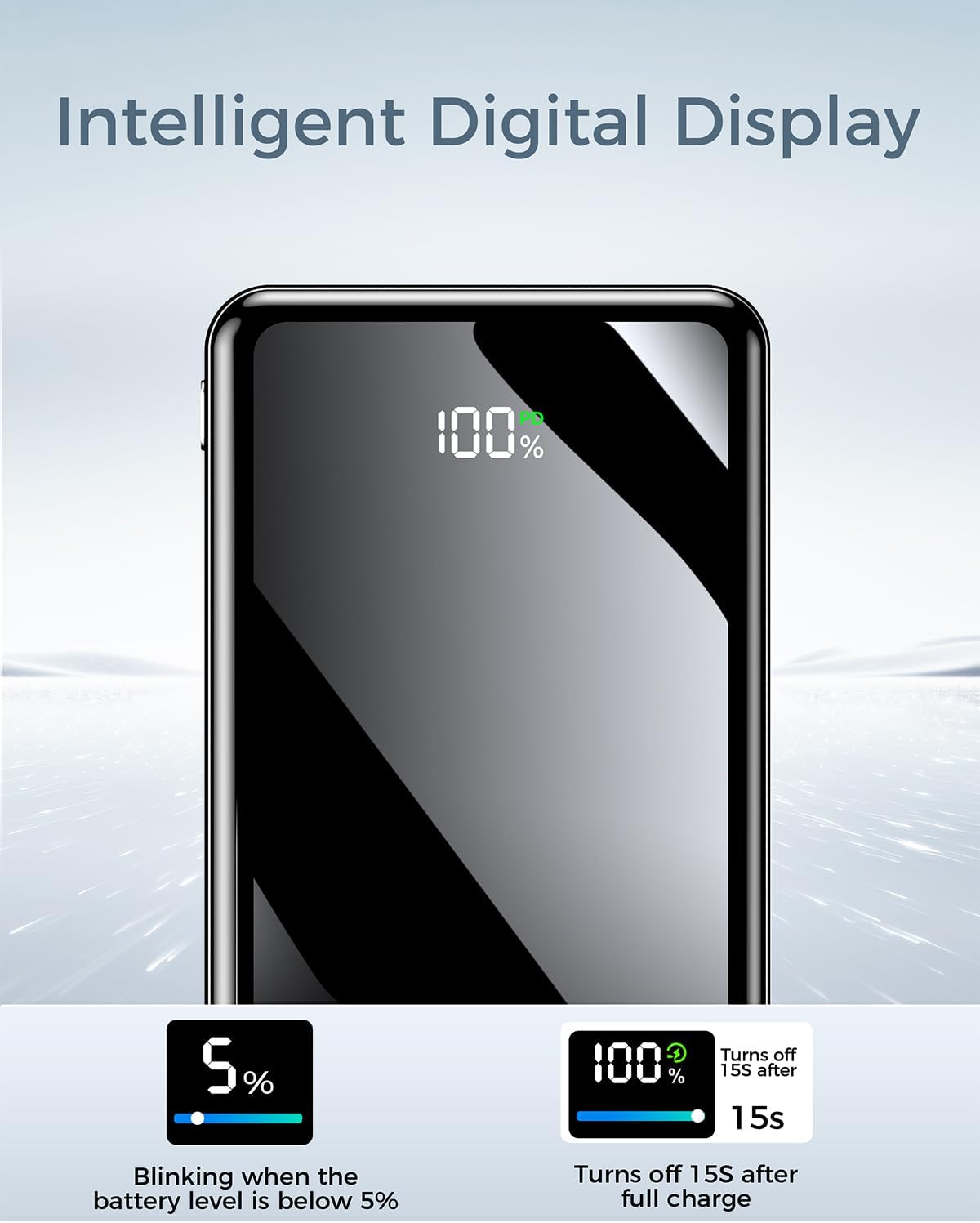
Image: A close-up of the power bank's digital display showing "100%", indicating a full charge.
5. Safety Information
Your YILANS Power Bank is equipped with multiple safety features to protect both the device and your connected electronics. Please observe the following safety guidelines:
- Do not expose the power bank to extreme temperatures (above 60°C/140°F or below 0°C/32°F).
- Avoid dropping, disassembling, or attempting to repair the device yourself.
- Keep away from water, moisture, and flammable materials.
- Use only certified charging cables and adapters.
- Keep out of reach of children.
- Built-in Protections: The power bank features protection against overcharge, overcurrent, overvoltage, short-circuit, and deep discharge.
- Airline Travel: This power bank is approved for air travel. Always check with your airline for specific regulations regarding portable power banks.
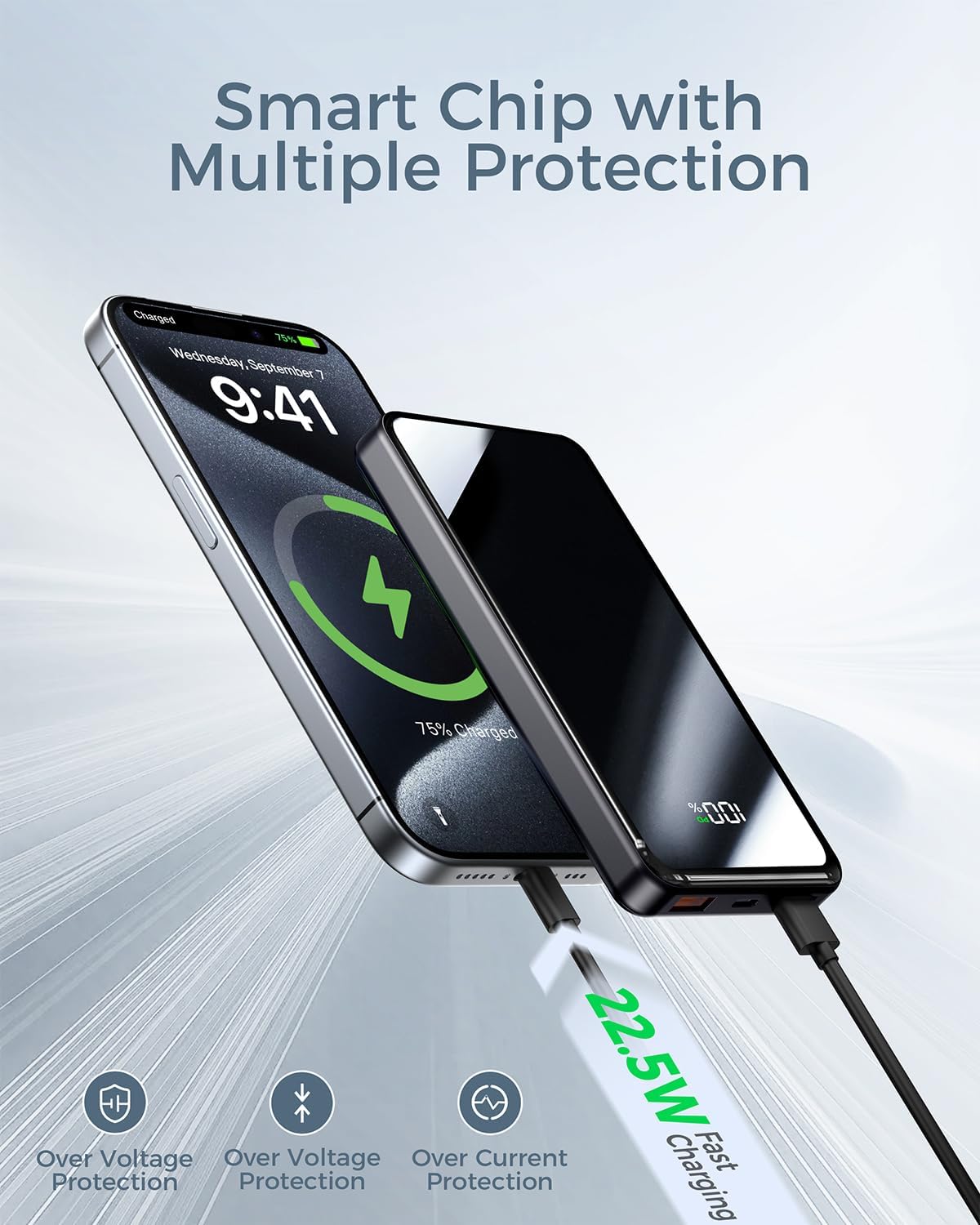
Image: An illustration depicting the smart chip technology within the power bank, highlighting its multiple protection features like overvoltage and overcurrent protection.

Image: A person walking through an airport with luggage, holding the power bank, indicating its approval for air travel.
6. Maintenance
- Cleaning: Wipe the power bank with a soft, dry cloth. Do not use harsh chemicals or abrasive cleaners.
- Storage: Store the power bank in a cool, dry place away from direct sunlight. If storing for extended periods, charge it to about 50-75% every three months to preserve battery life.
- Disposal: Dispose of the power bank according to local regulations for electronic waste. Do not dispose of it in household trash.
7. Troubleshooting
| Problem | Possible Cause | Solution |
|---|---|---|
| Power bank not charging | Cable issue, charger issue, power bank depleted. | Check the USB-C cable and wall adapter. Ensure the adapter is functioning. Try a different cable or adapter. |
| Device not charging from power bank | Cable issue, power bank depleted, device incompatibility. | Ensure the power bank is charged. Try a different charging cable for your device. Verify device compatibility with USB-A/USB-C outputs. |
| Flashlight not turning on | Incorrect operation, low battery. | Press and hold the power button for 2-3 seconds. Charge the power bank if the battery is low. |
| Digital display not working | Power bank off, internal issue. | Press the power button briefly to activate the display. If the issue persists, contact customer support. |
8. Specifications
| Brand | YILANS |
| Model Name | JM1 Pro |
| Battery Capacity | 20000 mAh |
| Battery Composition | Lithium Polymer |
| Special Features | Digital Display, Compact, Flashlight, Short-circuit Protection, Over-discharge Protection |
| Item Weight | 272 Grams |
| Product Dimensions | 14.5L x 7.3W x 1.6H Centimeters |
| Number of Ports | 3 (1x USB-C, 2x USB-A) |
| Compatible Devices | Smartwatches, Headphones, Tablets, iPhone 16/15/14/13/12 series, Samsung Galaxy series, and more. |
| Input/Output (USB-C) | PD 3.0, QC 4.0 (22.5W Max) |
| Output (USB-A) | QC3.0, AFC, FCP (22.5W Max) |
9. Warranty and Support
YILANS provides a 12-month warranty for your power bank from the date of purchase. This warranty covers manufacturing defects and issues arising from normal use.
If you have any questions, concerns, or require assistance with your YILANS Power Bank, please do not hesitate to contact our customer service team. We are available to provide support within 24 hours of your inquiry.
For support, please refer to the contact information provided with your purchase or visit the official YILANS website.

Image: An illustration detailing YILANS' commitment to customer support, including 24/7 online support and a 365-day quality guarantee.