
1. Introduction
Thank you for choosing the Baseus PicoGo 45W 10000mAh Power Bank. This portable charger is designed to provide efficient and fast charging for a wide range of devices, featuring a built-in USB-C cable, multiple output ports, and a clear LED display. Please read this manual carefully before use to ensure proper operation and to maximize the product's lifespan.
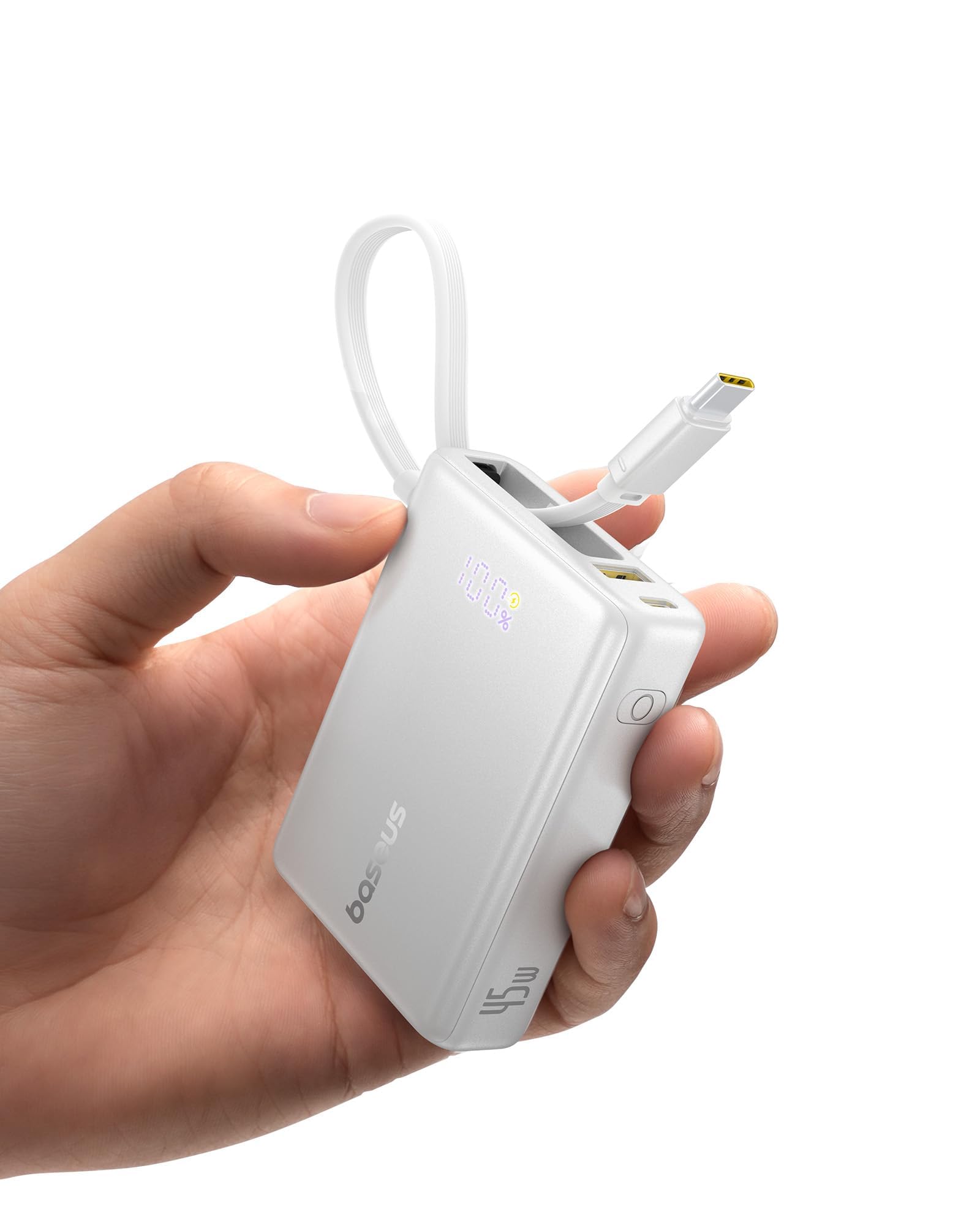
Image 1.1: The Baseus PicoGo 45W 10000mAh Power Bank.
2. Package Contents
- Baseus PicoGo 45W 10000mAh Power Bank
- User Manual
3. Product Overview
The Baseus PicoGo power bank is equipped with the following features:
- 10000mAh Capacity: Provides multiple charges for smartphones and other small devices.
- 45W Power Delivery (PD): Supports rapid charging for compatible devices.
- Built-in USB-C Cable: Convenient for charging and recharging without needing an extra cable.
- Multiple Ports: Includes one built-in USB-C cable, one USB-C port, and one USB-A port for versatile charging options.
- LED Digital Display: Shows real-time battery percentage and charging wattage.
- Compact and Lightweight Design: Easy to carry for daily use and travel.
- Safety Protections: Built-in safeguards against overcharge, overcurrent, short circuit, and more.

Image 3.1: The compact design of the PicoGo power bank, measuring 8.8 x 6.0 x 2.6 cm.
4. Setup
4.1 Initial Charging
Before first use, fully charge your Baseus PicoGo power bank. This ensures optimal battery performance.
- Connect the built-in USB-C cable or an external USB-C cable to the power bank's input port.
- Connect the other end of the cable to a compatible USB wall charger (not included). For fastest charging, use a 30W PD charger.
- The LED display will show the charging status and battery percentage. The power bank is fully charged when the display shows 100%. A full charge takes approximately 2 hours with a 30W input.

Image 4.1: Recharging the power bank using its built-in USB-C cable connected to a wall adapter.
5. Operating Instructions
5.1 Charging Your Devices
The Baseus PicoGo offers multiple ways to charge your devices:
- Using the Built-in USB-C Cable: Extend the integrated USB-C cable and plug it directly into your device's USB-C port. This cable supports up to 45W output.
- Using the USB-C Port: Connect your device to the power bank's USB-C output port using a separate USB-C to USB-C cable. This port also supports up to 45W output.
- Using the USB-A Port: Connect your device to the power bank's USB-A output port using a compatible USB-A cable. This port supports up to 22.5W output.
The power bank will automatically begin charging your device. The LED display will show the current output wattage.

Image 5.1: Fast charging a smartphone using the built-in USB-C cable, demonstrating 45W max output.
5.2 Simultaneous Charging
You can charge up to three devices simultaneously using the built-in USB-C cable, USB-C port, and USB-A port.
- When charging two devices, the total output is limited to 20W, and Power Delivery (PD) protocol is disabled, resulting in 5V charging for both devices.
- When charging three devices, the total output is limited to 15W (5V/3A).
For optimal fast charging, it is recommended to charge one device at a time, especially for devices requiring high power (e.g., laptops or tablets).

Image 5.2: The power bank charging a smartphone, earbuds, and another device simultaneously.
5.3 Pass-Through Charging
The Baseus PicoGo supports pass-through charging, allowing you to recharge the power bank while it simultaneously charges your devices. Connect the power bank to a wall charger and then connect your device(s) to the power bank's output ports.

Image 5.3: Illustrates the power bank being recharged while also charging a smartphone.
5.4 LED Digital Display
The integrated LED display provides real-time information:
- Battery Percentage: Shows the remaining charge level of the power bank.
- Output/Input Wattage: Displays the current power (in watts) being delivered to or received by the power bank.
- Fast Charging Indicator: An icon indicates when fast charging is active.
Press the power button once to activate the display and check the battery level. Press it twice to cycle through wattage display modes. The display updates with a slight delay, which is normal operation.

Image 5.4: Close-up of the LED display showing battery percentage and wattage output.
6. Maintenance
To ensure the longevity and optimal performance of your power bank, follow these maintenance guidelines:
- Storage: Store the power bank in a cool, dry place away from direct sunlight, extreme temperatures, and humidity.
- Cleaning: Use a soft, dry cloth to clean the exterior of the power bank. Do not use liquid cleaners or abrasive materials.
- Charging Cycles: For best battery health, avoid completely draining the power bank frequently. Recharge it when the battery level is low.
- Cable Care: Handle the built-in USB-C cable gently. Avoid excessive pulling or bending to prevent damage.
7. Troubleshooting
If you encounter issues with your Baseus PicoGo power bank, refer to the following common solutions:
| Problem | Possible Cause | Solution |
|---|---|---|
| Device not charging | Power bank is depleted; cable is faulty; device is incompatible; connection is loose. | Recharge the power bank; try a different cable; ensure device is compatible; check connections. |
| Slow charging | Multiple devices connected; device requires 20V output (not supported); cable is not fast-charge compatible. | Charge one device at a time for maximum speed; ensure your device does not require 20V input; use a high-quality, fast-charge compatible cable. |
| LED display not working | Power bank is off; display is in standby mode; internal fault. | Press the power button to activate; if issue persists, contact customer support. |
| Power bank not recharging | Charging adapter is faulty; cable is faulty; power bank is fully charged. | Try a different wall adapter and cable; check the LED display for 100% charge. |
8. Specifications
| Feature | Detail |
|---|---|
| Model | PicoGo |
| Capacity | 10000mAh |
| Input (USB-C) | 30W Max |
| Output (Built-in USB-C Cable) | 45W Max |
| Output (USB-C Port) | 45W Max |
| Output (USB-A Port) | 22.5W Max |
| Total Output (Multiple Devices) | 15W (3 devices) / 20W (2 devices) |
| Dimensions | 8.8 x 6.0 x 2.6 cm |
| Weight | 202g |
| Certifications | PSE, UN38.3 |
| Compatible Devices | iPhone, Galaxy, Sony, OPPO, OnePlus, vivo, Xiaomi, Huawei, Honor, iPad, MacBook, and more. |
9. Safety Information
The Baseus PicoGo power bank is equipped with multiple safety features to protect both the device and your connected electronics:
- Over-voltage Protection
- Under-voltage Protection
- Overcharge Protection
- Over-discharge Protection
- NTC Temperature Protection
- Overcurrent Protection
- Short Circuit Protection
- Overpower Protection
This product is PSE certified and complies with UN38.3 regulations, ensuring safe use and allowing for in-flight carry-on.

Image 9.1: Icons representing the various safety protection features integrated into the power bank.
10. Warranty and Support
10.1 Warranty
The Baseus PicoGo Power Bank comes with a 24-month warranty from the date of purchase. This warranty covers manufacturing defects and issues arising from normal use.
10.2 Customer Support
If you encounter any problems or have questions regarding your product, please contact our customer support team. You can typically reach us through your Amazon account by navigating to "Account Service" > "Order History" > "Contact Seller" for your specific order.