
1. Introduction
The Akiisolo Portable Power Station 192Wh is a versatile and reliable energy solution designed for various applications, including outdoor adventures, home backup, and emergency preparedness. With a 192Wh capacity and 100W rated output (200W surge), it can power essential electronics and small appliances. This manual provides detailed instructions for the safe and efficient use of your power station.
2. Safety Instructions
Please read and understand all safety instructions before operating the power station. Failure to follow these instructions may result in electric shock, fire, or serious injury.
- Do not expose the power station to rain or moisture.
- Do not disassemble, repair, or modify the unit.
- Keep away from heat sources, direct sunlight, and flammable materials.
- Ensure proper ventilation during use and charging.
- Do not use solar panels exceeding 70W for charging, as this may cause damage to the unit.
- Keep out of reach of children.
- Use only the included charging cable and compatible accessories.
3. Product Overview
3.1 Components
The Akiisolo Portable Power Station features a compact design with multiple output ports and integrated functions:
- AC Outlet: One 100W (200W surge) AC output for standard electronics.
- USB-C Ports: Two Type-C ports for fast charging compatible devices.
- USB-A Ports: Two USB-A ports for charging various USB-powered devices.
- DC Ports: Two DC 12V/5A ports for DC-compatible devices.
- Wireless Charging Pad: Integrated 18W magnetic phone charger on top.
- LED Light: Built-in LED light with multiple modes.
- LCD Display: Shows battery level, input/output wattage, and status indicators.
- Power Button: Controls the main unit power.

Figure 3.1: Front view of the Akiisolo Portable Power Station, highlighting the wireless charging capability and various output ports.

Figure 3.2: The power station demonstrating its ability to charge multiple devices simultaneously via its diverse port selection.
3.2 Key Features
- Compact & Portable: Weighing approximately 3.9 lbs (1.77 kg) with dimensions of 4.6 x 4.6 x 7 inches, designed for easy transport.
- Reliable Power: 192Wh capacity with 100W continuous output, suitable for essential electronics.
- Versatile Charging: Supports charging up to 8 devices simultaneously.
- Integrated LED Light: Features two brightness settings and an SOS mode for emergencies.
- Built-in Speaker Function: Allows for music playback while charging devices.
- UPS Function: Provides uninterruptible power supply for connected devices during outages.
- Durable Battery: Utilizes LiFePO4 battery technology for over 3,000 charging cycles.

Figure 3.3: The compact and lightweight design of the power station, making it easy to carry and transport.
4. Setup
4.1 Initial Charging
Before first use, fully charge the power station. It can be charged via the included AC adapter or a compatible solar panel.
- AC Charging: Connect the included AC adapter to the power station's input port and plug it into a wall outlet. The LCD display will indicate charging status. The unit can reach 0-80% charge in approximately 2 hours.
- Solar Charging: Connect a compatible 40-60W solar panel (not included) to the power station's input port. Ensure the solar panel is placed in direct sunlight for optimal charging. The unit can reach 0-80% charge in approximately 2.5 hours with a suitable solar panel.
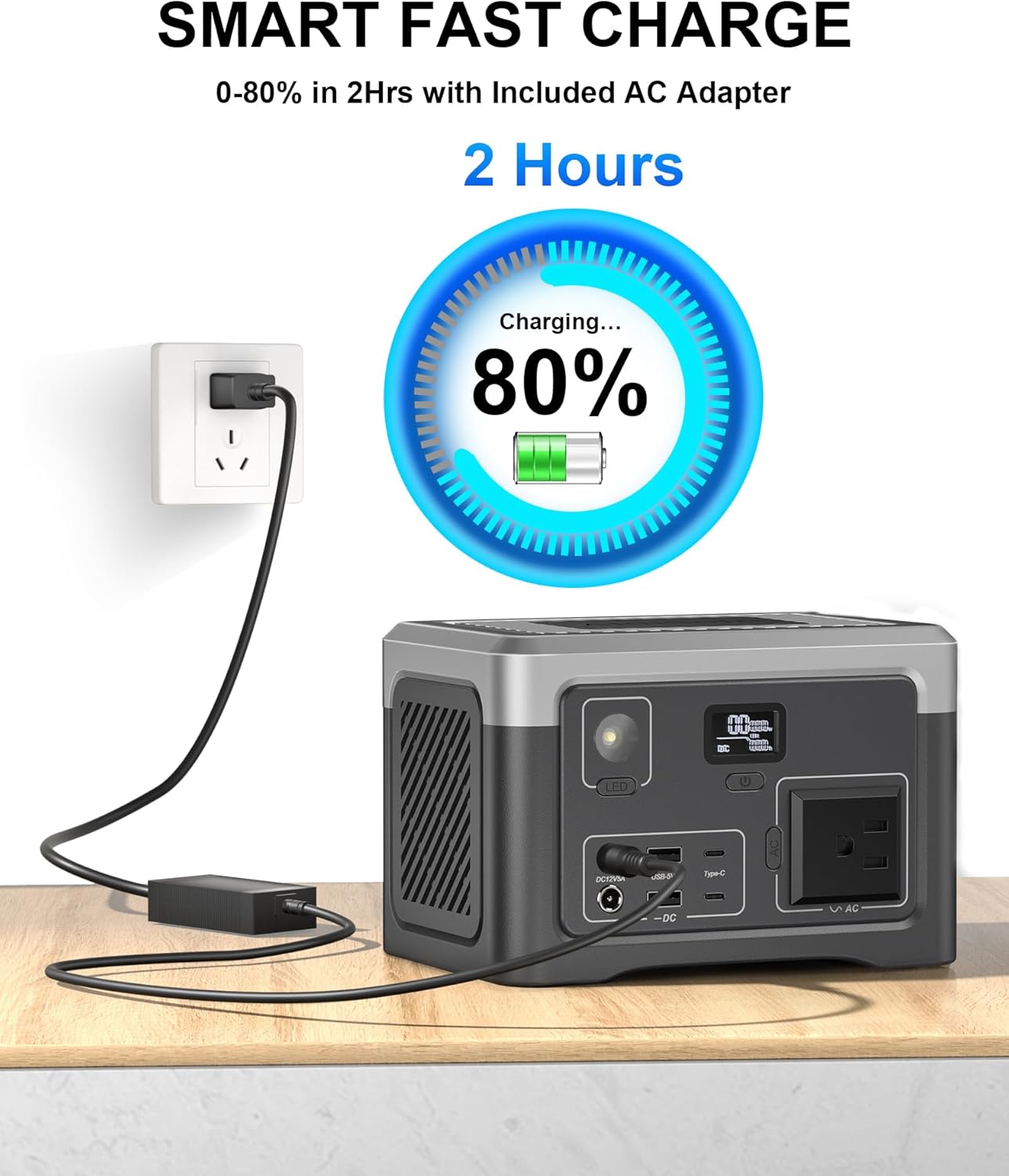
Figure 4.1: Fast charging the power station using the included AC adapter.

Figure 4.2: The power station is compatible with solar charging (solar panels sold separately).
5. Operating Instructions
5.1 Powering On/Off
Press and hold the main power button for a few seconds to turn the unit on or off. The LCD display will illuminate when the unit is active.
5.2 Using Output Ports
Once the power station is on, you can activate specific output sections:
- AC Output: Press the AC button to enable the AC outlet. Plug in your device. Ensure the device's power consumption does not exceed 100W (200W surge).
- USB Outputs (USB-A & USB-C): These ports are typically active when the unit is on. Simply plug in your USB devices for charging.
- DC Outputs: Press the DC button to enable the DC 12V/5A ports. Plug in your DC-compatible devices.
- Wireless Charging: Place your Qi-compatible smartphone on the wireless charging pad located on top of the unit. Ensure the phone is centered for optimal charging.
5.3 LED Light Function
The integrated LED light has multiple modes:
- Press the LED button once for low brightness.
- Press again for high brightness.
- Press a third time for SOS mode (flashing signal).
- Press a fourth time to turn off the LED light.
5.4 UPS Function
The Uninterruptible Power Supply (UPS) feature allows the power station to act as a pass-through power source, providing continuous power to connected devices during a power outage. Connect your device to the power station's AC outlet, and then connect the power station to a wall outlet. In case of a power interruption, the power station will automatically switch to battery power. Note: The UPS input port cannot be used for charging the power station itself.

Figure 5.1: The power station providing uninterruptible power supply to a desktop setup.
5.5 Music Player Function
The power station includes a built-in speaker function, allowing you to play music while charging your phone or other devices. Connect your audio source (e.g., smartphone) via Bluetooth or an auxiliary cable (if applicable, refer to specific port labels on the unit). Note: This is a bonus speaker function and is not intended as a replacement for dedicated audio speakers.

Figure 5.2: The power station's built-in speaker function providing entertainment during outdoor activities.
6. Maintenance
Proper maintenance ensures the longevity and optimal performance of your power station.
- Cleaning: Use a soft, dry cloth to clean the exterior of the unit. Do not use abrasive cleaners or solvents.
- Storage: Store the power station in a cool, dry place, away from direct sunlight and extreme temperatures. For long-term storage, charge the unit to approximately 50-80% every 3-6 months to maintain battery health.
- Battery Care: The LiFePO4 battery is designed for over 3,000 charging cycles. Avoid fully discharging the battery frequently to maximize its lifespan.
7. Troubleshooting
If you encounter issues with your Akiisolo Portable Power Station, refer to the following common solutions:
| Problem | Possible Cause | Solution |
|---|---|---|
| Unit does not turn on | Battery is fully discharged. | Connect the unit to an AC outlet or solar panel for charging. |
| No output from AC port | AC output not enabled; Device power consumption too high; Overload protection activated. | Press the AC button to enable. Check device wattage. Disconnect device, restart unit, and try a lower-power device. |
| No output from USB/DC ports | Unit not powered on; DC output not enabled (for DC ports). | Ensure the unit is powered on. Press the DC button to enable DC outputs. |
| Charging is slow or not occurring | Incorrect charger/cable; Solar panel not in direct sunlight or insufficient wattage. | Use the included AC adapter. Ensure solar panel is correctly positioned and rated 40-60W. |
| Device not holding charge as expected | High power consumption of connected devices; Battery degradation over time. | Verify total wattage of connected devices. If issue persists after extensive use, battery capacity may have naturally decreased. |
8. Specifications
| Attribute | Detail |
|---|---|
| Brand | Akiisolo |
| Model Name | GO10Y |
| Capacity | 192Wh |
| Rated Output Wattage | 100 Watts |
| Peak Output Wattage | 200 Watts |
| AC Voltage | 110 Volts |
| Battery Cell Type | Lithium Iron Phosphate (LiFePO4) |
| Charging Cycles | Over 3,000 |
| Included Components | Charging Cable, User Manual |
| Color | Grey |
| Material | Aluminum |
| Item Weight | 6.56 pounds (approx. 3.9 lbs product weight) |
| Package Dimensions | 9.84 x 9.84 x 7.44 inches |
| UPC | 714855963549 |
9. Warranty and Support
The Akiisolo Portable Power Station comes with a 1-year warranty from the date of purchase. For any product inquiries, technical support, or warranty claims, please contact Akiisolo customer support. Our team is committed to providing a 12-hour responsive customer support experience.
For further assistance, please visit the official Akiisolo store on Amazon: Akiisolo Store