
1. Introduction
This manual provides detailed instructions for the safe and efficient use of your OBEST H360 Motorcycle Bluetooth Headset. Please read this manual thoroughly before using the product to ensure proper operation and to prevent damage.
The OBEST H360 is a true wireless Bluetooth headset designed for motorcycle helmets, offering hands-free communication, music playback, and voice assistant integration with a long-lasting battery and active noise cancellation.
2. Safety Information
- Always prioritize road safety. Do not operate the device in a manner that distracts you from driving.
- Maintain appropriate volume levels to ensure you can hear external sounds and traffic.
- Do not attempt to disassemble or modify the device. This may void the warranty and cause damage.
- Keep the device away from extreme temperatures, moisture, and corrosive substances.
- Ensure the device is securely installed in your helmet to prevent detachment during use.
- Dispose of batteries and electronic components responsibly according to local regulations.
3. Package Contents
Verify that all items are present in your package:
- OBEST H360 True Wireless Earphones (Left and Right)
- Charging Case with LED Display
- Wireless Remote Control
- USB Charging Cable
- Velcro Mounting Pads
- User Manual (this document)

Image 3.1: Contents of the OBEST H360 package, including the headset, charging case, remote control, and cables.
4. Product Overview
The OBEST H360 system consists of two main components: the true wireless earphones and the wireless remote control, all powered by a portable charging case.
4.1. Earphones
- True Wireless Design: Each earphone operates independently.
- Integrated Microphones: Built-in for clear communication.
- Active Noise Cancellation (ANC): Minimizes wind noise and other distractions.
- Helmet Compatibility: Designed to fit inside most motorcycle helmets using Velcro.
4.2. Charging Case
- 1900mAh Battery: Provides extended usage and standby time for the earphones.
- LED Display: Shows battery status for the case and individual earphones.
- Magnetic Charging: Securely holds earphones for charging.
4.3. Wireless Remote Control
- Multi-function Buttons: Large, tactile buttons for easy operation with gloves.
- Volume Control: Adjust audio levels.
- Track Navigation: Skip songs.
- Call Management: Answer/end calls.
5. Setup
5.1. Charging the Device
- Place both earphones into the charging case. Ensure they are correctly seated and the LED display on the case indicates charging.
- Connect the USB charging cable to the charging case and a suitable USB power source (e.g., computer USB port, wall adapter).
- The LED display will show the charging progress. A full charge for the earphones provides approximately 5.5 hours of calling time or 6.5 hours of music playing time, with up to 50 hours of standby time. The charging case itself has a 1900mAh capacity.
- Disconnect the charging cable once fully charged.

Image 5.1: The charging case displaying battery levels for the case and individual earphones.
5.2. Helmet Installation
The earphones are designed for easy installation using Velcro pads.
- Identify the ear pockets or flat surfaces inside your helmet where the earphones will sit comfortably without pressing against your ears.
- Peel the protective backing from one side of the Velcro pad and attach it to the back of an earphone.
- Peel the protective backing from the other side of the Velcro pad and firmly press the earphone into the desired position inside the helmet. Repeat for the second earphone.
- Ensure the earphones are securely attached and do not obstruct your vision or comfort.
- Mount the wireless remote control to a convenient location on your motorcycle handlebars using its adjustable strap.

Image 5.2: Visual guide for attaching Velcro pads to earphones and securing them inside a helmet.

Image 5.3: The OBEST H360 headset is compatible with most motorcycle helmet types, including three-quarter, earmuff half, vintage, full, face-unveiled, and rally helmets.
5.3. Bluetooth Pairing
- Ensure both earphones are charged and removed from the charging case. They will automatically power on and enter pairing mode.
- On your mobile device, enable Bluetooth and search for available devices.
- Select "H360" from the list of found devices.
- Once connected, a voice prompt will confirm successful pairing. The earphones will automatically reconnect to your device when powered on and within range.
- The H360 features Bluetooth 5.3 for stable and fast transmission with a signal range of up to 10 meters.

Image 5.4: The H360 earphones connect wirelessly to your smartphone via Bluetooth, allowing separate use of each earphone.
6. Operating Instructions
6.1. Power On/Off
- Power On: Remove earphones from the charging case. They will power on automatically.
- Power Off: Place earphones back into the charging case. They will power off automatically and begin charging.
6.2. Using the Wireless Remote Control
The remote control allows for convenient operation without needing to access your phone or helmet-mounted earphones.
- Volume Up/Down: Press the '+' or '-' buttons.
- Next/Previous Track: Use the arrow buttons to navigate music tracks.
- Play/Pause: Press the central multi-function button.
- Answer/End Call: Press the central multi-function button during an incoming call to answer, or during a call to end.
- Activate Voice Assistant: Press and hold the central multi-function button (refer to your phone's voice assistant settings for compatibility).
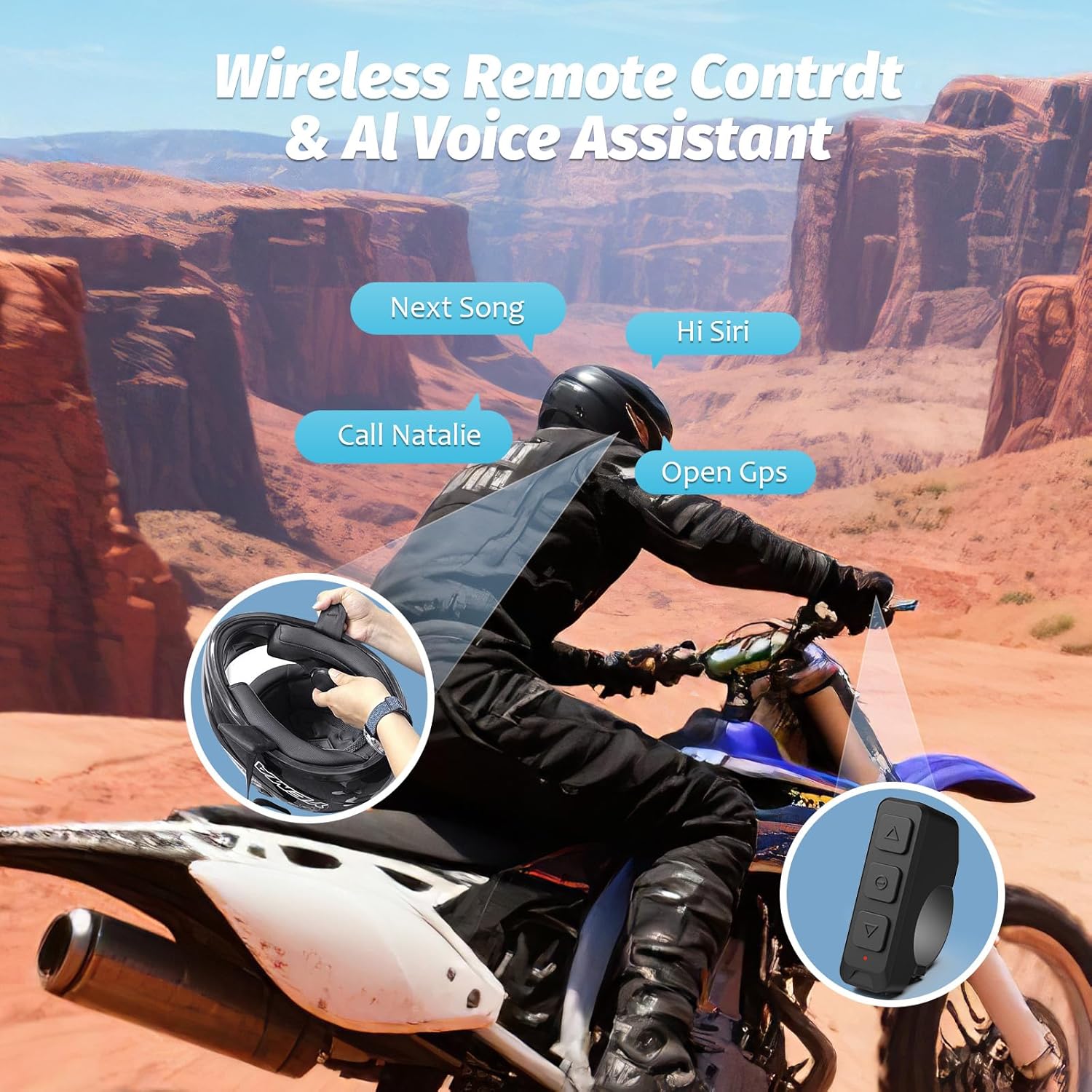
Image 6.1: The wireless remote control enables easy access to functions like skipping songs, activating voice assistants (e.g., Siri), making calls, and opening GPS.
6.3. Call Management
- Answering Calls: Press the multi-function button on the remote control.
- Ending Calls: Press the multi-function button on the remote control.
- Rejecting Calls: Press and hold the multi-function button on the remote control.
6.4. Voice Assistant
The H360 supports voice assistant functionality (e.g., Siri, Google Assistant) through your connected smartphone. Activate by pressing and holding the multi-function button on the remote control. You can then issue commands such as "Next Song," "Call [Contact Name]," or "Open GPS."
7. Maintenance
- Cleaning: Use a soft, dry cloth to clean the earphones, charging case, and remote control. Do not use abrasive cleaners or immerse in water.
- Storage: When not in use for extended periods, store the device in a cool, dry place. Ensure the earphones are placed in the charging case to protect them and maintain battery health.
- Battery Care: To prolong battery life, avoid fully discharging the device frequently. Charge regularly, even if not in constant use.
8. Troubleshooting
| Problem | Possible Cause | Solution |
|---|---|---|
| Device does not power on. | Low battery. | Charge the earphones and charging case fully. |
| Cannot pair with smartphone. | Bluetooth is off on phone; earphones not in pairing mode; too far from phone. | Ensure Bluetooth is enabled on your phone. Remove earphones from case to enter pairing mode. Keep devices within 10 meters. Forget previous pairings on your phone and try again. |
| No sound or low volume. | Volume too low; earphones not properly seated; connection issue. | Increase volume on both the remote control and your smartphone. Ensure earphones are correctly placed in the helmet. Reconnect Bluetooth. |
| Sound quality is poor or distorted. | Interference; weak signal; earphone placement. | Move away from sources of interference. Ensure a clear line of sight between devices. Adjust earphone position in the helmet. |
| Remote control not responding. | Remote control battery low; not paired with earphones. | Check remote control battery (if applicable, or replace). Ensure remote is paired with the headset. |
9. Specifications
| Feature | Detail |
|---|---|
| Model Name | H360 |
| Brand | OBEST |
| Connectivity Technology | Bluetooth |
| Bluetooth Version | 5.3 |
| Bluetooth Range | 10 Meters |
| Noise Control | Active Noise Cancellation |
| Charging Case Battery Capacity | 1900mAh |
| Earphone Battery Life (Calling) | Up to 5.5 Hours |
| Earphone Battery Life (Music) | Up to 6.5 Hours |
| Standby Time | Up to 50 Hours |
| Water Resistance Level | Water Resistant |
| Control Method | Touch (via remote) |
| Frequency Range | 20 Hz - 20,000 Hz |
| Impedance | 80 Ohm |
| Item Weight | 9.1 ounces |
10. Warranty and Support
OBEST products are designed for reliability and performance. For warranty information and technical support, please refer to the contact details provided with your purchase or visit the official OBEST website.
Please retain your proof of purchase for warranty claims.