
1. Safety Information
Please read all instructions carefully before using the TOPUTURE Folding Treadmill. Retain this manual for future reference. Failure to follow these instructions may result in injury or damage to the product.
- Always place the treadmill on a flat, stable surface.
- Ensure adequate clear space around the treadmill (at least 2 meters behind and 0.6 meters on each side).
- Keep children and pets away from the treadmill during operation.
- Do not operate the treadmill if it has a damaged cord or plug, or if it is not working properly.
- Wear appropriate athletic footwear and clothing.
- Use the safety key at all times. Attach the clip to your clothing before starting your workout.
- Do not step on or off the treadmill while the belt is moving.
- Maximum user weight capacity: 300 lbs (136 kg).
- Do not place the treadmill on carpet, as this may affect heat dissipation.
2. Product Overview
The TOPUTURE TP1 Folding Treadmill is a versatile 2-in-1 fitness machine designed for both walking and running. It features a powerful 2.5 HP motor, dual LED screens, Bluetooth connectivity, and a shock-absorbing running belt for a comfortable workout experience.

Image: The TOPUTURE TP1 treadmill shown in its upright running configuration and its folded, under-desk walking configuration, demonstrating its 2-in-1 functionality.
Key Features:
- 2-in-1 Design: Easily switch between walking pad (0.6-5 MPH) and running treadmill (5-10 MPH) modes.
- Powerful 2.5 HP Motor: Provides consistent performance with low noise.
- Dual LED Screens: Real-time display of speed, distance, time, calories, and heart rate.
- 7-Layer Shock Absorption: Protects knees and joints during exercise.
- Bluetooth Connectivity: Connect to the Sport APP and stream music through the built-in speaker.
- Compact & Foldable: Space-saving design with transport wheels for easy storage.

Image: A cross-section diagram illustrating the 7-layer shock-absorbing running belt, designed to protect knees and muscles and ensure smooth movement.
3. Package Contents
Upon unpacking, please verify that all components are present:
- TOPUTURE Folding Treadmill (Main Unit)
- Remote Control
- Safety Key
- Power Cord
- User Manual (this document)
- Lubrication Oil (may not be included, recommended to purchase separately)
4. Setup
The TOPUTURE TP1 treadmill features an installation-free design, meaning minimal assembly is required. It arrives largely pre-assembled.
Unfolding for Running Mode:
- Carefully remove the treadmill from its packaging.
- Place the treadmill on a firm, level surface.
- Lift the handlebar frame until it locks securely into the upright position. Ensure the quick-release buckle is engaged.
- Connect the power cord to the treadmill and then to a grounded electrical outlet.
- Attach the safety key to the designated slot on the console.
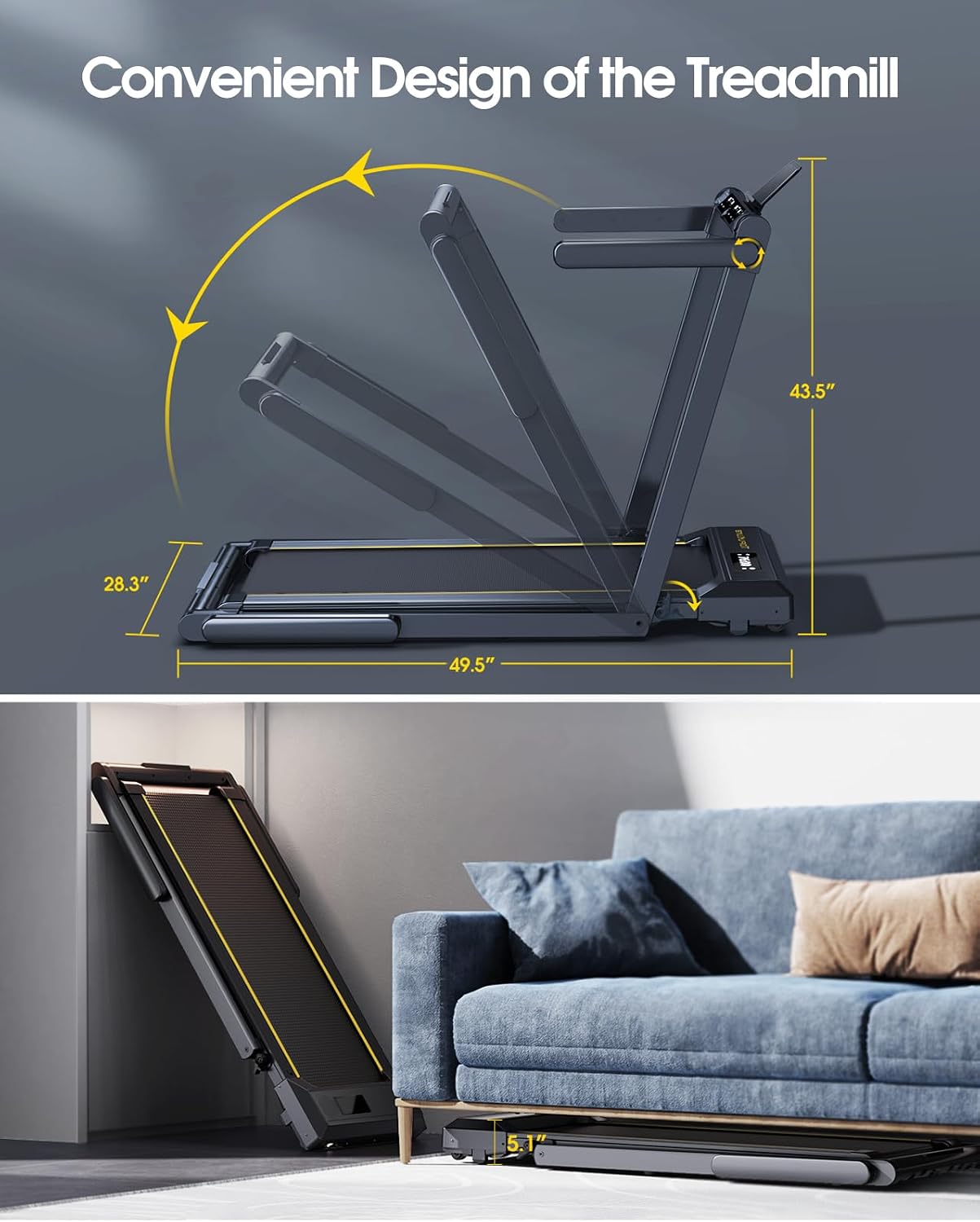
Image: A visual representation of the treadmill's folding mechanism, showing its compact dimensions when folded and how it can be stored horizontally under furniture like a sofa.
Folding for Walking Mode or Storage:
- Ensure the treadmill is powered off and the safety key is removed.
- Disengage the quick-release buckle on the handlebar frame.
- Gently lower the handlebar frame until it is flat against the running deck.
- For storage, utilize the built-in transport wheels to move the folded treadmill. It can be stored upright or horizontally under furniture.
5. Operating Instructions
Familiarize yourself with the controls and functions before beginning your workout.
Control Panel and Display:
The treadmill features dual LED screens that display essential workout data.

Image: A detailed view of the treadmill's multifunction LED display, highlighting indicators for time, speed, calories burned, distance, and heart rate.
- Time: Duration of your workout.
- Speed: Current speed of the running belt (MPH).
- Calories: Estimated calories burned.
- Distance: Total distance covered.
- Heart Rate: Measured when holding the metal sensors.
Starting a Workout:
- Ensure the treadmill is plugged in and the safety key is in place.
- Step onto the running belt.
- Press the 'Start' button on the console or remote control. The belt will begin moving at a low speed.
- Adjust the speed using the '+' and '-' buttons on the console or remote.
Workout Modes:
- Walking Mode: When the handlebar is folded down, the speed range is 0.6-5 MPH.
- Running Mode: When the handlebar is upright, the speed range is 5-10 MPH.

Image: The treadmill demonstrating its dual functionality: an upper panel shows a person running with the handlebar upright (running mode, 0.6-10 MPH), and a lower panel shows a person walking under a desk with the handlebar folded (walking mode, 0.6-5 MPH).
Heart Rate Monitoring:
To measure your heart rate, hold the metal sensor parts on both sides of the treadmill screen with both hands for at least 3 seconds. Your heart rate will be displayed on the screen.
Bluetooth Speaker & App Control:
- Bluetooth Speaker: Connect your smartphone or other Bluetooth-enabled device to the treadmill to play music through the built-in speaker.
- Sport APP: Download the compatible Sport APP (e.g., FitShow, Zwift, Kinomap) to connect with the treadmill. This allows for tracking workout data, accessing various training courses, and controlling the treadmill via your device.
- Preset Programs: The treadmill includes 12 preset programs designed to simulate natural terrain and offer varied workout routines.

Image: The treadmill's control panel, a remote control, and a smartphone screen displaying a fitness application, illustrating the dual control options via remote and smart app.
6. Maintenance
Regular maintenance ensures the longevity and optimal performance of your treadmill.
Lubrication:
The running belt requires periodic lubrication to reduce friction and wear. The treadmill features a unique lubrication hole design for convenience.
- Turn off and unplug the treadmill.
- Locate the lubrication hole on the side of the treadmill deck.
- Apply a small amount of silicone-based treadmill lubricant into the hole. The system will automatically disperse it under the belt.
- After applying, plug in the treadmill and run it at a low speed (e.g., 1-2 MPH) for 5 minutes to distribute the lubricant evenly.
- Frequency: Lubricate every 30-50 hours of use, or as needed if the belt feels dry or makes excessive noise.
Cleaning:
- Wipe down the console and exterior surfaces with a soft, damp cloth after each use.
- Do not use abrasive cleaners or solvents.
- Periodically vacuum dust from around the motor cover to ensure proper ventilation.
7. Troubleshooting
If you encounter issues with your treadmill, refer to the following common problems and solutions:
| Problem | Possible Cause | Solution |
|---|---|---|
| Treadmill does not start | Power cord not plugged in; Safety key not inserted; Power switch off. | Check power connection; Insert safety key; Turn on power switch. |
| Running belt slips or hesitates | Belt too loose; Belt needs lubrication. | Adjust belt tension (refer to specific instructions if available); Lubricate the running belt. |
| Unusual noise during operation | Loose parts; Lack of lubrication; Motor issue. | Check for and tighten any loose bolts; Lubricate the belt; If noise persists, contact customer support. |
| Heart rate monitor inaccurate | Improper hand placement; Dry hands; External interference. | Ensure firm, full contact with sensors; Moisten hands slightly; Avoid strong electromagnetic fields. |
For issues not listed here or if problems persist, please contact TOPUTURE customer support.
8. Specifications
Detailed technical specifications for the TOPUTURE TP1 Folding Treadmill:
- Model Number: TP1
- Product Dimensions (Unfolded): 125.7 cm (L) x 60 cm (W) x 110.5 cm (H) (approx. 49.5" L x 23.6" W x 43.5" H)
- Product Dimensions (Folded): 133 cm (L) x 71.8 cm (W) x 13 cm (H) (approx. 52.3" L x 28.2" W x 5.1" H)
- Item Weight: 39.5 kg (approx. 87 lbs)
- Motor Horsepower: 2.5 HP
- Speed Range: 0.6 - 10 MPH
- Walking Mode Speed: 0.6 - 5 MPH
- Running Mode Speed: 5 - 10 MPH
- Running Area: 104 cm (L) x 42 cm (W) (approx. 41" L x 16.5" W)
- Maximum User Weight: 300 lbs (136 kg)
- Display Type: Dual LED
- Displayed Metrics: Speed, Calories Burned, Time, Distance, Heart Rate
- Number of Programs: 12 Preset Programs
- Material: Alloy Steel
- Power Source: Corded Electric
- Special Features: No Assembly Required, Touch Screen, Foldable, Heart Rate Monitor, Built-In Bluetooth Speaker, Compact, Shock Absorbent
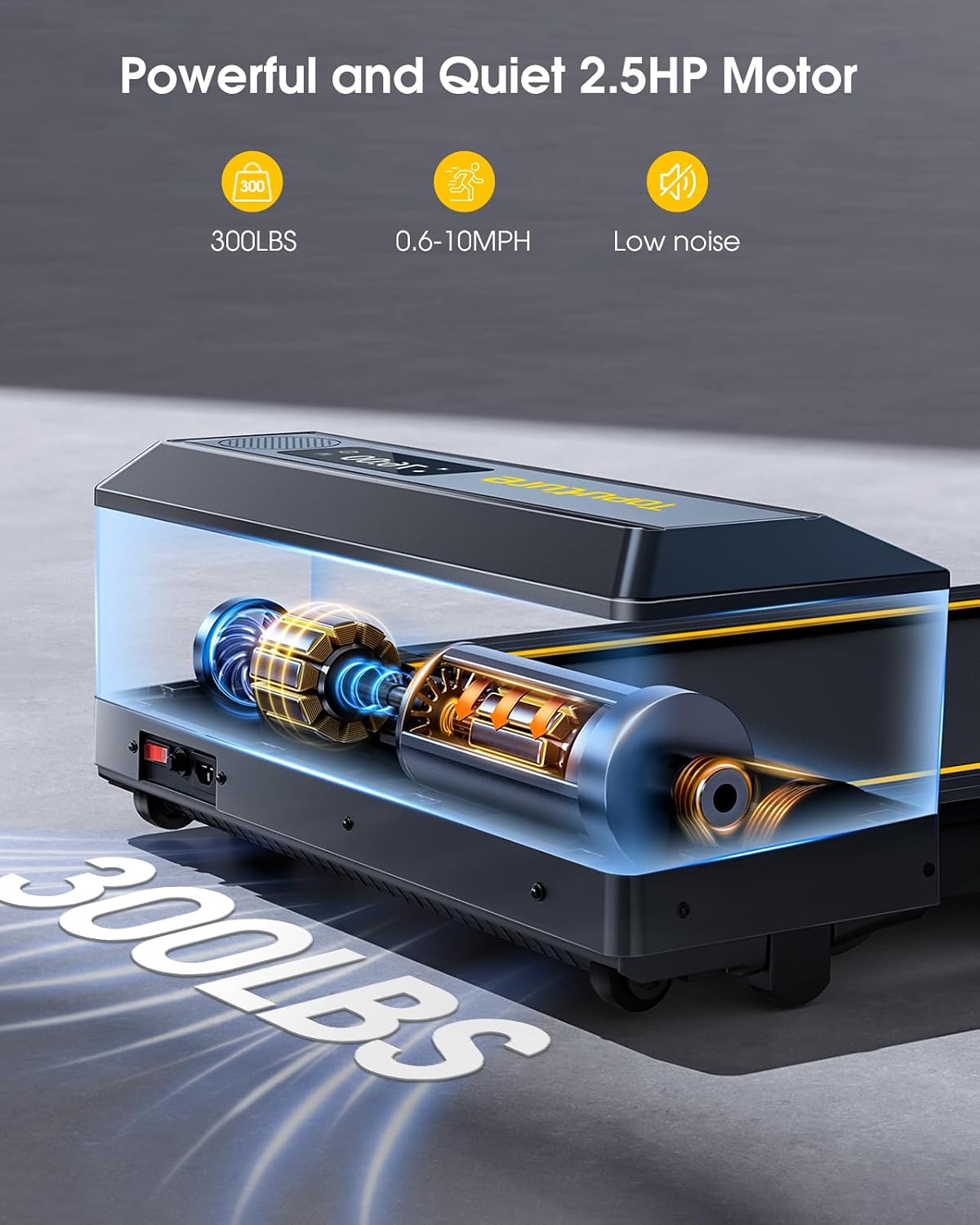
Image: An internal view of the treadmill's powerful and quiet 2.5 HP motor, emphasizing its capacity to support users up to 300 lbs and its low noise operation.
9. Warranty and Support
The TOPUTURE TP1 Folding Treadmill typically comes with a 2-year warranty, covering manufacturing defects and major components. Please refer to your purchase documentation for specific warranty terms and conditions.
For technical assistance, warranty claims, or any questions regarding your treadmill, please contact TOPUTURE customer service through the retailer where the product was purchased or visit the official TOPUTURE website for support contact information.
When contacting support, please have your model number (TP1) and proof of purchase readily available.


