
Product Overview
The ieGeek S2 Wireless Outdoor PTZ WiFi Security Camera is designed for comprehensive home surveillance. It features 2K 3MP resolution, 300° pan and 120° wide-angle view, color night vision, two-way audio, and advanced AI motion detection. Its magnetic mount design simplifies installation, and it is IP65 weatherproof for outdoor use. The camera operates on 2.4GHz Wi-Fi and is powered by a rechargeable battery.

Figure 1: ieGeek S2 Camera with its magnetic mount and a smartphone displaying 2K video feed.
Setup Guide
1. Initial Charging
Before first use, fully charge the camera using the provided USB charging cable. The charging port is located on the camera body.
2. App Download and Account Creation
Download the ieGeek Cam app from your smartphone's app store (Google Play Store for Android or Apple App Store for iOS). Follow the in-app instructions to create an account and log in.

Figure 2: Getting started with the ieGeek Cam app and camera setup.
3. Wi-Fi Connection
Ensure your Wi-Fi network is 2.4GHz. The ieGeek S2 camera does not support 5GHz Wi-Fi. In the app, select 'Add Device' and follow the prompts to connect the camera to your home Wi-Fi network.
4. Mounting Options
The camera offers two primary installation methods:
- Magnetic Mount: For effortless setup, attach the camera to a metal surface using the strong magnetic base. An adhesive sticker is included for non-metal surfaces, allowing the magnetic base to adhere without drilling.
- Screw-In Mount: For a more permanent installation, use the provided screws and wall plugs to secure the camera bracket to a wall or desired surface.

Figure 3: Magnetic base installation for the ieGeek S2 camera.

Figure 4: Comparison of magnetic and screw-in installation methods.
The camera's wireless design allows for flexible placement in various locations, including front doors, backyards, garages, or indoors.

Figure 5: Versatile installation options for the ieGeek S2 camera.
Operating Instructions
1. Real-time Monitoring and Control
Access live video feed and control camera functions remotely through the ieGeek Cam app. The camera supports 300° horizontal pan, allowing you to broaden your view and monitor a wider area without blind spots.

Figure 6: The camera's 300° pan feature provides extensive coverage.
2. Two-Way Audio
Utilize the built-in microphone and speaker for two-way communication. This feature allows you to speak to visitors or deter unwanted individuals directly through the app.
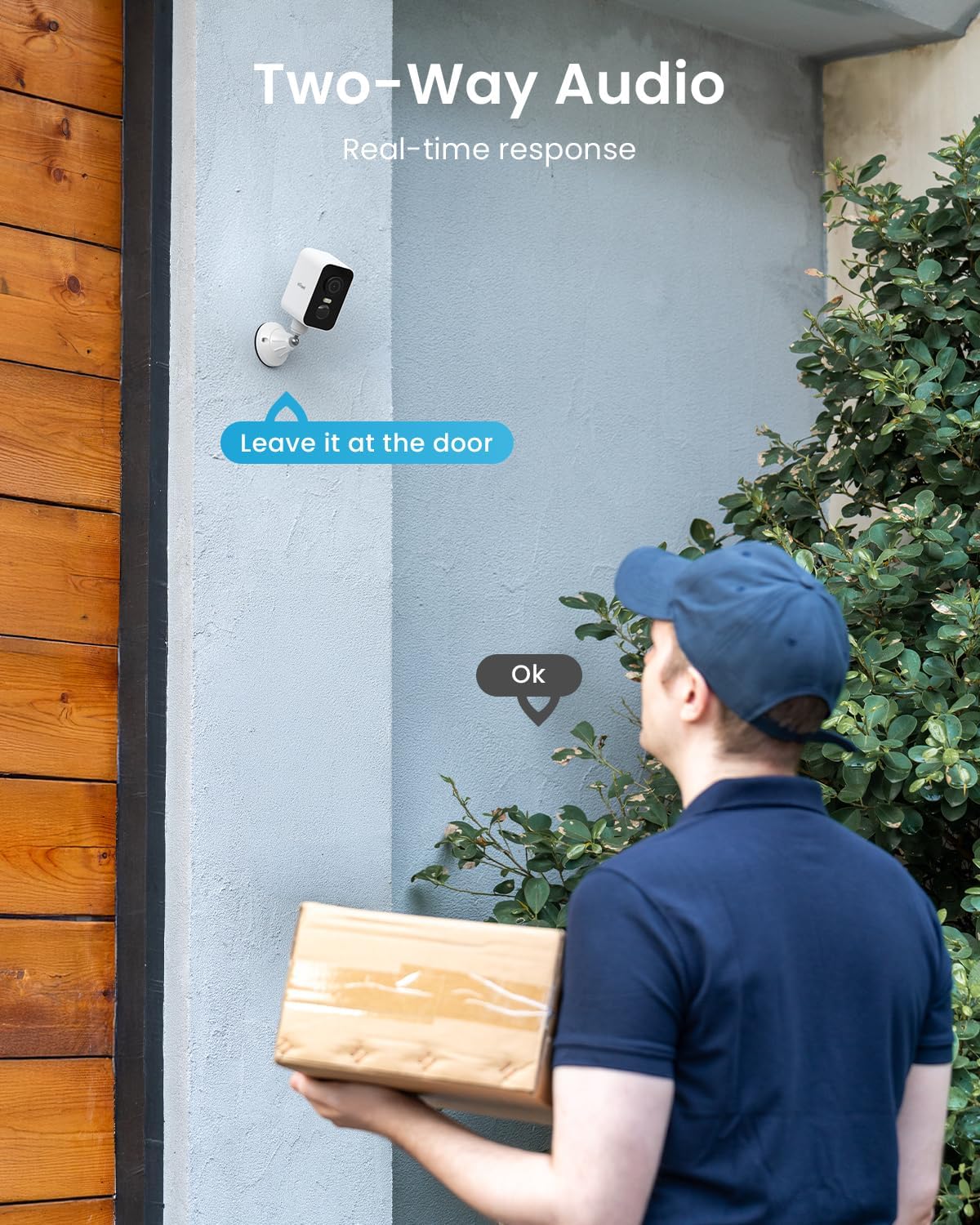
Figure 7: Two-way audio functionality for real-time interaction.
3. Night Vision
The camera provides 2K 3MP clarity and superior night vision up to 10 meters. It supports both vivid color night vision (with spotlight) and infrared black & white night vision for clear imagery in low-light conditions.

Figure 8: Demonstrating the camera's 2K 3MP color and infrared night vision capabilities.
4. Advanced Motion Detection and Alerts
The ieGeek S2 uses advanced AI algorithms for humanoid recognition, with optional detection settings for humans, pets, or vehicles. The upgraded PIR sensor ensures alarm notifications are received in less than 3 seconds. Alerts can include a siren, flashing white light, or app push notifications.

Figure 9: AI recognition for various detection types.

Figure 10: Instant alerts with siren, spotlight, and app push notifications.
5. Storage Options
The camera supports local storage via a Micro SD card (up to 128GB, not included) and offers free 6-second loop cloud storage for event videos.
6. Alexa Integration
The ieGeek S2 camera is compatible with Alexa, allowing for voice control and viewing live feeds on compatible smart displays.

Figure 11: Voice control and live view integration with Alexa.
Maintenance
1. Battery Management
The camera is powered by a 5200mAh rechargeable battery. Battery life varies based on usage and environmental factors. Recharge the camera when the battery level is low, indicated by the app or camera LED.
2. Weather Resistance
The ieGeek S2 camera is IP65 weatherproof, designed to resist rain, snow, and stormy weather. It operates effectively in temperatures ranging from -20°C to 50°C.

Figure 12: The camera's IP65 weatherproof design ensures durability in various conditions.
3. Cleaning
To maintain optimal performance, periodically clean the camera lens and body with a soft, dry cloth. Avoid using harsh chemicals or abrasive materials.
Troubleshooting
Common Issues and Solutions
- Camera Offline: Ensure the camera is within range of your 2.4GHz Wi-Fi network. Check your router for internet connectivity. Restart the camera and your router.
- Poor Video Quality: Verify your Wi-Fi signal strength in the camera's location. Ensure the lens is clean and free from obstructions.
- False Alarms: Adjust the motion detection sensitivity settings in the app. Utilize the AI recognition features to filter out unwanted detections (e.g., pets if only human detection is desired).
- Battery Drains Quickly: High activity areas will consume more battery. Reduce motion detection sensitivity or frequency if possible. Ensure the camera is fully charged.
- Two-Way Audio Issues: Check microphone and speaker permissions for the app on your smartphone. Ensure there are no physical obstructions blocking the camera's microphone or speaker.
For more detailed troubleshooting or persistent issues, refer to the in-app help section or contact customer support.
Specifications
| Feature | Detail |
|---|---|
| Model Name | S2 |
| Video Capture Resolution | 2K (3MP) |
| Pan Angle | 300° |
| Viewing Angle | 120 Degrees |
| Night Vision Range | 10 Meters |
| Wireless Communication Technology | Wi-Fi (2.4GHz only) |
| Power Source | Battery Powered (5200mAh rechargeable battery included) |
| Water Resistance Level | IP65 Waterproof |
| Operating Temperature | -20°C to 50°C |
| Installation Type | Magnetic Self Adhesive; Freestanding; Screw In |
| Compatible Devices | Alexa, Smartphone, Tablet, Smartwatch (Not compatible with laptop/computer) |
| Item Dimensions (L x W x H) | 17.5 x 8 x 6.6 Centimetres |
| Item Weight | 550 g |
| Included Components | 1 × Quick manual guide, 1 × USB Charging cable, 1 × Camera bracket, 4 × Silicone screw & plug, 1 × Positioning label sticker |
Warranty and Support
Warranty Information
The ieGeek S2 Wireless Outdoor PTZ WiFi Security Camera comes with a 2-year warranty from the date of purchase, covering manufacturing defects and malfunctions under normal use.
Return Policy
A 30-day free returns policy is available for eligible purchases. Please refer to your retailer's specific return guidelines for details.
Customer Support
For technical assistance, troubleshooting, or warranty claims, please contact our professional after-sales team. We offer 24/7 support.
After-Sales Email: service@iegeek.com

Figure 13: ieGeek After-Sales Warranty details.


