
DFTIM DT85G
DFTIM DT85G Battery User Manual
For Ecovacs Deebot Robotic Vacuum Cleaners
1. Introduction
This manual provides essential information for the safe and effective use of your DFTIM DT85G Lithium Ion replacement battery. Please read this manual thoroughly before installation and operation to ensure optimal performance and safety. This battery is designed for specific Ecovacs Deebot robotic vacuum cleaner models.
2. Important Safety Information
Failure to follow these safety instructions may result in fire, electric shock, or other injury or damage.
- Battery Type: This battery is a Lithium Ion type. Using an incorrect battery type may pose a risk of fire or chemical burn.
- Disassembly: Do not disassemble, open, or shred the battery pack.
- Incineration: Do not incinerate the battery. Exposure to high temperatures may cause explosion.
- Short Circuits: Avoid short-circuiting the battery terminals. Do not store the battery near metal objects that could cause a short circuit.
- Water Exposure: Do not expose the battery to water or other liquids.
- Damage: If the battery appears damaged, swollen, or leaking, discontinue use immediately and dispose of it properly.
- Disposal: Dispose of used battery property according to local regulations. Do not dispose of in fire or general household waste.
- Protection Features: The battery is manufactured with built-in over-charge, over-discharge, over-voltage, over-current, and over-heating protection circuits to enhance safety.
3. Product Overview
The DFTIM DT85G is a high-quality Lithium Ion replacement battery designed to power compatible Ecovacs Deebot robotic vacuum cleaners. It offers reliable performance and extended runtime for your cleaning device.
Key Features:
- High Capacity: 3000mAh for extended cleaning sessions.
- Voltage: 12V, matching original specifications.
- Lithium Ion Technology: Provides consistent power and long cycle life.
- Integrated Protection: Features multiple safety circuits including over-charge, over-discharge, over-voltage, over-current, and over-heating protection.

Image: Battery Parameter Label. This image displays the technical specifications printed on the battery, including model DT85-HFR, nominal voltage 12V, nominal capacity 3000mAh, and cell model H-SC3000P. It also shows safety warnings in English and Chinese regarding proper handling and disposal.
Compatibility:
This battery is compatible with the following Ecovacs Deebot robotic vacuum cleaner models:
- Deebot DT83
- Deebot M81
- Deebot M81 Pro
- Deebot DM81
- Deebot DN650
- Deebot DT85
- Deebot DT85G
- Deebot DT87G

Image: Excellent Compatibility. This image shows a DFTIM battery alongside a list of compatible Ecovacs Deebot models and a visual representation of a Deebot robot vacuum cleaner, illustrating the battery's broad compatibility.
Quality and Construction:
The DFTIM DT85G battery is constructed with premium grade A++ battery cells and features a high-quality aluminum casing. An intelligent control chip is integrated to manage power delivery and enhance safety.

Image: Quality Inside. This image highlights the internal components of the battery, showing an intelligent control chip and high-quality individual battery cells, emphasizing the product's robust construction.

Image: Strict Manufacturing Process. This graphic illustrates the comprehensive protection features of the battery, including output short-circuit protection, charging over-temperature protection, over-discharge protection, charging over-current protection, and charging over-voltage protection.
4. Specifications
| Parameter | Value |
|---|---|
| Battery Type | Lithium Ion |
| Voltage | 12V |
| Capacity | 3000mAh |
| Runtime | ≥600 minutes per charge |
| Item Model Number | DT85G |
| Item Weight | 1.53 pounds |
| Package Dimensions | 6.5 x 3.78 x 2.48 inches |
5. Installation Guide
Before replacing the battery, ensure your robotic vacuum cleaner is powered off and disconnected from its charging base. Refer to your vacuum cleaner's original manual for specific battery compartment access instructions.
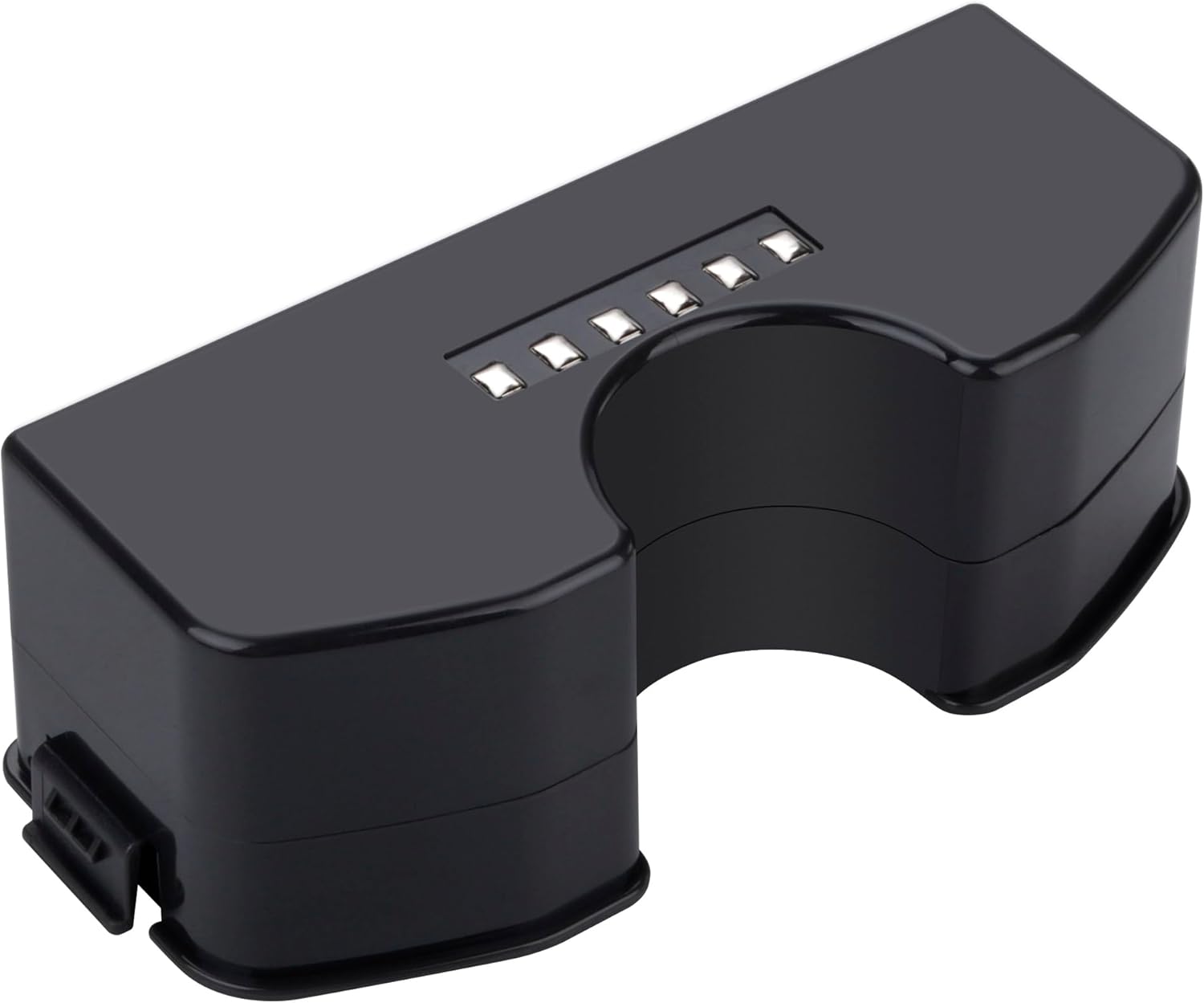
Image: DFTIM DT85G Replacement Battery. This image shows the black DFTIM DT85G battery from an angled top-down perspective, highlighting its shape and connection points, useful for visual reference during installation.
Step-by-Step Replacement:
- Power Off: Turn off your Ecovacs Deebot vacuum cleaner and remove it from the charging dock.
- Access Battery Compartment: Carefully flip the vacuum cleaner over. Locate the battery compartment cover, usually secured by screws. Use a screwdriver to remove the screws and open the cover.
- Disconnect Old Battery: Gently disconnect the old battery's connector from the vacuum cleaner's port. Remove the old battery from its compartment.
- Insert New Battery: Place the new DFTIM DT85G battery into the compartment, ensuring it fits snugly.
- Connect New Battery: Align the connector of the new battery with the vacuum cleaner's port and push firmly until it clicks into place.
- Secure Cover: Replace the battery compartment cover and secure it with the screws.
- Initial Charge: Place the vacuum cleaner back on its charging base to allow the new battery to fully charge before its first use.
6. Operation
Once the DFTIM DT85G battery is correctly installed and fully charged, your Ecovacs Deebot robotic vacuum cleaner will operate as usual. The battery's high capacity ensures extended cleaning cycles.
First Use:
- For optimal performance, fully charge the battery before its initial use. This may take several hours.
- After the first full charge, the vacuum cleaner is ready for normal operation.
7. Maintenance and Care
Proper care of your DFTIM DT85G battery will extend its lifespan and maintain performance.
- Regular Charging: Keep the battery charged. Avoid letting the battery completely drain for extended periods, as this can reduce its overall lifespan.
- Storage: If storing the vacuum cleaner for an extended period, ensure the battery is partially charged (around 50%) and store it in a cool, dry place. Recharge it every few months to prevent deep discharge.
- Cleaning Contacts: Periodically inspect and clean the battery contacts on both the battery and the vacuum cleaner with a dry cloth to ensure good electrical connection.
- Temperature: Avoid exposing the battery to extreme temperatures, both hot and cold, as this can degrade performance and lifespan.
- Disposal: When the battery reaches the end of its life, dispose of it responsibly at a certified battery recycling facility. Do not throw it in household trash.
8. Troubleshooting
If you encounter issues with your DFTIM DT85G battery, consider the following:
- Battery Not Charging:
- Ensure the battery is correctly installed and its connector is firmly seated.
- Verify that the charging base is powered and the vacuum cleaner is properly docked.
- Check for any debris on the charging contacts of both the vacuum and the charging base. Clean if necessary.
- Short Runtime:
- Ensure the battery has been fully charged.
- Over time, all rechargeable batteries experience capacity degradation. If the battery is old, it may be nearing the end of its useful life.
- Check if the vacuum cleaner's brushes or wheels are obstructed, causing it to draw more power.
- Vacuum Not Powering On:
- Confirm the battery is fully charged and correctly installed.
- Ensure the vacuum cleaner's main power switch is in the 'ON' position.
If problems persist after following these steps, please contact customer support.
9. Warranty and Support
For warranty information or technical support regarding your DFTIM DT85G battery, please refer to the purchase documentation or contact DFTIM customer service directly. Ensure you have your purchase details and the battery model number available when contacting support.
Manufacturer: DFTIM
Ask a question about this manual
Ask about setup, troubleshooting, compatibility, parts, safety, or missing instructions. Manuals+ will review the question and use this page’s manual context to help answer it.