
SOOMFON SP600-BN1
SOOMFON Conference Speaker and Microphone User Manual
Model: SP600-BN1 | Brand: SOOMFON
1. Introduction
The SOOMFON SP600-BN1 Conference Speaker and Microphone is designed to enhance your communication experience in various professional settings, from home offices to large boardrooms. This versatile device combines a high-quality speakerphone with a comprehensive docking station, offering superior audio clarity, extensive connectivity, and smart noise cancellation for seamless meetings and productive work.
2. What's in the Box

Figure 2.1: Package Contents
- SOOMFON SP600 Speakerphone Docking Station x 1
- USB-C Cable x 1
- User Manual x 1
3. Product Features
- Enhanced 360° Room Coverage: Equipped with 4 AI omnidirectional microphones, ensuring your voice is clearly heard and highlighted in any environment.
- Smart Noise Cancellation: Eliminates ambient noises and distractions for a focused audio experience.
- Face-to-Face Audio Quality: Acoustically tuned speakers spread sound evenly, providing crystal-clear audio for a natural conversation feel.
- Integrated Docking Station: Transforms your laptop into a comprehensive workstation with multiple ports.
- Extensive Compatibility: Compatible with all popular online conferencing platforms (e.g., Zoom, GoToMeeting, Skype, FaceTime, Hangouts, Webex, Microsoft Teams, Slack, Google Meet) and various devices via USB-C, USB-A, and HDMI.
- Designed for Hybrid Use: Perfect for seamless transitions between office, shared workspaces, huddle rooms, boardrooms, and work-from-home virtual meetings.

Figure 3.1: 360° Voice Coverage

Figure 3.2: Smart Noise Cancellation

Figure 3.3: Face-to-Face Audio Quality

Figure 3.4: Speakerphone with Docking Station Capabilities
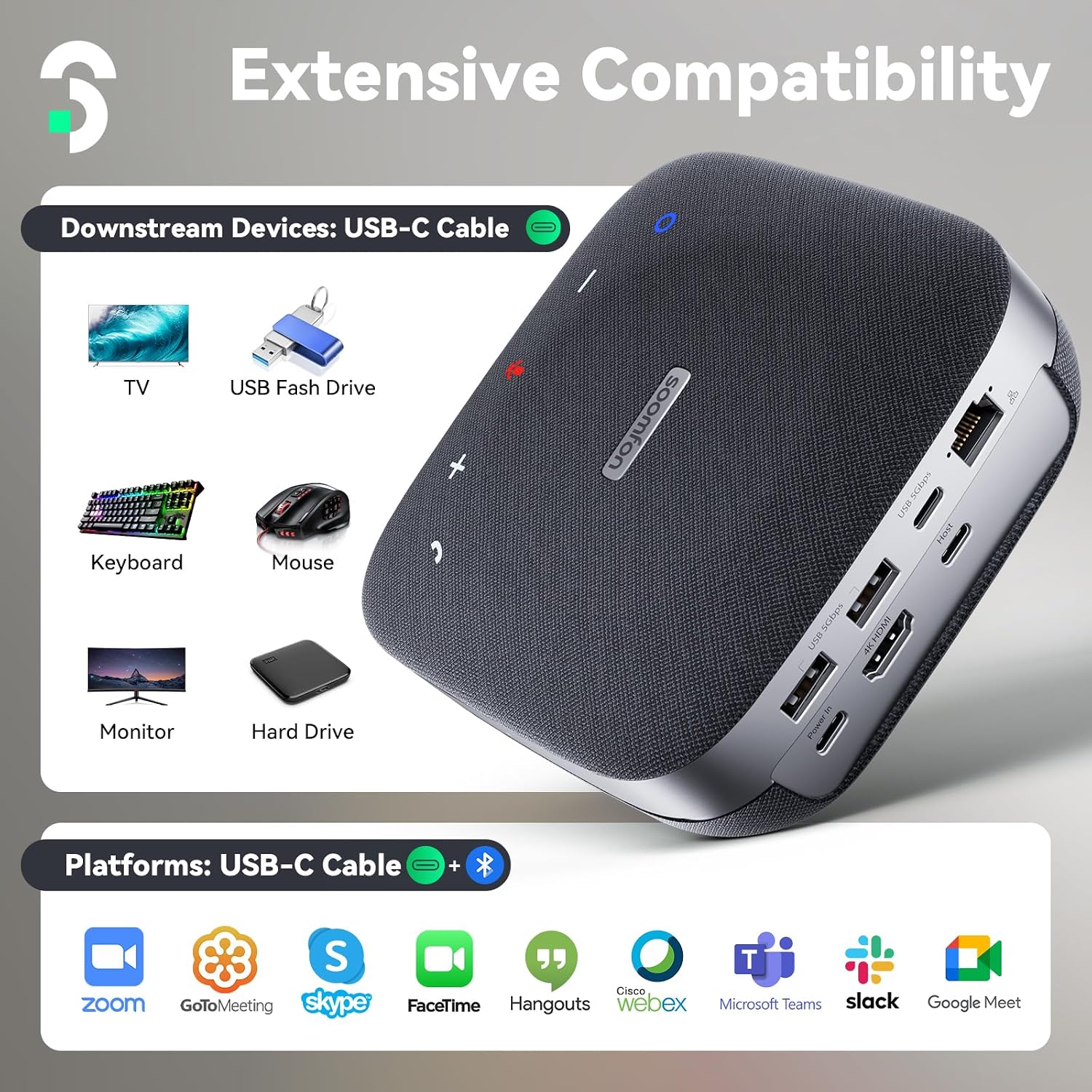
Figure 3.5: Extensive Device and Platform Compatibility

Figure 3.6: Versatile Use Cases
4. Setup Guide
The SOOMFON SP600-BN1 is designed for plug-and-play convenience. Follow these steps for initial setup:
- Power Connection: Connect the provided USB-C cable to the "Power In" port on the speakerphone and to a suitable USB-C power adapter (not included, 100W PD recommended).
- Connect to Host Device: Use a compatible USB-C cable (not included, supporting PD and data) to connect the "Host" port on the speakerphone to your computer (laptop, PC, MacBook Pro).
- Driver Installation: Your operating system (Windows, macOS) should automatically detect and install the necessary drivers. Allow any permission requests for device access.
- Bluetooth Pairing (Optional): For wireless audio functionality, activate Bluetooth on your device and select "SOOMFON SP600" from the available devices to pair. Note that docking station features (HDMI, Ethernet, USB data) require a wired USB-C connection.

Figure 4.1: Connecting to Host Device
5. Operating Instructions
The SOOMFON SP600-BN1 features intuitive touch controls on its top surface:

Figure 5.1: Device Overview with Controls
- Volume Control: Use the '+' and '-' buttons to adjust the speaker volume.
- Mute/Unmute: Press the microphone icon to mute or unmute the microphone. The LED indicator will change color to show mute status.
- Answer/Hang Up Call: Use the phone icon button to answer incoming calls or end ongoing calls.
- Bluetooth Button: Press and hold the Bluetooth icon to enter pairing mode.
- Power Button: The device powers on automatically when connected to power and a host device. There is no dedicated power button.
Call control buttons are compatible with most Unified Communications (UC) platform software.
6. Connectivity Options
The SOOMFON SP600-BN1 offers a variety of ports to expand your workstation:
- HDMI 2.0 Port: Supports 4K@60Hz video output for connecting an external monitor or display.
- USB 3.0 Ports (2x USB-A, 1x USB-C): Connect peripherals such as keyboards, mice, USB flash drives, or external hard drives for high-speed data transfer.
- Gigabit Ethernet (RJ45) Port: Provides a stable and fast wired network connection.
- PD 3.0 (Power Delivery) Port: Supports up to 100W power delivery to charge your connected laptop or host device.

Figure 6.1: HDMI Connectivity

Figure 6.2: Gigabit Ethernet Connection

Figure 6.3: Power Delivery (PD) Functionality
7. Maintenance
To ensure the longevity and optimal performance of your SOOMFON SP600-BN1, follow these maintenance guidelines:
- Cleaning: Use a soft, dry cloth to clean the exterior of the device. Avoid using abrasive cleaners, solvents, or strong chemicals.
- Storage: When not in use, store the device in a cool, dry place away from direct sunlight and extreme temperatures. The included carrying bag can be used for protection during transport.
- Handling: Handle the device with care to prevent physical damage. Avoid dropping or subjecting it to strong impacts.
8. Troubleshooting
If you encounter issues with your SOOMFON SP600-BN1, please refer to the following common solutions:
| Problem | Possible Cause | Solution |
|---|---|---|
| No audio output/input | Incorrect audio settings on host device; Device not properly connected or paired (Bluetooth); Muted microphone/speaker. |
|
| Docking station features (HDMI, USB, Ethernet) not working | Incorrect USB-C cable; Insufficient power delivery; Driver issues. |
|
| Poor audio quality (echo, distortion) | Environmental interference; Device placement; Software settings. |
|
If you continue to experience issues, please contact SOOMFON customer support.
9. Specifications
| Feature | Detail |
|---|---|
| Brand | SOOMFON |
| Model Number | SP600-BN1 |
| Product Dimensions | 5.2 x 5.31 x 1.97 inches |
| Item Weight | 13.4 ounces (378.8 Grams) |
| Control Method | Touch |
| Microphones | 4 AI Omnidirectional Mics |
| Voice Pickup Range | Up to 16ft |
| Noise Cancellation | Smart Noise Cancellation |
| HDMI Output | 4K@60Hz (HDMI 2.0) |
| USB Ports | 2x USB-A 5Gbps, 1x USB-C 5Gbps |
| Power Delivery (PD) | Up to 100W (PD 3.0) |
| Ethernet Port | Gigabit RJ45 |
| Compatible Devices | MacBook Pro, PCs, various conferencing platforms |
| Color | Grey |
10. Warranty and Support
SOOMFON offers a generous 24-month product warranty along with lifetime technical support for your SP600-BN1 Conference Speaker and Microphone.
Our dedicated support team is available around-the-clock (7*24 hours) to assist you with any questions or issues. Please do not hesitate to reach out if you need assistance.
Contact Support:
Email: support@soomfon.com
Ask a question about this manual
Ask about setup, troubleshooting, compatibility, parts, safety, or missing instructions. Manuals+ will review the question and use this page’s manual context to help answer it.