
Introduction
This manual provides detailed instructions for the setup, operation, and maintenance of your CNBRO Smart Ring Fitness Tracker R9. This device is designed to monitor various health metrics and offer convenient smart features to enhance your daily life. Please read this manual thoroughly before using the product to ensure proper function and longevity.
Product Overview
Key Features:
- 24-hour Heart Rate Monitoring
- Automatic Sleep Tracking and Analysis
- Activity Tracking (Steps, Calories, Distance)
- Blood Pressure Monitoring
- Multiple Sport Modes
- Gesture Control for Remote Camera, Video Switching, and Music Playback
- IP67 Waterproof Rating
- Compact and Lightweight Design (approx. 5g)
What's in the Box:
- 1 x CNBRO Smart Ring
- 1 x Charging Cable for Ring
- 1 x Charging Case
- 1 x User Manual (this document)

Setup
1. Charging the Smart Ring:
Before first use, fully charge the smart ring. Place the ring into the provided charging case. The charging case itself contains a battery to charge the ring multiple times on the go. Connect the charging cable to the case and a USB power source.

2. App Installation and Pairing:
- Download the free "ECTRI" application from your smartphone's app store.
- Ensure your smartphone meets the compatibility requirements: iOS 11.0 or above, or Android 6.0 or above.
- Enable Bluetooth on your smartphone.
- Open the ECTRI app and follow the on-screen instructions to pair your CNBRO Smart Ring via Bluetooth 5.1.
3. Ring Sizing and Placement:
For accurate health monitoring, ensure the ring fits snugly but comfortably on your finger. Refer to the sizing guide below to determine the correct size. It is recommended to wear the ring on a finger that allows for consistent skin contact with the sensors.

| Model | Inner Diameter | Perimeter |
|---|---|---|
| Number 8 | 18.1mm | 56.9mm |
| Number 9 | 18.9mm | 59.5mm |
| Number 10 | 19.8mm | 62.1mm |
| Number 11 | 20.6mm | 64.6mm |
Operating Instructions
1. Health Monitoring:
The CNBRO Smart Ring continuously monitors various health parameters. All data is synchronized with the ECTRI app on your smartphone.
- Heart Rate Monitoring: The ring supports 24-hour continuous heart rate tracking. View your real-time heart rate and historical data in the app.
- Blood Pressure Monitoring: The ring provides blood pressure readings. Consult the app for detailed information.
- Blood Oxygen Saturation (SpO2): The ring can monitor your blood oxygen levels.


2. Sleep Tracking:
The smart ring automatically monitors your sleep duration and quality. It provides a comprehensive analysis of deep sleep, light sleep, and wake-up times within the ECTRI app, helping you understand and improve your sleeping habits.

3. Fitness Tracking:
The ring automatically tracks your daily steps, calorie consumption, and distance. Activate specific sport modes within the ECTRI app to track your exercise route, activity time, and real-time heart rate during workouts, providing insights into your performance.
4. Gesture Control:
The CNBRO Smart Ring supports gesture interaction, allowing for convenient control of your smartphone without direct touch. This feature frees your hands for various activities.
- Remote Camera: Use gestures to remotely trigger your phone's camera shutter.
- Video Switching: Easily switch between short videos (e.g., on social media platforms) with a simple gesture.
- Music Control: Pause, play, or skip music tracks.
- Sensing Games: Interact with compatible sensing games.

Maintenance
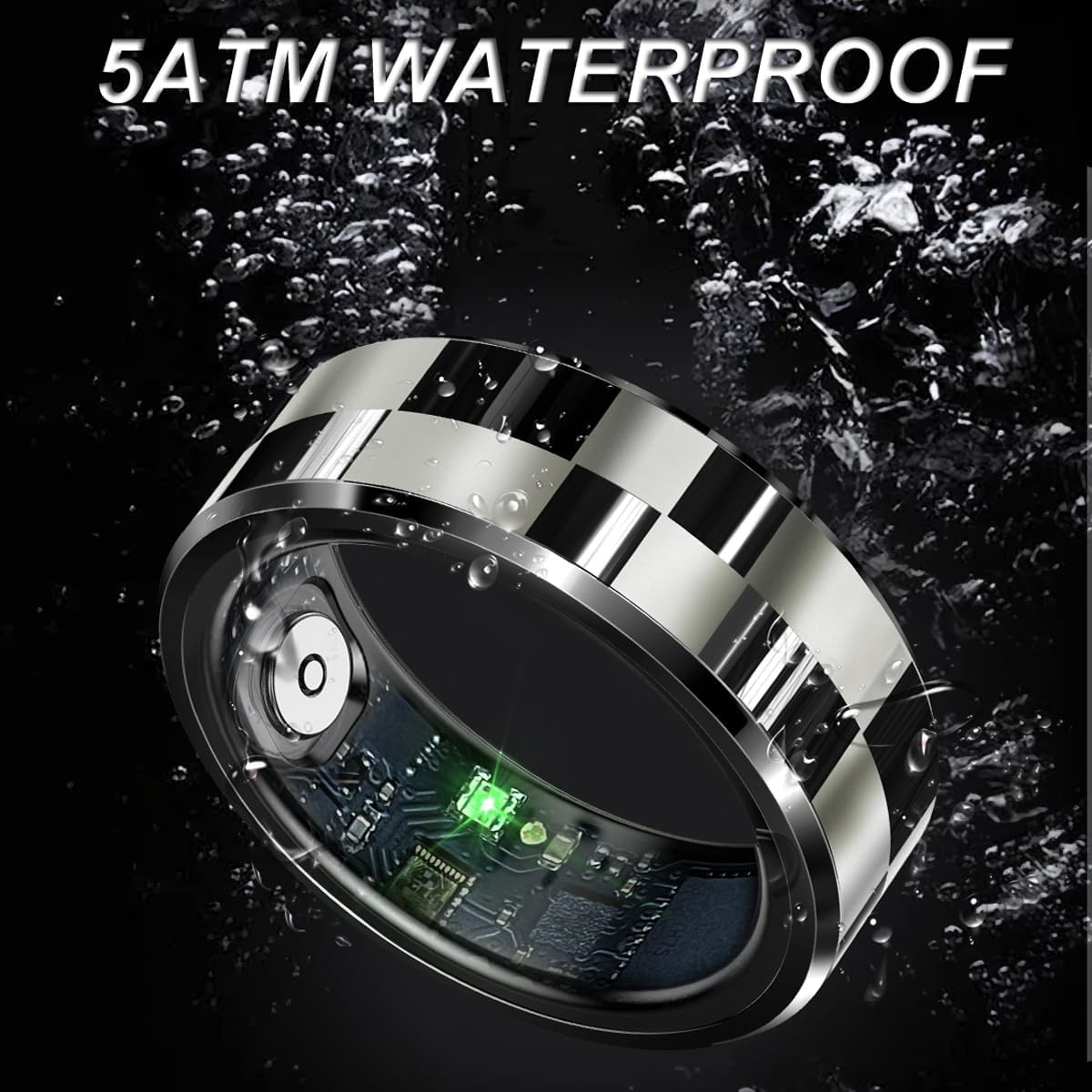
1. Waterproof Information:
The CNBRO Smart Ring features IP67 waterproof technology, making it suitable for daily activities such as washing hands, cold bathing, and swimming. Important: The device is NOT suitable for hot water, saunas, or steam rooms, as high temperatures can compromise the waterproof seal.
2. Cleaning:
To clean your smart ring, gently wipe it with a soft, damp cloth. Avoid using harsh chemicals or abrasive materials, as these can damage the device's finish or sensors.
Troubleshooting
If you encounter any issues with your CNBRO Smart Ring, please try the following basic troubleshooting steps:
- Ensure the ring is charged: Low battery can affect performance and connectivity.
- Restart the ring and your smartphone: A simple restart can often resolve minor software glitches.
- Check Bluetooth connection: Ensure Bluetooth is enabled on your phone and the ring is paired correctly in the ECTRI app.
- Update the ECTRI app: Make sure you have the latest version of the app installed.
- Re-pair the device: If connection issues persist, try unpairing and re-pairing the ring with the app.
If these steps do not resolve the problem, please contact customer support for further assistance.
Specifications
| Feature | Detail |
|---|---|
| Model Name | R9 |
| Brand | CNBRO |
| Connectivity Technology | Bluetooth 5.1 |
| Operating System | Proprietary OS |
| Compatibility | iOS 11.0 or above, Android 6.0 or above |
| Special Features | Heart Rate, Sleep Tracker, Blood Pressure, Pedometer, Sport Mode, Gesture Control |
| Ring Battery Capacity | 18mAh (Lithium Ion) |
| Charging Type | Magnetic Charging Case |
| Water Resistance | IP67 (Not suitable for hot water) |
| Item Weight | 1.6 ounces (approx. 5g for ring) |
| Product Dimensions | 0.39 x 0.39 x 0.39 inches (Ring dimensions vary by size) |
| Manufacturer | Shenzhen Zhongxin Chuangzhan Technology Co.,Ltd. |
Support and Contact
For any questions, technical support, or assistance with your CNBRO Smart Ring, please contact our customer service. We are committed to providing the best possible solution to your inquiries.
Contact information was not provided in the product details, please refer to your purchase documentation or the seller's contact page for support.