
1. Introduction
Welcome to the Kidywolf Multifunction Flashlight user manual. This guide provides essential information on how to set up, operate, and maintain your flashlight. Please read these instructions carefully to ensure safe and optimal use of the product.
2. Product Overview
The Kidywolf Multifunction Flashlight is a versatile lighting device designed for children, offering three distinct functions: a standard flashlight, an ambient light, and a pendant light. It features adjustable warm light intensity and a durable, ergonomic design, making it a perfect companion for various activities.
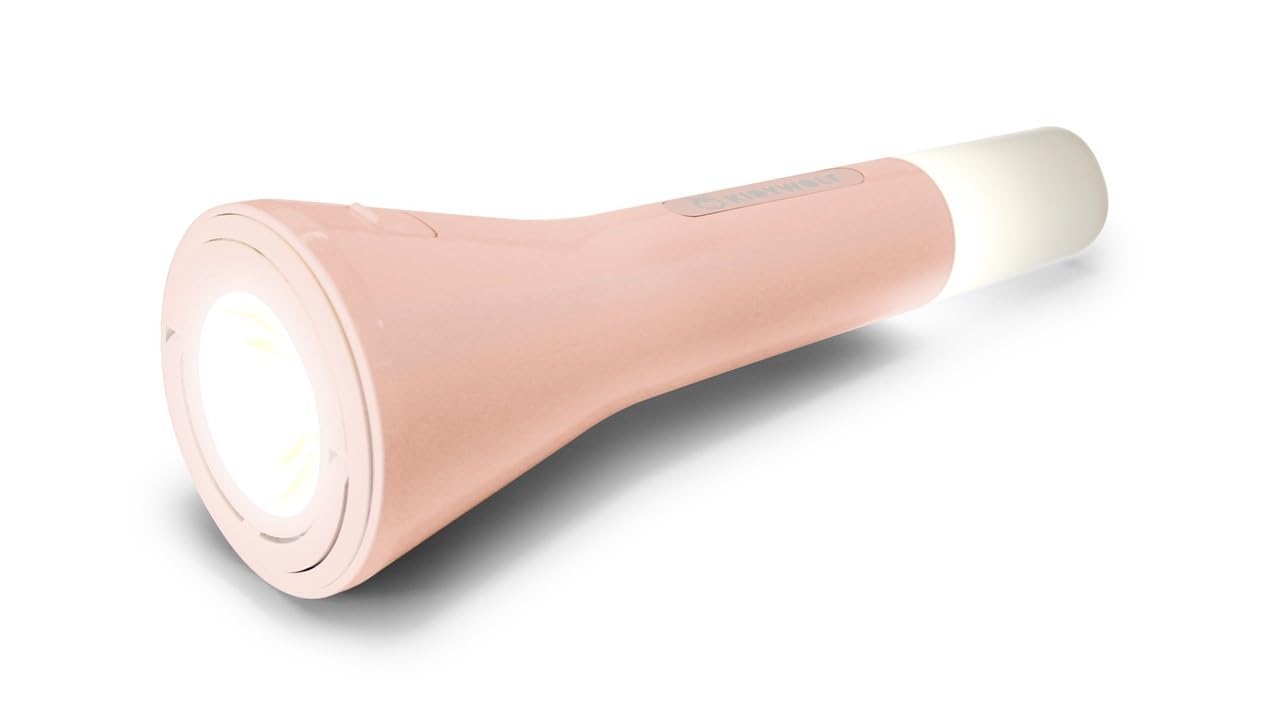
This image displays the Kidywolf Multifunction Flashlight in its packaging. The packaging highlights the three primary functions of the device: a standard flashlight for direct illumination, an ambient light when placed upright, and a pendant light when hung by its integrated ring. The flashlight itself is shown in a nude/pink color.
3. Key Features
- 3-in-1 Functionality: Operates as a flashlight, ambient light, or pendant light.
- Adjustable Warm Light: Three intensity levels (100%, 60%, 20%) with 3000°K warm light.
- Rechargeable Battery: Equipped with a 3.7V/1200 mAh battery for extended use.
- USB-C Charging: Convenient and fast charging via USB-C cable.
- Durable Design: Features a matte finish for a practical and elegant look.
- Portable: Lightweight and easy to handle, suitable for travel and indoor use.
4. Setup
Upon first use, it is recommended to fully charge the Kidywolf Multifunction Flashlight. Connect the provided USB-C cable to the charging port on the device and plug the other end into a compatible USB power source (e.g., computer, wall adapter). The charging indicator will show the charging status.
5. Operating Instructions
5.1 Powering On/Off
To turn the flashlight on or off, press and hold the power button located on the side of the device for approximately 2 seconds.
5.2 Function Modes
The flashlight offers three distinct modes:
- Flashlight Mode: For direct illumination. Hold the device in hand.
- Ambient Light Mode: For creating a soft atmosphere. Place the flashlight upright on a flat surface.
- Pendant Light Mode: For hanging and broader illumination. Use the integrated ring to suspend the device.
To cycle through the modes, short press the power button once the device is on.
5.3 Adjusting Light Intensity
While the flashlight is on, short press the power button repeatedly to cycle through the three intensity levels: 100% (brightest), 60% (medium), and 20% (dimmest). The light will adjust with each press.
6. Charging the Device
The Kidywolf Multifunction Flashlight is equipped with a rechargeable battery. When the battery is low, the light intensity may decrease, or the device may turn off. To recharge:
- Locate the USB-C charging port on the device.
- Connect the provided USB-C to USB cable to the flashlight.
- Plug the USB-A end of the cable into a standard USB power adapter (not included) or a computer's USB port.
- Allow the device to charge until the charging indicator shows a full charge. A full charge provides up to 12 hours of continuous use.
7. Care and Maintenance
- Cleaning: Wipe the device with a soft, dry cloth. Do not use abrasive cleaners or solvents.
- Storage: Store the flashlight in a cool, dry place away from direct sunlight and extreme temperatures.
- Battery Care: To prolong battery life, avoid fully discharging the battery frequently. Charge the device regularly, even if not in use for extended periods.
- Water Resistance: This device is not waterproof. Avoid exposure to water or high humidity.
8. Troubleshooting
| Issue | Possible Cause | Solution |
|---|---|---|
| Flashlight does not turn on. | Battery is depleted. | Charge the device using the USB-C cable. |
| Light intensity is low. | Battery is low or set to lowest intensity. | Recharge the battery or cycle through intensity levels by short pressing the power button. |
| Device not charging. | Cable or power source issue. | Ensure the USB-C cable is properly connected and try a different USB power source. |
9. Technical Specifications
- Functions: Flashlight, Ambient Light, Pendant Light
- Light Intensity Levels: 3 (100%, 60%, 20%)
- Color Temperature: 3000°K (Warm Light)
- Battery: 3.7V/1200 mAh
- Charging: USB-C / USB cable
- Finish: Matte
10. Warranty Information
Kidywolf products are manufactured to high-quality standards. For specific warranty terms and conditions, please refer to the warranty card included with your product or visit the official Kidywolf website. Keep your proof of purchase for any warranty claims.
11. Customer Support
If you have any questions, concerns, or require assistance with your Kidywolf Multifunction Flashlight, please contact Kidywolf customer support. Contact details can typically be found on the product packaging or the official Kidywolf website.