
Introduction
This manual provides essential information for the proper installation, operation, and maintenance of your Safeliveo Carbon Monoxide (CO) Alarm, Model CO04R. This device is designed to detect carbon monoxide gas and alert you to potentially dangerous levels, helping to ensure the safety of your home or commercial environment. Please read this manual thoroughly before installation and keep it for future reference.
Important Safety Information
- Carbon monoxide is an odorless, colorless, and tasteless gas that can be fatal. This alarm is designed to detect CO gas from any source of combustion.
- This CO alarm is not a smoke detector and does not detect fire or other gases.
- Test the alarm weekly to ensure proper operation.
- Do not paint the alarm. Paint can clog the vents and interfere with the sensor's ability to detect CO.
- Do not block the alarm's vents.
- In case of an alarm, evacuate the premises immediately and call emergency services. Do not re-enter until the area has been declared safe by emergency personnel.
Package Contents
- Safeliveo Carbon Monoxide Alarm (Model CO04R)
- Mounting Bracket
- Screws and Wall Plugs
- User Manual (this document)
- AA Batteries (may be pre-installed or separate)
Setup and Installation
Battery Installation
The Safeliveo CO alarm operates on replaceable AA batteries.
- Open the battery compartment cover on the back of the unit.
- Insert the AA batteries, ensuring correct polarity (+ and -).
- Close the battery compartment cover securely.
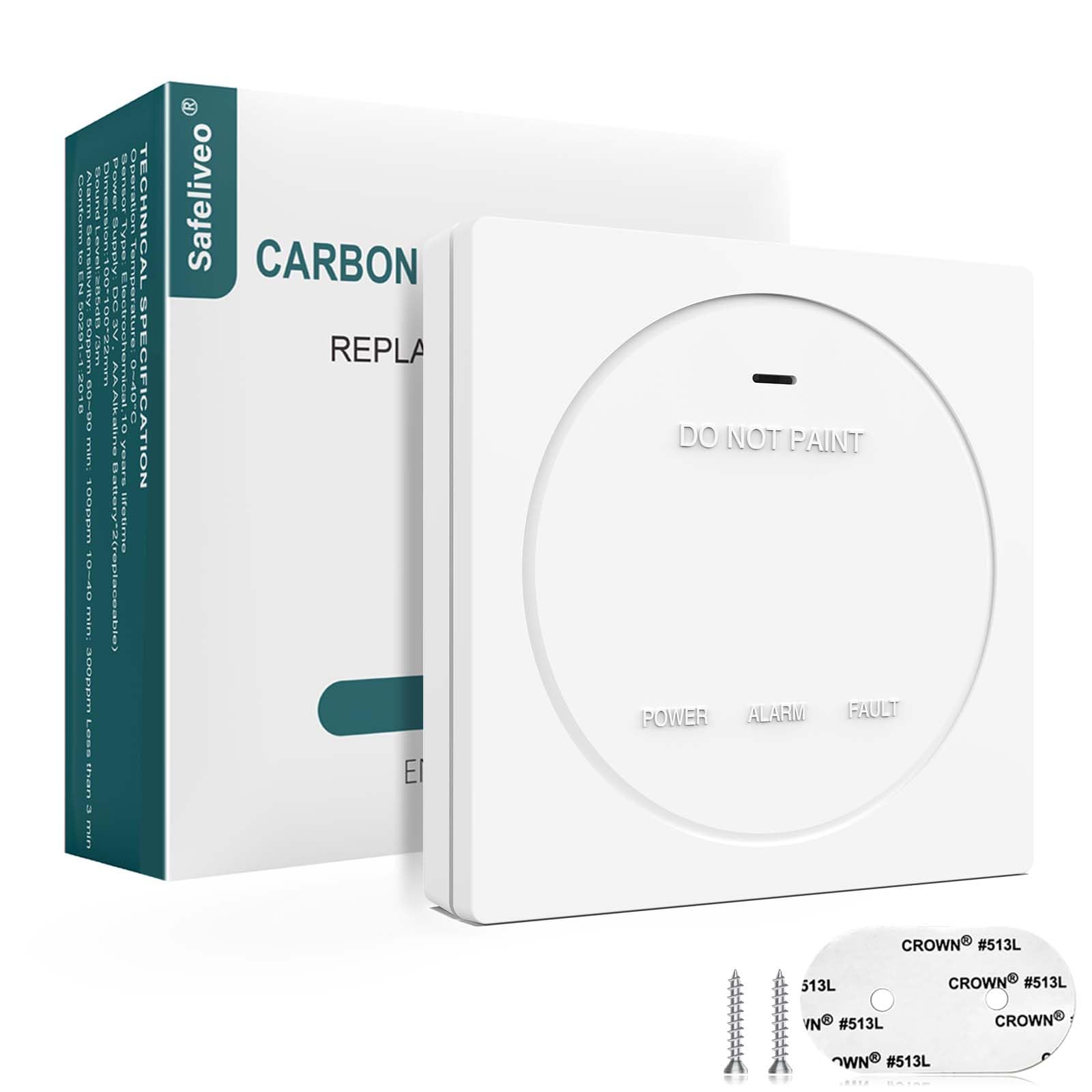
Image: Rear view of the Safeliveo CO alarm with the battery cover removed, illustrating the insertion of two AA batteries. The image highlights "10-Year Sensor Life Time" and "Replaceable Batteries".
Mounting Location
Choose a location where the alarm can be heard by all occupants, ideally near sleeping areas and on every level of the home.
- Install on a wall or ceiling.
- At least 1.5 meters (5 feet) away from fuel-burning appliances.
- Not in direct sunlight, near vents, or in extremely dusty/humid areas.
- Avoid dead air spaces, such as at the peak of a vaulted ceiling or in corners.
Mounting the Alarm
The alarm can be mounted using screws or adhesive pads.
- Screw Installation:
- Use the provided screw kit to drill holes and secure the mounting bracket to the wall.
- Hang the CO alarm onto the secured bracket.
- Adhesive Pad Installation (for temporary or non-drilling needs):
- Attach the adhesive pads to the small bracket.
- Secure the bracket to a clean, dry wall surface.
- Hang the CO alarm onto the attached bracket.

Image: Step-by-step visual guide for installing the CO alarm using either screws and wall plugs or adhesive pads. The image shows the alarm being attached to a wall bracket.
Operating Instructions
LED Indicators and Alarm States
The Safeliveo CO alarm features a 3-color LED indicator to communicate its status.

Image: Front view of the CO alarm highlighting the three LED indicators: Green (Power), Yellow (Fault/Low Battery), and Red (Alarm), with corresponding descriptions.
- Green LED (Power): Flashes periodically (e.g., every 30 seconds) to indicate the unit is powered on and functioning correctly in a CO-free environment.
- Yellow LED (Fault/Low Battery): Flashes to indicate a malfunction or low battery condition. Refer to the Troubleshooting section.
- Red LED (Alarm): Flashes rapidly accompanied by an audible alarm (85 dB) when carbon monoxide is detected at dangerous levels.
CO Detection Levels and Alarm Response
The alarm activates based on specific CO concentration levels and exposure times, compliant with EN50291-1:2018 standard.
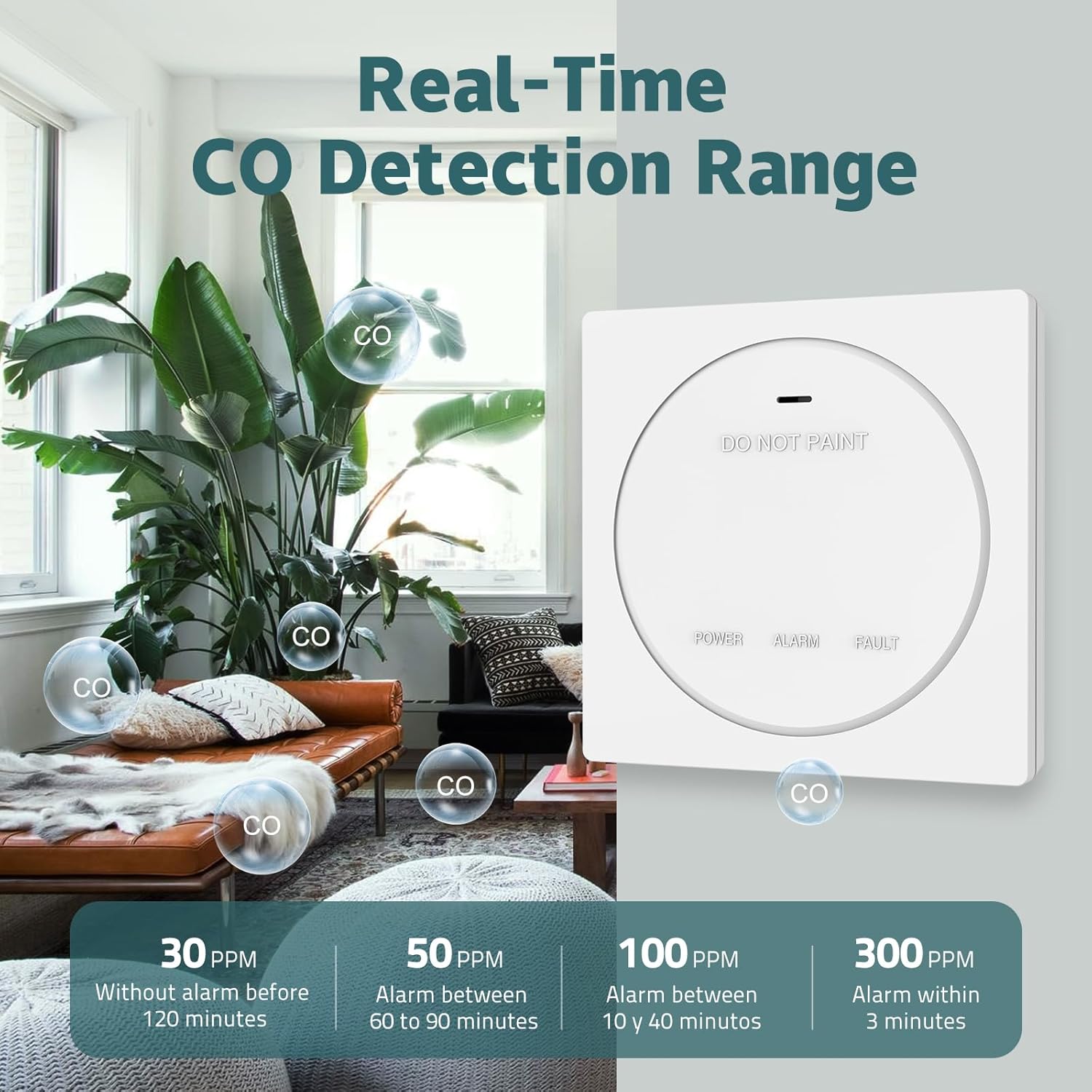
Image: A visual representation of the CO detection range and corresponding alarm activation times at different PPM levels (30 PPM, 50 PPM, 100 PPM, 300 PPM).
- 30 PPM: No alarm before 120 minutes.
- 50 PPM: Alarm between 60 to 90 minutes.
- 100 PPM: Alarm between 10 to 40 minutes.
- 300 PPM: Alarm within 3 minutes.
Test/Mute Button
The unit features a Test/Mute button.
- Test Function: Press and hold the button to test the alarm's sound and LED indicators. This should be done weekly.
- Mute Function: During an alarm, pressing the button will temporarily silence the audible alarm for a short period (e.g., 5-10 minutes) while the unit continues to monitor CO levels. If CO levels remain high, the alarm will reactivate.
Maintenance
Weekly Testing
Test your CO alarm weekly by pressing the Test/Mute button. The alarm should sound, and the red LED should flash.
Battery Replacement
When the yellow LED flashes and an audible chirp occurs, it indicates a low battery. Replace the AA batteries immediately following the "Battery Installation" steps.
Cleaning
Clean the alarm regularly (e.g., monthly) using a soft, slightly damp cloth. Do not use cleaning agents or solvents. Do not spray air fresheners or other aerosols near the alarm, as this can affect sensor performance.
End of Life
The CO sensor has a 10-year lifespan. After 10 years, the unit will indicate an end-of-life warning (e.g., specific yellow LED pattern or chirp). Replace the entire unit at this time to ensure continued protection.
Troubleshooting
| Problem | Indication | Solution |
|---|---|---|
| Alarm sounds continuously | Red LED flashing, loud alarm | Carbon Monoxide Detected! Evacuate immediately, call emergency services, and do not re-enter until the area is cleared by professionals. |
| Alarm chirps periodically | Yellow LED flashing, short chirp | Low battery. Replace AA batteries. |
| Alarm chirps periodically | Yellow LED flashing (different pattern than low battery) | Malfunction/Fault. The unit may be at its end of life or has an internal error. Replace the unit. |
| No power/No indicators | No LEDs, no sound | Check battery installation. Ensure batteries are fresh and correctly inserted. If still no power, replace the unit. |
Specifications
- Model: CO04R
- Sensor Type: Electrochemical Carbon Monoxide Sensor
- Sensor Life: 10 Years
- Alarm Loudness: 85 dB at 3 meters
- Power Source: Replaceable AA Batteries
- Compliance: EN50291-1:2018 Standard
- Item Weight: 0.2 Kilograms
- Dimensions: Approximately 10 cm x 10 cm x 2.25 cm (Length x Width x Height)

Image: Detailed view of the CO alarm, highlighting its dimensions (10cm width, 2.25cm depth) and key features such as the 85dB alarm, Test/Mute button, 3-color indicator, and sensor entrance.
Warranty and Support
Safeliveo provides a standard warranty for this product. For specific warranty terms, please refer to the product packaging or contact Safeliveo customer support.
For technical assistance or further inquiries, please visit the official Safeliveo website or contact their customer service department. Contact information can typically be found on the product packaging or the manufacturer's website.