
JOINICE FUJLJ001
JOINICE 70" Tall Corner Cabinet Instruction Manual
Model: FUJLJ001
Introduction
Thank you for choosing the JOINICE 70" Tall Corner Cabinet. This mid-century modern fluted cabinet is designed to maximize space utilization while providing elegant storage and display options. Featuring built-in lighting, glass holders, and ample shelving, it is suitable for various rooms including living rooms, bedrooms, kitchens, and dining rooms. This manual provides essential information for safe assembly, operation, and maintenance of your new cabinet.
Safety Information
WARNING: Always assemble the cabinet according to the provided instructions. Be cautious when lifting and moving the cabinet due to its weight and height to prevent injury or damage. Ensure the anti-tipping device is properly installed to prevent accidental tipping, especially in households with children or pets. Do not overload shelves beyond their stated weight capacity.
Weight Capacity: Top 50 lbs, Shelves 25 lbs each.

Image: Diagram illustrating the dimensions (70.1" H, 22.2" W, 15.7" D) and weight capacity for the top (50 lbs) and shelves (25 lbs each) of the JOINICE 70" Tall Corner Cabinet.
Package Contents
Before beginning assembly, verify that all parts and hardware are present. Refer to the included parts list in your packaging. Each part and accessory is typically affixed with a numbered sticker for easy identification.
- Cabinet Panels (various sizes)
- Glass Shelves (2)
- Cabinet Door (1)
- Adjustable Feet (4)
- Anti-Tipping Device (1 set)
- Lighting System (LED light, power adapter)
- Glass Holders (for wine glasses)
- Assembly Hardware (screws, dowels, cam locks, etc.)
- Assembly Instructions Manual
Setup and Assembly
Assembly is required for this cabinet. Follow the detailed instructions provided in the separate assembly manual included with your product. Ensure you have adequate space and the necessary tools (e.g., screwdriver, hammer) before starting. It is recommended to assemble the cabinet on a soft, clean surface to prevent scratches.
- Unpack and Identify Parts: Carefully remove all components from the packaging. Lay them out and compare them against the parts list in your assembly manual.
- Assemble Base Structure: Begin by connecting the main side panels and base according to the numbered diagrams.
- Install Shelves: Secure the fixed shelves. The glass shelves for the upper section will be installed later.
- Attach Back Panel: Fasten the back panel to the assembled frame.
- Install Door: Attach the cabinet door using the provided hinges. Ensure it opens and closes smoothly.
- Install Glass Shelves and Holders: Carefully place the glass shelves into their designated supports in the upper section. Install the glass holders.
- Mount Lighting System: Position and secure the LED light in the upper section. Route the power cable as instructed.
- Attach Adjustable Feet: Screw the adjustable feet into the base of the cabinet. Adjust them to ensure the cabinet is level and stable.
- Secure Anti-Tipping Device: This is a critical safety step. Attach the anti-tipping device to the back of the cabinet and secure it to a wall stud using appropriate hardware.
For visual guidance, refer to the official product video below which demonstrates the cabinet's features and structure.
Video: An official product video from JOINICE showcasing the Mid Century Modern corner cabinet and its features. This video can assist with understanding the cabinet's structure and assembly process.

Image: Close-up view of the JOINICE corner cabinet highlighting key features: the anti-tipping device for safety, the integrated lighting system, adequate storage space, and adjustable foot pads for leveling.
Operating Instructions
Lighting System
The cabinet features a built-in LED lighting system to illuminate your displayed items. To operate, connect the power adapter to a standard electrical outlet. The light is typically controlled by a switch located on the power cord or directly on the light fixture. Ensure the cable is neatly routed and not pinched.

Image: Detail of the integrated LED lighting system, designed to highlight items displayed on the glass shelves.
Cabinet Doors and Shelves
The lower section of the cabinet includes a fluted door for concealed storage. Open and close the door gently using the handle. The interior shelves provide additional storage space. The glass shelves in the upper section are fixed once installed and are designed for displaying decorative items or glassware.
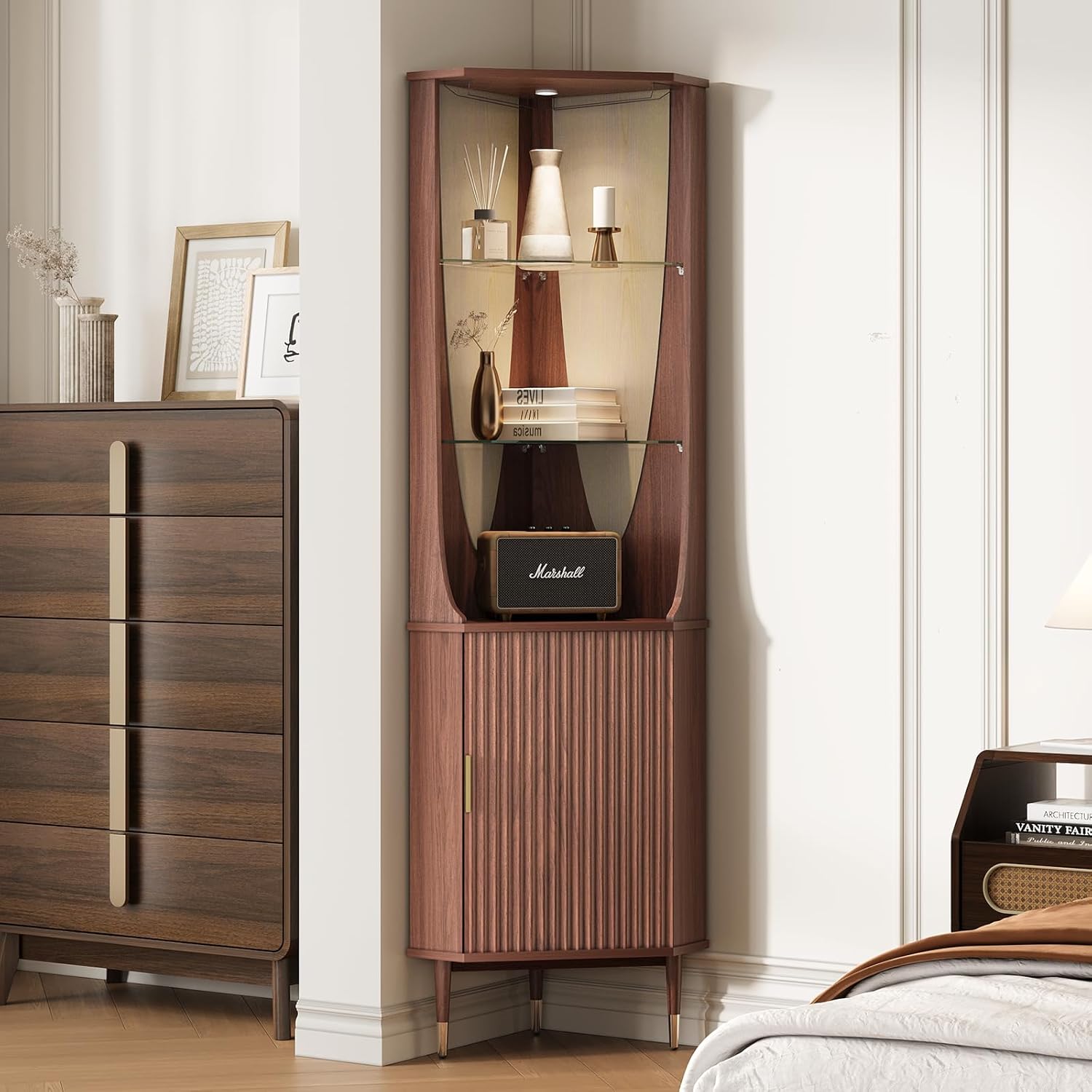
Image: The JOINICE corner cabinet with its lower door open, showcasing the internal storage shelves suitable for various items.
Maintenance and Care
Cleaning
- Wood Surfaces: Wipe wood surfaces with a soft, damp cloth. Avoid abrasive cleaners or harsh chemicals that can damage the finish. Dry immediately with a clean cloth.
- Glass Shelves: Clean glass shelves with a glass cleaner and a soft, lint-free cloth.
- Spills: The cabinet features waterproof material. In case of spills, wipe them immediately to prevent water damage, especially on non-waterproof sections.

Image: Detailed view highlighting the waterproof material of the cabinet surface and the distinctive fluted panel design on the door.
General Care
- Avoid placing hot items directly on the surface. Use coasters or protective pads.
- Keep the cabinet away from direct sunlight and heat sources to prevent fading or warping.
- Periodically check all screws and connections to ensure they remain tight.
Troubleshooting
| Problem | Possible Cause | Solution |
|---|---|---|
| Cabinet is wobbly/unstable | Uneven floor; loose connections; adjustable feet not properly set. | Adjust the leveling feet at the bottom of the cabinet. Ensure all assembly screws are tightened. Verify the anti-tipping device is securely installed. |
| Door does not close properly | Hinges are misaligned; obstruction; cabinet not level. | Check hinge alignment and adjust if necessary. Ensure no items are blocking the door. Level the cabinet using the adjustable feet. |
| Lighting system not working | Power adapter unplugged; light switch off; faulty connection. | Ensure the power adapter is securely plugged into a working outlet. Check the light switch. Verify all connections to the light fixture are secure. |
| Missing parts or damaged components | Shipping damage; packaging error. | Contact JOINICE customer support immediately with your purchase details and a description of the issue. |
Specifications
| Brand | JOINICE |
| Model Number | FUJLJ001 |
| Product Dimensions (D x W x H) | 15.7"D x 22.2"W x 70.1"H |
| Material | Engineered Wood |
| Wood Type | Walnut |
| Color | Walnut |
| Number of Shelves | 5 (including glass shelves) |
| Weight Capacity (Top) | 50 Pounds |
| Weight Capacity (Shelves) | 25 Pounds each |
| Additional Features | Adjustable Feet, Anti-Tipping Device, Built-in Lighting, Glass Holders |
| Assembly Required | Yes |
Warranty and Support
JOINICE provides comprehensive customer support for its products. If you encounter any problems with your cabinet, including missing parts, damaged components, or assembly difficulties, please do not hesitate to contact our customer service team.
Please have your purchase details, model number (FUJLJ001), and a description of the issue ready when contacting support. Refer to your purchase documentation or the JOINICE website for specific warranty terms and contact information.
Contact Information: Refer to the contact details provided with your product packaging or visit the official JOINICE website.
Ask a question about this manual
Ask about setup, troubleshooting, compatibility, parts, safety, or missing instructions. Manuals+ will review the question and use this page’s manual context to help answer it.