Introduction
This manual provides comprehensive instructions for the setup, operation, maintenance, and troubleshooting of your ZYVICXFJ Wapik Y6 Smart Watch. Please read this manual carefully before using your device to ensure optimal performance and longevity.

Image: The ZYVICXFJ Wapik Y6 Smart Watch, featuring a round gold-colored bezel, a black display with a digital clock, and a white silicone strap.
Package Contents
Ensure all items are present in the package:
- Wapik Y6 Smart Watch
- Watch Band
- USB Magnetic Charger Cable
- User Manual

Image: An illustration detailing the contents of the Wapik Y6 Smart Watch package, including the watch, charging cable, and manual.
Setup
1. Charging the Device
Before first use, fully charge your Wapik Y6 Smart Watch. Connect the magnetic charging cable to the charging points on the back of the watch and plug the USB end into a power adapter (not included) or a computer's USB port. A full charge takes approximately 2.5 hours.
Image: The Wapik Y6 Smart Watch being charged via its magnetic USB cable, with a green charging icon displayed on the watch face.
2. App Installation and Pairing
- Download the App: Search for and download the "Y6 watch app" (or "FitCloudPro") from your smartphone's app store (compatible with Android 9.0+ and iOS 9.0+).
- Enable Bluetooth: Ensure Bluetooth is enabled on your smartphone.
- Open the App: Launch the installed app and follow the on-screen instructions to create an account or log in.
- Pair the Watch: Within the app, navigate to the device pairing section. The app will search for available devices. Select "Wapik Y6" or the corresponding device name to initiate pairing.
- Confirm Pairing: A pairing request may appear on your watch and phone. Confirm the connection on both devices.
Note: Some users have reported aggressive direct Bluetooth pairing requests for audio. If you experience this, you may need to deny the direct Bluetooth connection for audio to prevent the watch from overriding your phone's audio output, while still allowing the app to sync data.
Operating Instructions
Display and Navigation
The Wapik Y6 Smart Watch features a 1.43-inch AMOLED display, offering vibrant colors and clear visuals. Navigate the watch interface by swiping across the screen and tapping icons.

Image: A display of three Wapik Y6 Smart Watches, each showcasing a different customizable watch face on its bright AMOLED screen.

Image: A visual comparison illustrating the superior clarity, high resolution, and vibrant colors of the AMOLED display on the Wapik Y6 Smart Watch compared to a standard screen.
Call Functionality
Once paired, you can answer and make calls directly from your watch. The watch features a microphone and speaker for hands-free communication.
- Answering Calls: When a call comes in, tap the green phone icon on the watch screen.
- Making Calls: Access the dialer or phone book from the watch menu to initiate a call.

Image: The Wapik Y6 Smart Watch screen showing an incoming call from "Monroe," alongside icons representing call functions, voice assistant, music control, and phone book access.

Image: Screenshots from the Wapik Y6 Smart Watch demonstrating its Bluetooth call and dial features, including a numeric keypad, recent call logs, and a contact list.
Notifications and Smart Features
Receive real-time notifications for calls, texts, and social media apps (Facebook, Instagram, WhatsApp, etc.) directly on your wrist. Other smart features include:
- Music Control: Play, pause, skip tracks on your smartphone.
- Remote Camera Control: Use your watch as a remote shutter for your phone's camera.
- Find My Phone: Locate your misplaced smartphone.
- Weather Forecast: Get current weather updates.
- Alarms: Set and manage alarms.
- Voice Assistant: Access your phone's voice assistant.
Image: The Wapik Y6 Smart Watch screen showing incoming message notifications from various social media and messaging applications.

Image: A collage of six distinct screens from the Wapik Y6 Smart Watch, illustrating its various functions including weather display, music playback control, remote camera activation, phone locator, sports mode selection, and voice assistant interaction.
Health and Fitness Tracking
The Wapik Y6 Smart Watch is equipped with advanced optical sensors to monitor various health metrics. Note: Health tracking features are for reference only and should not be used for medical diagnosis or treatment. Consult a medical professional for any health concerns.
Heart Rate Monitoring
The watch continuously tracks your heart rate throughout the day. View real-time data on the watch or detailed historical data in the companion app.
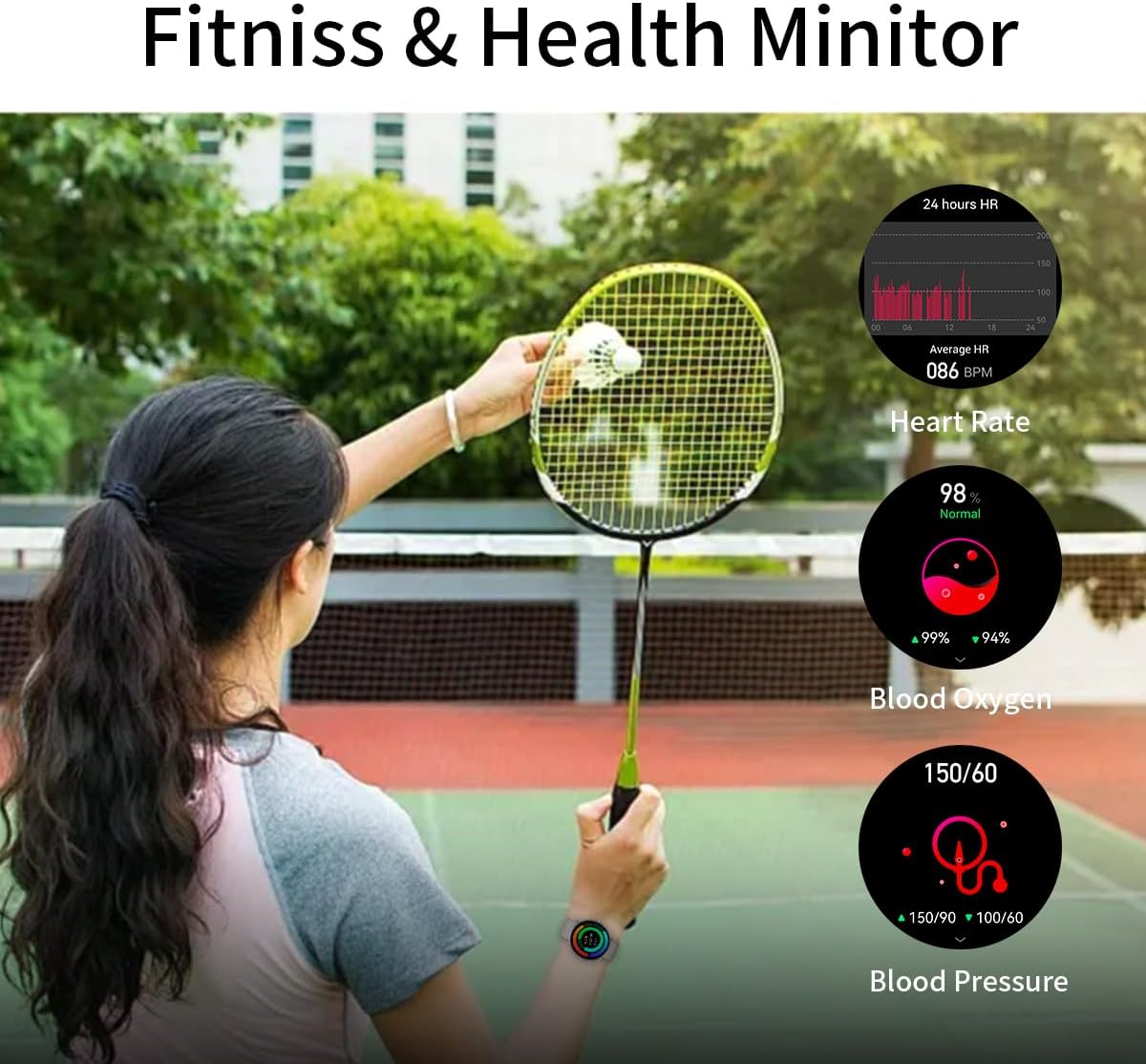
Image: A person playing badminton while wearing the Wapik Y6 Smart Watch, which displays real-time heart rate, blood oxygen (SpO2), and blood pressure measurements.

Image: A woman performing a stretch exercise, with the Wapik Y6 Smart Watch on her wrist showing a 24-hour heart rate graph and average heart rate.
Blood Oxygen (SpO2) Monitoring
Measure your blood oxygen saturation levels to gain insights into your respiratory health.
Sleep Tracking
The watch automatically tracks your sleep patterns, including light sleep, deep sleep, and awake times. Analyze your sleep data in the app to help develop healthier sleep habits.

Image: A person sleeping, with the Wapik Y6 Smart Watch on their wrist displaying sleep tracking data, including total sleep duration and breakdown of light and deep sleep.

Image: A man sleeping, with the Wapik Y6 Smart Watch on his wrist showing detailed sleep tracking information, including sleep duration and sleep stage analysis.
Activity and Sports Tracking
The watch supports over 100 sports modes, accurately tracking steps, distance, calories burned, and duration for various activities. This data helps you monitor your fitness progress.

Image: A collage depicting individuals engaged in various sports such as running, cycling, basketball, and swimming, highlighting the Wapik Y6 Smart Watch's multi-sport tracking capabilities and IP68 waterproof rating.

Image: A man hiking outdoors, with the Wapik Y6 Smart Watch on his wrist displaying activity tracking metrics such as steps taken, distance covered, calories burned, and heart rate.
Maintenance
Water Resistance (IP68)
The Wapik Y6 Smart Watch is IP68 waterproof, meaning it is resistant to dust and can withstand immersion in water up to 1.5 meters for 30 minutes. It is suitable for daily use, including hand washing, rain, and shallow-water swimming. Avoid hot water, saunas, or diving.
Cleaning
Wipe the watch and strap regularly with a soft, damp cloth. Ensure the charging contacts are clean and dry before charging.
Battery Life
The watch offers up to 5 days of working time and 25 days of standby time on a single 2.5-hour charge. Battery performance may vary based on usage and settings.
Troubleshooting
- Watch not turning on: Ensure the watch is fully charged. Connect it to the charger for at least 30 minutes.
- Cannot pair with phone:
- Ensure Bluetooth is enabled on your phone.
- Make sure the watch is within range of your phone.
- Restart both the watch and your phone.
- Check if the app is updated to the latest version.
- If previous pairing attempts caused issues with audio, try "forgetting" the watch from your phone's Bluetooth settings and re-pairing through the app only.
- Inaccurate health data:
- Ensure the watch is worn snugly on your wrist, not too tight or too loose.
- Clean the sensors on the back of the watch.
- Note that health tracking features are for reference only and should not be used for medical diagnosis.
- Notifications not appearing:
- Check app notification settings on your phone and within the watch app.
- Ensure the watch is connected via Bluetooth.
Specifications
| Brand | ZYVICXFJ |
| Model Number | Y6 |
| Display Size | 1.43 Inches AMOLED |
| Operating System | Android & iOS (Android 9.0+, iOS 9.0+) |
| Connectivity | Bluetooth |
| Water Resistance | IP68 |
| Battery Capacity | 260 Milliamp Hours (Lithium Polymer) |
| Charging Time | Approx. 2.5 hours |
| Working Time | Up to 5 days |
| Standby Time | Up to 25 days |
| Product Dimensions | 1.76 x 1.76 x 0.43 inches |
| Item Weight | 5.2 ounces |
| Special Features | Touchscreen, Notifications, Weather Forecast, Voice Control, Phone Call, Cycle Tracking, Music Player, Activity Tracker, Heart Rate Monitor, Sleep Monitor, Daily Workout Memory, Blood Oxygen, Step, Calorie Tracker, Email, Camera, Alarm Clock, Time Display, Waterproof |
Warranty and Support
For warranty information, please refer to the documentation included with your purchase or contact the retailer. For technical support or further assistance, please contact ZYVICXFJ customer service through their official channels or the retailer where the product was purchased.


