
1. Introduction
Thank you for choosing the Limitless 2-in-1 Cordless Handheld Vacuum and Air Blower/Pump. This device is designed for versatile cleaning and blowing tasks, offering portability and convenience. Please read this manual thoroughly before use to ensure proper operation and maintenance.
2. Package Contents
Verify that all items listed below are included in your package:
- Limitless 2-in-1 Handheld Vacuum and Air Blower/Pump Unit
- Carrying Case
- USB-C Charging Cable
- Crevice Nozzle (long flat nozzle)
- Brush Nozzle (small brush attachment)
- Wide Mouth Nozzle
- Blower Nozzles (various sizes for inflation/blowing)
- HEPA Filter (pre-installed)
- Spare HEPA Filter
- User Manual

Image: The Limitless 2-in-1 device shown with its carrying case, USB-C cable, two HEPA filters, and various attachments including crevice tools, brush nozzles, and blower nozzles.
3. Product Overview
Familiarize yourself with the main components of your device:
- Power Button: Controls power ON/OFF and suction/blower modes.
- Dust Bin: Transparent container for collected debris.
- HEPA Filter: Located inside the dust bin, filters fine particles.
- Vacuum Inlet: Front opening for vacuuming.
- Blower Outlet: Rear opening for air blowing.
- Charging Port: USB-C port located at the base of the handle.

Image: A side view of the main unit, highlighting the transparent dust bin, filter, and overall compact design.

Image: A detailed view of the rear blower outlet, where air is expelled or attachments for blowing/inflation are connected.
4. Charging
Before first use, fully charge the device. A full charge takes approximately 5 hours.
- Locate the USB-C charging port at the bottom of the handle.
- Connect the provided USB-C cable to the device and plug the other end into a compatible USB power adapter (not included).
- The indicator light will show charging status (e.g., red for charging, green for fully charged).
- Once fully charged, disconnect the cable.
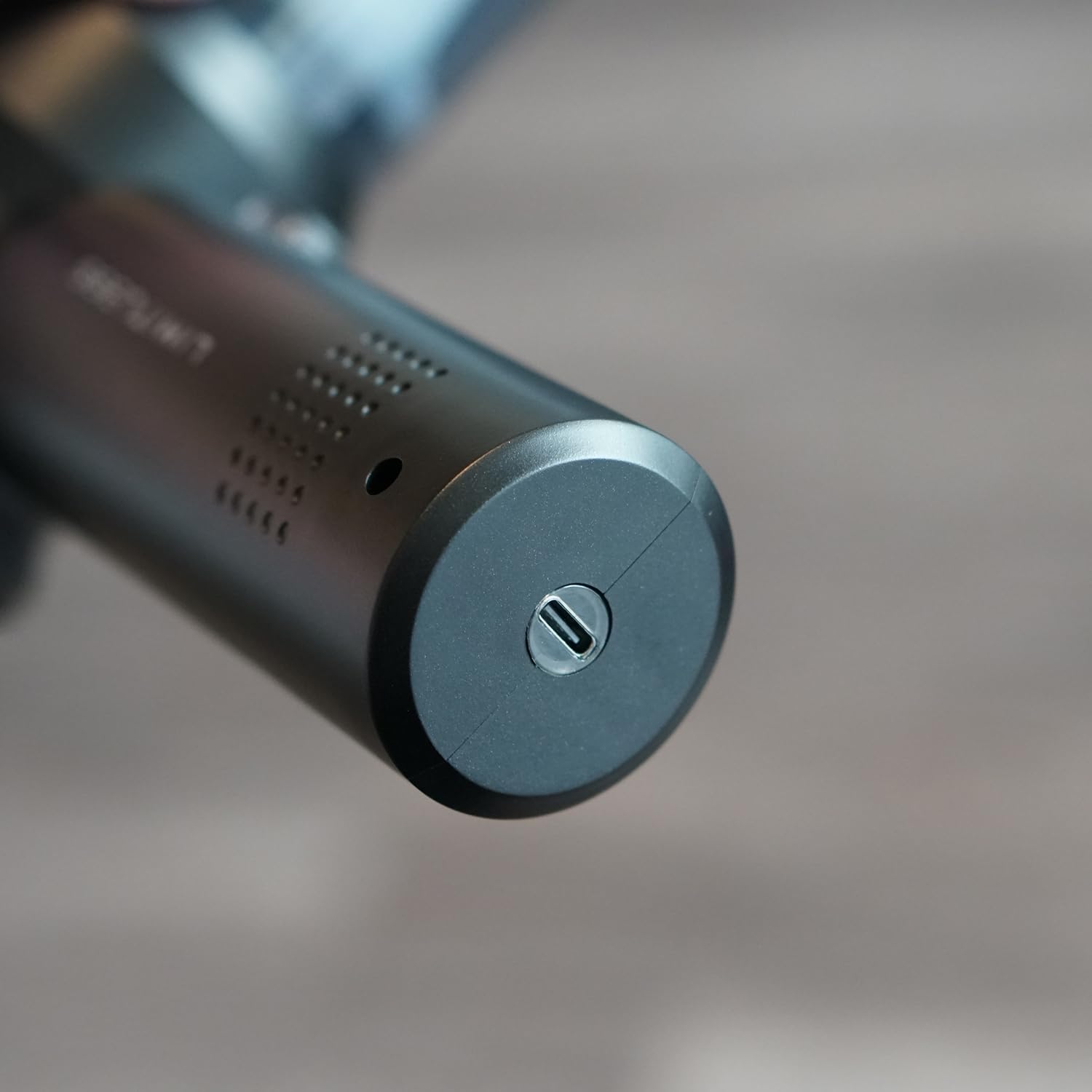
Image: A close-up shot of the USB-C charging port located at the bottom of the device's handle.
5. Operation
5.1 General Power Control
- Press and hold the power button to turn the device ON.
- Press the power button repeatedly to cycle through the 3 available power levels (low, medium, high).
- Press and hold the power button again to turn the device OFF.
5.2 Vacuum Mode
To use the device as a vacuum:
- Attach the desired vacuum nozzle (e.g., crevice tool, brush nozzle) to the front vacuum inlet.
- Turn on the device and select the appropriate power level.
- Direct the nozzle towards the area to be cleaned.

Image: The device with a crevice tool attachment being used to clean debris from a car's cup holder.

Image: A brush attachment on the vacuum is used to gently clean dust from a car's infotainment screen.

Image: The handheld vacuum is being used to clean the interior of a car, specifically around the steering wheel area.

Image: The device is shown vacuuming dust and debris from a car's air conditioning vent.
5.3 Blower Mode
To use the device as an air blower/pump:
- Attach the desired blower nozzle to the rear blower outlet.
- Turn on the device and select the appropriate power level.
- Direct the nozzle towards the area to be blown or the item to be inflated.

Image: A user is holding the device and using its blower function to clear dust from a laptop keyboard.

Image: The device is being used in blower mode to remove dust from items on a wooden shelf.
6. Maintenance
6.1 Emptying the Dust Bin
Empty the dust bin regularly to maintain optimal suction performance.
- Ensure the device is turned OFF.
- Twist the dust bin counter-clockwise to detach it from the main unit.
- Carefully remove the HEPA filter.
- Empty the contents of the dust bin into a waste receptacle.
- Reinsert the HEPA filter and reattach the dust bin by twisting clockwise until secure.
6.2 Cleaning the HEPA Filter
The HEPA filter is washable and reusable. Clean it periodically to prevent clogging and maintain efficiency.
- Remove the HEPA filter as described in Section 6.1.
- Tap the filter gently to dislodge loose dust.
- Rinse the filter under cool running water until clean. Do not use detergents.
- Allow the filter to air dry completely for at least 24 hours before reinserting it into the device. Using a wet filter can damage the motor.
- Replace the filter with a new one if it shows signs of wear or damage, or if performance significantly decreases after cleaning.
7. Troubleshooting
| Problem | Possible Cause | Solution |
|---|---|---|
| Device does not turn ON | Low battery; Device not charged | Charge the device fully (refer to Section 4). |
| Weak suction/blowing power | Dust bin full; Filter clogged; Attachment not properly sealed | Empty dust bin (Section 6.1); Clean/replace filter (Section 6.2); Ensure attachments are securely fitted. |
| Device stops unexpectedly | Low battery; Overheating | Recharge the device; Allow the device to cool down before resuming use. |
| Charging indicator not working | Charging cable or adapter faulty; Port obstruction | Try a different USB-C cable or power adapter; Check charging port for debris. |
8. Specifications
| Feature | Detail |
|---|---|
| Model Name | LIM-VCMAB2-001 |
| Brand | Limitless Innovations |
| Form Factor | Handheld |
| Functionality | 2-in-1 (Vacuum & Air Blower/Pump) |
| Maximum Suction | 14000 Pa |
| Power Levels | 3 |
| Filter Type | HEPA Filter (Washable) |
| Dust Bin Capacity | 1 Liter |
| Battery Type | Lithium-Ion |
| Charging Time | Approximately 5 Hours |
| Product Dimensions | 3.79"L x 2.68"W x 7.75"H |
| Item Weight | 10.9 ounces |
| Color | Black |
| UPC | 850062191273 |
9. Safety Information
- Do not use the device near flammable liquids or gases.
- Keep hair, loose clothing, fingers, and all body parts away from openings and moving parts.
- Do not pick up burning or smoking materials, such as cigarettes, matches, or hot ashes.
- Do not immerse the device in water or other liquids.
- Store the device in a dry place when not in use.
- This device is for indoor use.
- Keep out of reach of children.
- Only use the provided charging cable and compatible power adapter.
10. Warranty and Support
This product comes with a standard manufacturer's warranty. For specific warranty details, please refer to the warranty card included in your package or contact Limitless Innovations customer support.
For technical support, troubleshooting assistance, or to inquire about replacement parts, please visit the official Limitless Innovations website or contact their customer service department.