Introduction
Thank you for choosing the CASCHO Wireless Earbuds Model X17. This manual provides detailed instructions on how to set up, operate, and maintain your earbuds. Please read this manual carefully before use to ensure optimal performance and longevity of your device. Keep this manual for future reference.
Package Contents
Please check the package for the following items:
- CASCHO Wireless Earbuds (Left and Right)
- Charging Case
- USB-C Charging Cable
- User Manual
Product Overview
The CASCHO X17 Wireless Earbuds consist of two individual earbuds and a portable charging case. The earbuds are designed for in-ear placement, providing a secure and comfortable fit. The charging case not only protects your earbuds but also recharges them on the go.
Note: Specific button functions or touch controls may vary slightly. Refer to the quick start guide included in your package for detailed control mapping.
Setup
1. Charging the Earbuds and Case
Before first use, fully charge the charging case and earbuds. Place the earbuds into the charging case. Connect the USB-C charging cable to the charging port on the case and the other end to a USB power adapter (not included).
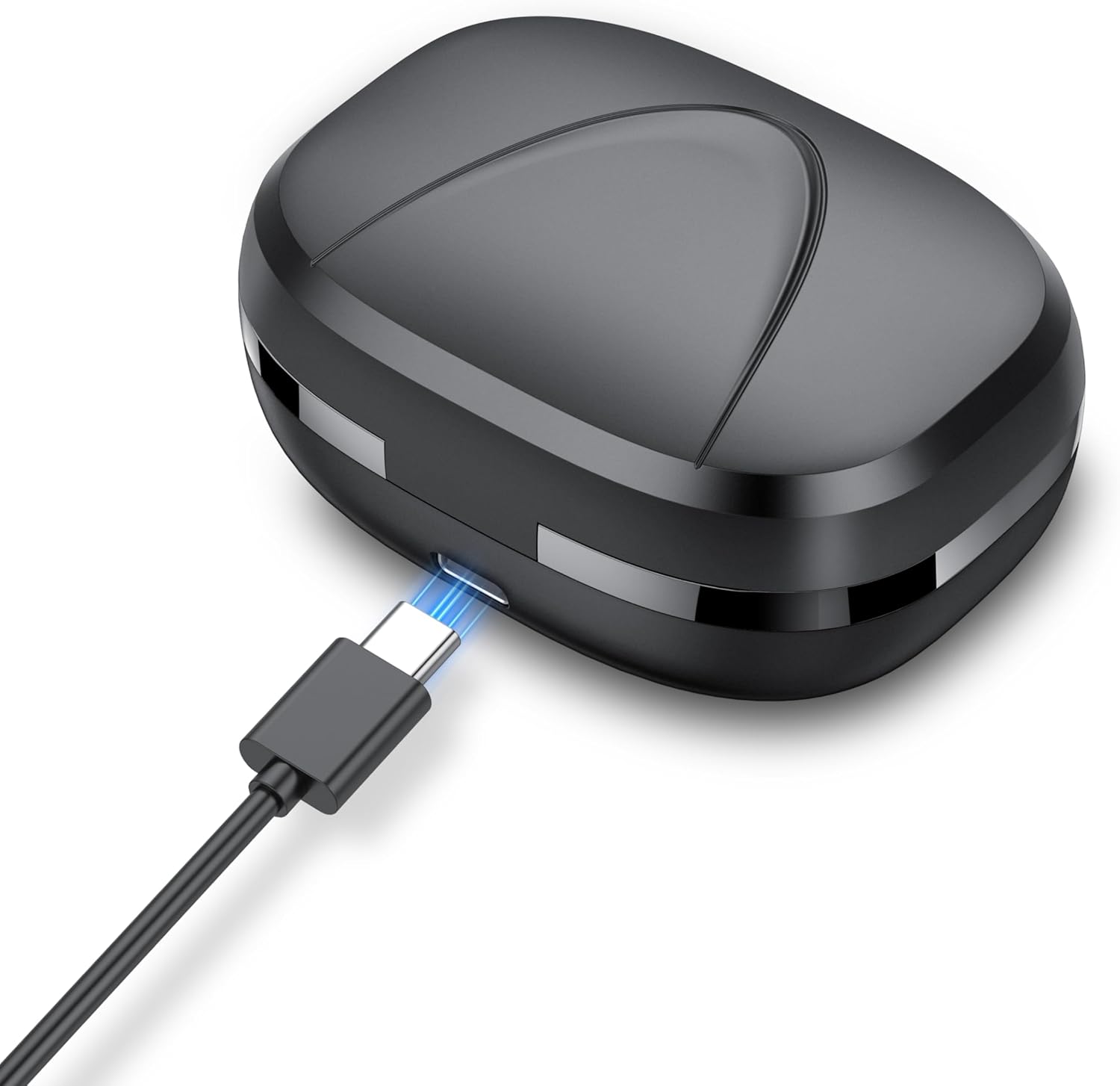
This image shows the CASCHO Wireless Earbuds X17 charging case with a USB-C cable plugged into its charging port, indicating the device is receiving power. The blue light around the USB-C port signifies active charging.
- The charging indicator lights on the case will show the charging status.
- Once fully charged, disconnect the charging cable.
- The earbuds will charge automatically when placed inside the powered charging case.
2. Bluetooth Pairing
- Initial Pairing:
- Open the charging case. The earbuds will automatically enter pairing mode.
- On your device (smartphone, tablet, etc.), enable Bluetooth.
- Search for "CASCHO X17" in the list of available Bluetooth devices and select it to connect.
- Once connected, you will hear a confirmation tone, and the earbuds' indicator lights will turn off or flash slowly.
- Automatic Reconnection:
- After initial pairing, the earbuds will automatically connect to the last paired device when taken out of the charging case, provided Bluetooth is enabled on the device and it is within range.
Operating the Earbuds
The CASCHO X17 earbuds feature intuitive controls for managing audio playback and calls.
- Play/Pause: Tap either earbud once.
- Next Track: Double-tap the right earbud.
- Previous Track: Double-tap the left earbud.
- Answer/End Call: Tap either earbud once during an incoming call or active call.
- Reject Call: Press and hold either earbud for 2 seconds during an incoming call.
- Activate Voice Assistant: Triple-tap either earbud.
- Volume Control: (If supported) Long press the right earbud to increase volume, long press the left earbud to decrease volume. Refer to your device's settings if this function is not directly available on the earbuds.
Note: These controls are general guidelines. For precise control functions, please refer to any specific quick start guide or diagrams provided with your product.
Maintenance
Cleaning
- Regularly clean the earbuds and charging case with a soft, dry, lint-free cloth.
- Do not use abrasive cleaners, alcohol, or chemical solvents.
- Ensure charging contacts on both earbuds and case are clean and free of debris to maintain proper charging.
Storage
- When not in use, store the earbuds in their charging case to protect them and keep them charged.
- Store the device in a cool, dry place, away from extreme temperatures and direct sunlight.
Troubleshooting
| Problem | Solution |
|---|---|
| Earbuds not pairing with device. |
|
| No sound from one or both earbuds. |
|
| Charging case not charging. |
|
Specifications
| Model Name | X17 |
| Brand | CASCHO |
| Connectivity Technology | Wireless (Bluetooth 5.3) |
| Ear Placement | In Ear |
| Form Factor | In Ear |
| Color | Black |
| Special Feature | Fast Charging, 4 ENC Call Noise Reduction |
| Manufacturer | CASCHO |
Warranty and Support
CASCHO products are designed for reliability and performance. For warranty information, technical support, or customer service inquiries, please refer to the contact details provided on the product packaging or visit the official CASCHO website.
Please retain your proof of purchase for warranty claims.


